
1. Introduction
The iWALK 10000mAh Slim Portable Charger (Model LPR003C) is designed to provide convenient and fast power to your devices on the go. Featuring a compact, ultra-slim design, this power bank integrates a retractable USB-C cable and offers 30W Power Delivery (PD) for rapid charging. Its versatile ports allow for charging multiple devices, making it an essential accessory for various electronic gadgets.
2. Package Contents
- 10,000mAh 30W iWALK Power Bank (with 1.97 feet Retractable USB-C Cable) x 1
- USB C to USB C cable x 1
- Instruction Manual x 1
3. Product Overview
The iWALK LPR003C portable charger combines a sleek form factor with powerful charging capabilities. Its ultra-slim profile, measuring just 0.7 inches thick, ensures easy portability. The device features a 10,000mAh battery capacity, a built-in retractable USB-C cable, and multiple output ports for broad compatibility.
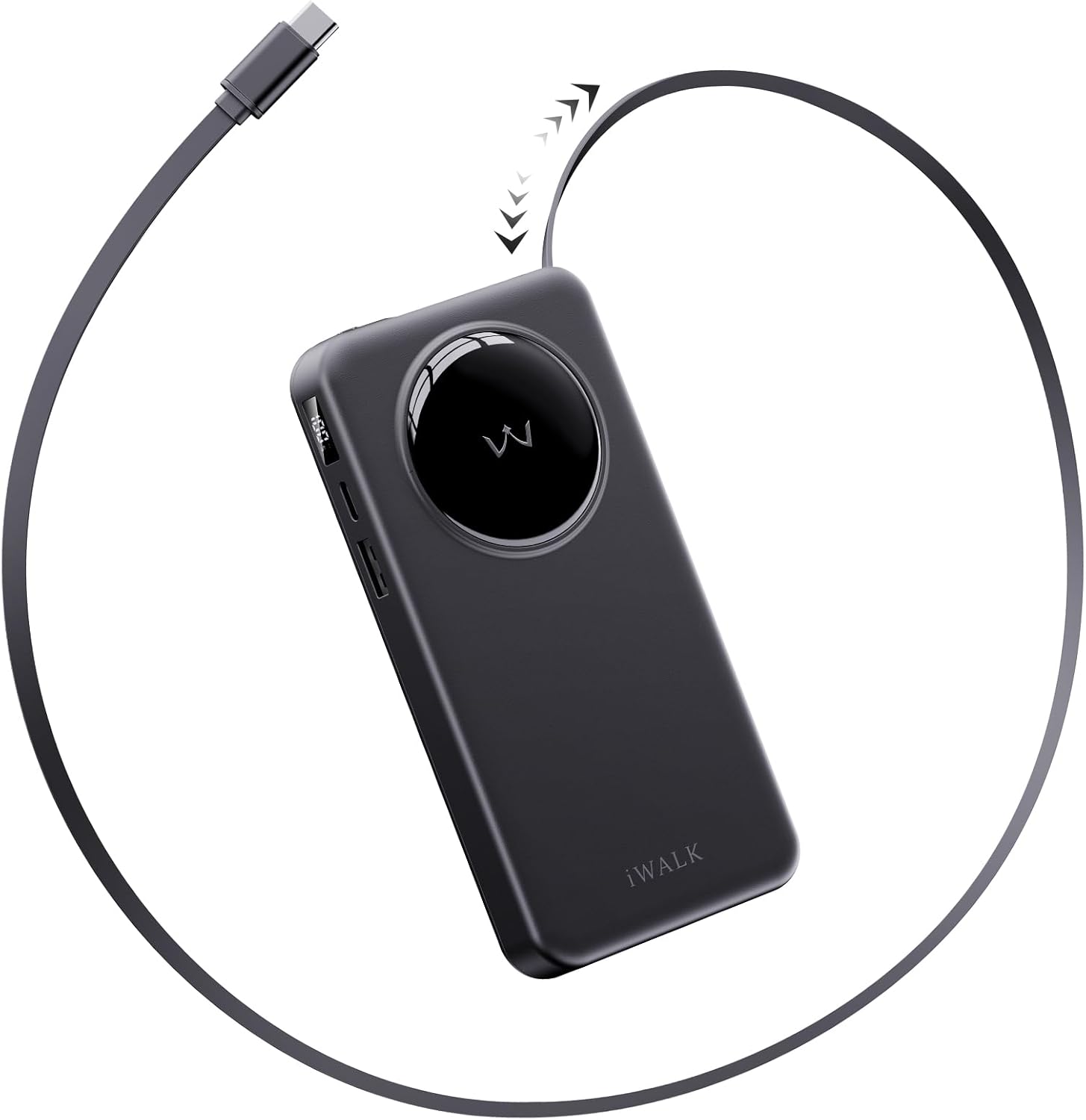
Figure 1: Front view of the iWALK 10000mAh Slim Portable Charger, showcasing its compact design and integrated retractable USB-C cable.
3.1 Key Features
- Ultra-slim Design: At only 0.7 inches (18mm) thick, it easily fits into pockets or bags.
- 10,000mAh Capacity: Provides substantial power for multiple device charges.
- Built-in Retractable USB-C Cable: A 1.97 ft (23.6 inches) integrated cable for tangle-free charging.
- 30W PD Bi-Directional Fast Charging: Supports rapid charging for both the power bank and connected devices.
- Digital Display: An LED screen indicates the remaining battery percentage.
- Multiple Output Ports: Includes a USB-C Input/Output port and a USB-A Output port.

Figure 2: Side view illustrating the ultra-slim 0.7-inch thickness and 10,000mAh capacity, with approximate charge counts for various phone models.

Figure 3: Demonstrates the convenience of the built-in 1.97 ft retractable USB-C cable, highlighting its durability and ease of storage.
4. Setup
4.1 Charging the Power Bank
Before initial use, fully charge your iWALK portable charger. Connect the provided USB-C to USB-C cable to the power bank's USB-C Input/Output port and a compatible wall adapter. The digital display will show the charging progress. The power bank supports 30W PD fast charging, allowing it to reach 50% charge in approximately 45 minutes.

Figure 4: Illustrates the 30W PD bi-directional fast charging capability, showing rapid charging for both the power bank and connected devices.
4.2 Initial Use
Once fully charged, the power bank is ready for use. Press the power button on the side to activate the digital display and check the battery level.
5. Operating Instructions
5.1 Charging Devices
To charge your device, select one of the following methods:
- Built-in Retractable USB-C Cable: Gently pull the integrated USB-C cable from its housing to the desired length. Connect the USB-C end to your compatible device. To retract, pull the cable slightly further, then release to allow it to coil back into the power bank.
- USB-C Input/Output Port: Use your device's USB-C cable to connect it to the power bank's USB-C Input/Output port.
- USB-A Output Port: Use your device's USB-A cable to connect it to the power bank's USB-A Output port.
The power bank supports simultaneous charging of multiple devices, but for optimal fast charging performance, single device charging is recommended.

Figure 5: Illustrates the capability to charge three devices simultaneously using the built-in USB-C cable, USB-C port, and USB-A port.
5.2 Digital Display
The integrated LED display shows the remaining battery percentage of the power bank, allowing you to monitor its charge level at a glance.
6. Compatibility
The iWALK LPR003C is widely compatible with various devices, including:
- iPhone 16/15 Series
- Samsung Galaxy 25/24 Series
- Google Pixel devices
- MacBook Air
- AirPods, AirPods Max
- Vision Pro
- Nintendo Switch
- DJI Mavic 3 and other USB-C compatible devices.

Figure 6: Visual representation of the wide range of devices compatible with the iWALK portable charger, including various smartphones, tablets, and other gadgets.
7. Maintenance
To ensure the longevity and optimal performance of your iWALK portable charger, follow these maintenance guidelines:
- Keep the device clean and dry. Avoid exposure to moisture, dust, and extreme temperatures.
- Do not disassemble or attempt to repair the device yourself. This may void the warranty and cause damage.
- Store the power bank in a cool, dry place when not in use.
- Avoid dropping or subjecting the device to strong impacts.
8. Troubleshooting
If you encounter issues with your iWALK portable charger, refer to the following common troubleshooting steps:
- Device not charging: Ensure the power bank is sufficiently charged. Check all cable connections to ensure they are secure. Try using a different cable or device to isolate the issue.
- Power bank not charging: Verify that the wall adapter and USB-C cable used for recharging are functional. Ensure the USB-C cable is properly connected to the power bank's Input/Output port.
- Slow charging: Ensure your device and cables support fast charging. If charging multiple devices simultaneously, the charging speed may be reduced.
- Digital display not working: Press the power button to activate the display. If it remains unresponsive, the power bank may be fully depleted or require service.
For further assistance, please contact iWALK customer support.
9. Specifications
| Model Number | LPR003C |
| Battery Capacity | 10000 Milliamp Hours |
| Product Dimensions | 5.71 x 4.13 x 1.57 inches |
| Item Weight | 11 ounces |
| Special Features | Auto Shut-Off, Built In Cable, Digital Display, Fast Charging, Slim |
| Connector Type | USB Type C |
| Manufacturer | U2O GLOBAL CO.,LTD |
10. Warranty and Support
iWALK products come with a manufacturer's warranty. For detailed warranty information, product support, or service inquiries, please refer to the warranty card included in your package or visit the official iWALK website. You can also contact iWALK customer service directly for assistance.
11. Safety Information
Please read and follow all safety instructions to prevent injury or damage to the device:
- Do not expose the power bank to fire, water, or extreme temperatures.
- Do not use the power bank if it has been damaged or modified.
- Keep out of reach of children.
- Dispose of the power bank responsibly according to local regulations.
12. Official Product Videos
Portable Charger with Built in Cable for iPhone
This video from iWALK Direct demonstrates the features and usage of the portable charger, including its built-in retractable cable and magnetic attachment capabilities for compatible iPhones. It highlights the convenience of having an integrated charging solution and the digital battery display.


