
Introduction
Thank you for choosing the POPOSOAP Floating Pond Fountain with RGB LED Lights. This manual provides essential information for the safe and efficient operation of your new pond fountain. Please read all instructions carefully before installation and use.
Product Overview
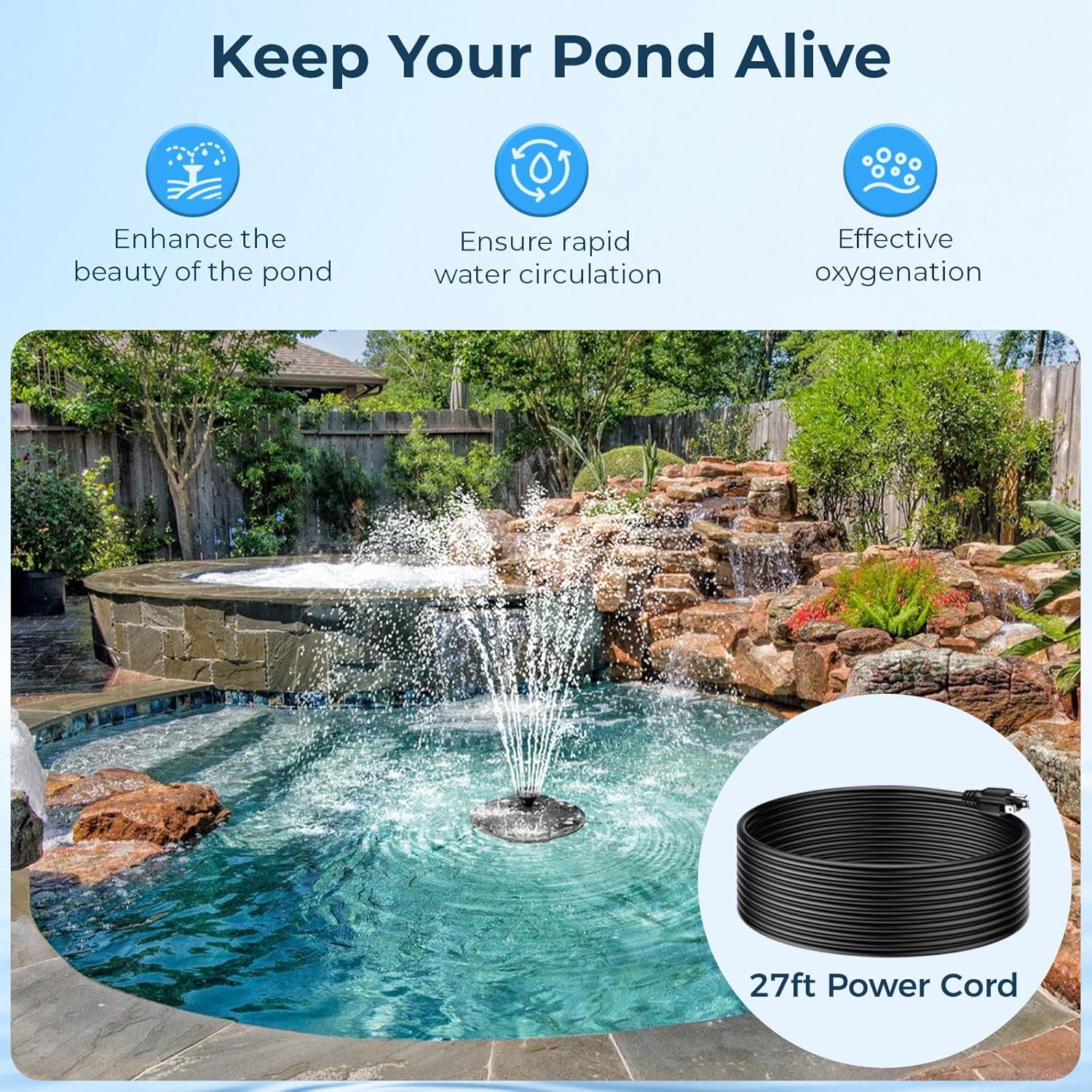
- Unique Floating Design: The fountain's floating design ensures stability and upright positioning in water, promoting rapid water circulation and effective oxygenation for aquatic life.
- Energy-Efficient Pump: Equipped with a 40W, 660 GPH (Gallons Per Hour) pump and a 30-foot power cable, offering long-lasting performance with low power consumption.
- RGB LED Light Ring: Features an integrated LED light ring that illuminates your water feature with a variety of colors. It includes a built-in light sensor for automated on/off functionality and auto-cycling lighting.
- Three Spray Patterns: Easily switch between three distinct spray patterns to customize your water display. This also aids in oxygenating the pond and increasing water fluidity.
- Simple Installation: Designed for ultra-simple setup, including all necessary components for immediate plug-and-play operation. Flexible positioning options are provided by the included staking pole and mooring line.
Setup Instructions
Unpacking and Component Check
Carefully unpack all components and verify that all parts are present and undamaged. Refer to the diagram below for a visual guide to the included parts.
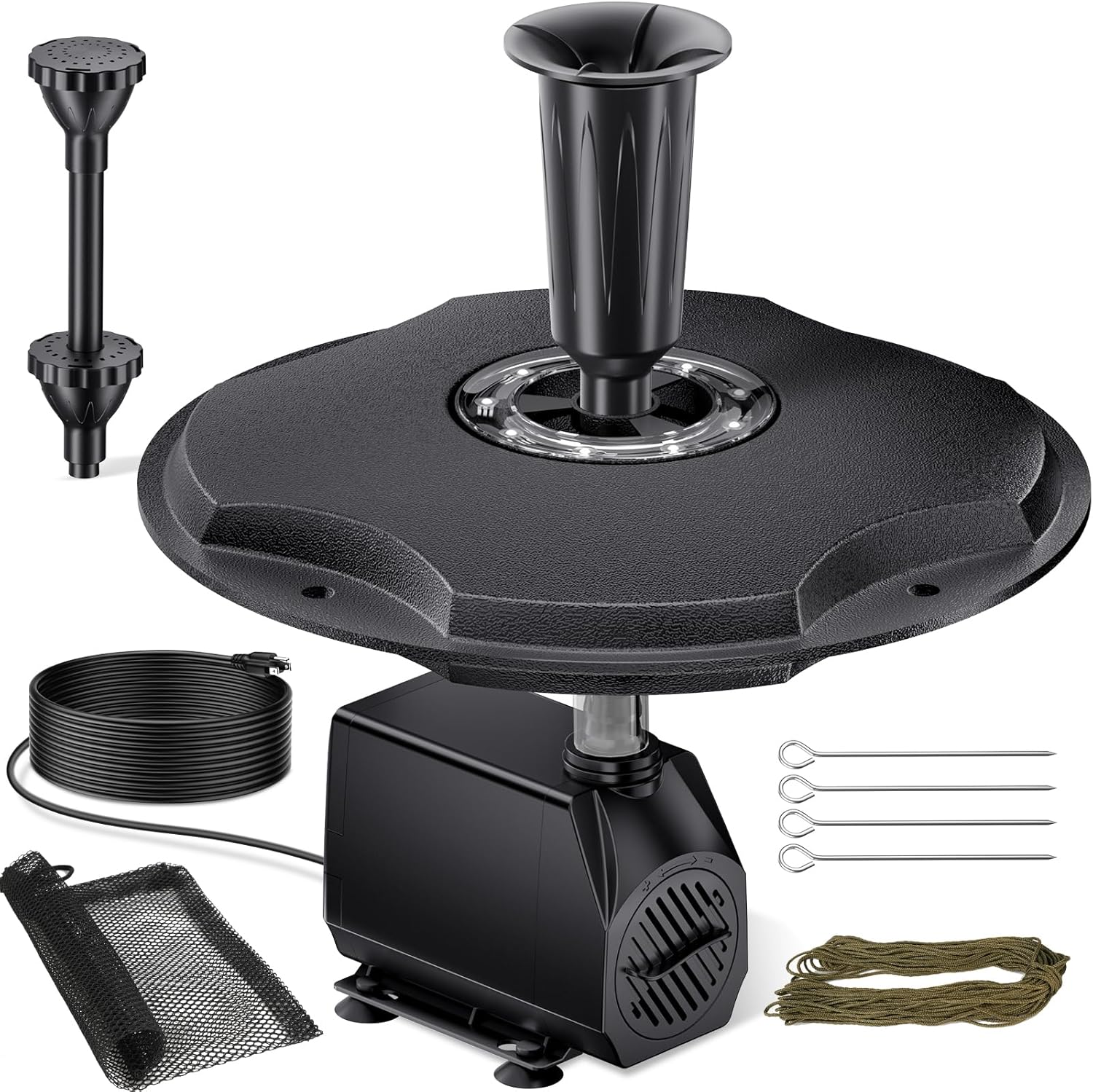
All components of the POPOSOAP Floating Pond Fountain laid out for inspection.

Exploded view diagram of the floating fountain components, showing the pump, float, LED lights, and fountain heads.
Assembly Steps
- Connect the Pump: Attach the pump to the underside of the floating disk. Ensure a secure connection.
- Install the Nozzle: Select your desired fountain head (single tier, double tier, or bell nozzle) and securely attach it to the pump outlet on the floating disk.
- Connect the LED Light Ring: If not pre-attached, connect the LED light ring to the designated port on the pump.
- Place in Filter Bag (Optional but Recommended): For ponds with debris, place the entire pump and float assembly into the provided filter bag to prevent clogging.
- Position the Fountain: Gently float the assembled fountain into your pond or water feature. Use the included 65.6 ft mooring line and anchors to secure the fountain in your desired position.
- Power Connection: Plug the 30-foot power cord into a suitable outdoor power outlet. The fountain will begin operating.
Video demonstrating the assembly and initial operation of the POPOSOAP Floating Pond Fountain, including connecting components and placing it in water.
Operating Instructions
Fountain Operation
Once plugged in, the pump will immediately begin to circulate water, creating a fountain display. The water flow rate is 660 GPH.
Three different fountain spray patterns: single tier, double tier, and bell nozzle, which can be changed by swapping the fountain heads.
LED Lighting Features
The integrated RGB LED lights will automatically turn on at dusk and off at dawn due to the built-in light sensor. The lights will cycle through various colors automatically, enhancing the visual appeal of your pond at night.

The floating pond fountain displaying six different RGB LED light colors, automatically cycling through the spectrum.
Video showcasing the RGB LED lights of the floating pond fountain, demonstrating the automatic color cycling feature in a nighttime setting.
Maintenance
Regular maintenance is crucial for the longevity and optimal performance of your pond fountain. Neglecting maintenance can lead to reduced water flow and pump damage.
- Pump and Filter Cleaning: The pump and filter bag can become clogged with debris, especially in ponds that are not regularly cleaned. It is recommended to inspect and clean the pump and filter bag regularly (daily in very dirty ponds, or as needed) to ensure proper water flow.
- Nozzle Cleaning: Periodically remove and clean the fountain nozzles to prevent mineral buildup and ensure consistent spray patterns.
- Winterization: In freezing temperatures, remove the fountain from the pond and store it in a dry, frost-free location to prevent damage.
Troubleshooting
| Problem | Possible Cause | Solution |
|---|---|---|
| Fountain not spraying or weak spray | Clogged pump or nozzle; insufficient water level. | Check and clean the pump and filter bag. Ensure the water level is adequate for the pump to be fully submerged. |
| LED lights not working | Light sensor malfunction; LED failure. | Ensure the light sensor is not obstructed. If the issue persists after checking power, contact customer support for assistance. |
| Fountain stops running intermittently | Pump overheating or debris obstruction. | Unplug the fountain, allow the pump to cool, and then clean any debris from the pump and filter. Reconnect power. |
Specifications
| Feature | Detail |
|---|---|
| Model Number | 25-FF-45W-J |
| Pump Power | 40W |
| Max Flow Rate | 660 GPH |
| Power Cable Length | 30 Ft |
| Mooring Line Length | 65.6 Ft |
| Material | Acrylonitrile Butadiene Styrene |
| Special Feature | Lighted (RGB LED with auto on/off sensor) |
| Item Weight | 5.44 pounds (2.47 Kilograms) |
| Package Dimensions | 12.56 x 12.09 x 6.93 inches |
| Power Source | Corded Electric |
Warranty & Support
The POPOSOAP Floating Pond Fountain comes with a 1-Year Warranty and a 100% Satisfaction Guarantee, covering manufacturing defects and operational issues under normal use.
Extended Protection Plans (Optional)
For additional peace of mind, extended protection plans are available:
- 3-Year Protection Plan: Extends coverage for 36 months.
- 4-Year Protection Plan: Extends coverage for 48 months.
- Complete Protect: A monthly plan covering all eligible past and future purchases.
For warranty claims, technical support, or inquiries regarding extended protection plans, please contact POPOSOAP customer service through the retailer where the product was purchased.