Introduction
This manual provides essential information for the setup, operation, maintenance, and troubleshooting of your Amazfit T-Rex 3 Outdoor Smartwatch. Please read this manual thoroughly before using the device to ensure proper function and longevity.
The Amazfit T-Rex 3 is a robust outdoor smartwatch designed for adventure, featuring a 48mm AMOLED display, offline maps and navigation, dual-band 6-satellite GPS, up to 27 days of battery life, NFC payment capabilities, and support for 170 sports modes.
What's in the Box
- Amazfit T-Rex 3 Smartwatch
- Charging Cable
- User Manual (this document)

Image: The Amazfit T-Rex 3 Smartwatch in grey, shown with its charging cable and a user manual.
Setup
1. Charging the Device
Before initial use, fully charge your Amazfit T-Rex 3. Connect the charging cable to the charging port on the back of the smartwatch and plug the USB end into a power adapter (not included) or a computer's USB port.

Image: The charging cable for the Amazfit T-Rex 3 smartwatch, showing the magnetic connector.
- Ensure the charging contacts on the watch and cable are clean and dry.
- The watch display will show the charging status.
2. Pairing with Your Smartphone
- Download the Zepp App: Search for "Zepp App" on your smartphone's app store (iOS or Android) and install it.
- Create an Account: Open the Zepp App and follow the on-screen instructions to create a new account or log in if you already have one.
- Pair the Device:
- Turn on your Amazfit T-Rex 3 by pressing and holding the 'UP' button.
- In the Zepp App, navigate to 'Profile' > 'My Devices' > 'Add device' > 'Watch' > 'Watch with a QR code'.
- Scan the QR code displayed on your smartwatch screen using the Zepp App.
- Follow the prompts on both your watch and phone to complete the pairing process.
Image: Screenshot of the Zepp App interface on a smartphone, showing fitness tracking data.
Ensure Bluetooth is enabled on your smartphone during the pairing process.
Operating Instructions
Basic Navigation
- Touchscreen: Swipe up, down, left, or right to navigate through menus and notifications. Tap to select items.
- UP Button: Press to access the app list or return to the previous screen. Long press for power options.
- DOWN Button: Press to access quick settings or return to the watch face.
- SEL Button: Selects items or confirms actions.
- BACK Button: Returns to the previous screen or cancels an action.

Image: A close-up view of the Amazfit T-Rex 3 smartwatch, highlighting the physical buttons on its side.
Key Features
Display and Durability
The 1.5-inch AMOLED display offers a maximum brightness of 2000 nits for clear visibility in various lighting conditions. The watch features a 316L stainless steel bezel and buttons, with a military-grade casing designed to withstand temperatures from -30°C to 70°C. It is water-resistant up to 100 meters, suitable for surfing and freediving up to 45 meters.
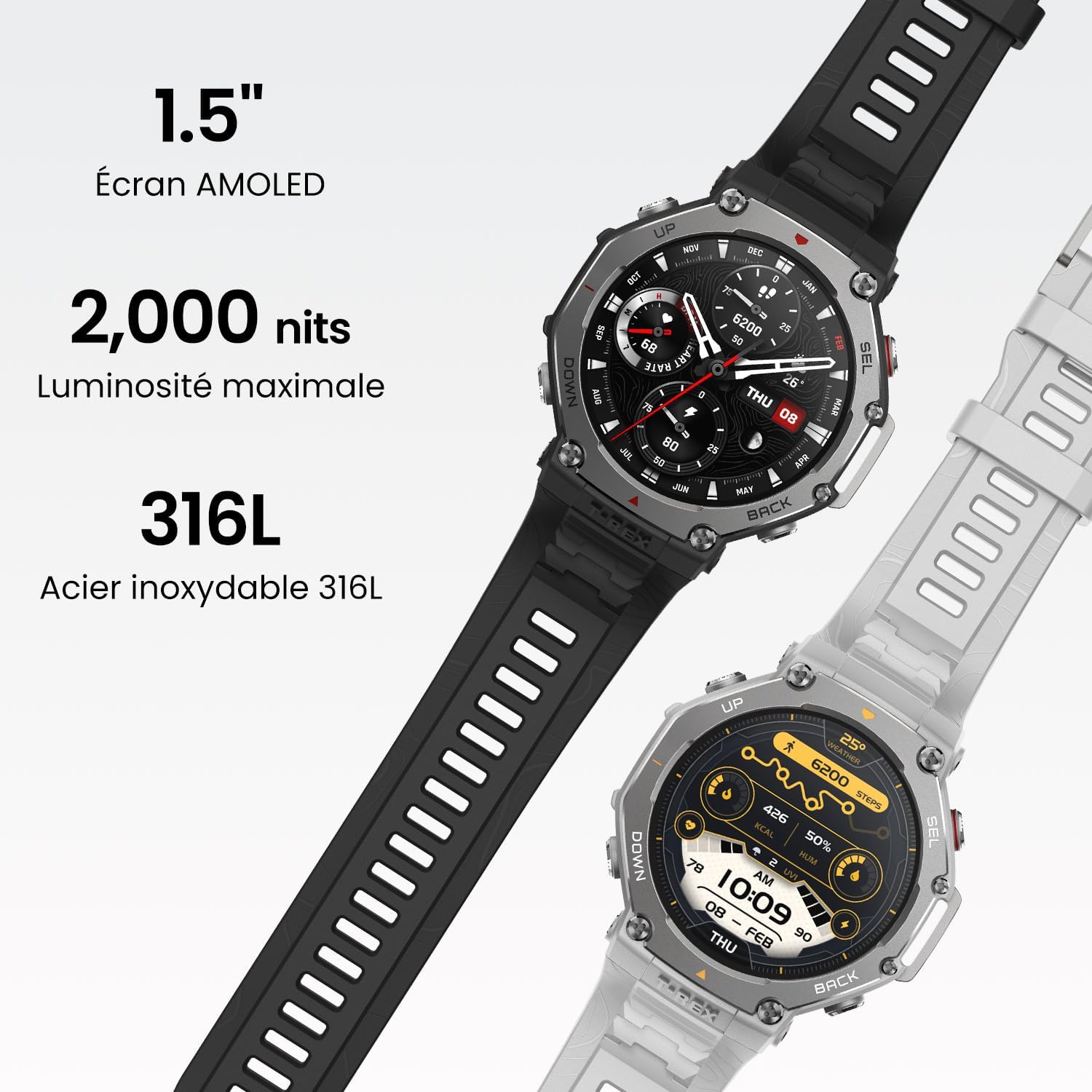
Image: The Amazfit T-Rex 3 smartwatch showcasing its 1.5-inch AMOLED screen, 2000 nits brightness, and 316L stainless steel construction.
GPS and Navigation
The T-Rex 3 supports dual-band positioning with 6 satellite systems for accurate tracking. Users can download global, contour, and snow maps for offline navigation. Route files can be imported for guided adventures.

Image: Two Amazfit T-Rex 3 smartwatches displaying advanced offline maps and navigation features, one showing a green topographical map and the other a detailed route.
Battery Life
The watch offers up to 27 days of battery life in normal usage, 42 hours with precise GPS, and up to 114 hours in long-duration GPS mode. With certain settings disabled, GPS usage can extend to 180 hours.

Image: The Amazfit T-Rex 3 smartwatch displaying its battery life, indicating 27 days for normal use, 13 days for intensive use, and 180 hours for maximum GPS autonomy.
NFC Payment (Zepp Pay)
Utilize Zepp Pay for contactless payments. Up to eight bank cards can be linked to your watch, secured by a password.
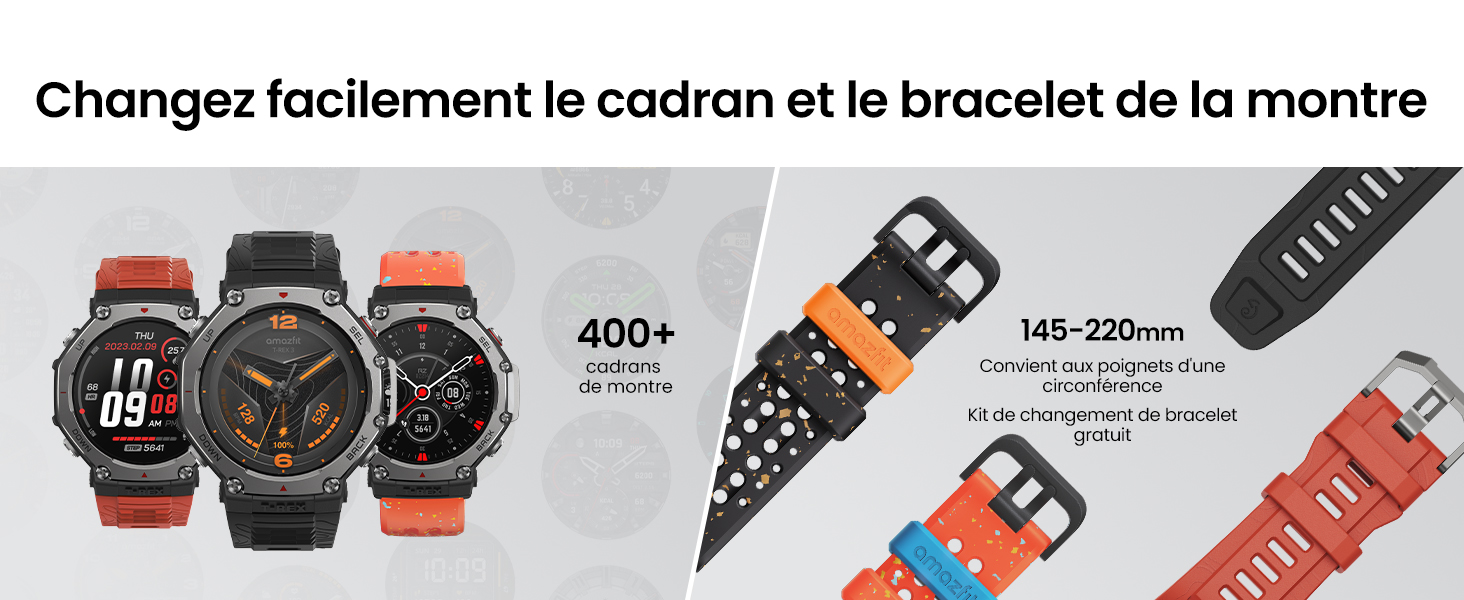
Image: A person using the Amazfit T-Rex 3 smartwatch to make a contactless payment at a terminal.
Sports Modes and Health Monitoring
The watch supports 170+ sports modes and offers comprehensive health monitoring, including heart rate, sleep duration, and blood oxygen levels.

Image: A close-up of the Amazfit T-Rex 3 smartwatch displaying heart rate data during an activity.

Image: A person interacting with the Amazfit T-Rex 3 smartwatch, which displays a workout plan for the day.
Voice Assistant
The watch supports an AI-assisted voice command feature for speech-to-text responses, alarms, reminders, weather checks, and health data inquiries.

Image: The Amazfit T-Rex 3 smartwatch displaying a message from a voice assistant, showing a text reply option.
Bluetooth Device Support
The Amazfit T-Rex 3 supports connection to various Bluetooth devices, including heart rate monitors, action cameras (GoPro), air quality monitors, cycling computers, power meters, and Sonos speakers. For a complete list of compatible devices, refer to the official Amazfit website.
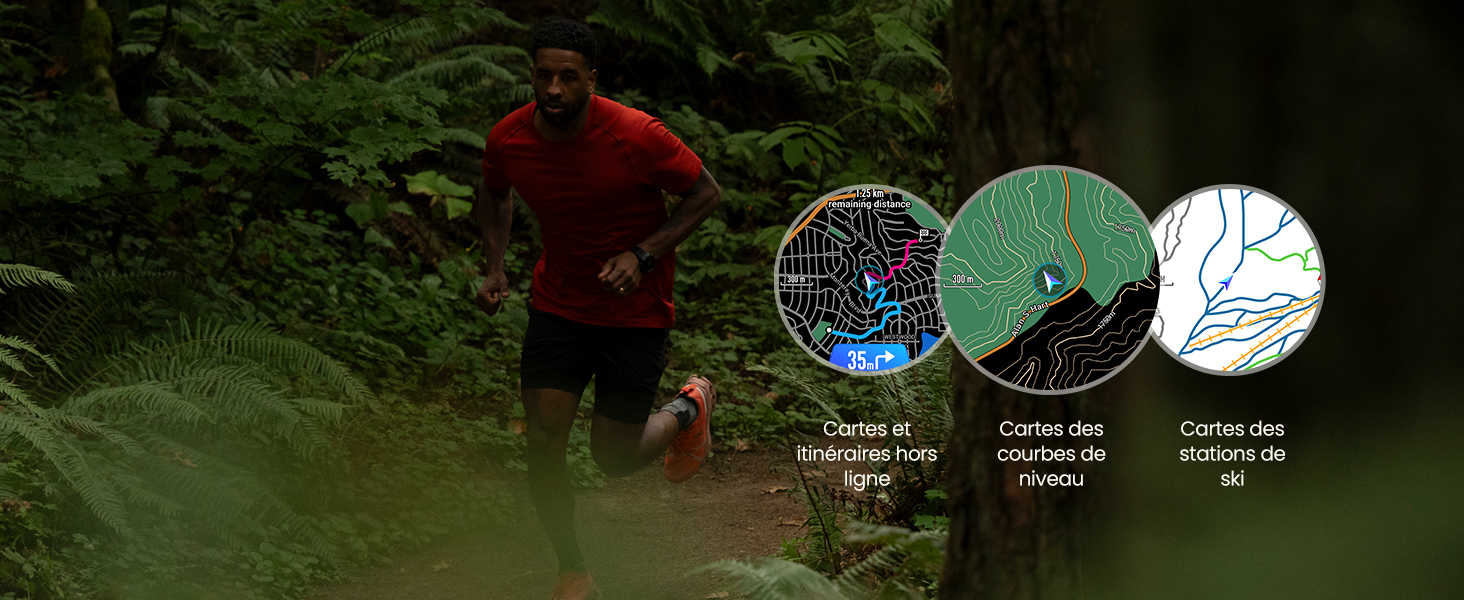
Image: An illustration showing various Bluetooth devices compatible with the Amazfit T-Rex 3, including a heart rate monitor, GoPro, air quality monitor, cycling computer, power meter, and Sonos speaker.
Maintenance
Cleaning Your Smartwatch
- Regularly wipe the watch screen and strap with a soft, damp cloth.
- For stubborn dirt, use a mild soap solution and rinse thoroughly with clean water.
- Ensure the watch is completely dry before charging or prolonged use.
- Clean the charging contacts periodically to ensure efficient charging.
Strap Replacement
The watch strap can be changed to customize its appearance. Refer to the official Amazfit website or authorized service centers for compatible replacement straps and instructions.

Image: A display of multiple Amazfit T-Rex 3 smartwatches with different watch faces and interchangeable straps, highlighting customization options.
Software Updates
Keep your watch's software updated through the Zepp App to ensure optimal performance and access to new features. Connect your watch to your phone and open the Zepp App to check for available updates.
Troubleshooting
| Problem | Possible Cause | Solution |
|---|---|---|
| Watch does not turn on. | Low battery. | Charge the watch for at least 30 minutes. |
| Cannot pair with smartphone. | Bluetooth off, app issue, watch not discoverable. |
|
| Inaccurate GPS data. | Poor satellite signal, environmental interference. |
|
| NFC payment not working. | Card not linked, incorrect password, terminal issue. |
|
| Screen unresponsive. | Software glitch, extreme temperatures. |
|
Specifications
| Feature | Detail |
|---|---|
| Model Number | TREX3GY-C0205005018 |
| Display | 1.5-inch AMOLED, 2000 nits peak brightness |
| Case Material | 316L Stainless Steel bezel and buttons, Military-grade casing |
| Water Resistance | 10 ATM (100 meters), suitable for freediving up to 45 meters |
| Operating Temperature | -30°C to 70°C |
| GPS | Dual-band, 6 Satellite Systems (GPS integrated) |
| Battery Life (Normal Use) | Up to 27 days |
| Battery Life (Precise GPS) | Up to 42 hours |
| Battery Life (Long-duration GPS) | Up to 114 hours (180 hours with certain settings disabled) |
| Connectivity | Bluetooth |
| Operating System | Zepp OS |
| Memory Storage Capacity | 32 GB |
| Health Monitoring | Heart rate, Sleep duration, Blood Oxygen (SpO2) |
| NFC | Zepp Pay for contactless payments |
| Included Components | Smartwatch, charging cable, manual |
Warranty Information
The Amazfit T-Rex 3 Outdoor Smartwatch comes with a standard manufacturer's warranty. For detailed information regarding warranty terms, coverage, and duration, please refer to the warranty card included with your product or visit the official Amazfit support website.
Return Policy: The product has a 30-day return policy from Amazon. Please refer to Amazon's return policy for specific conditions.
Support
For further assistance, technical support, or to view frequently asked questions, please visit the official Amazfit support website or contact their customer service. You can also find additional resources and community forums through the Zepp App.
Online Resources: Amazfit Official Support
Zepp App: Available on iOS and Android app stores.


