
1. Product Overview
This manual provides detailed instructions for the installation, operation, and maintenance of your Vratzn Android 13 Car Radio Stereo. This 10.1-inch HD 1280P capacitive touch screen radio features an Android 13 operating system with 2GB RAM and 32GB ROM, offering a modern upgrade for compatible vehicles.
Applicable Models:
- Jeep Compass: 2010, 2011, 2012, 2013, 2014, 2015, 2016
- Jeep Patriot: 2009, 2010, 2011, 2012, 2013, 2014, 2015, 2016
2. Setup and Installation
The Vratzn Android 13 Car Radio Stereo is designed for a straightforward installation process, often described as 'plug and play'. It includes all necessary cables and frames, along with a CAN-BUS for seamless integration with your vehicle's systems.
2.1 Included Components
The package typically includes:
- Car Radio Unit
- RCA Cable
- Power Cable
- Camera
- Can Bus
- Screwdriver & Crowbar
- Reversing Line
- Antenna
- Antenna Adapter Cable
- USB Cable (x2)
- Manual
- Nails/Screws
- Microphone
- GPS Module

Figure 2.1: Overview of included components for installation.
2.2 Installation Process Overview
Installation involves removing your existing car radio and integrating the new Vratzn unit. The included frame ensures a factory-like fit. Ensure all cables are securely connected according to the wiring diagram provided in the physical manual.

Figure 2.2: Visual comparison of the dashboard before and after installing the Vratzn car radio.

Figure 2.3: Wiring diagram for connecting the car radio.
3. Operating Instructions
3.1 Android 13 System
The unit runs on Android 13, providing a smooth and responsive user experience. Navigate through applications and settings using the intuitive touch screen interface.
3.2 Wireless CarPlay & Android Auto
Connect your smartphone wirelessly or via USB to access CarPlay or Android Auto. This feature allows you to use your phone's navigation, make calls, send messages, and enjoy music directly from the car stereo display. Utilize intelligent voice assistants for hands-free control, enhancing driving safety.

Figure 3.1: Wireless CarPlay and Android Auto interfaces.
3.3 Online & Offline Maps (GPS Navigation)
The unit supports both online and offline navigation. Connect the provided GPS antenna to enable accurate positioning. You can plan routes using coordinates, postal codes, addresses, or Points of Interest (POI). For real-time traffic updates, download a compatible online map application from the app store.

Figure 3.2: Split screen with GPS navigation.
3.4 Bluetooth & WiFi Connectivity
The car stereo features built-in Bluetooth for hands-free calling and audio streaming. Easily pair your devices. WiFi connectivity allows for internet access, enabling app downloads and online services.
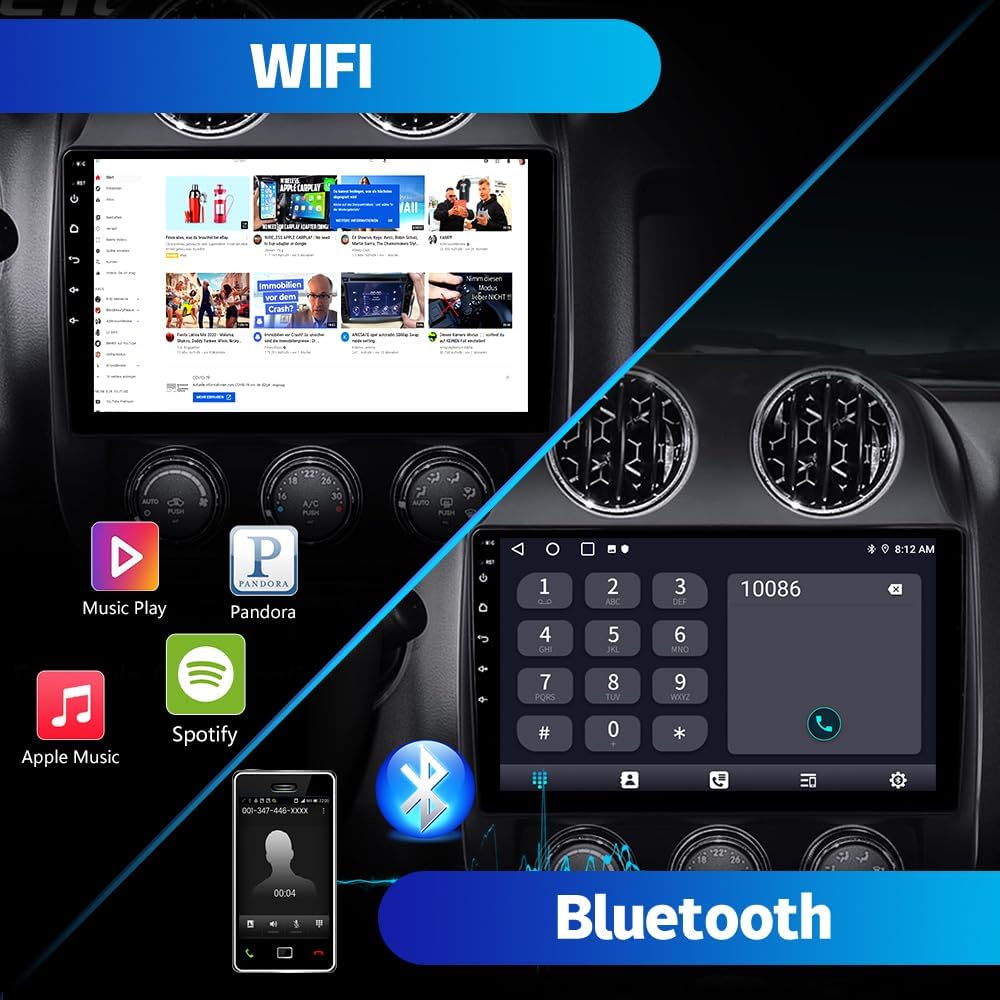
Figure 3.3: WiFi and Bluetooth features.
3.5 FM Radio & Digital Signal Processing (DSP)
Enjoy your favorite FM radio stations with clear sound quality. The integrated Digital Signal Processing (DSP) allows for advanced audio customization, providing an enhanced listening experience.

Figure 3.4: FM Radio and DSP settings.
3.6 Backup Camera
The included AHD backup camera provides a clear view of the area behind your vehicle, automatically displaying the rearview image when reversing. This assists with parking and maneuvering in tight spaces.

Figure 3.5: Backup camera display and features.
3.7 Steering Wheel Control (SWC)
The unit supports steering wheel controls, allowing you to manage audio, calls, and other functions without taking your hands off the wheel. This feature enhances convenience and safety.
4. Maintenance
To ensure the longevity and optimal performance of your Vratzn car radio, follow these general maintenance guidelines:
- Screen Cleaning: Use a soft, lint-free cloth to gently wipe the touch screen. Avoid abrasive cleaners or harsh chemicals that could damage the display.
- Software Updates: Periodically check for and install software updates to ensure the system runs efficiently and has the latest features and security patches.
- Environmental Conditions: Avoid exposing the unit to extreme temperatures or direct sunlight for prolonged periods, as this can affect performance and lifespan.
- Cable Connections: Ensure all cables remain securely connected. Loose connections can lead to intermittent issues.
5. Troubleshooting
If you encounter issues with your Vratzn car radio, refer to the solutions below. For persistent problems, contact customer support.
5.1 No Sound from Radio
If there is no sound after installation, ensure the white connector is properly plugged in. The wiring configuration may vary depending on whether your car has an amplifier (e.g., Alpine or Infinity system) or not. Refer to the specific wiring diagrams for your vehicle's audio system.

Figure 5.1: Troubleshooting for no sound issue, focusing on white connector.
5.2 Rearview Camera Not Working
If the rearview camera does not function after connection, disconnect the red wire of the camera from its original link and reconnect it to the BACK wire of the power cable (usually brown). If your car has an original reverse camera, you may need an adapter (not included) to connect it to this stereo. It is recommended to use the reversing camera provided with this stereo.

Figure 5.2: Rearview camera wiring diagram for troubleshooting.
6. Specifications
| Feature | Specification |
|---|---|
| Model | 2+32G |
| Operating System | Android 13 |
| Display Size | 10.1 Inches |
| Display Type | HD 1280P Capacitive Touch Screen |
| Memory (RAM) | 2 GB |
| Storage (ROM) | 32 GB |
| Connectivity | Wireless CarPlay, Android Auto, Bluetooth, Wi-Fi |
| Navigation | Online & Offline Maps (GPS) |
| Audio Output Mode | Stereo |
| Included Components | Car radio, RCA cable, Power cable, Camera, Can Bus, Screwdriver, Crowbar, Reversing line, Antenna, Antenna adapter cable, USB cable (x2), Manual, Nails, Microphone, GPS module |
| Item Weight | 5.04 pounds |
| Package Dimensions | 15.31 x 12.99 x 7.56 inches |
7. Warranty and Support
7.1 Warranty Information
This Vratzn car radio comes with a 1-Year Warranty from the date of purchase. Please retain your proof of purchase for warranty claims.
7.2 Customer Support
For any questions regarding installation, operation, or troubleshooting, please contact our customer support team. We provide 24-hour technical support to assist you.
Email: Vratzn-US@outlook.com