
Introduction
Thank you for choosing the Monster AC330 Open Ear Headphones. These wireless earbuds are designed to provide a comfortable listening experience while allowing you to remain aware of your surroundings. Featuring Bluetooth 5.4 technology, a stylish rotating case, and IPX5 water resistance, the AC330 offers clear audio and extended battery life for your daily activities.
What's in the Box

Image: Contents of the Monster AC330 Open Ear Headphones packaging.
- Monster Open Ear AC330 Headphones (2)
- Charging Case (1)
- Type-C Charging Cable (1)
- Silicone Lanyard (1)
- Quick Start Guide (1)
Product Overview
Open Ear Design and Comfort

Image: Monster AC330 headphones worn by a user, demonstrating the secure and comfortable open-ear fit.
The innovative open-ear design allows you to hear your audio while remaining aware of your surroundings, enhancing safety and interaction. The ergonomic ear hooks ensure a secure and stable fit for various ear shapes, making them suitable for all-day wear without pressure. Weighing only 7g, these earbuds offer a virtually weightless experience.
Pure Monster Sound
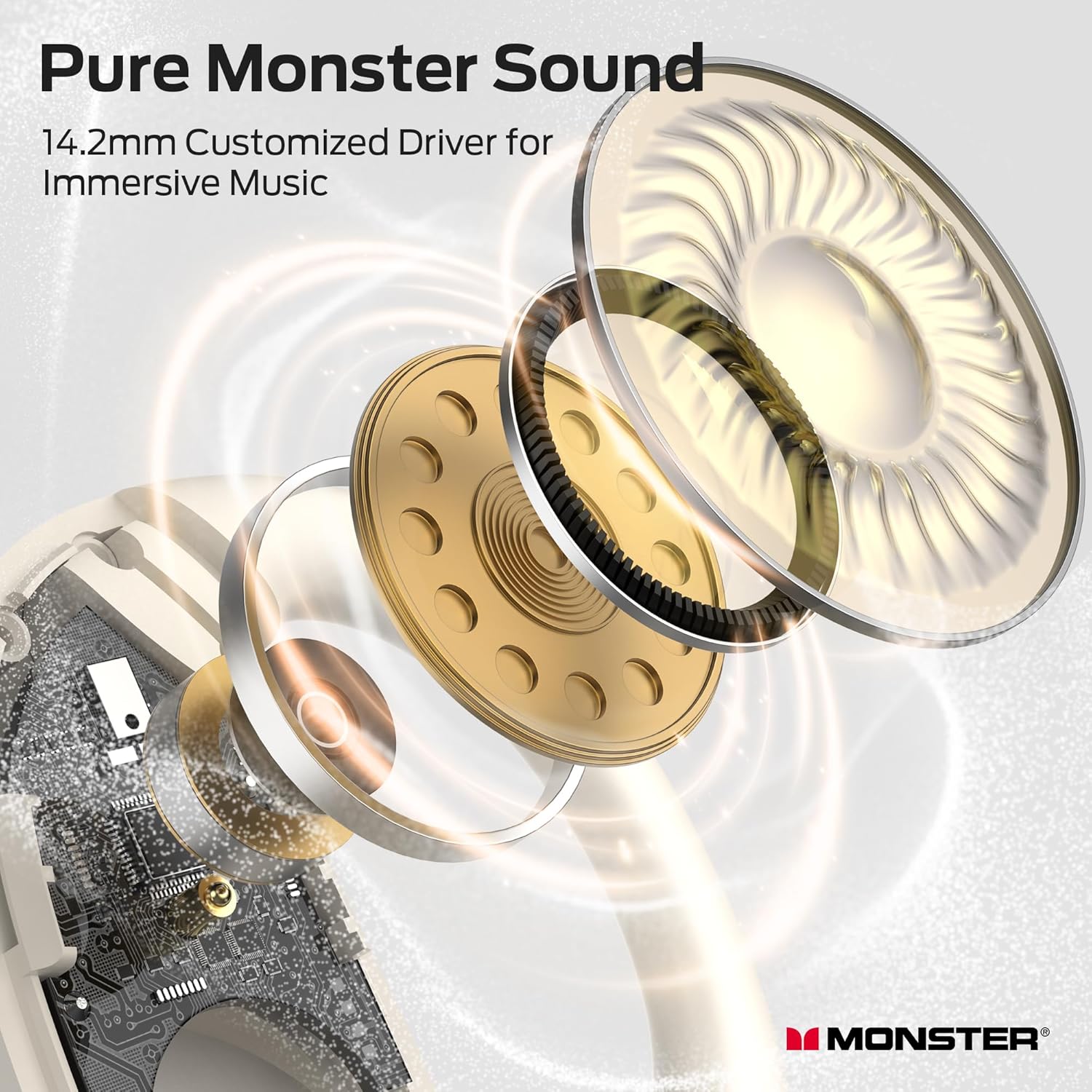
Image: Detailed view of the 14.2mm customized drivers for enhanced sound quality.
Equipped with 14.2mm customized drivers, the AC330 headphones deliver Pure Monster Sound, ensuring clear and immersive audio for music and calls.
Stylish Rotating Charging Case with Lanyard

Image: The stylish rotating charging case with an attached lanyard for convenient carrying.
The unique circular charging case features a magnetic rotating design for easy access to your earbuds. An included silicone lanyard allows for convenient portability, ensuring your music is always within reach.
Official Product Video
Video: An official overview of the Monster Open Ear Headphones AC330, demonstrating its features and design.
Setup
Charging the Earbuds and Case

Image: Charging indicators and battery life details for the AC330 headphones.
- Place the earbuds into the charging case. Ensure they are properly seated to initiate charging.
- Connect the Type-C charging cable to the charging port on the case and a power source.
- The case and earbuds will indicate charging status via LED lights.
- A full charge provides up to 8 hours of playtime for the earbuds, with the charging case extending total playtime to 24 hours.
Bluetooth Pairing

Image: Bluetooth pairing process with a smartphone.
- Open the charging case. The earbuds will automatically enter pairing mode.
- On your device (smartphone, tablet, etc.), enable Bluetooth.
- Search for "Monster Open Ear AC330" in the list of available devices and select it to connect.
- Once connected, you will hear an audio prompt, and the LED indicator on the earbuds will change.
How to Wear

Image: Step-by-step guide on wearing the earbuds for optimal comfort and stability.
- Gently take the earbuds out of the charging case.
- Place the ear hooks behind your ears.
- Lightly twist the earbuds until they feel comfortable and secure in your ear.
Operating Instructions
Touch Controls

Image: Overview of touch controls for music playback, calls, and voice assistant.
- Play/Pause: Double-click (L/R earbud)
- Voice Assistant: Hold for 2 seconds (L/R earbud)
- Previous Song: Triple-click (L earbud)
- Next Song: Triple-click (R earbud)
- Answer/Hang Up Call: Double-click (L/R earbud)
- Reject Call: Hold for 2 seconds (L/R earbud)
- Volume Down: Single-click (L earbud)
- Volume Up: Single-click (R earbud)
Maintenance
Water Resistance (IPX5)

Image: Earbuds shown with water splashes, highlighting IPX5 water resistance.
The Monster AC330 headphones are rated IPX5 water resistant, meaning they can withstand sweat and light splashes of water. They are suitable for workouts and outdoor activities. However, they are not designed for submersion in water or exposure to heavy rain.
Cleaning and Storage
- Regularly clean the earbuds and charging case with a soft, dry cloth.
- Avoid using abrasive materials or harsh chemicals.
- Store the headphones in their charging case when not in use to protect them from dust and damage.
Troubleshooting
- No Sound: Ensure earbuds are charged, properly paired, and volume is adjusted on both the earbuds and your device.
- Pairing Issues: Turn off Bluetooth on your device, then turn it back on. Reset the earbuds by placing them in the case and closing it, then reopening to re-enter pairing mode.
- Charging Problems: Check the charging cable and power source. Ensure the earbuds are correctly seated in the charging case.
- Unstable Connection: Move closer to your paired device and ensure there are no major obstructions between the earbuds and the device.
Specifications
| Connectivity Technology | Wireless (Bluetooth 5.4) |
| Ear Placement | Open Ear |
| Audio Driver Size | 14.2mm |
| Battery Life (Earbuds) | Up to 8 hours |
| Total Playtime (with Case) | Up to 24 hours |
| Water Resistance Rating | IPX5 |
| Item Weight | 7g (per earbud) / 6.4 ounces (total package) |
| Control Method | Remote (Touch Controls) |
Warranty and Support
For warranty information and customer support, please refer to the official Monster website or contact your retailer. Keep your purchase receipt for warranty claims.


