
1. Introduction
The VIHELM EZ9908 is a versatile 4-in-1 digital meter designed for accurate measurement of pH, Total Dissolved Solids (TDS), Electrical Conductivity (EC), and temperature in various water solutions. This pen-type device offers convenience and precision for applications such as drinking water analysis, aquaculture, laboratory testing, and pool maintenance.
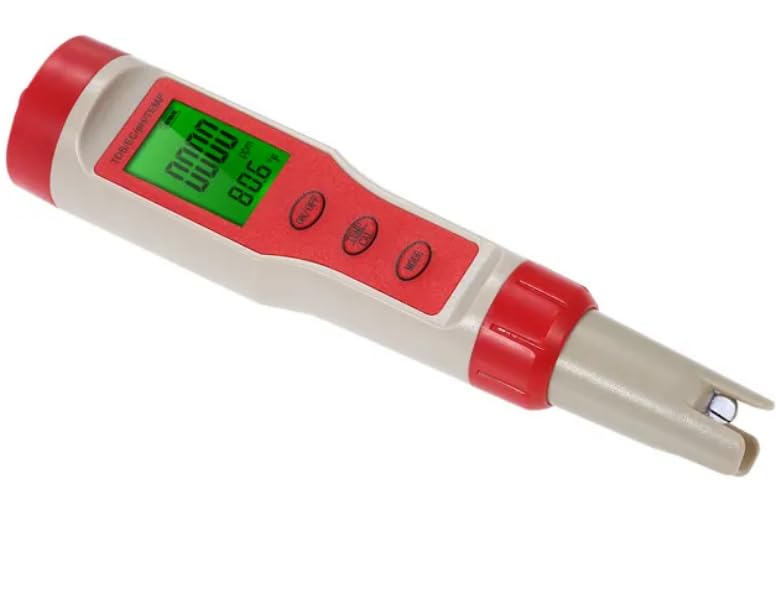
VIHELM EZ9908 4-in-1 Digital Meter, showing the display and control buttons.
2. Safety Information
Please read and understand the following safety precautions before using the device:
- Keep the device out of reach of children.
- Do not immerse the entire device in water; only the probe section is waterproof.
- Avoid dropping or subjecting the device to severe impact.
- Do not attempt to disassemble or modify the device, as this will void the warranty.
- Ensure the battery compartment is sealed properly to prevent water ingress.
- Dispose of batteries according to local regulations.
3. Product Overview
The EZ9908 meter features a clear LCD display and intuitive buttons for easy operation. Key components include:
- LCD Display: Shows pH, TDS, EC, and temperature readings.
- ON/OFF Button: Powers the device on or off.
- HOLD/TEMP Button: Freezes the current reading or switches between Celsius and Fahrenheit.
- MODE/CAL Button: Switches between pH, EC, and TDS modes, and initiates calibration.
- Probe: Contains the sensors for measurement.
- Protective Cap: Covers the probe when not in use.
- Battery Compartment: Houses the batteries.
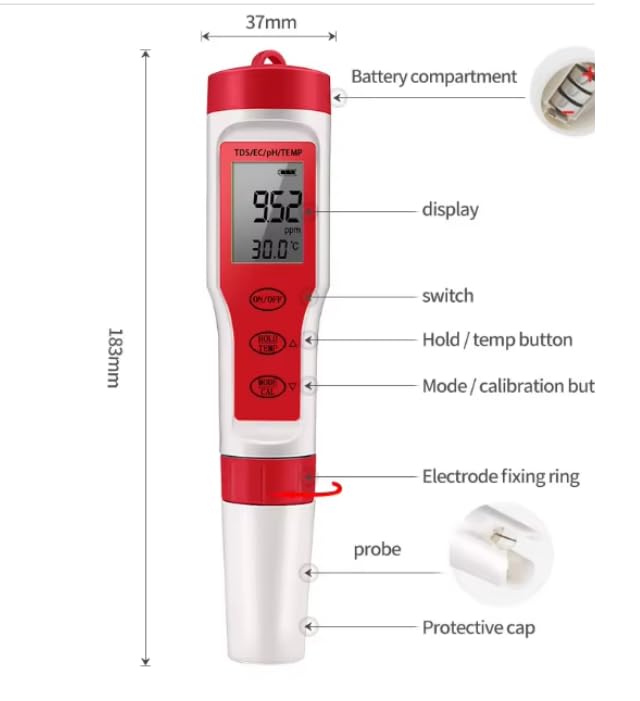
Labeled diagram of the EZ9908 meter, indicating components and dimensions.
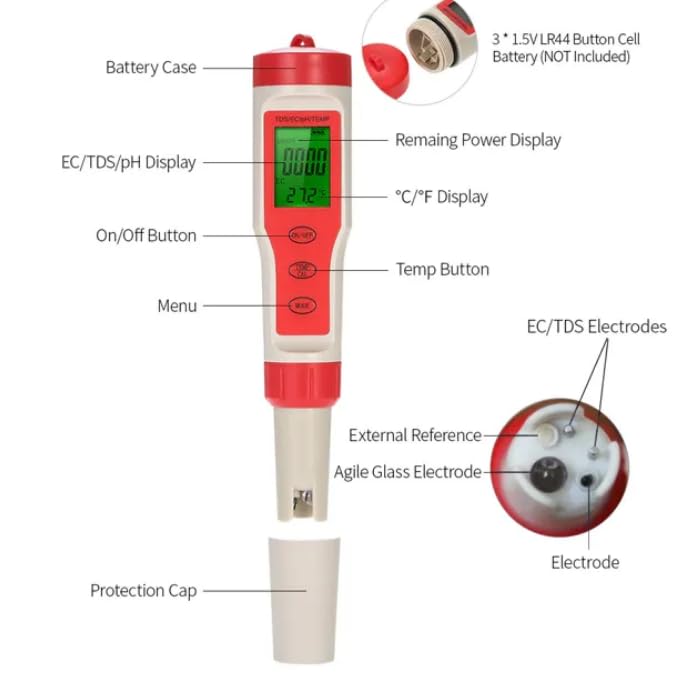
Detailed component diagram of the EZ9908 meter with battery information.
4. Setup
4.1 Battery Installation
- Unscrew the battery compartment cap at the top of the meter.
- Insert 3 x 1.5V LR44 button cell batteries, ensuring correct polarity.
- Securely screw the battery compartment cap back on to prevent water damage.
4.2 Initial Preparation
- Remove the protective cap from the bottom of the probe.
- Rinse the electrode with distilled water before first use and after each use.
5. Operating Instructions
5.1 Power On/Off
Press the ON/OFF button to turn the meter on or off.
5.2 Mode Selection
After turning on the meter, press the MODE/CAL button to cycle through pH, EC (µS/cm), and TDS (ppm) measurement modes. The selected mode will be indicated on the display.
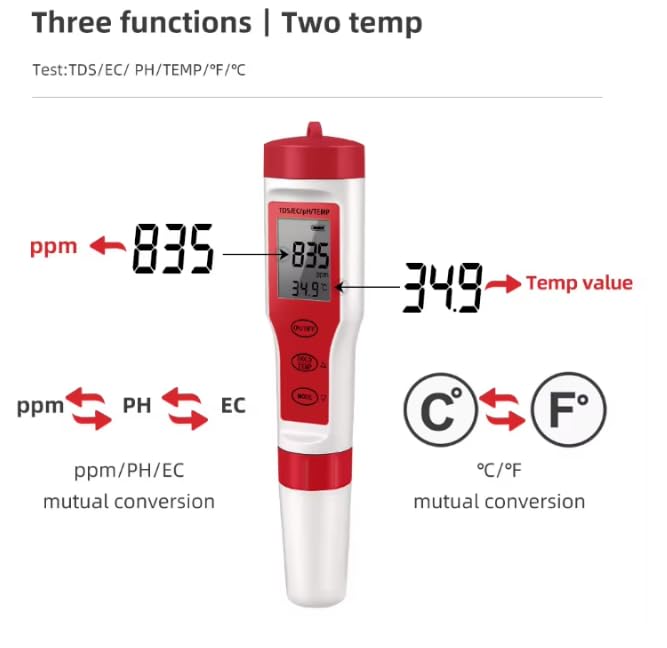
Diagram illustrating mutual conversion between ppm, pH, EC readings and temperature units.
5.3 Taking Measurements
- Immerse the electrode section of the meter into the solution to be tested. Ensure the liquid level is below the electrode fixing ring.
- Gently stir the meter to remove any air bubbles.
- Wait for the reading to stabilize on the LCD display.
5.4 Hold Function
Press the HOLD/TEMP button to freeze the current reading on the display. Press it again to release the hold function.
5.5 Temperature Unit Conversion
While in measurement mode, press and hold the HOLD/TEMP button for approximately 3 seconds to switch the temperature unit between Celsius (°C) and Fahrenheit (°F).
5.6 Calibration
For accurate pH and EC/TDS readings, regular calibration is recommended.
5.6.1 pH Calibration
- Prepare standard pH buffer solutions (e.g., pH 4.00, pH 6.86, pH 9.18).
- Turn on the meter and select pH mode.
- Immerse the electrode into the first buffer solution (e.g., pH 6.86).
- Press and hold the MODE/CAL button until the display shows "CAL".
- The meter will automatically recognize the buffer solution and calibrate. Wait for the reading to stabilize and for the calibration indicator to confirm.
- Rinse the electrode with distilled water and repeat the process for other buffer solutions (e.g., pH 4.00 and pH 9.18) as needed for multi-point calibration.
5.6.2 EC/TDS Calibration
The EC/TDS function is factory calibrated at 1413 µS/cm. If recalibration is required, use a standard 1413 µS/cm EC calibration solution and follow a similar procedure as pH calibration, ensuring the meter is in EC or TDS mode.
6. Maintenance
6.1 Electrode Cleaning
After each use, rinse the electrode thoroughly with distilled water to remove any residue. Do not use abrasive materials or harsh chemicals to clean the probe.
6.2 Storage
Always replace the protective cap after use. For long-term storage, ensure the electrode is clean and slightly moist (e.g., with a few drops of KCL storage solution or distilled water in the cap, if specified by the manufacturer, otherwise keep dry). Store the meter in a cool, dry place.
6.3 Battery Replacement
When the display becomes dim or the meter fails to power on, replace the batteries as described in Section 4.1.
7. Troubleshooting
- Inaccurate Readings:
- Ensure the electrode is clean.
- Recalibrate the meter, especially for pH.
- Check battery level.
- Ensure the sample temperature is within the meter's operating range.
- Meter Not Turning On:
- Check if batteries are installed correctly.
- Replace batteries with new ones.
- Slow Response:
- Clean the electrode.
- Ensure the electrode is properly hydrated (if applicable for pH probes).
8. Specifications
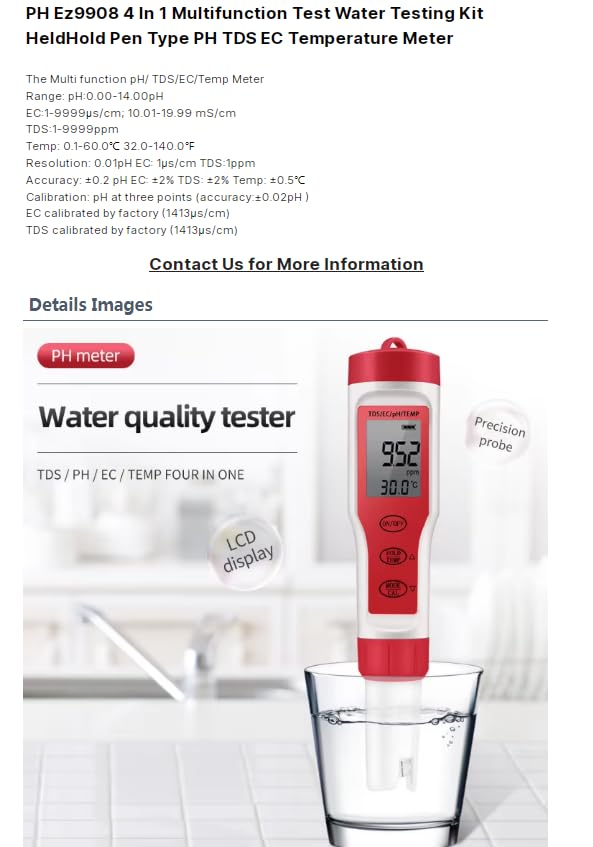
Technical specifications and measurement ranges of the EZ9908 meter.
| Parameter | Range | Resolution | Accuracy |
|---|---|---|---|
| pH | 0.00 - 14.00 pH | 0.01 pH | ±0.2 pH (±0.02 pH after calibration) |
| EC | 0 - 9999 µS/cm; 10.01 - 19.99 mS/cm | 1 µS/cm; 0.01 mS/cm | ±2% F.S. |
| TDS | 0 - 9999 ppm | 1 ppm | ±2% F.S. |
| Temperature | 0.1 - 60.0 °C / 32.0 - 140.0 °F | 0.1 °C / 0.1 °F | ±0.5 °C |
| Power Source | 3 x 1.5V LR44 Button Cell Batteries | ||
| Dimensions | 183mm x 37mm (7.2in x 1.5in) | ||
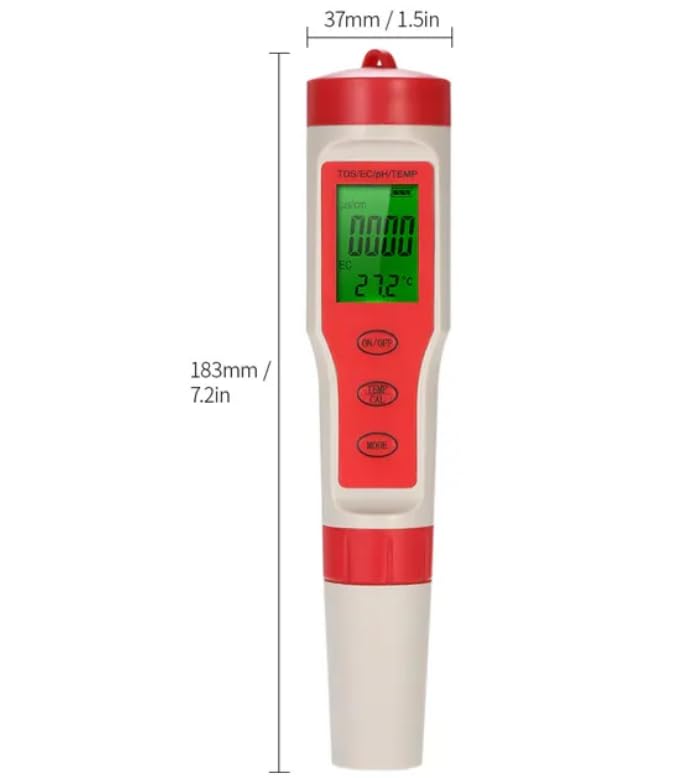
Dimensions of the EZ9908 meter.
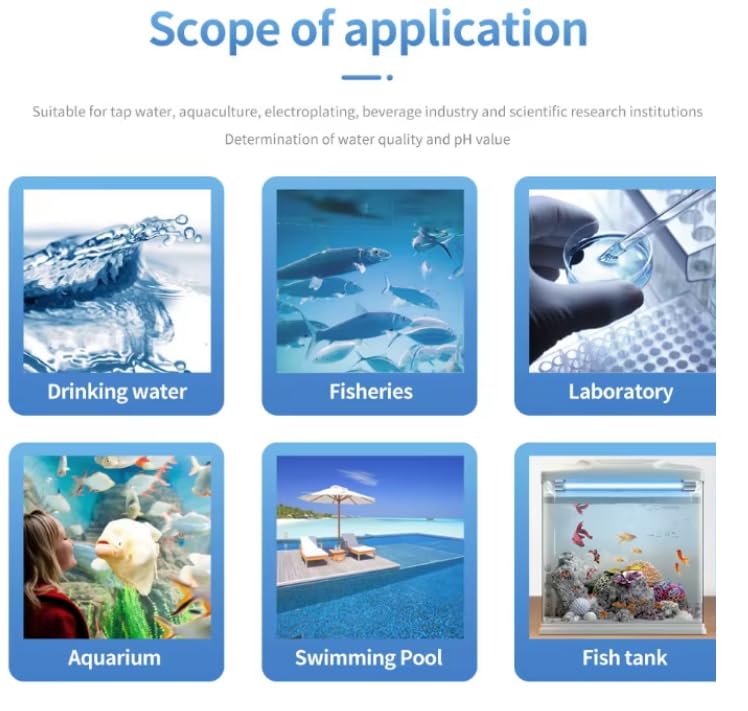
Scope of application for the EZ9908 meter.
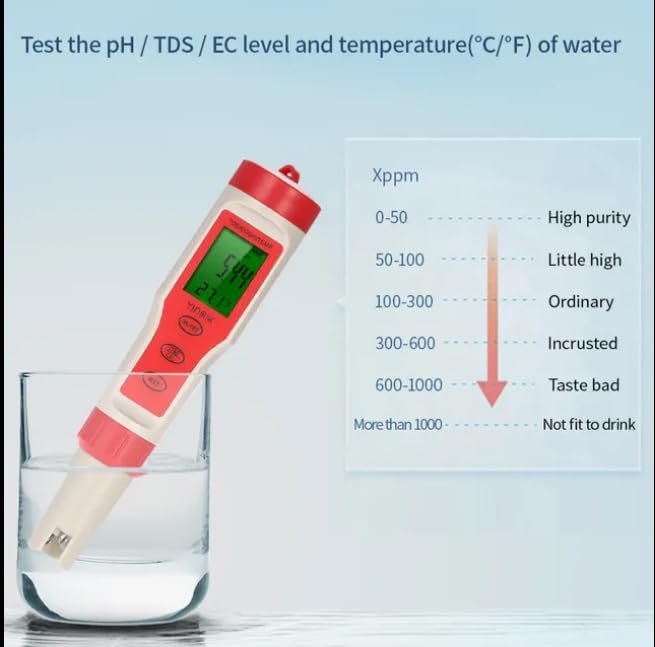
Interpretation of TDS/EC levels in water.
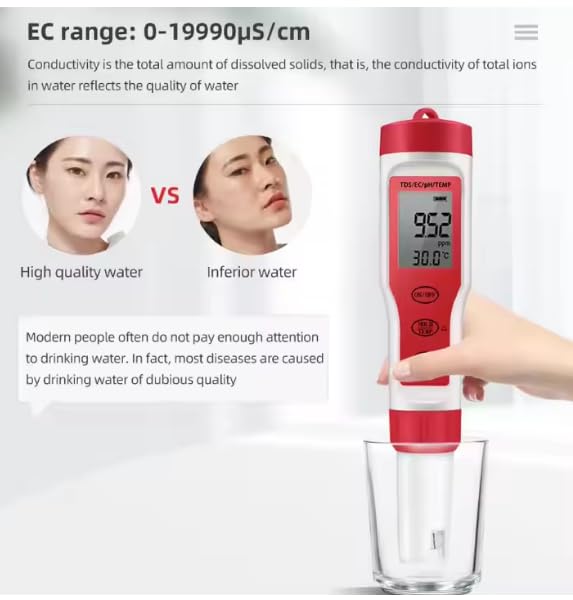
EC range and water quality comparison.
9. Warranty & Support
The VIHELM EZ9908 meter is covered by a manufacturer's warranty against defects in materials and workmanship. For specific warranty details, please refer to the product packaging or contact your retailer.
For technical support, troubleshooting assistance, or inquiries regarding replacement parts, please contact VIHELM customer service through the contact information provided with your purchase or on the official VIHELM website.