
SUNPOW NX-GD02
SUNPOW Pinpointer Metal Detector NX-GD02 User Manual
Model: NX-GD02
1. Introduction
The SUNPOW Pinpointer Metal Detector NX-GD02 is a versatile and robust tool designed for efficient metal detection. Featuring advanced technology, a rechargeable battery, and a durable waterproof design, it is suitable for both adults and children engaging in activities such as archaeology, exploration, and construction. This manual provides detailed instructions for the proper use, maintenance, and troubleshooting of your device.
2. Product Overview and Features
The NX-GD02 Pinpointer is engineered for precision and durability, offering a seamless metal detection experience. Key features include:
- Rechargeable Li-ion Battery: Equipped with an 800mAh lithium-ion polymer battery, providing an extra-long runtime of 12 to 15 hours on a single charge. This ensures extended use for uninterrupted treasure hunting.
- One-Click Operation & 360° Omnidirectional Detection: Easily powered on with a single click, the device offers a 360° side-scan capability. It can detect all types of metals, including gold, platinum, nickel, copper, and iron, and is effective up to a depth of 10 inches (25 cm) underwater.
- IP68 Waterproof Design & High-Strength Materials: The body is constructed from an excellent blend of PP (polypropylene) and glass fibers, ensuring exceptional durability. This unique material combination allows the product to effectively withstand impacts, friction, and scratches during daily use, maintaining its appearance and stable performance long-term.
- Three Feedback Modes: Offers three distinct feedback modes: audio, vibration, and audio + vibration. Users can customize their detection experience based on the environment and personal preference, ensuring no target is missed.
- Simple One-Button Control: The intuitive single-button design simplifies powering on/off and switching between detection modes, ensuring straightforward and stress-free operation.
- Integrated LED Light: Provides illumination for low-light conditions or dark search areas.
- Precise Scale Display: Features a visual scale to indicate proximity to the detected object.

Figure 2.1: The SUNPOW Pinpointer Metal Detector NX-GD02, shown with its included lanyard, holster, and USB charging cable.

Figure 2.2: Illustration of the pinpointer's extended battery life, demonstrating use from morning to night. The device offers 15 hours of continuous operation on a single charge.

Figure 2.3: The pinpointer demonstrating its precise detection capability up to 15cm (approximately 6 inches) depth, highlighting its improved chip technology for faster and more accurate target identification.

Figure 2.4: Detailed view of the pinpointer's features, including its 360° detection capability, simple one-click power button, integrated LED light for visibility, and the precise scale display indicating signal strength.
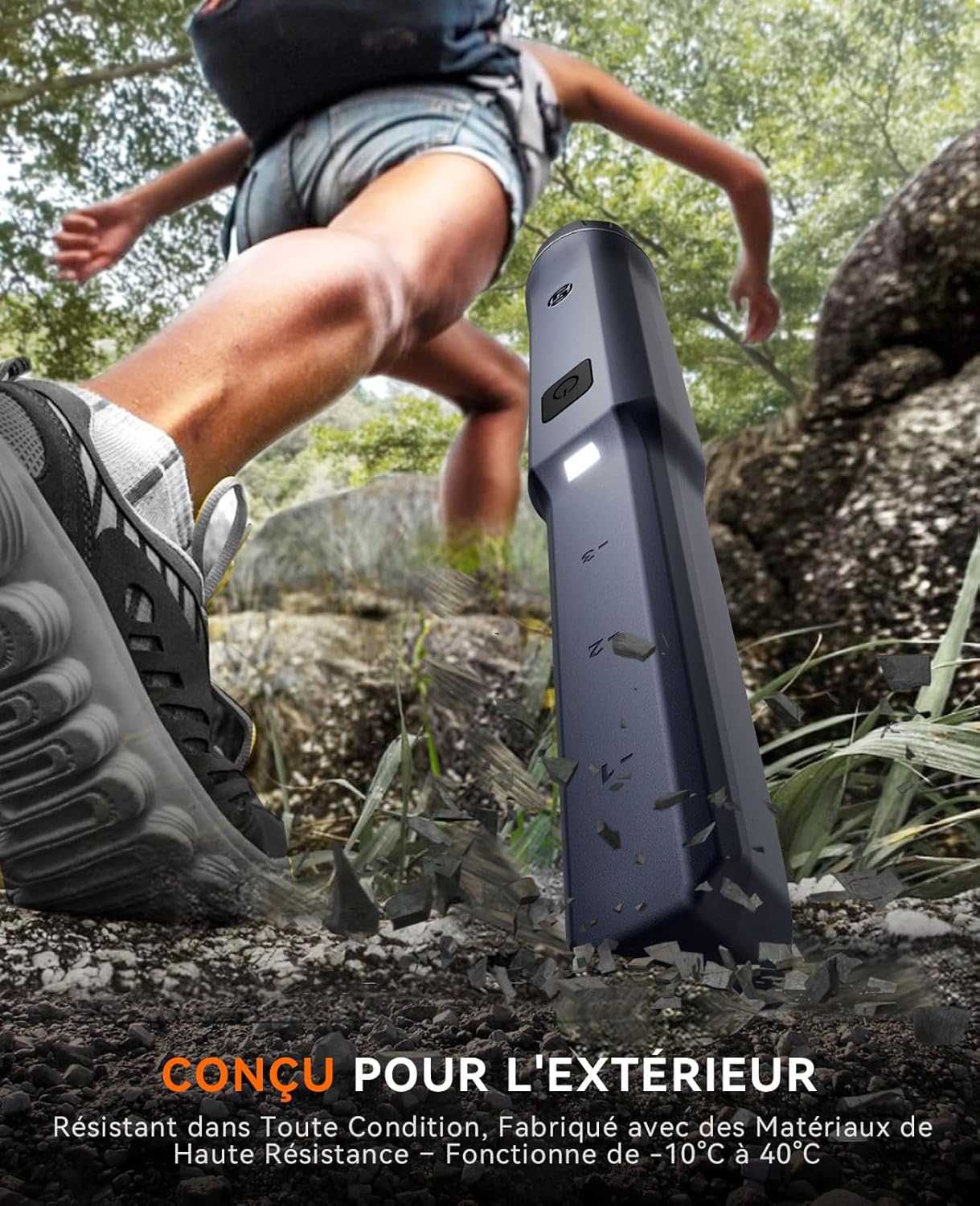
Figure 2.5: The pinpointer in an outdoor setting, emphasizing its robust construction designed to withstand various environmental conditions and impacts, functioning reliably between -10°C and 40°C.

Figure 2.6: The pinpointer partially submerged in water, demonstrating its IP68 waterproof rating, which allows for precise detection up to 3 meters (10 feet) underwater.
3. Setup
3.1 Charging the Battery
Before first use, fully charge the pinpointer's internal lithium-ion battery. Use the provided USB charging cable and connect it to a standard USB power adapter (not included) or a computer USB port.
- Locate the charging port cover on the device.
- Carefully open the cover to expose the USB charging port.
- Insert the small end of the USB cable into the pinpointer's charging port.
- Connect the larger end of the USB cable to a power source.
- The charging indicator (if present, refer to device display) will show charging status. Once fully charged, disconnect the cable and securely close the charging port cover to maintain IP68 waterproofing.
3.2 Attaching Accessories
The pinpointer comes with a lanyard and a holster for convenient carrying and use.
- Lanyard: Attach the lanyard to the designated loop on the pinpointer to prevent accidental drops, especially when working near water or in dense terrain.
- Holster: Slide the pinpointer into the provided holster. The holster can be attached to a belt or backpack strap for easy access during detection activities.
4. Operating Instructions
4.1 Powering On/Off
The NX-GD02 features a simple one-button control for power and mode selection.
- To Power On: Press the power button once. The device will activate, and the LED light may illuminate.
- To Power Off: Press and hold the power button for a few seconds until the device powers down.
4.2 Selecting Detection Modes
The pinpointer offers three feedback modes to suit different environments and preferences:
- Audio Mode: Ideal for quiet environments like parks and lawns, providing clear and precise audio feedback.
- Vibration Mode: Suitable for nighttime or underground detection, offering low noise and vibration feedback to avoid disturbing others.
- Audio + Vibration Mode: Combines both audio and vibration feedback, useful for noisy environments or when maximum feedback is desired.
To switch between modes, briefly press the power button while the device is on. Each press will cycle through the available modes.

Figure 4.1: The pinpointer operating in Audio Mode, suitable for quiet environments.

Figure 4.2: The pinpointer operating in Vibration Mode, ideal for discreet detection.

Figure 4.3: The pinpointer operating in Audio + Vibration Mode, providing comprehensive feedback.
4.3 Detection Technique
The pinpointer is designed for precise target location after a larger metal detector has identified a general area.
- Scanning: Hold the pinpointer with the tip pointed towards the ground or area of interest. Move it slowly over the surface. The 360° detection field allows for scanning from all sides.
- Pinpointing: Once a signal is detected, narrow down the search area by moving the pinpointer in a cross-hatch pattern. The signal strength (indicated by audio pitch, vibration intensity, and the visual scale on the device) will increase as you get closer to the target.
- Depth Indication: The visual scale on the device provides an approximate indication of the target's depth or proximity.
- Using the LED Light: If working in dark or confined spaces, press the power button briefly (if it's a separate function, or cycle through modes until light activates) to turn on the integrated LED light for better visibility.

Figure 4.4: Examples of common uses for the pinpointer, including searching for lost precious metals, finding nails in wood, and locating rings in grass.
5. Maintenance
Proper maintenance ensures the longevity and optimal performance of your SUNPOW Pinpointer.
- Cleaning: After each use, especially in dirty or wet conditions, wipe down the device with a damp cloth. For stubborn dirt, a mild soap solution can be used. Ensure the charging port cover is securely closed before cleaning with water. Do not use abrasive cleaners or solvents.
- Battery Care:
- Avoid completely draining the battery before recharging.
- If storing the device for an extended period, charge the battery to approximately 50% and recharge every 3-6 months to prevent deep discharge.
- Use only the provided charging cable or a compatible USB cable.
- Storage: Store the pinpointer in a cool, dry place away from direct sunlight and extreme temperatures. Keep it in its holster or a protective case when not in use to prevent scratches and damage.
- Waterproof Seal: Regularly inspect the charging port cover and any other seals for signs of wear or damage. Ensure they are clean and properly seated before submerging the device in water.
6. Troubleshooting
If you encounter issues with your SUNPOW Pinpointer, refer to the following common problems and solutions:
| Problem | Possible Cause | Solution |
|---|---|---|
| Device does not power on. | Battery is drained. | Charge the battery fully using the provided USB cable. |
| No detection or weak signal. | Incorrect mode selected; target too deep; interference. | Ensure correct mode (Audio, Vibration, or both) is selected. Move closer to the target. Move away from large metal objects or strong electromagnetic fields. |
| Audio feedback is too low. | Environmental noise; user preference. | Switch to Vibration or Audio + Vibration mode for additional feedback. Use in quieter environments if possible. |
| Button triggers too easily / Device turns on accidentally. | Sensitive button design. | Be mindful of how the device is handled and stored. Use the holster to protect the button when not in active use. |
| Water leakage (if submerged). | Charging port cover not sealed properly; damaged seal. | Ensure the charging port cover is completely and securely closed before submerging. Inspect seals for any damage. If damaged, discontinue use in water. |
If the problem persists after trying these solutions, please contact SUNPOW customer support for further assistance.
7. Specifications
| Feature | Detail |
|---|---|
| Model Number | NX-GD02 |
| Dimensions (L x W x H) | 25.4 x 4.2 x 4.2 cm (10 x 1.65 x 1.65 inches) |
| Weight | 300 Grams (0.66 lbs) |
| Battery Type | 800mAh Rechargeable Lithium Metal (included) |
| Battery Life | 12-15 hours (typical) |
| Waterproof Rating | IP68 (up to 3 meters / 10 feet underwater) |
| Material | PP (Polypropylene) and Glass Fiber blend |
| Power Source | Electric Cable (USB charging) |
| Detection Modes | Audio, Vibration, Audio + Vibration |
| Detection Depth | Up to 10 inches (25 cm) |
| Display Type | LED (for signal strength and light) |
| Recommended Uses | Archaeology, Exploration, Construction |
| Operating Temperature | -10°C to 40°C |
8. Warranty and Support
Information regarding specific warranty terms for the SUNPOW Pinpointer Metal Detector NX-GD02 is not provided in this manual. For warranty details, product support, or any inquiries not covered in this guide, please contact SUNPOW customer service directly through their official website or the retailer from whom you purchased the product.
Always refer to the latest information provided by the manufacturer for the most accurate and up-to-date support.
Related documentsNX-GD02


Ask a question about this manual
Ask about setup, troubleshooting, compatibility, parts, safety, or missing instructions. Manuals+ will review the question and use this page’s manual context to help answer it.