
Inspire Fitness T7-110V (LED)
Inspire Series T7 Treadmill User Manual
Model: T7-110V (LED)
1. Introduction
Welcome to the Inspire Series T7 Treadmill user manual. This guide provides essential information for the setup, operation, maintenance, and troubleshooting of your new treadmill. Please read this manual thoroughly before using the equipment to ensure safe and optimal performance.
The Inspire Series T7 Treadmill is designed for peak performance, offering advanced personalization and comfort. It features a unique Cushioned Dual Absorption Deck and Natural Stride Technology for a superior running experience. With a powerful 5.0 HP AC motor, a spacious 20” x 60” running surface, and a maintenance-free belt, the T7 is built for durability and professional training at home.
2. Important Safety Instructions
Before operating the treadmill, please observe the following safety precautions:
- Always consult with a physician before starting any exercise program.
- Keep children and pets away from the treadmill while it is in use.
- Place the treadmill on a solid, level surface with adequate clearance around it.
- Do not operate the treadmill if it has a damaged cord or plug, or if it is not working properly.
- Wear appropriate athletic footwear and clothing.
- Use the safety key clip at all times during operation.
- Do not step on or off the treadmill while the belt is moving.
- Maximum user weight: 350 lbs.
3. Setup and Assembly
The Inspire Series T7 Treadmill requires assembly. A tool kit is included to assist with the process. It is recommended that two people assemble the treadmill.
3.1 Unpacking
Carefully remove all components from the packaging. Inspect all parts for damage. Do not discard packaging materials until assembly is complete and the treadmill is operational.
3.2 Assembly Steps
- Place the main frame on a clear, level surface.
- Attach the uprights to the main frame using the provided hardware.
- Mount the console assembly to the top of the uprights, ensuring all cables are properly connected.
- Secure all bolts and screws firmly. Refer to the detailed assembly diagram in the separate assembly guide for precise instructions.

Figure 3.1: Fully assembled Inspire Series T7 Treadmill.
3.3 Placement
Ensure the treadmill is placed on a stable, flat surface. Allow at least 6 feet of clear space behind the treadmill and 2 feet on each side for safe operation and access.
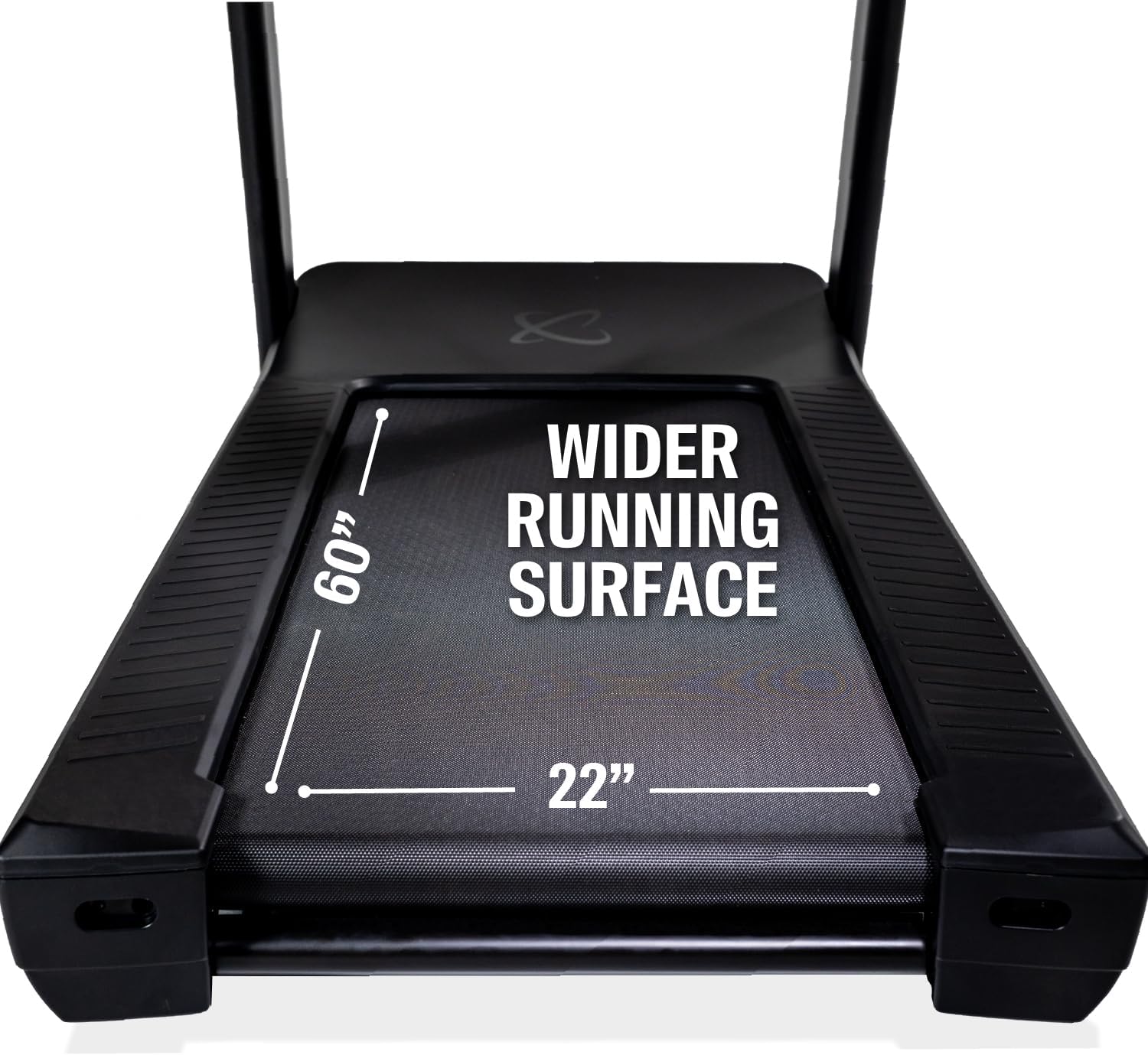
Figure 3.2: Treadmill dimensions for proper placement. The treadmill measures 83.3 inches in length, 36.3 inches in width, and 58.3 inches in height. The step-up height is 8.5 inches.
4. Operating Instructions
4.1 Console Overview
The T7 Treadmill features a 15-inch Touch Key LED Display for easy control and feedback.
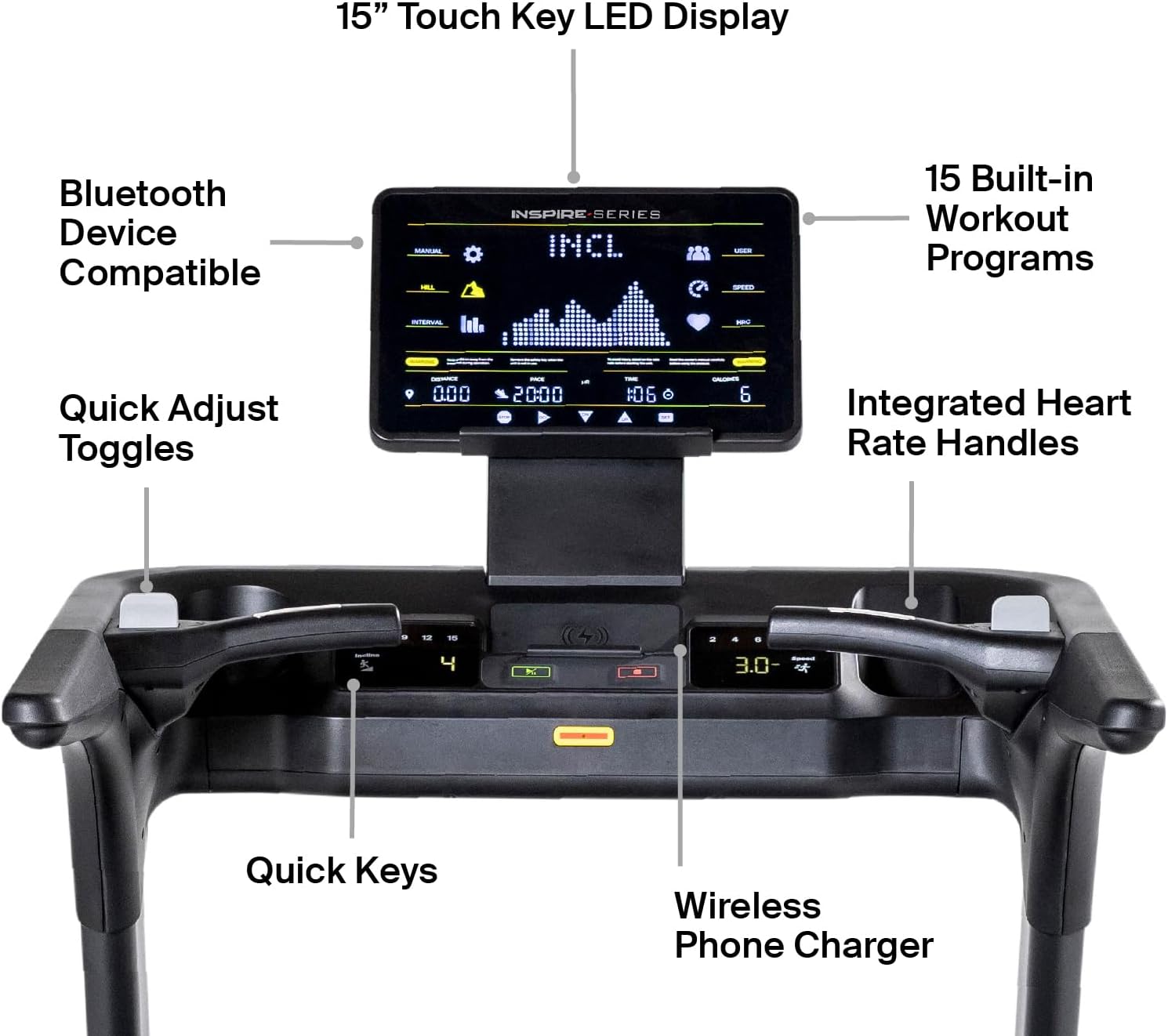
Figure 4.1: Overview of the 15" Touch Key LED Display, showing Bluetooth device compatibility, 15 built-in workout programs, quick adjust toggles, integrated heart rate handles, quick keys, and a wireless phone charger.
4.2 Starting a Workout
- Ensure the safety key is properly inserted into the console.
- Step onto the treadmill belt.
- Press the "Start" button on the console. The belt will begin to move at a low speed.
- Adjust speed using the quick adjust toggles or quick keys. The treadmill supports speeds up to 12 mph.
- Adjust incline using the quick adjust toggles or quick keys. The treadmill supports incline up to 18%.
4.3 Using Built-in Programs
The T7 Treadmill comes with 25 built-in programs. Select a program from the console menu to automatically adjust speed and incline throughout your workout.
4.4 Heart Rate Monitoring
Utilize the integrated heart rate handles for accurate monitoring during your run. Alternatively, connect a compatible Bluetooth device for continuous tracking.

Figure 4.2: User engaging with the Inspire Series T7 Treadmill during a workout.
5. Maintenance
Regular maintenance ensures the longevity and optimal performance of your Inspire Series T7 Treadmill.
5.1 Cleaning
- Wipe down the console and exterior surfaces with a damp cloth after each use. Avoid abrasive cleaners.
- Vacuum underneath the treadmill regularly to prevent dust and debris buildup.
5.2 Belt Maintenance
The T7 Treadmill features a maintenance-free belt, eliminating the need for regular lubrication. However, inspect the belt periodically for signs of wear or damage.
5.3 Belt Tracking and Tension
If the running belt begins to drift to one side or feels loose, refer to the detailed instructions in the full assembly guide for adjusting belt tracking and tension. Proper belt alignment is crucial for safe operation.

Figure 5.1: Exploded view of the One-of-a-kind Cushioned Dual Absorption Deck, showing the running belt, running deck layer, energy rebound layer, secondary running deck layer, and elastomer cushion shock absorption.
6. Troubleshooting
| Problem | Possible Cause | Solution |
|---|---|---|
| Treadmill does not power on. | Power cord not plugged in; circuit breaker tripped; safety key not inserted. | Ensure power cord is securely plugged into a grounded outlet. Check household circuit breaker. Insert safety key fully. |
| Belt stops or slips during use. | Belt tension too loose; user weight exceeds limit. | Adjust belt tension (refer to maintenance section). Ensure user weight is within 350 lbs limit. |
| Unusual noise from treadmill. | Loose components; motor issue; belt friction. | Check all bolts and screws for tightness. If noise persists, contact customer support. |
| Incline not adjusting. | Incline motor issue; obstruction. | Check for any obstructions under the treadmill. If problem persists, contact customer support. |
If you encounter issues not listed here or if solutions do not resolve the problem, please contact Inspire Fitness customer support.
7. Product Specifications
| Brand | Inspire Fitness |
| Model Name | Inspire Fitness T7 Treadmill (T7-110V LED) |
| Product Dimensions (LxWxH) | 83.3" x 36.3" x 58.3" |
| Item Weight | 376 Pounds |
| Maximum Speed | 12 Miles per Hour |
| Maximum Incline Percentage | 18% |
| Motor Horsepower | 5.0 HP AC Motor |
| Running Surface | 20" x 60" |
| Display Type | 15" Touch Key LED Display |
| Number of Programs | 25 Built-in Programs |
| Maximum Weight Recommendation | 350 Pounds |
| Connectivity Technology | Bluetooth |
| Assembly Required | Yes |
| Included Components | Tool Kit |
8. Warranty Information
The Inspire Series T7 Treadmill comes with a superior warranty:
- Lifetime warranty on frame and motor.
- Ten years on parts.
For detailed warranty terms and conditions, please refer to the warranty card included with your product or visit the Inspire Fitness official website.
9. Customer Support
For any questions, technical assistance, or warranty claims, please contact Inspire Fitness customer support:
- Manufacturer: Inspire Fitness
- Website: Visit the Inspire Fitness Store on Amazon (for general information and product range)
- Please refer to your product packaging or the official Inspire Fitness website for direct contact information (phone, email).
Additionally, your purchase includes a free 3-month membership to the Centr app, which delivers wellness coaching from Chris Hemsworth’s team of experts. This can be a valuable resource for maximizing your training.
Related documentsT7-110V (LED)


Ask a question about this manual
Ask about setup, troubleshooting, compatibility, parts, safety, or missing instructions. Manuals+ will review the question and use this page’s manual context to help answer it.