
HyperGear 15842
User Manual: HyperGear 10,000mAh Portable Power Bank
Model: 15842
1. Introduction
Thank you for choosing the HyperGear 10,000mAh Portable Power Bank. This device is designed to provide reliable and fast charging for your mobile devices on the go. With its high capacity, dual charging ports, and intelligent LED display, it ensures your devices stay powered throughout your day. Please read this manual carefully before use to ensure optimal performance and safety.
2. Safety Information
To ensure safe operation and prevent damage, please observe the following precautions:
- Do not expose the power bank to extreme temperatures (above 45°C/113°F or below 0°C/32°F), direct sunlight, or high humidity.
- Do not disassemble, modify, or attempt to repair the device. This will void the warranty and may cause harm.
- Keep away from water and other liquids.
- Avoid dropping or subjecting the power bank to strong impacts.
- Use only certified charging cables and adapters.
- Keep out of reach of children.

Image: The HyperGear Power Bank features SmartChip technology for comprehensive protection against overcharge, overvoltage, short circuits, and temperature fluctuations, ensuring safe charging for your devices.
3. Package Contents
Please check the package for the following items:
- HyperGear 10,000mAh Portable Power Bank
- USB-C to USB-C Charging Cable
- User Manual (this document)

Image: The product packaging, illustrating the HyperGear 10,000mAh Power Bank and its key features, including 38W Next-Gen Portable Power Delivery and +35 hours extra battery life.
4. Product Overview
The HyperGear 10,000mAh Power Bank is designed for portability and efficiency. It features a compact design with a digital LED display for battery status and multiple charging ports.
- USB-C PD Port: For fast input and output charging.
- USB-A Port: For standard output charging.
- LED Digital Display: Shows the remaining battery percentage.
- Power Button: Activates the display and initiates charging.

Image: A front view of the HyperGear 10,000mAh Portable Power Bank, highlighting its digital LED display showing '100' for full charge, and the HyperGear branding.

Image: This graphic illustrates the key features of the Power Pack Pro Series, including 45% more charging power, a digital battery display, and an ultra-compact design, with the power bank shown from an angled perspective.

Image: The HyperGear Power Bank is displayed alongside common items like a smartphone, a wallet, and keys, demonstrating its compact and pocket-sized dimensions of 2.4 x 3.2 x 1.03 inches.
5. Setup
Initial Charging of the Power Bank
Before first use, fully charge your HyperGear Power Bank. This ensures optimal battery performance and longevity.
- Connect the included USB-C to USB-C cable to the USB-C PD port on the power bank.
- Connect the other end of the cable to a compatible USB-C wall charger (not included). For fastest charging, use a 20W or higher USB-C PD charger.
- The LED display will show the charging progress, increasing from 0 to 100.
- Once the display shows '100', the power bank is fully charged and ready for use.
6. Operating Instructions
Charging Your Devices
The power bank supports fast charging for compatible devices via its USB-C PD port and standard charging via its USB-A port.
- Connect your device's charging cable to the appropriate port on the power bank (USB-C or USB-A).
- Connect the other end of the cable to your device.
- The power bank will automatically begin charging your device. The LED display will show the power bank's remaining battery percentage.
- To stop charging, simply disconnect the cable from your device or the power bank.
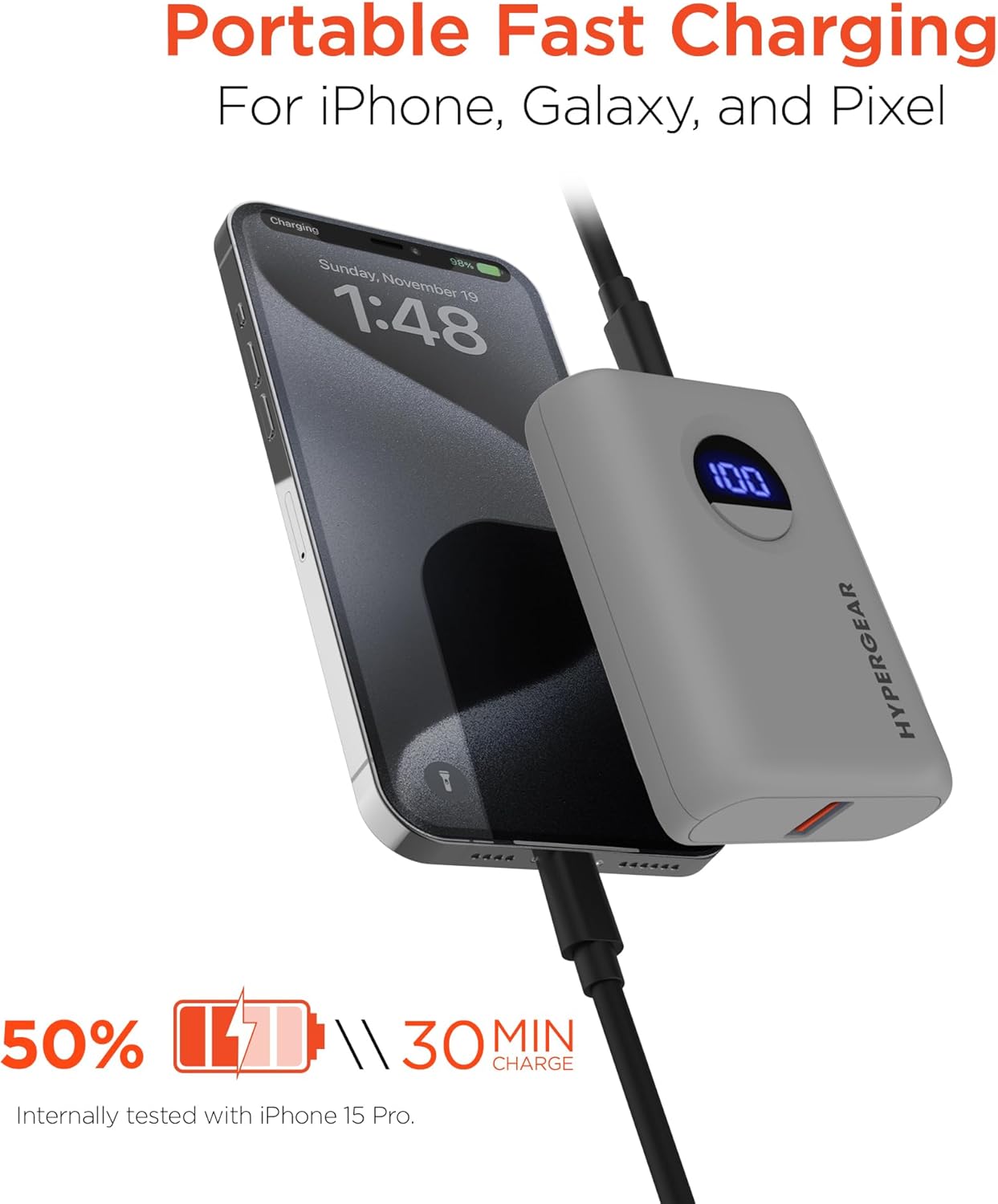
Image: The HyperGear Power Bank is shown connected to an iPhone via a charging cable, demonstrating its portable fast charging capability. The image highlights that it can charge 50% in 30 minutes, based on internal testing with an iPhone 15 Pro.
Dual Device Charging
You can charge two devices simultaneously using both the USB-C and USB-A ports.
- Connect the first device to the USB-C PD port.
- Connect the second device to the USB-A port.
- Both devices will charge concurrently.

Image: This image demonstrates the dual high-speed charging capability of the HyperGear Power Bank, showing it simultaneously charging a smartphone and a pair of wireless earbuds. It also highlights universal compatibility with various devices like iPhones, Androids, Earbuds, Watches, Cameras, Speakers, and Controllers.
Checking Battery Level
Press the power button once to activate the LED digital display, which will show the current battery percentage of the power bank.
7. Maintenance
Proper care will extend the life of your power bank:
- Clean the power bank with a soft, dry cloth. Do not use harsh chemicals or abrasive materials.
- Store in a cool, dry place when not in use.
- If storing for extended periods, charge the power bank to approximately 50% every 3 months to maintain battery health.
8. Troubleshooting
| Problem | Possible Cause | Solution |
|---|---|---|
| Power bank not charging | Cable or adapter issue; power bank fully charged; faulty port. | Try a different cable or wall adapter. Check if the power bank is already at 100%. Try a different port if available. |
| Device not charging from power bank | Power bank battery low; cable issue; device compatibility. | Recharge the power bank. Try a different charging cable. Ensure your device is compatible with USB charging. |
| Slow charging | Cable quality; device not supporting fast charge; multiple devices charging. | Use a high-quality, certified cable. Ensure your device supports fast charging for the port used. Disconnect other devices if charging slowly. |
| LED display not working | Power bank is off; internal issue. | Press the power button. If it still doesn't light up, contact customer support. |
9. Specifications
| Feature | Detail |
|---|---|
| Model Number | 15842 |
| Battery Capacity | 10,000 mAh |
| USB-C PD Output | 20W (with PPS) |
| USB-A Output | 18W Adaptive Fast Charge |
| Input (USB-C PD) | 20W |
| Product Dimensions | 2.4 x 3.2 x 1.03 inches |
| Item Weight | 6.4 ounces |
| Compatibility | Universal (iPhone, Galaxy, Pixel, iPad, AirPods, etc.) |

Image: A chart illustrating the long-lasting power of the 10,000mAh capacity HyperGear Power Bank, providing approximately +35 hours for iPhone 15 Pro, +35 hours for Galaxy S23+, and +33 hours for Pixel 8 Pro.
10. Warranty and Support
Warranty Information
This HyperGear product is covered by a standard manufacturer's warranty. Please refer to the warranty card included in your package or visit the official HyperGear website for detailed warranty terms and conditions.
Customer Support
If you encounter any issues or have questions regarding your HyperGear Portable Power Bank, please contact HyperGear Customer Support. Contact information can typically be found on the product packaging or the official HyperGear website.
Related documents15842


Ask a question about this manual
Ask about setup, troubleshooting, compatibility, parts, safety, or missing instructions. Manuals+ will review the question and use this page’s manual context to help answer it.