
1. Introduction
This manual provides detailed instructions for the installation, operation, and maintenance of your Jiawu Smart Programmable WiFi Thermostat, Model 1439WTC. This device is designed to provide precise temperature control for your home or office, integrating smart features for enhanced convenience and energy efficiency. Please read this manual thoroughly before installation and use to ensure proper function and safety.
2. Product Features
- Modern Design: Features a sleek design with two-way rotating knob buttons for intuitive control and aesthetic appeal.
- Easy to Use: Equipped with a 1.32-inch TFT screen and an intuitive knob for straightforward programming and temperature adjustments.
- Smart Voice Control: Integrates with smart home systems, allowing temperature adjustments via smartphone or voice commands (e.g., Amazon Alexa, Google Assistant).
- Unique Ambient Lighting: Customizable seven-color ambient aperture that changes synchronously with the function area, enhancing the visual atmosphere.
- Accurate Temperature Control: Maintains desired temperatures with high accuracy, minimizing fluctuations for consistent comfort.
- WiFi Connectivity: Enables remote control and programming via the Tuya App.

Image: Overview of the thermostat's rotary control, voice control, ambient lighting, remote control, and round LCD screen capabilities.

Image: The thermostat's customizable seven-color ambient aperture, which can be adjusted to suit user preference.
3. Package Contents
The product package includes the following items:
- 1 x Smart Knob Thermostat (Model 1439WTC)
- 2 x Mounting Screws
- 1 x User Manual
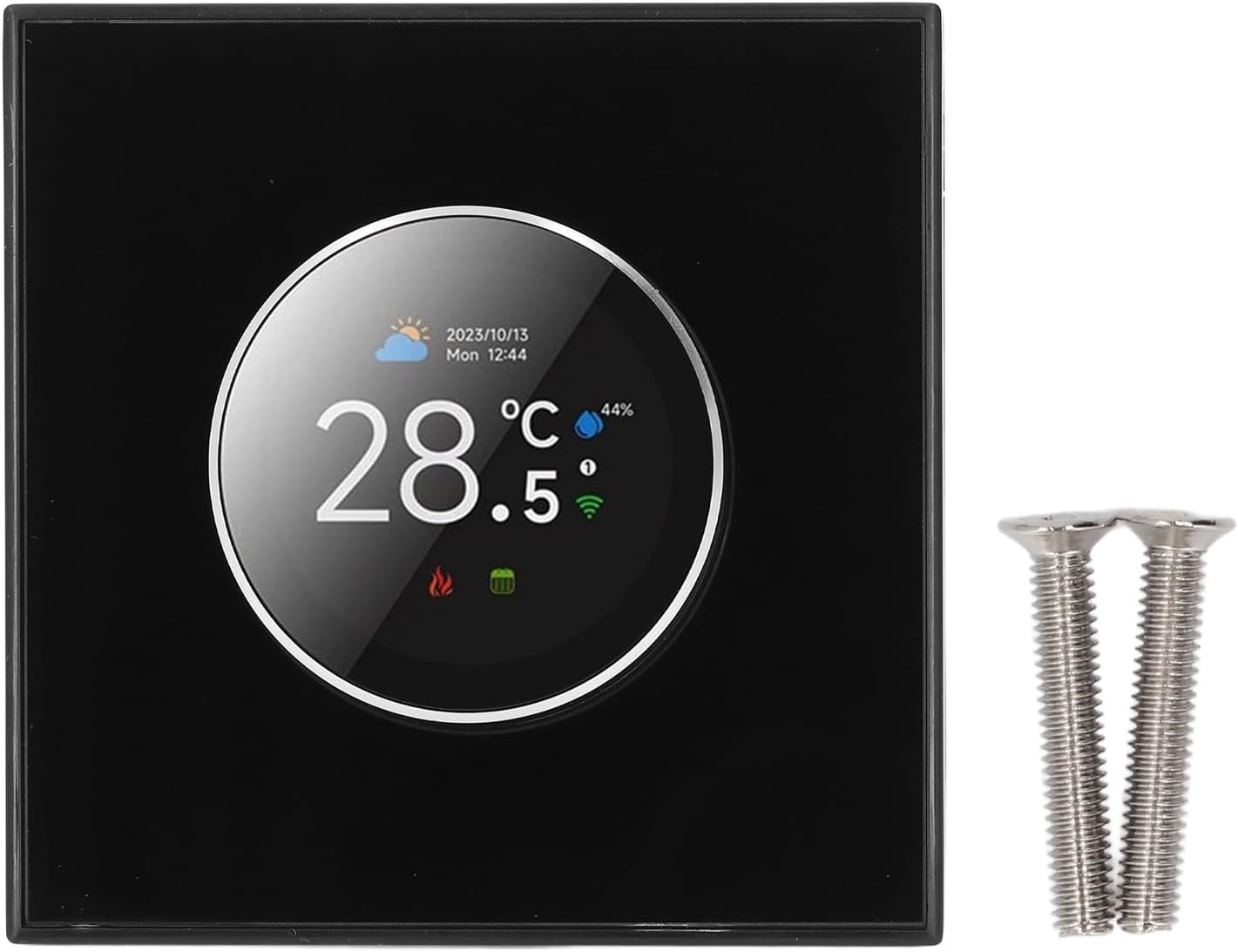
Image: The front view of the Jiawu Smart Thermostat and the included mounting screws.
4. Specifications
| Feature | Specification |
|---|---|
| Model | 1439WTC |
| Shell Material | PC and ABS (fireproof) |
| Power Supply | 95-240V AC, 50-60Hz |
| Current Load | 3A (water heating) |
| App Compatibility | Tuya App |
| Accuracy | ±1℃ |
| Set Temperature Range | 5-35℃ |
| Room Temperature Range | 5-99℃ |
| Display Temperature Range | 5-99℃ |
| Operating Temperature | 0-45℃ |
| Operating Humidity | 5-95%RH (non-condensing) |
| Storage Temperature | -10-45℃ |
| Power Consumption | <1.5W |
| Timing Error | <1% |
| Protection Level | IP20 |
| Mounting Box | 86 x 86mm square box or 60mm round box |
| Terminal Block | 2x1.5mm² or 1x2.5mm² wire |
| Control Method | Knob, App, Touch, Voice |
| Display Type | LCD |
| Connectivity Technology | Wi-Fi |
5. Installation and Wiring
Important Safety Information: Installation should be performed by a qualified electrician. Disconnect power at the circuit breaker before beginning installation to prevent electrical shock.
- Power Disconnection: Turn off the main power supply to your heating system at the circuit breaker.
- Mounting: Install the thermostat into a standard 86x86mm square box or a 60mm round box using the provided mounting screws.
- Wiring: Connect the thermostat according to the wiring diagram. Ensure all connections are secure and correct for your specific heating system (e.g., water heating).

Image: Rear view of the thermostat illustrating the wiring terminals for power (N, L) and the NTC temperature sensor.

Image: The thermostat in a water heating application, demonstrating its compatibility with such systems.
- Power Restoration: Once wiring is complete and secure, restore power at the circuit breaker. The thermostat display should illuminate.
6. Operating Instructions
6.1 Initial Setup and WiFi Connection
- Power On: After installation, the thermostat will power on and display the home screen.
- App Download: Download the "Tuya Smart" or "Smart Life" app from your smartphone's app store.
- Device Pairing: Follow the in-app instructions to add your thermostat. This typically involves putting the thermostat into pairing mode (refer to the on-screen prompts or the app's guide) and connecting it to your home WiFi network.
6.2 Basic Operation (Knob Control)
The thermostat features a rotary knob for easy navigation and setting adjustments.

Image: Comparison of the thermostat's standby screen displaying current temperature and the master control interface with various settings.

Image: Detailed breakdown of the home screen elements (e.g., current temperature, weather, WiFi status) and the main control interface options (e.g., language, sensor type, program mode).
- Rotate Knob: Turn the knob to navigate through menu options or adjust temperature settings.
- Press Knob: Press the knob to confirm a selection or enter a menu.
- Home Screen: Displays current temperature, time, date, weather, and system status (heating, WiFi).
- Main Control Interface: Access settings such as Language, Sensor Type, Clock, Program Mode, Brightness, Temperature Calibration, Power, and Temperature Setting by rotating the knob.
6.3 Smart Control (App & Voice)
Once connected to the Tuya App, you can:
- Remote Control: Adjust temperature, change modes, and set schedules from anywhere using your smartphone.
- Voice Commands: Integrate with Amazon Alexa or Google Assistant for hands-free temperature adjustments.
- Family Sharing: Share device control with family members through the app.

Image: Illustration of device sharing capabilities among family members and the 8 main control functions accessible via the app.
6.4 Video Guide
For a visual guide on the smart thermostat's features and operation, please watch the video below:
Video: A demonstration of the Jiawu Smart Thermostat's temperature control and smart features.
7. Maintenance
The Jiawu Smart Thermostat requires minimal maintenance. Follow these guidelines to ensure optimal performance:
- Cleaning: Gently wipe the screen and body with a soft, dry cloth. Do not use abrasive cleaners, solvents, or chemical sprays, as these can damage the device.
- Avoid Obstructions: Ensure that the thermostat's vents (if any) are not blocked by furniture, curtains, or other objects, as this can affect temperature readings.
- Software Updates: Periodically check the Tuya App for any available firmware updates for your thermostat to ensure you have the latest features and improvements.
8. Troubleshooting
If you encounter issues with your thermostat, refer to the following common troubleshooting steps:
- No Power/Blank Screen:
- Check the circuit breaker for your heating system to ensure power is on.
- Verify that the wiring connections at the back of the thermostat are secure.
- WiFi Disconnection:
- Ensure your home WiFi network is active and functioning correctly.
- Restart your WiFi router.
- Attempt to re-pair the thermostat with the Tuya App.
- Incorrect Temperature Reading:
- Ensure the thermostat is not exposed to direct sunlight, drafts, or heat sources that could affect its sensor.
- Check the temperature calibration setting in the main control interface or via the app.
- Thermostat Not Responding:
- Try restarting the thermostat by turning off and on the power at the circuit breaker.
- If the issue persists, a factory reset might be necessary (refer to the Tuya App or manufacturer's support for specific instructions).
For further assistance, please contact Jiawu customer support or refer to the Tuya App's help section.
9. Warranty and Support
For information regarding the product warranty, please refer to the warranty card included with your purchase or contact the seller directly. Technical support and additional resources may be available through the Tuya App or the Jiawu official website.