
XNANO HM103A
XNANO HM103A Video Projector User Manual
Model: HM103A Version
Introduction
Thank you for choosing the XNANO HM103A Video Projector. This manual provides essential information for setting up, operating, and maintaining your projector to ensure optimal performance and longevity. Please read this manual thoroughly before using the product.
What's in the Box
- XNANO HM103A Video Projector
- Power Cord
- HDMI Cable
- Remote Control
- User Manual (this document)
Product Overview
The XNANO HM103A is a versatile smart projector designed for various entertainment and professional uses. It features advanced technologies for superior image and sound quality, along with smart functionalities for ease of use.

Figure 1: XNANO HM103A Video Projector and Remote Control.
Key Features:
- Netflix-Licensed & Built-in Apps: Enjoy direct access to Netflix, Prime Video, YouTube, and other streaming services.
- WiFi 6 Fast Connection & Latest BT 5.2: Ensures smooth streaming and seamless wireless audio pairing.
- Upgraded 1080P HD Video Projection: Native 1080P resolution with 4K video decoding support, HDR10+, and 99% ultra-high color gamut coverage.
- Short Throw Projection & 3D Dolby Sound: Project large screens from short distances with immersive Dolby audio.
- AI Autofocus & 270° Rotation Projection: Automatic focus and image calibration, with flexible projection angles for walls and ceilings.
Setup Guide
1. Physical Placement
The XNANO HM103A features a 270° rotating design, allowing for flexible placement and projection onto various surfaces, including walls and ceilings.
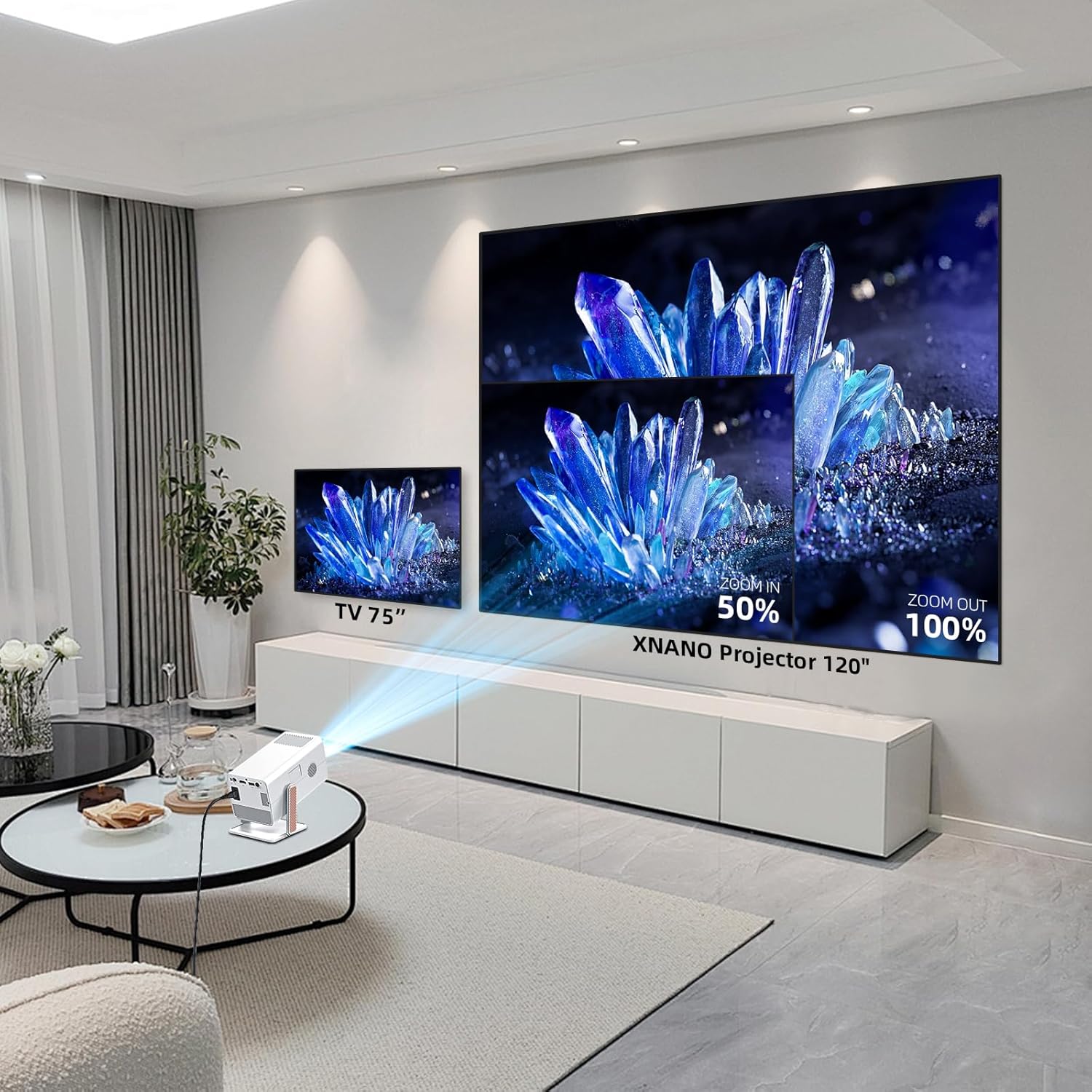
Figure 2: Projecting onto a ceiling using the 270° rotation feature.
Utilize the short throw projection capability to achieve a large screen size even in limited spaces. For example, a 2.5-meter distance can project a 200-inch screen.

Figure 3: Short throw projection distances and corresponding screen sizes.
2. Power Connection
Connect the provided power cord to the projector's power input and then to a wall outlet. The projector will power on automatically or can be turned on using the power button on the device or remote control.
3. Initial Setup: AI Autofocus & Auto Keystone Correction
The projector is equipped with AI autofocus and auto keystone correction technology. Upon startup or movement, the projector will automatically adjust the focus and correct the image shape to ensure a clear and rectangular display within approximately 2 seconds.

Figure 4: Automatic focus adjustment for a clear image.
This feature eliminates the need for manual adjustments, providing a hassle-free setup experience.
4. Network Connection (WiFi 6)
To access online streaming services and features, connect your projector to a Wi-Fi network:
- Navigate to the "Settings" menu on the projector's interface.
- Select "Network" or "Wi-Fi settings".
- Choose your desired Wi-Fi network from the list.
- Enter the Wi-Fi password using the on-screen keyboard and confirm.
The projector supports WiFi 6 for a stable and high-speed connection.

Figure 5: Dual-band WiFi 6 and Bluetooth 5.2 connectivity.
5. Bluetooth Pairing (BT 5.2)
Pair your projector with Bluetooth speakers or headphones for enhanced audio:
- Ensure your Bluetooth audio device is in pairing mode.
- On the projector, go to "Settings" and select "Bluetooth".
- Scan for available devices and select your audio device from the list.
- Confirm the pairing.
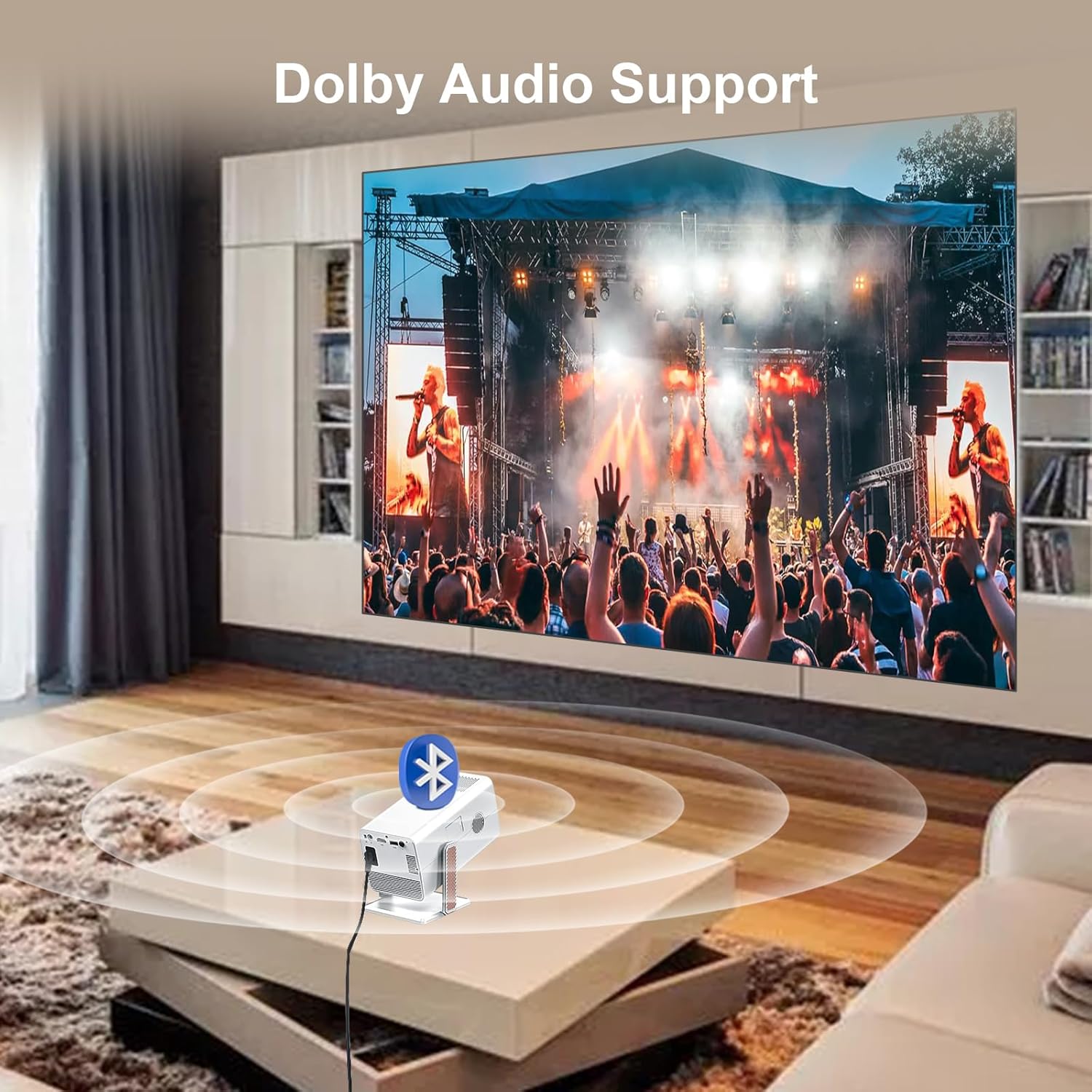
Figure 6: Connecting to external audio devices via Bluetooth for Dolby Audio.
Operating Instructions
1. Navigating the Interface and Built-in Apps
The XNANO HM103A comes with a smart operating system and pre-installed applications like Netflix, Prime Video, and YouTube. Use the provided smart voice remote control to navigate the interface.

Figure 7: Projector interface with various built-in applications and voice control functionality.
Press the "Home" button on the remote to return to the main screen. Use the directional pad to select applications or settings. The voice control feature allows for quick access to content by speaking commands into the remote.
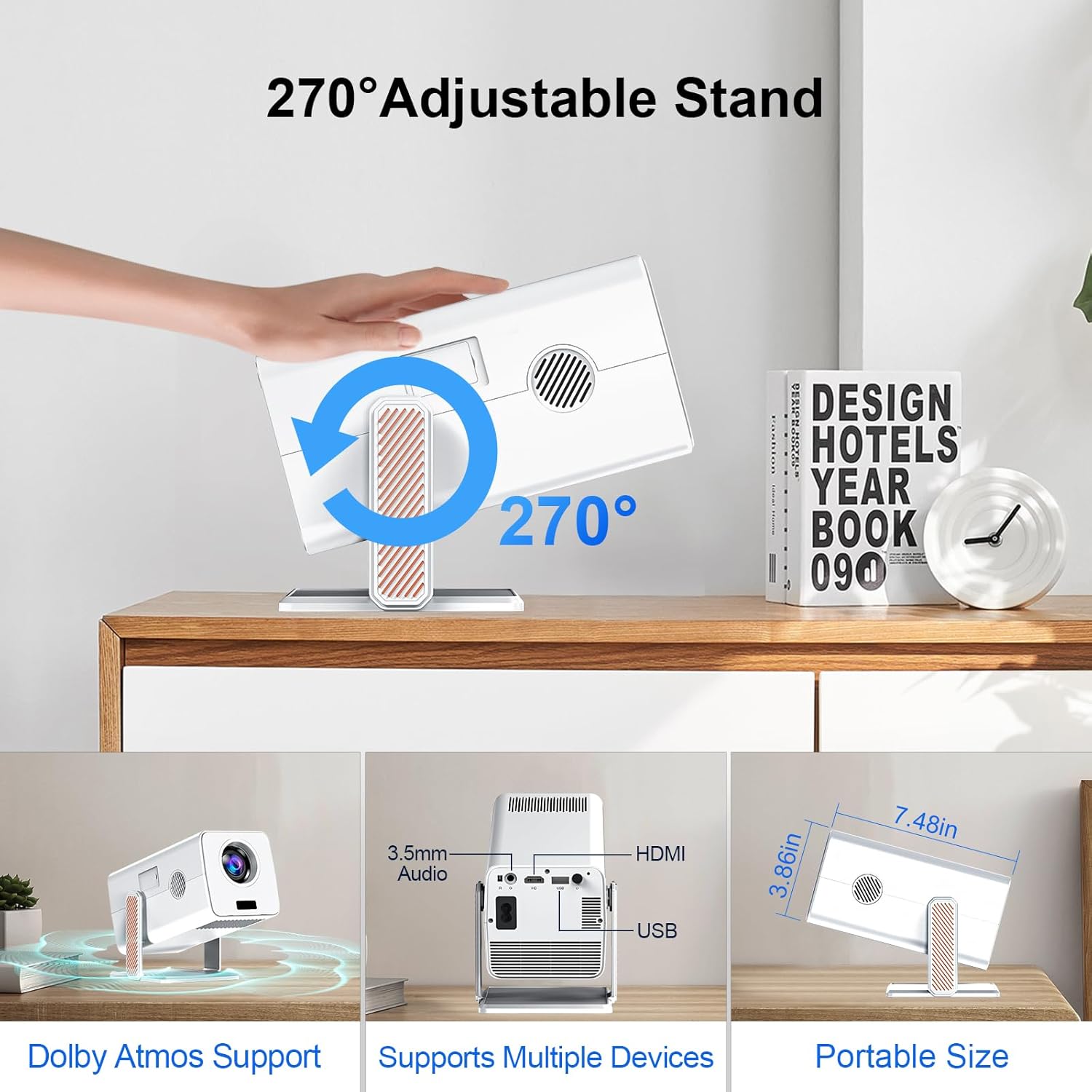
Figure 8: Overview of pre-installed smart applications.
2. Screen Mirroring
The projector supports wireless screen mirroring from various devices, including iPhones (AirPlay), Miracast-compatible Android devices, and Windows PCs. Ensure your device and the projector are connected to the same Wi-Fi network.
- Select the "Screen Mirroring" or "AirPlay/Miracast" option on the projector's interface.
- Follow the on-screen instructions to connect your mobile device or computer.
3. Adjusting Projection (Zoom Function)
The projector offers a 50%-100% zoom function, allowing you to adjust the screen size without moving the projector. Use the remote control to access this feature in the display settings.
4. Audio Settings (Dolby Sound)
The projector supports Dolby sound effects for an immersive audio experience. You can adjust audio settings, including volume and sound modes, through the projector's audio menu. For external audio, refer to the Bluetooth pairing section.
5. Connecting External Devices
The projector provides multiple ports for connecting external devices:
- HDMI: Connect Blu-ray players, gaming consoles, laptops, etc., using the HDMI cable.
- USB: Play media files directly from USB drives.
- 3.5mm Audio: Connect wired headphones or external speakers.

Figure 9: Available input/output ports on the projector.
Maintenance
Proper maintenance ensures the longevity and optimal performance of your XNANO HM103A projector.
- Cleaning the Lens: Use a soft, lint-free cloth specifically designed for optical lenses. Do not use abrasive cleaners or cloths.
- Cleaning the Exterior: Wipe the projector's exterior with a soft, dry cloth. Avoid using liquid cleaners directly on the device.
- Ventilation: Ensure the projector's ventilation openings are not blocked to prevent overheating. Do not place the projector on soft surfaces that may obstruct airflow.
- Storage: When not in use for extended periods, store the projector in a cool, dry place, away from direct sunlight and extreme temperatures.
Troubleshooting
This section addresses common issues you might encounter with your XNANO HM103A projector.
| Problem | Possible Cause | Solution |
|---|---|---|
| No image or distorted image | Power issue, incorrect input source, focus/keystone not adjusted. | Check power connection. Ensure correct HDMI/USB input is selected. Allow AI autofocus and auto keystone to complete. |
| No sound or low sound | Volume too low, incorrect audio output, Bluetooth not connected. | Increase volume. Check audio settings. Re-pair Bluetooth device if using external speakers/headphones. |
| Cannot connect to Wi-Fi | Incorrect password, out of range, network issue. | Double-check Wi-Fi password. Move projector closer to router. Restart router and projector. |
| Remote control not working | Low batteries, obstruction, pairing issue. | Replace batteries. Ensure no obstructions between remote and projector. Re-pair remote if necessary (refer to quick start guide). |
If the problem persists after trying these solutions, please contact XNANO customer support.
Specifications
| Feature | Detail |
|---|---|
| Brand | XNANO |
| Model Number | HM103-A |
| Display Resolution | Native 1920 x 1080 (Supports 4K decoding) |
| Connectivity Technology | WiFi 6, Bluetooth 5.2, HDMI, USB, 3.5mm Audio |
| Special Features | Netflix-Licensed, Built-in Apps, AI Autofocus, Auto Keystone Correction, 270° Rotation, Dolby Audio Support, Screen Mirroring |
| Item Weight | 1.65 pounds |
| Product Dimensions | 10.16 x 5.43 x 5.75 inches |
| Color | White |
| Recommended Uses | Indoor/Outdoor |
Warranty and Support
XNANO is committed to providing excellent customer service and product support.
- Quick Reply: Customer inquiries are typically responded to within 24 hours.
- Return Policy: 30 days return without reason.
- Warranty Period: 12 months warranty from the date of purchase.
- Technical Service: Lifetime after-sales technical support is available.
For further assistance, please visit the official XNANO store or contact customer support through your purchase platform.
Official Product Video
Watch the official product video for a visual guide on the XNANO HM103A projector's features and capabilities.
Video 1: XNANO Netflix Licensed Projector with Wifi and Bluetooth. This video demonstrates the projector's key features including 270° pitch adjustment, 1080P resolution, auto-focus, Dolby Atmos support, screen size capabilities, brightness, auto keystone, Amlogic processor, and built-in apps.
Ask a question about this manual
Ask about setup, troubleshooting, compatibility, parts, safety, or missing instructions. Manuals+ will review the question and use this page’s manual context to help answer it.