
Introduction
This manual provides essential information for setting up, operating, and maintaining your Apple Watch Series 9 (GPS + LTE) 45MM. The Apple Watch Series 9 offers advanced health monitoring, robust connectivity, and a durable design, making it a versatile companion for daily use and fitness activities.
What's in the Box
- Apple Watch Series 9 (GPS + LTE) 45MM
- USB Charging Cable
- Watch Band
Setup Guide
- Charge Your Apple Watch: Connect the magnetic charging cable to the back of your Apple Watch and plug the USB-C end into a power adapter. Ensure the watch is charging before proceeding.
- Power On: Press and hold the Side Button until the Apple logo appears.
- Pair with iPhone:
- Open the Apple Watch app on your iPhone.
- Tap "Pair New Watch" and follow the on-screen instructions.
- Position your iPhone so the Apple Watch appears in the viewfinder.
- Restore from Backup or Set Up as New: Choose to restore from an iCloud backup or set up your watch as a new device.
- Sign In with Apple ID: Enter your Apple ID password when prompted.
- Create a Passcode: Set a passcode for security.
- Customize Settings: Configure preferences such as text size, activity tracking, and app installations.
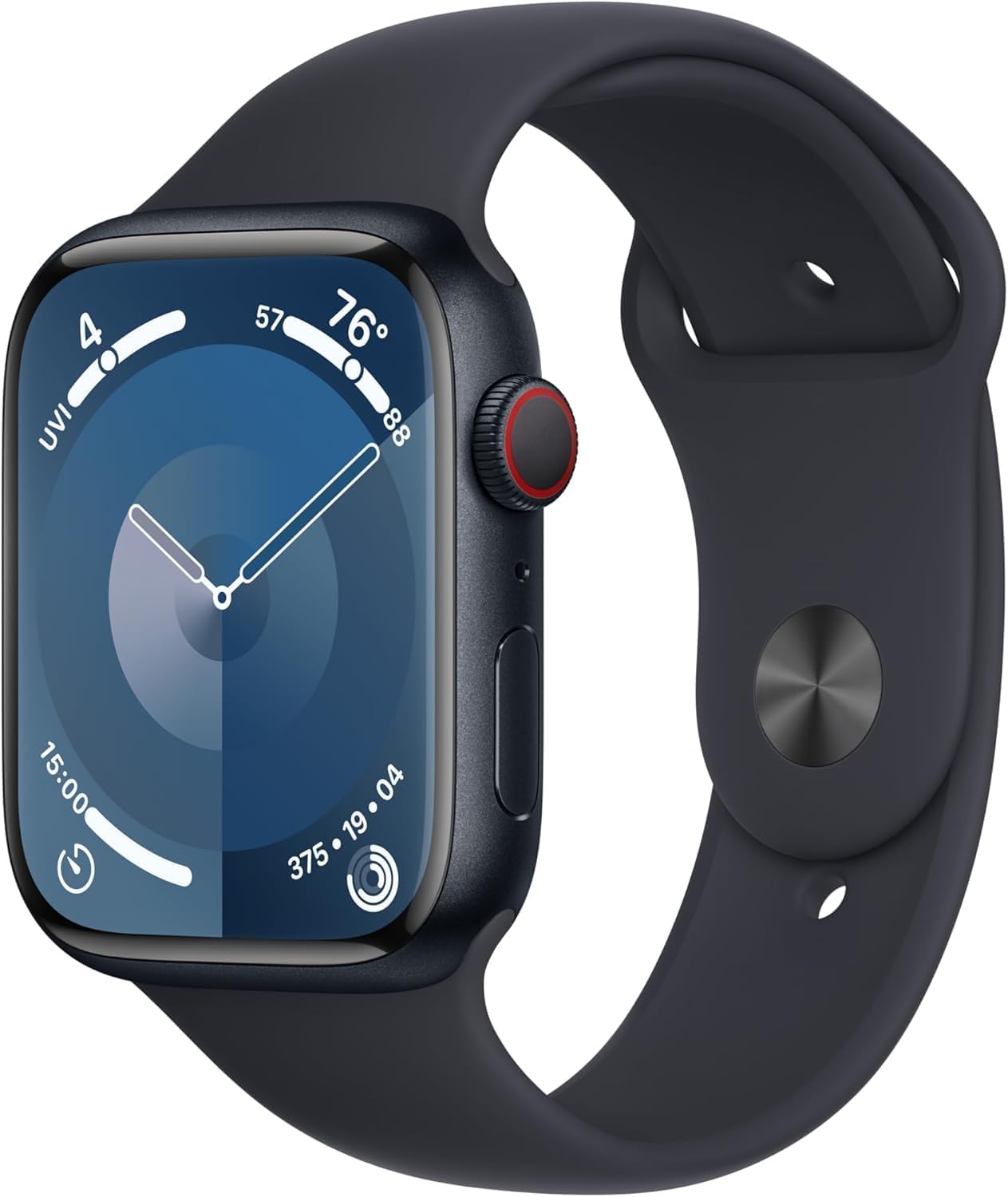
Image: Apple Watch Series 9, Midnight Aluminum Case with Black Sport Band. This image shows the watch face displaying time, weather, and activity rings.
Key Features
Display
- Always-On Retina Display: The display remains visible at all times, showing information at a glance without needing to raise your wrist.
- High Brightness: Offers up to 2000 nits of brightness, ensuring clear visibility even in direct sunlight.
- Durable Design: Features a flat sapphire crystal for enhanced durability and scratch resistance.

Image: Close-up of the Apple Watch Series 9 display, highlighting the vibrant and clear screen.
Health Monitoring
- Blood Oxygen Monitoring: Measure your blood oxygen levels directly from your wrist.
- ECG Measurements: Take an electrocardiogram to check for signs of atrial fibrillation.
- Irregular Heart Rhythm Notifications: Receive alerts for unusually high or low heart rates, or irregular rhythms.
- Sleep Stages Tracking: Monitor your sleep patterns, including time spent in REM, Core, and Deep sleep stages.
- Temperature Sensing: Provides insights into your body temperature, useful for cycle tracking and overall wellness.
- Cycle Tracking: Log menstrual cycles and receive predictions for ovulation.
- Activity Tracker: Track daily movement, exercise, and standing goals with activity rings.
Communication & Connectivity
- Cellular & Wi-Fi Connectivity: Stay connected, send texts, and make calls even without your iPhone nearby (with GPS + LTE models).
- Stream Music: Access and stream your favorite music directly from your wrist.
- Family Setup: Manage Apple Watches for family members who don't have their own iPhone.
Additional Functions
- GPS Tracking: Built-in GPS for accurate tracking of workouts and navigation.
- Voice Control (Siri): Use Siri for hands-free assistance, setting reminders, and controlling smart home devices.
- Workout App: Advanced metrics for various workouts, including running, cycling, and swimming.
- Water Resistance: Water resistant up to 50 meters, suitable for swimming and water sports.
- Crash Detection & Fall Detection: Automatically calls emergency services if a severe car crash or hard fall is detected.
- Double Tap Gesture: Control your watch with a simple double tap of your index finger and thumb.
Video: Official overview of the Apple Watch Series 9 features, including health monitoring and connectivity.
Operating Your Apple Watch
Basic Navigation
- Digital Crown: Rotate to scroll, zoom, or adjust values. Press once to go to the watch face or app launcher. Double-press to switch between your last two apps.
- Side Button: Press once to open the Dock (recent apps). Double-press to use Apple Pay. Press and hold for emergency services or to power off.
- Touch Screen: Tap to select, swipe to navigate between screens, and force touch for additional options (if available for the app).
- Double Tap Gesture: Tap your index finger and thumb together twice to perform the primary action in many apps, such as answering a call or pausing music.
Customizing Your Watch
- Change Watch Face: On the watch face, press and hold, then swipe left or right to choose a new face. Tap "Edit" to customize complications and colors.
- Manage Apps: From the app launcher, press and hold an app icon to enter jiggle mode, then drag to rearrange or tap 'X' to delete.
- Swap Bands: Press the band release buttons on the back of the watch to remove the current band and slide in a new one.
Care and Maintenance
- Cleaning: Regularly clean your Apple Watch and band with a soft, lint-free cloth. For stubborn dirt, slightly dampen the cloth with fresh water. Avoid harsh chemicals.
- Water Exposure: While water resistant, it's recommended to rinse your watch with fresh water after exposure to salt water, chlorine, or soaps, then dry it thoroughly.
- Battery Life: To optimize battery longevity, avoid extreme temperatures and enable Low Power Mode when needed.
- Software Updates: Keep your Apple Watch software updated to ensure optimal performance and access to the latest features and security enhancements.
Troubleshooting
- Watch Not Responding: Force restart by holding both the Digital Crown and Side Button for at least 10 seconds until the Apple logo appears.
- Pairing Issues: Ensure Bluetooth is enabled on your iPhone and both devices are charged. Try unpairing and re-pairing the watch.
- Poor Battery Life: Check for background app refresh, excessive notifications, or outdated software. Adjust settings to conserve power.
- Sensors Not Working: Ensure the back of the watch is clean and making good contact with your skin. Check privacy settings for health data.
- Connectivity Problems: Verify Wi-Fi and cellular settings. If using cellular, confirm your plan supports Apple Watch connectivity.
Specifications
| Model Number | MRMC3LW/A |
| Brand | Apple |
| Screen Size | 45 Millimeters |
| Operating System | Watch OS 8 (initial, subject to updates) |
| Connectivity Technology | Cellular, Wi-Fi |
| Memory Storage Capacity | 32 GB |
| Battery Capacity | 308 Milliampere Hour (mAh) |
| Item Weight | 31.9 Grams (1.13 ounces) |
| Special Features | Activity Tracker, Cycle Tracking, Daily Workout Memory, GPS, Voice Control |
Warranty and Support
This Apple Watch Series 9 (Renewed Premium) is eligible for a replacement or refund within 90 days of receipt if you are not satisfied. For further support, please refer to the official Apple support website or contact your retailer.


