
1. Product Overview
The Monster Smart Permanent Outdoor Lights system provides customizable, vibrant lighting for your home's exterior. This 50-foot lighting solution features 36 high-quality RGB+IC+WW LEDs, offering a wide spectrum of colors and white light temperatures. Designed for durability, these lights are weather and water resistant, suitable for year-round outdoor installation. Control is managed via the Monster Smart app or voice commands through compatible smart assistants like Alexa and Google Assistant.

Image: Overview of the Monster Smart Permanent Outdoor Lights product and its packaging.
2. What's Included
Verify that all components are present in the package before beginning installation:
- 50 feet of Smart Accent Light Strip (comes in two 25ft sections)
- Power Adapter Cable & Controller
- 24V Power Adapter
- Screws & Mounting Stickers
- User Manual (this document)
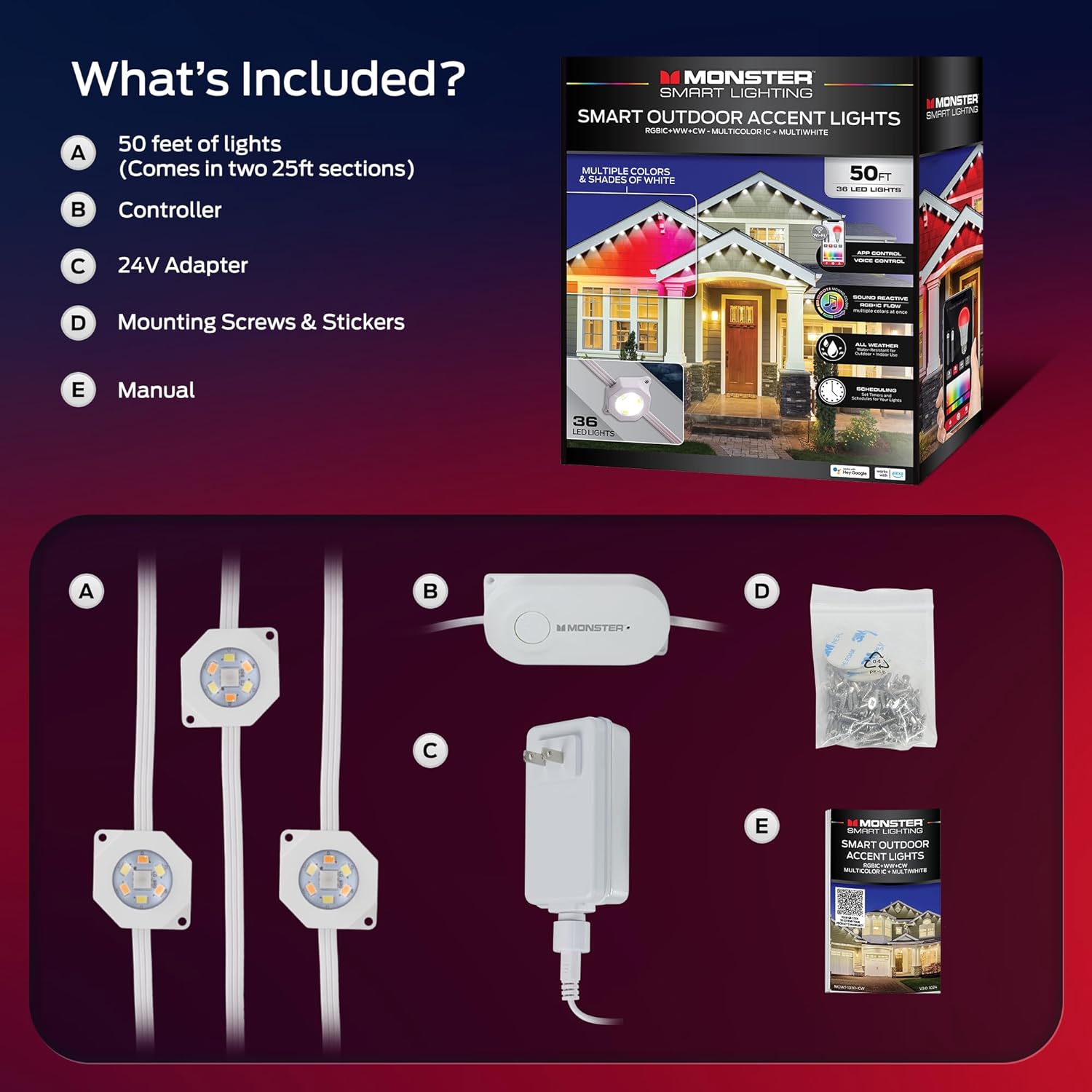
Image: All components included in the Monster Smart Permanent Outdoor Lights package, laid out for inspection.
3. Setup and Installation
Follow these steps for proper installation of your Monster Smart Permanent Outdoor Lights:
- Plan Placement: Determine the desired location for your lights, such as eaves, rooflines, or patios. Ensure the chosen area is within reach of a power outlet.
- Secure the Lights: Use the provided mounting screws or stickers to securely attach the light strip along your chosen surface. Ensure each LED is firmly in place.
- Connect Sections: If using both 25ft sections, connect them using the provided connectors. Ensure a secure, waterproof connection.
- Connect Power Adapter: Connect the power adapter cable to the light strip.
- Plug In: Plug the 24V power adapter into a suitable outdoor-rated electrical outlet. Ensure the outlet is protected from direct water exposure.
Video: A detailed guide on installing the Monster Eaves Lights, demonstrating the process of securing the lights and connecting power.
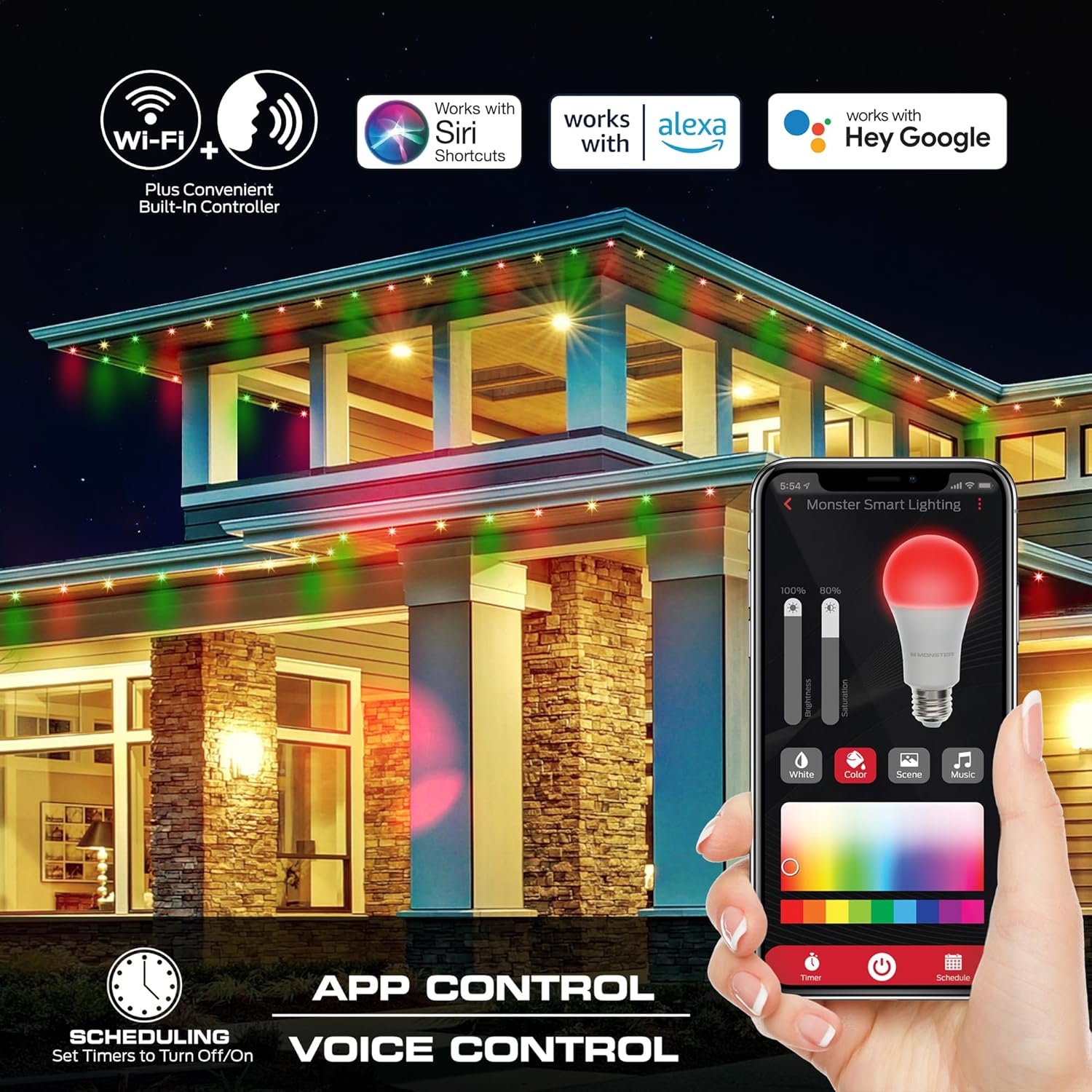
Image: A person on a ladder installing the permanent outdoor lights along the eaves of a house, demonstrating the physical attachment process.
4. Operating Instructions
Your Monster Smart Permanent Outdoor Lights can be controlled via the Monster Smart app or through voice commands.
4.1. App Control
- Download the App: Search for "Monster Smart" in your device's app store and download the official application.
- Pairing: Open the app and follow the on-screen instructions to add your new lighting device. Ensure your phone's Bluetooth and Wi-Fi are enabled. The lights will blink during the pairing process.
- Connect to Wi-Fi: Select your 2.4GHz Wi-Fi network and enter the password when prompted.
- Customize Settings: Once connected, you can adjust brightness, select colors from a wide spectrum, choose from various dynamic patterns, or set schedules for automatic operation.

Image: A smartphone screen showing the Monster Smart app interface, demonstrating how to control the outdoor lights, including color and brightness adjustments.
4.2. Voice Control
The lights are compatible with Alexa and Google Assistant. Link your Monster Smart account within the Alexa or Google Home app to enable voice commands. Examples include:
- "Alexa, turn on the outdoor lights."
- "Hey Google, set outdoor lights to blue."
- "Alexa, dim outdoor lights to 50%."
4.3. Lighting Features
- RGB+IC Technology: Each LED can display multiple colors simultaneously, creating unique flowing and dynamic effects.
- Multi-White Light: Adjust white light from cool to warm temperatures to suit any ambiance.
- Sound Reactive: Lights can synchronize with music or ambient sounds, creating dynamic audio-reactive displays.
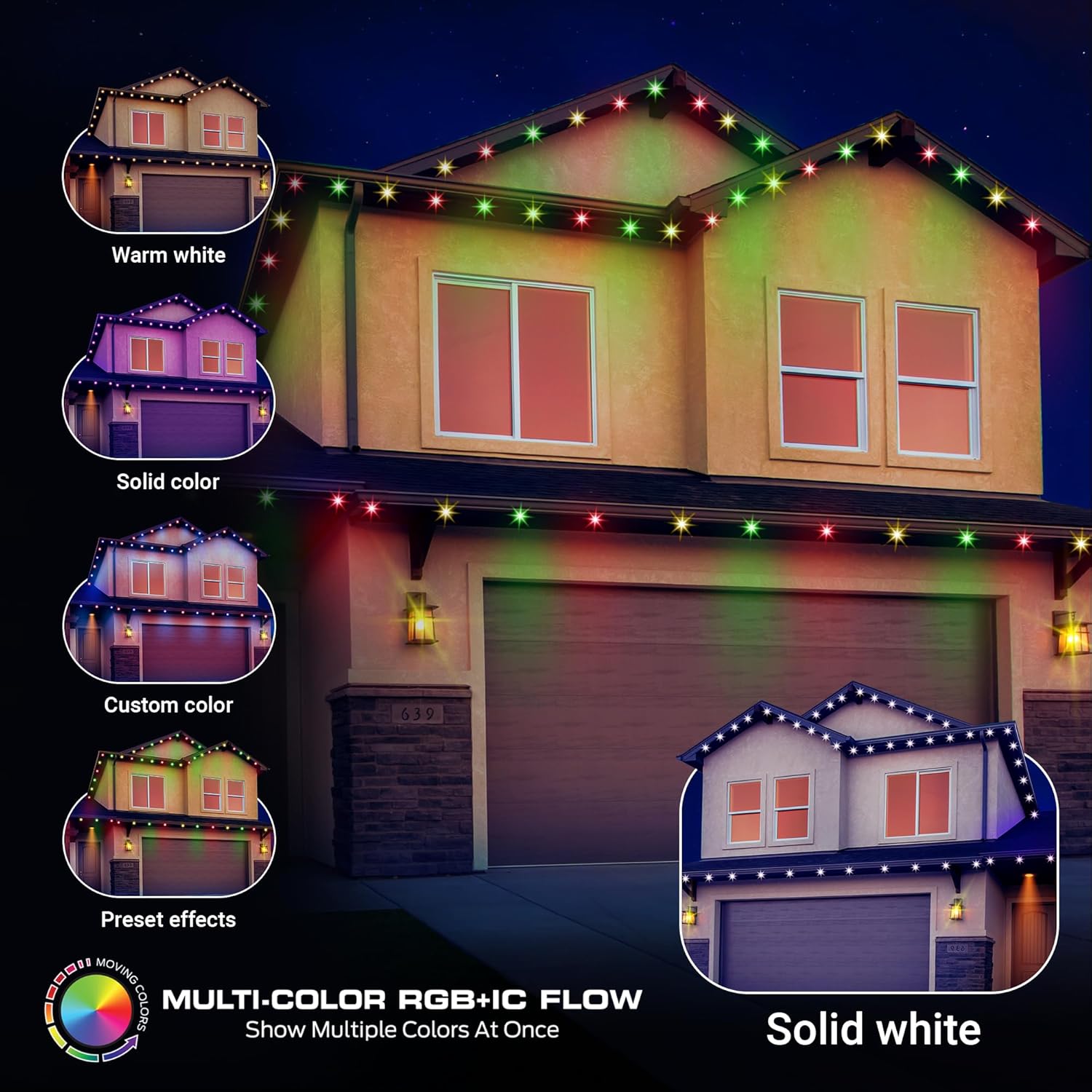
Image: A house illuminated with various multi-color RGB+IC flowing light effects, showcasing the dynamic capabilities of the lights.

Image: A house illuminated with different shades of white light, demonstrating the multi-white light feature from warm to cool tones.

Image: The exterior of a house with sound-reactive lights, illustrating how the lights can flash and change in response to music or sound.
5. Maintenance
The Monster Smart Permanent Outdoor Lights are designed for year-round outdoor use and are weather and water resistant. Minimal maintenance is required.
- Cleaning: Periodically wipe down the light strips with a soft, damp cloth to remove dirt or debris. Do not use harsh chemicals or abrasive cleaners.
- Inspection: Annually inspect the wiring and connections for any signs of wear or damage. Ensure all connections remain secure.
- Weather Resistance: While designed for all weather, extreme conditions (e.g., severe thunderstorms, blizzards) may warrant temporary disconnection if concerns arise.

Image: Outdoor lights installed on a house during a rainy day, highlighting their weather-resistant design.
6. Troubleshooting
If you encounter issues with your Monster Smart Permanent Outdoor Lights, refer to the following common solutions:
| Problem | Possible Cause | Solution |
|---|---|---|
| Lights not turning on. | No power, loose connection, power adapter issue. | Check power outlet, ensure all connections are secure, try a different outlet. |
| Lights not connecting to app/Wi-Fi. | Incorrect Wi-Fi password, 5GHz Wi-Fi network, distance from router. | Ensure you are connecting to a 2.4GHz Wi-Fi network. Re-enter password carefully. Move closer to your Wi-Fi router during setup. Reset the device and try pairing again. |
| Lights are flickering or displaying incorrect colors. | Loose connection, app setting issue, power fluctuation. | Check all physical connections. Restart the Monster Smart app. Ensure your power supply is stable. |
| Voice control not working. | Account not linked, incorrect device name, internet connectivity. | Verify your Monster Smart account is correctly linked in Alexa/Google Home app. Use the exact device name configured in the app. Check your internet connection. |
For further assistance, please contact Monster customer support.
7. Specifications
| Feature | Detail |
|---|---|
| Model Number | MOW7-1015-ICW |
| Length | 50 feet |
| Number of LEDs | 36 |
| Light Type | RGB+IC+WW (Multi-Color, Multi-White) |
| Power Source | Corded Electric (24V Power Adapter) |
| Indoor/Outdoor Usage | Indoor, Outdoor |
| Water Resistance Level | Water Resistant |
| Special Features | Adjustable, Color Changing, Remote Controlled, Weather Resistant, Voice Control (Alexa, Google Assistant) |
| Item Weight | 3.78 pounds |
| Package Dimensions | 12.44 x 10.16 x 2.95 inches |
8. Warranty and Support
Monster products are designed and manufactured to the highest standards. For information regarding warranty coverage, technical support, or service inquiries, please refer to the official Monster website or contact their customer service department. Keep your purchase receipt as proof of purchase.
Online Support: www.monsterproducts.com/support


