
Introduction
Welcome to the HONOR CHOICE X7e Wireless Earbuds instruction manual. These semi-open active noise-canceling earbuds offer a comfortable listening experience with advanced features and long battery life.
What's in the Box
- HONOR CHOICE X7e Wireless Earbuds (Left and Right)
- Charging Case
- User Manual
Product Overview
Earbuds Design

Figure 1: Left and Right HONOR CHOICE X7e Earbuds. Each earbud is marked with 'L' or 'R' for proper placement.
The HONOR CHOICE X7e earbuds feature a lightweight, ergonomic design, weighing only 4.8g per earbud for lasting comfort. They are designed as hard earbuds without removable silicone tips, ensuring a clean and secure fit for many users.
Key Features Overview
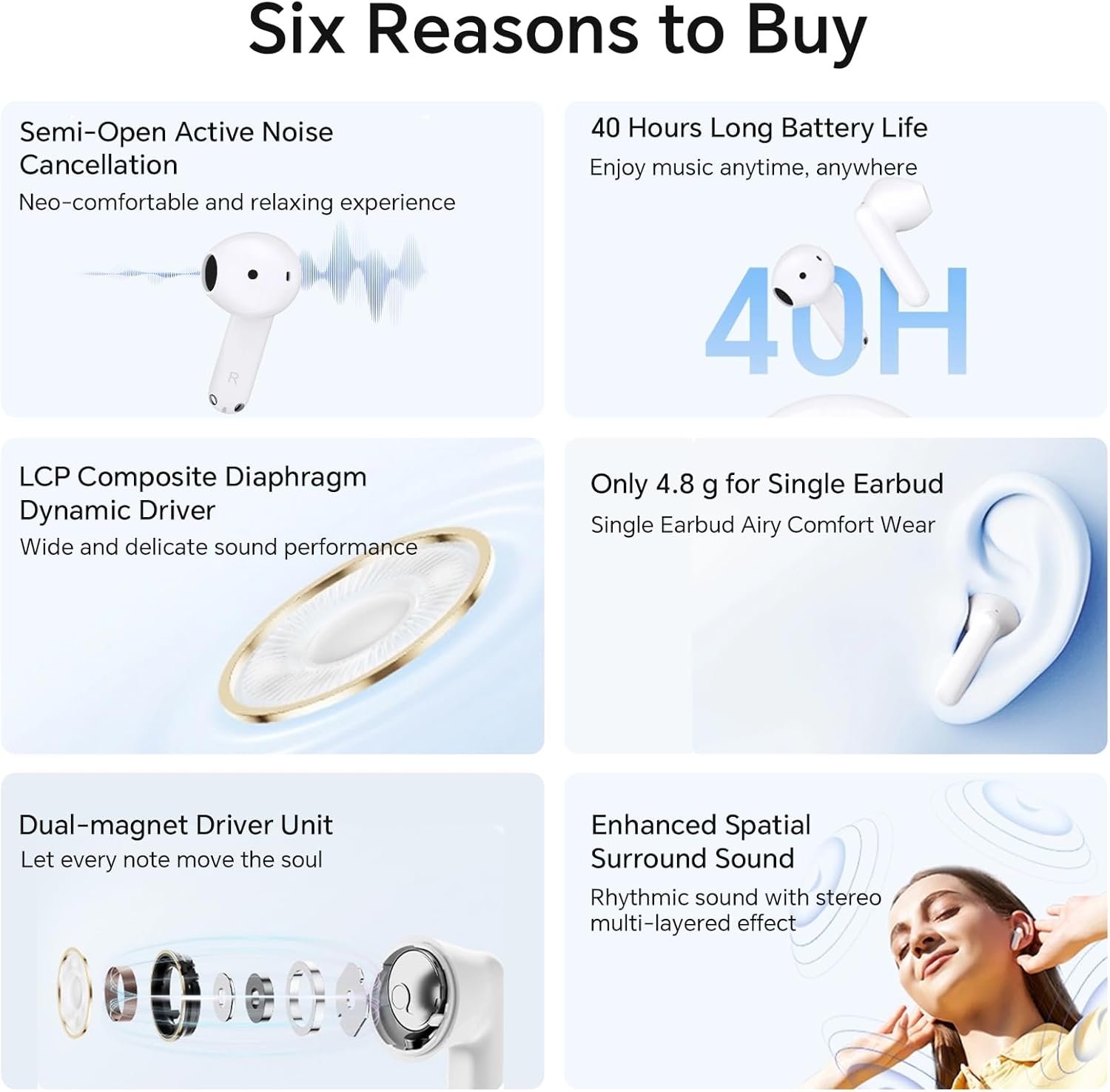
Figure 2: Infographic highlighting key features including Semi-Open ANC, 40H Battery Life, LCP Composite Diaphragm Dynamic Driver, 4.8g weight, Dual-magnet Driver Unit, and Enhanced Spatial Surround Sound.
These earbuds incorporate a dual-magnet driver unit with an 11mm LCP composite diaphragm, delivering powerful bass and immersive 3D surround sound. The semi-open active noise cancellation (ANC) design reduces ambient noise while allowing some environmental awareness.
Charging Case

Figure 3: The compact, rounded charging case with earbuds inserted. The case features a USB-C charging port and an LED indicator.
The compact charging case provides extended battery life and convenient storage. It features a USB-C charging port and an LED indicator for charging status.
Setup
Initial Pairing
- Ensure the earbuds are charged.
- Open the charging case. The earbuds will automatically enter pairing mode.
- On your device (smartphone, tablet, laptop), go to Bluetooth settings.
- Select "HONOR CHOICE X7e" from the list of available devices to connect.
- Once connected, a confirmation sound will play through the earbuds.
Automatic Reconnection
After initial pairing, the earbuds will automatically reconnect to the last paired device when removed from the charging case and Bluetooth is enabled on the device.
Operating the Earbuds
Touch Controls
The HONOR CHOICE X7e earbuds feature intuitive touch controls on the stem of each earbud.
| Action | Function |
|---|---|
| Double Tap | Answer/Hang up call, Play/Pause music |
| Triple Tap | Previous/Next track, Switch connected devices (User-defined) |
| Hold (2 seconds) | Turn on/off noise cancellation, Reject calls |
Active Noise Cancellation (ANC)
The X7e earbuds feature Semi-Open Active Noise Cancellation. To activate or deactivate ANC, press and hold the touch area on either earbud for approximately 2 seconds. A voice prompt will confirm the mode change.

Figure 4: Visual representation of Semi-Open Active Noise Cancellation in action.
Low-Latency Game Mode
For an enhanced gaming experience, the earbuds offer a low-latency game mode. When activated, this mode ensures audio-visual synchronization for immersive gameplay. Refer to your device's settings or the companion app (if available in your region) for activation.
Wear Detection
The earbuds feature wear detection, which automatically pauses music playback when removed from your ears and resumes when put back on, providing a seamless listening experience.
Battery and Charging
The HONOR CHOICE X7e earbuds offer extended battery life for prolonged listening.
- Earbud Playback: Up to 8 hours on a single charge.
- Total Playback (with Charging Case): Up to 40 hours.
- Fast Charging: A 10-minute charge provides up to 2 hours of music listening.
Charging the Case and Earbuds
- Place the earbuds into the charging case.
- Connect the charging case to a power source using a USB-C cable (not included).
- The LED indicator on the case will show red during charging and turn white when fully charged.

Figure 5: Battery life and fast charging capabilities of the X7e earbuds and case.
Official Product Video: Battery Life
Video 1: Official product video showcasing the HONOR CHOICE X7e wireless earbuds, with a focus on their impressive battery life.
Maintenance
- Cleaning: Regularly clean the earbuds and charging case with a soft, dry cloth. Avoid using abrasive materials or harsh chemicals.
- Storage: Store the earbuds in their charging case when not in use to protect them and ensure they remain charged.
- Water Resistance: The earbuds are IP54 rated, meaning they are resistant to dust and splashes of water. Do not submerge them in water or expose them to heavy rain. Dry them thoroughly if they get wet.

Figure 6: The IP54 dust and water resistance rating of the X7e earbuds, suitable for sweat and light rain.
Specifications
| Feature | Detail |
|---|---|
| Model Name | X7e (AST-ME00) |
| Connectivity Technology | Wireless (Bluetooth 5.3) |
| Noise Control | Semi-Open Active Noise Cancellation (ANC) |
| Driver Unit | Dual-Magnet Driver Unit (11mm LCP composite diaphragm) |
| Earbud Weight | 4.8g per earbud |
| Earbud Battery Life | Up to 8 hours (single charge) |
| Total Battery Life (with case) | Up to 40 hours |
| Fast Charge | 10 min charge for 2 hours playback |
| Water Resistance Level | IP54 (Dust and Water Resistant) |
| Control Type | Touch Control |
| Frequency Range | 20 Hz - 20,000 Hz |
| Included Components | Earbuds, Charging Case, User Manual |
Troubleshooting
Common Issues and Solutions
- Earbuds not pairing: Ensure Bluetooth is enabled on your device and the earbuds are in pairing mode (open the case). Try forgetting the device on your phone and re-pairing.
- No sound from one earbud: Place both earbuds back into the charging case, close the lid, wait a few seconds, then open and try again. Ensure both earbuds are charged.
- Low volume: Adjust the volume on your connected device. Ensure earbuds are properly seated in your ears.
- Charging issues: Ensure the USB-C cable is securely connected to both the case and the power source. Check the charging indicator light.
- Touch controls unresponsive: Ensure your fingers are clean and dry. Try restarting the earbuds by placing them in the case and closing the lid.
Warranty and Support
For warranty information and customer support, please refer to the official HONOR CHOICE website or contact their customer service directly. Keep your purchase receipt for warranty claims.

