
Introduction
This manual provides instructions for the safe and effective use of your VGR V-942 Professional Hair Trimmer. Please read all instructions carefully before use and retain this manual for future reference. The VGR V-942 is a high-performance grooming tool designed for precise and consistent trimming results.
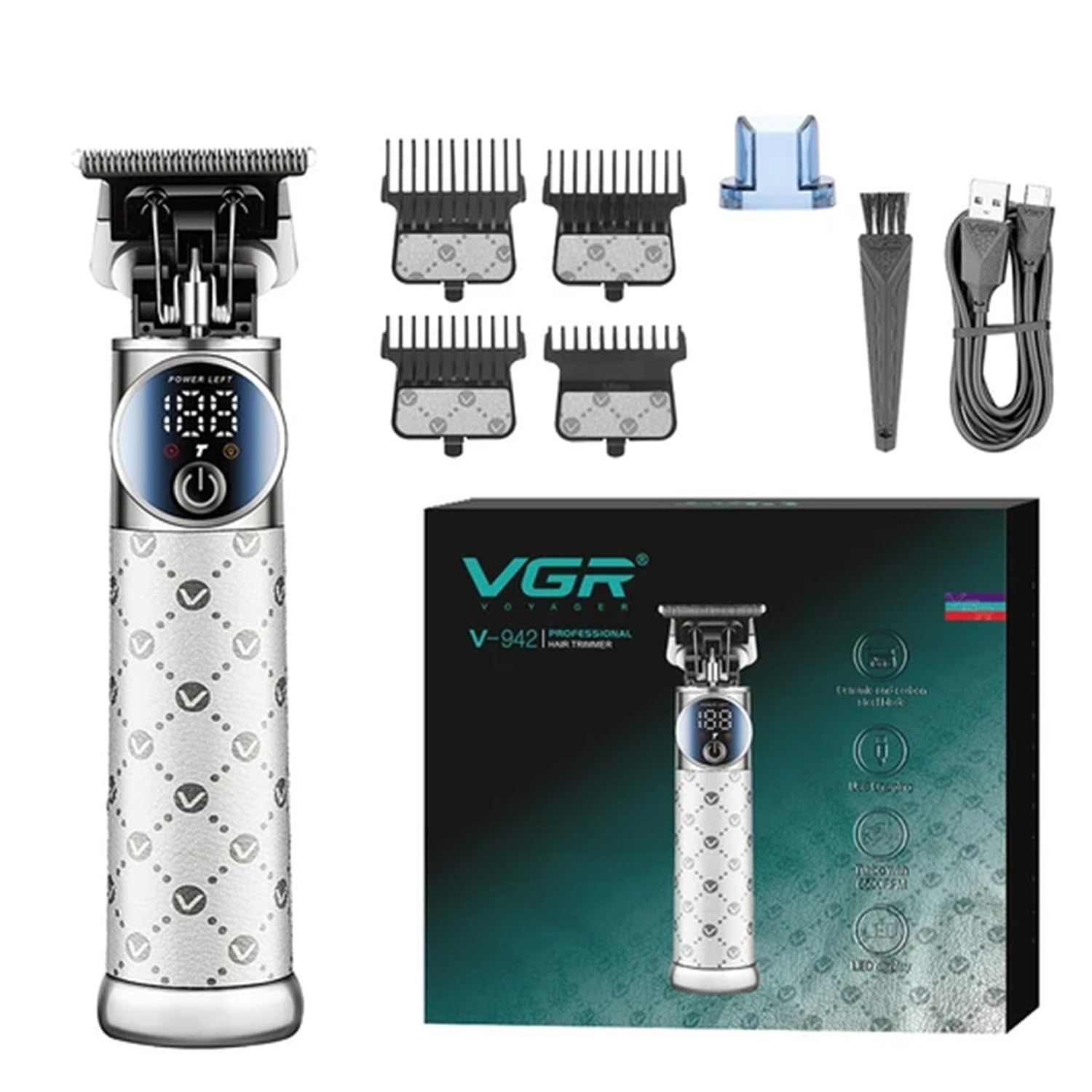
Image: The VGR V-942 Professional Hair Trimmer, showcasing its sleek design.
Safety Precautions
For safe operation, observe the following:
- This device is suitable for individuals aged 8 and above with supervision.
- Do not use the trimmer if it is damaged.
- Keep the device dry and avoid exposure to liquids.
- Never attempt to open or repair the trimmer yourself.
- Use only gentle cleaning methods and avoid abrasive cleaners.
Package Contents
Verify that all items are present in the package:
- 1x Hair Trimmer
- 4x Guide Combs (1.5mm, 3mm, 4.5mm, 6mm)
- 1x Protection Cap
- 1x Cleaning Brush
- 1x Lubricating Oil Bottle
- 1x Type-C USB Cable
- 1x User Manual
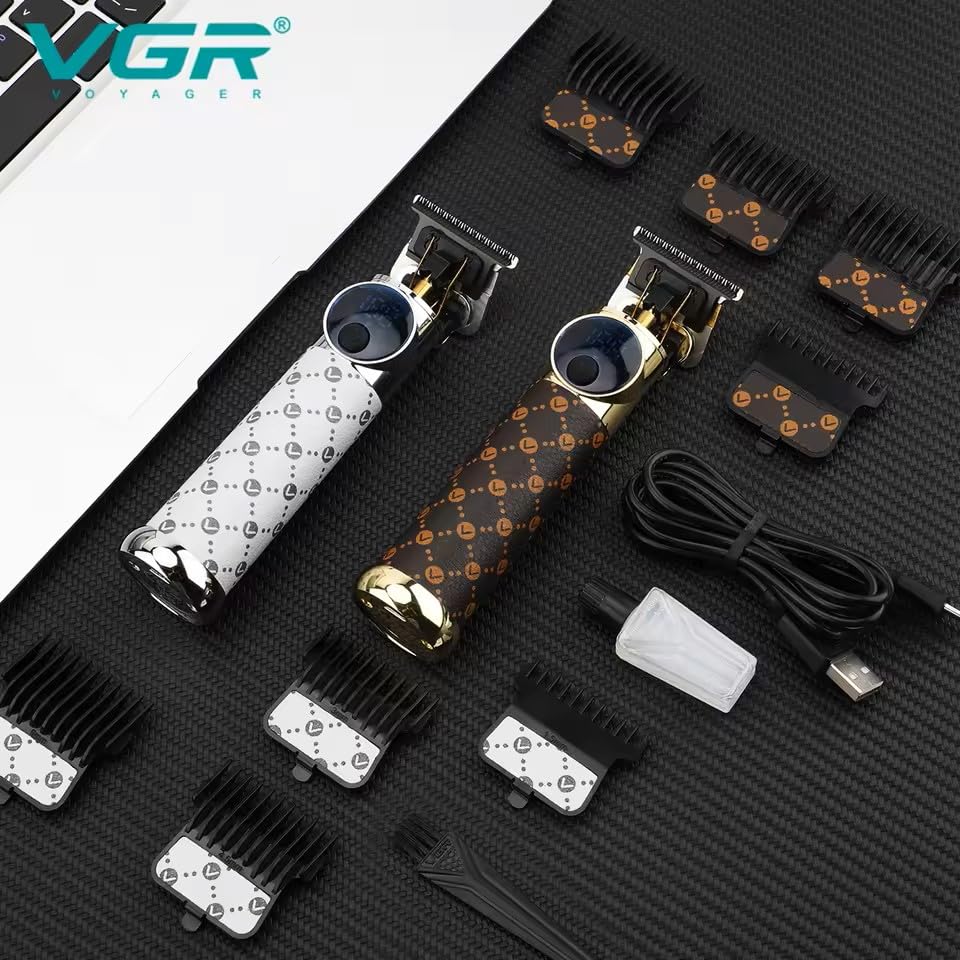
Image: The VGR V-942 Hair Trimmer along with its included accessories, such as guide combs, cleaning brush, and USB cable.
Setup
Charging the Trimmer
Before initial use, fully charge the trimmer. Connect the provided USB Type-C cable to the trimmer's charging port and a compatible USB power source (e.g., wall adapter, computer, power bank). A full charge takes approximately 3 hours and provides up to 240 minutes of cordless operation.
Attaching Guide Combs
Select the desired guide comb (1.5mm, 3mm, 4.5mm, or 6mm) for your preferred cutting length. Align the comb with the trimmer blade and push it firmly until it clicks securely into place. To remove a guide comb, gently pull it away from the blade.
Operating Instructions
Power On/Off
Press the power button located on the trimmer to turn the device on. Press the button again to turn it off.
Adjusting Speed Modes
The trimmer features dual-speed modes. When the trimmer is on, press the power button once for normal speed. Press it again to activate the turbo mode, which increases the motor speed to 6500 RPM for efficient trimming of thicker or denser hair. The LED display will indicate the current speed setting.

Image: Close-up of the VGR V-942 trimmer blades, highlighting the ceramic and carbon steel construction and the turbo function indicator.
Using the LED Spotlight
To activate the built-in LED spotlight for enhanced visibility during trimming, hold the power button for 2 seconds. Repeat this action to turn the spotlight off.
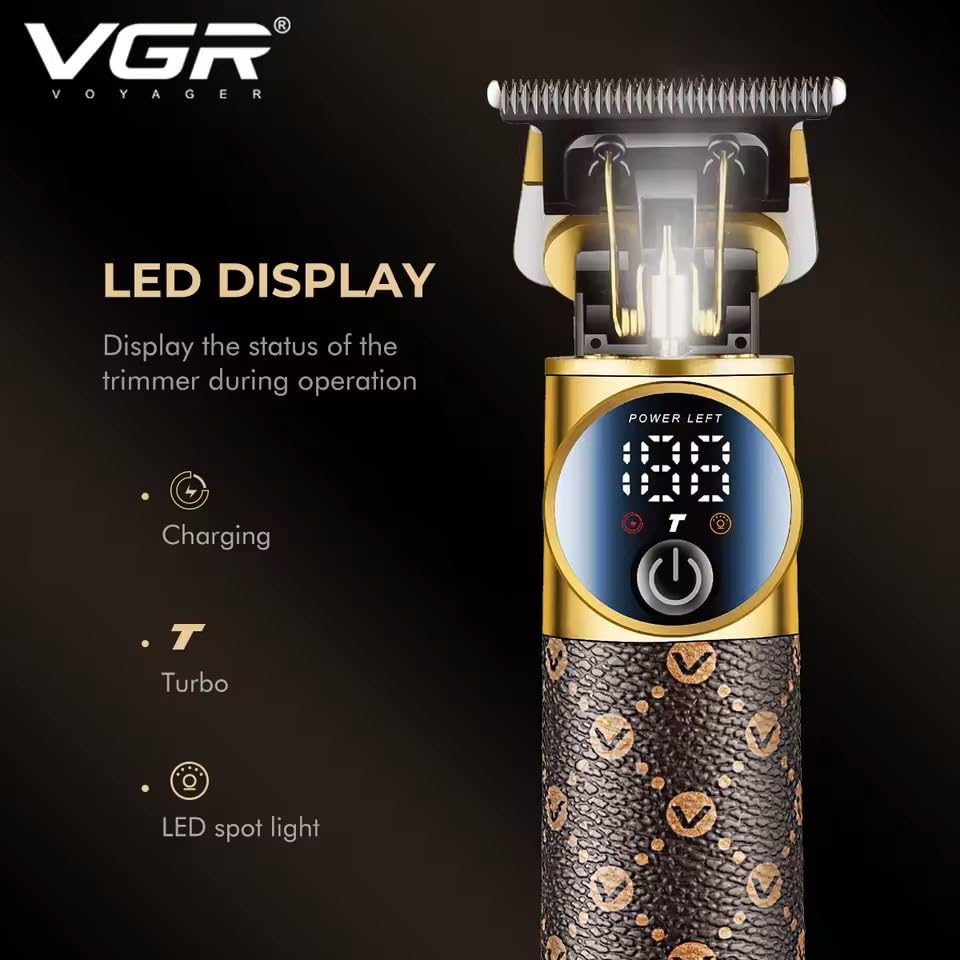
Image: The VGR V-942 trimmer's LED display, showing indicators for power, charging status, turbo mode, and LED spotlight activation.
Trimming Hair
Ensure hair is clean and dry before trimming. If you are unsure of the desired length, start with a longer guide comb. Move the trimmer smoothly against the direction of hair growth for an even and consistent cut. For detailing, edging, or achieving a closer trim, carefully remove the guide comb and use the bare blade.

Image: A VGR V-942 trimmer being used to trim hair, demonstrating its ergonomic design and precision.
Maintenance
Cleaning the Blades
After each use, turn off the trimmer and remove the guide comb. Use the provided cleaning brush to remove any accumulated hair clippings from the blades. For a more thorough clean, the blades can be rinsed under running water, ensuring that the main body of the trimmer remains dry and is not submerged.
Lubricating the Blades
To maintain optimal cutting performance and extend the lifespan of the blades, regularly apply a small drop of the provided lubricating oil to the blades. Turn the trimmer on for a few seconds after applying the oil to ensure even distribution.
Storage
Store the trimmer in a dry place, away from direct sunlight and moisture. Always use the protection cap to cover the blades when the trimmer is not in use to prevent damage.
Troubleshooting
Trimmer Not Turning On
- Ensure the trimmer is fully charged. Connect it to the USB Type-C cable and a power source for at least 3 hours.
Poor Trimming Performance
- Check if the blades are clean and free of hair. Clean and lubricate the blades as per the maintenance instructions.
- Ensure the guide comb is correctly attached and not clogged.
- If trimming very thick hair, try activating the turbo mode.
Unusual Noise or Vibration
- Clean and lubricate the blades thoroughly. If the issue persists, contact customer support for further assistance.
Product Specifications
| Feature | Detail |
|---|---|
| Model | V-942 Professional |
| Blade Material | Ceramic & Carbon Steel |
| Battery Type | 2000mAh Lithium Battery |
| Charging Time | 3 Hours |
| Runtime | Up to 240 Minutes |
| Motor Speed | Max 6500 RPM (Turbo Mode) |
| Guide Combs | 1.5mm, 3mm, 4.5mm, 6mm |
| Power Source | Battery Powered (USB Type-C Charging) |
| Special Features | LED Spotlight, Dual-Speed Modes, Metal Body |
| Product Dimensions | 15.5 x 4.3 x 3.5 cm |
| Item Weight | 215 g |
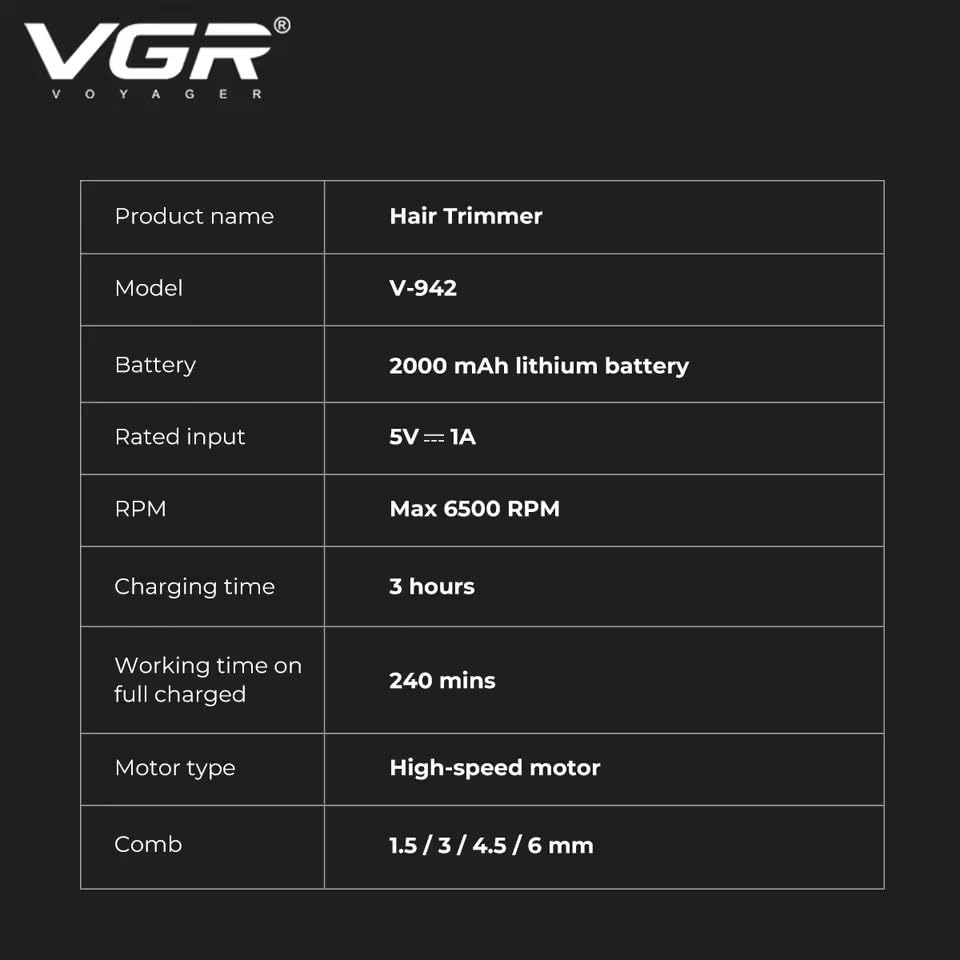
Image: A table detailing the key specifications of the VGR V-942 Professional Hair Trimmer.
Warranty and Customer Support
Warranty Information
The VGR V-942 Professional Hair Trimmer includes a 1-year brand warranty. This warranty covers defects in materials and workmanship for a period of 12 months from the date of original purchase (invoice). It does not apply to intentional or unintentional damage caused by the user. To initiate a warranty claim, please contact customer support with a clear description of your concern, associated pictures or videos, and a copy of the original invoice.
Customer Support
For any assistance, questions, or warranty claims, please reach out to VGR customer support:
- Email: customercare@vgrofficial.in
- Phone: 18002578939
- Website: www.vgrofficial.in
- Operating Hours: Monday to Saturday, 10:00 AM to 6:00 PM


