
TOPPING E70 Velvet
TOPPING E70 Velvet High-Performance DAC User Manual
Model: E70 Velvet | Brand: TOPPING
Introduction
The TOPPING E70 Velvet is a high-performance Digital-to-Analog Converter (DAC) designed to deliver exceptional audio fidelity. Featuring the advanced AK4499EX DAC chip, Bluetooth 5.1 with LDAC support, and versatile input/output options, it provides a pristine listening experience for audiophiles and casual users alike. This manual provides detailed instructions for setting up, operating, and maintaining your E70 Velvet DAC.

Image: Front view of the TOPPING E70 Velvet DAC in black, showcasing its display and control knob.
Key Features
- Exceptional Sound Quality: Equipped with a low-noise voltage reference power supply, delivering ultra-clear audio with -125dB distortion and a noise level as low as 1.3uVrms.
- Ultra-Low THD+N: Experience music with pristine clarity, thanks to an incredibly low THD+N of less than 0.00006% (A-weighted).
- Bluetooth 5.1 with Hi-Res LDAC: Features the latest QCC5125 chipset, supporting LDAC, AAC, SBC, aptX, and more for superior wireless audio. Certified by Hi-Res Audio Wireless.
- Wide Compatibility with USB XMOS XU316: Advanced XMOS XU316 USB input supports DSD512 & PCM768kHz and is compatible with Windows, Mac, Linux, iOS, and Android.
- Versatile Inputs & Auto On/Off: Coaxial and optical inputs support up to 24bit/192kHz audio. Auto On/Off feature detects valid signals and automatically powers on or off.
- Preamplifier Function & Selectable Outputs: Switch between DAC mode with fixed output or preamplifier mode for adjustable volume control (-99dB to 0dB). Choose balanced XLR or single-ended RCA outputs, or both simultaneously.
- 12V Trigger Interface: Sync power with other devices using the 12V Trigger interface, ideal for setups with compatible amplifiers.

Image: Overview of the TOPPING E70 Velvet's key features, including XMOS XU316, Hi-Res Audio, LDAC, ultra-low THD+N, AK4499EX, low-noise voltage reference, RCA & XLR outputs, ultra-low noise preamp, and remote control.
What's in the Box
Upon opening the package, please ensure all the following items are present:
- TOPPING E70 Velvet DAC Unit
- Remote Control
- USB Cable
- Power Cable
- Bluetooth Antenna
- User Manual
- Warranty Card

Image: Contents of the TOPPING E70 Velvet package, including the DAC unit, remote, cables, antenna, and documentation.
Setup
1. Placement
Place the E70 Velvet on a stable, flat surface away from direct sunlight, heat sources, and excessive moisture. Ensure adequate ventilation around the unit.
2. Power Connection
Connect the provided power cable to the AC input on the rear panel of the E70 Velvet and then to a suitable power outlet (100-240VAC, 50-60Hz).
3. Input Connections
The E70 Velvet supports multiple digital inputs:
- USB Input: Connect your computer (Windows, Mac, Linux), iOS, or Android device using a USB cable. For Windows ASIO applications, a driver installation is required.
- Coaxial Input: Connect digital audio sources via a coaxial cable.
- Optical (Toslink) Input: Connect digital audio sources via an optical cable.
- Bluetooth Input: Attach the provided Bluetooth antenna to the BT connector on the rear panel for wireless audio streaming.
4. Output Connections
The E70 Velvet offers both balanced XLR and single-ended RCA analog outputs. You can use either or both simultaneously.
- XLR Output: For balanced connections to amplifiers or active speakers.
- RCA Output: For single-ended connections to amplifiers or active speakers.

Image: Detailed view of the rear panel of the TOPPING E70 Velvet, showing XLR, RCA, Coaxial, Optical, USB, Bluetooth antenna, 12V Trigger, and power input connections.
5. Driver Installation (Windows Only)
For Windows users requiring ASIO applications, a specific driver is necessary. Please visit the official TOPPING website to download the latest driver for the E70 Velvet. Follow the on-screen instructions for installation. Mac, Linux, iOS, and Android systems are driver-free.

Image: Close-up of the XMOS XU316 chip inside the E70 Velvet, with an illustrative screenshot of Windows sound settings, indicating USB driver compatibility.
Operating Instructions
1. Power On/Off
Press the power button on the front panel to turn the unit on or off. The E70 Velvet also features an Auto On/Off function that detects valid input signals and automatically powers the unit on or off for energy efficiency.
2. Input Selection
Use the 'SEL' button on the front panel or the remote control to cycle through available input sources (USB, Coaxial, Optical, Bluetooth).
3. Volume Control (Preamplifier Mode)
The E70 Velvet can operate in two modes: DAC mode (fixed output level) or Preamplifier mode (adjustable volume). In Preamplifier mode, you can adjust the volume from -99dB to 0dB using the front panel knob or the remote control.
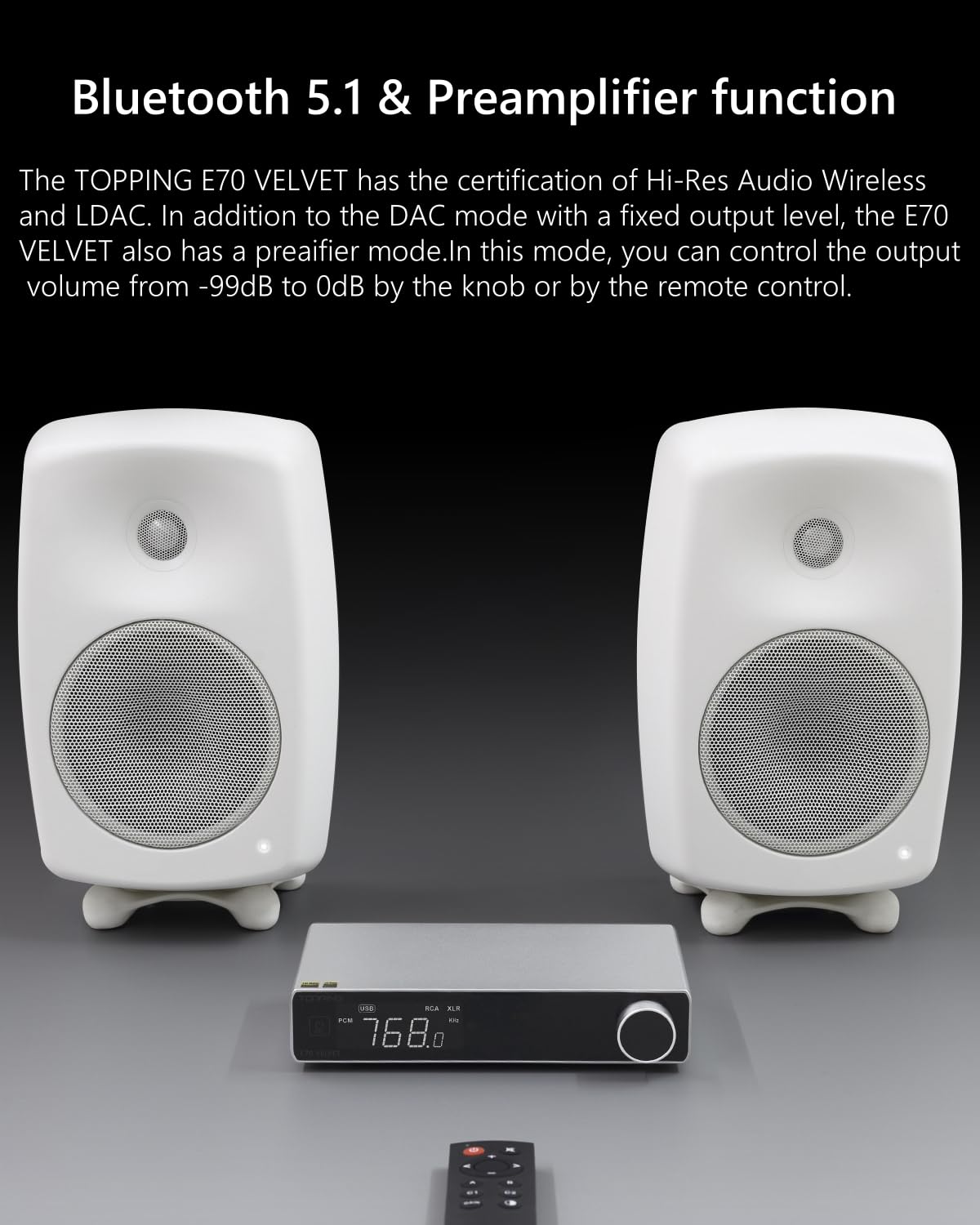
Image: The TOPPING E70 Velvet DAC positioned between two white speakers, with its remote control in the foreground, illustrating its use in a home audio setup.
4. Bluetooth Pairing
To pair a Bluetooth device, select Bluetooth as the input source. The E70 Velvet will enter pairing mode. Search for 'TOPPING E70 Velvet' on your device's Bluetooth settings and connect. The unit supports high-resolution audio codecs like LDAC.
5. 12V Trigger Function
The 12V Trigger interface allows the E70 Velvet to synchronize power on/off with other compatible audio equipment, such as the TOPPING L70 amplifier, for seamless system control.
Video: An official product video demonstrating the features and connectivity of the TOPPING E70 Velvet DAC, including its dual color options, multiple inputs, XLR/RCA outputs, and ease of integration into daily audio setups.
Maintenance
To ensure the longevity and optimal performance of your TOPPING E70 Velvet, follow these maintenance guidelines:
- Cleaning: Use a soft, dry cloth to wipe the exterior of the unit. Avoid using abrasive cleaners, solvents, or chemical sprays, as they may damage the finish.
- Ventilation: Ensure that the ventilation openings are not blocked. Do not place the unit in an enclosed space without proper airflow.
- Environmental Conditions: Keep the unit away from extreme temperatures, high humidity, and direct sunlight.
- Power Off When Not in Use: If the unit will not be used for an extended period, it is recommended to unplug it from the power outlet.
Troubleshooting
| Problem | Possible Cause | Solution |
|---|---|---|
| No sound output | Incorrect input selected; Cables not properly connected; Volume too low; Amplifier/speakers off. | Verify input selection; Check all cable connections (USB, Coaxial, Optical, RCA, XLR); Increase volume; Ensure connected amplifier/speakers are powered on and functioning. |
| Bluetooth connection issues | Unit not in pairing mode; Antenna not connected; Interference; Device too far. | Ensure Bluetooth input is selected and unit is in pairing mode; Attach Bluetooth antenna securely; Reduce distance between devices; Minimize interference from other wireless devices. |
| Distorted audio | Input signal too high; Faulty cables; Sample rate mismatch. | Check source device output level; Try different cables; Ensure source device output sample rate matches E70 Velvet's capabilities. |
| Unit does not power on | Power cable loose; No power from outlet; Auto On/Off feature. | Check power cable connection; Test power outlet with another device; If Auto On/Off is enabled, ensure a valid signal is present. |
If you encounter issues not listed here or if the suggested solutions do not resolve the problem, please contact TOPPING customer support for further assistance.
Specifications
| Feature | Detail |
|---|---|
| Product Dimensions | 7.87 x 5.43 x 1.73 inches |
| Weight | 3.52 Pounds |
| DAC Chip | AK4499EX |
| USB Input | XMOS XU316, supports DSD512 & PCM768kHz |
| Coaxial/Optical Input | Supports up to 24bit/192kHz |
| Bluetooth | Bluetooth 5.1 (QCC5125 chipset), supports LDAC, AAC, SBC, aptX |
| THD+N | Less than 0.00006% (A-weighted) |
| Noise Level | As low as 1.3uVrms |
| Output Options | Balanced XLR, Single-ended RCA (simultaneous output supported) |
| Preamplifier Function | Adjustable volume control (-99dB to 0dB) |
| Additional Features | Auto On/Off, 12V Trigger Interface |

Image: Technical graph illustrating the ultra-low Total Harmonic Distortion + Noise (THD+N) performance of the E70 Velvet, demonstrating its high fidelity.
Warranty and Support
The TOPPING E70 Velvet comes with a manufacturer's warranty. Please refer to the included Warranty Card for specific terms and conditions, including warranty period and coverage details. For technical support, service, or inquiries regarding your product, please contact TOPPING customer service through their official website or the retailer from whom you purchased the device.
Online Resources: For the latest drivers, firmware updates, and additional support resources, please visit the official TOPPING website.
Related documentsE70 Velvet


Ask a question about this manual
Ask about setup, troubleshooting, compatibility, parts, safety, or missing instructions. Manuals+ will review the question and use this page’s manual context to help answer it.