
1. Introduction
Thank you for choosing the Fanbulous 66-inch Ceiling Fan. This manual provides essential information for the safe installation, operation, and maintenance of your new ceiling fan. Please read all instructions carefully before beginning installation and retain this manual for future reference.
2. Safety Information
- Always disconnect power at the main circuit breaker before installation or servicing.
- Ensure all electrical connections comply with local codes and ordinances. If you are unsure about wiring, consult a qualified electrician.
- The fan must be mounted to a ceiling joist or a securely anchored support structure capable of supporting the fan's weight.
- Ensure fan blades are at least 7 feet (2.1 meters) from the floor and 30 inches (0.76 meters) from any wall or obstruction.
- Do not operate the fan if any part is damaged.
- This fan is suitable for indoor and covered outdoor use (e.g., patios, porches). It is not water resistant.
3. Package Contents
Verify that all components are present and undamaged before beginning installation:
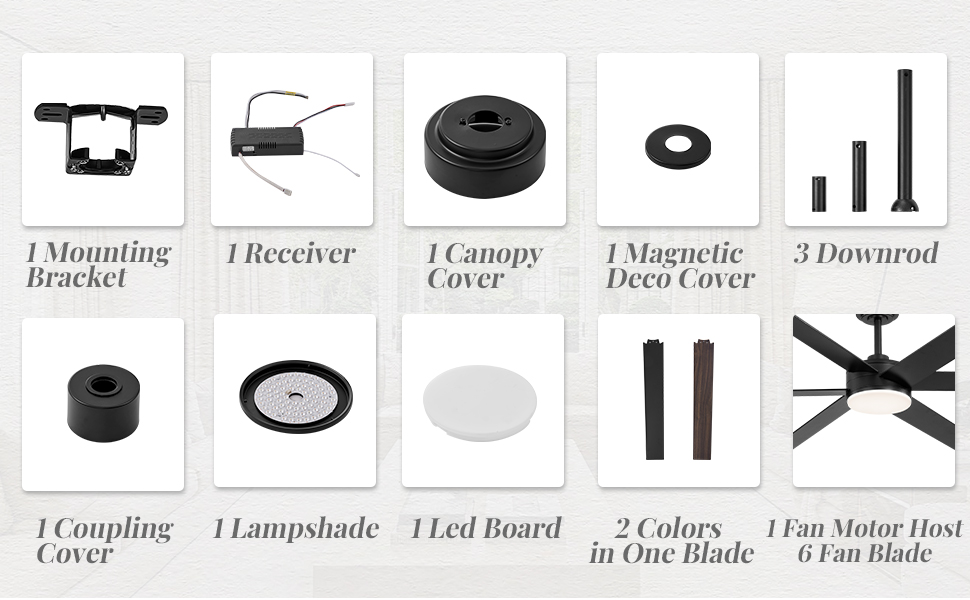
Image: All components included in the Fanbulous 66-inch ceiling fan package.
- 1 Fan Motor Host (with 6 Fan Blades)
- 1 Mounting Bracket
- 1 Receiver
- 1 Canopy Cover
- 1 Magnetic Deco Cover
- 3 Downrods (various lengths: 4", 8", 16")
- 1 Coupling Cover
- 1 Lampshade
- 1 LED Board
- Remote Control
- Hardware Pack (screws, washers, wire nuts)
4. Specifications
| Feature | Description |
|---|---|
| Brand | Fanbulous |
| Model Number | F-CN66BK-1D01 |
| Size | 66 Inch |
| Color | Black (with reversible Walnut side on blades) |
| Material | Metal, Glass |
| Motor Type | DC Brushless Motor |
| Fan Speeds | 6 (Reversible) |
| Light Source | Integrated LED |
| Light Temperature | 3000K (Warm), 4500K (Natural), 6000K (Cool) |
| Dimming | 10%-100% Stepless Dimmable |
| Control Method | Remote Control, App Control |
| Timer Function | 1H/4H/8H |
| Noise Level | Less than 35dB |
| Usage Environment | Indoor or Covered Outdoor |
| Mounting Type | Downrod Mount (with 4"/8"/16" options) |
5. Setup and Installation
For a detailed visual guide on installation, please refer to the official installation video below. Ensure power is off at the circuit breaker before starting.
Video: Official installation guide for the Fanbulous 60-inch (similar to 66-inch) ceiling fan with lights and remote. This video demonstrates the step-by-step assembly and wiring process.
Installation Steps Overview:
- Prepare the Motor: Attach the fan blades to the motor housing. The blades are reversible, offering black and walnut finishes. Choose the side that best suits your decor.
- Assemble Downrod: Thread the fan wires through the chosen downrod. Secure the downrod to the fan motor.
- Install Mounting Bracket: Secure the mounting bracket to the ceiling junction box. Ensure it is firmly attached to a structural support.
- Hang the Fan: Carefully lift the fan assembly and hang it from the mounting bracket.
- Wire Connections: Connect the fan's electrical wires to your household wiring according to the provided wiring diagram in the video and manual. Ensure all connections are secure with wire nuts.
- Secure Canopy: Slide the canopy cover up to the ceiling and secure it to the mounting bracket, covering the wiring.
- Install LED Board and Lampshade: Connect the LED light board and attach it to the fan motor. Then, secure the lampshade.

Image: The reversible fan blades, featuring a black side and a walnut-colored side, allowing for customization.
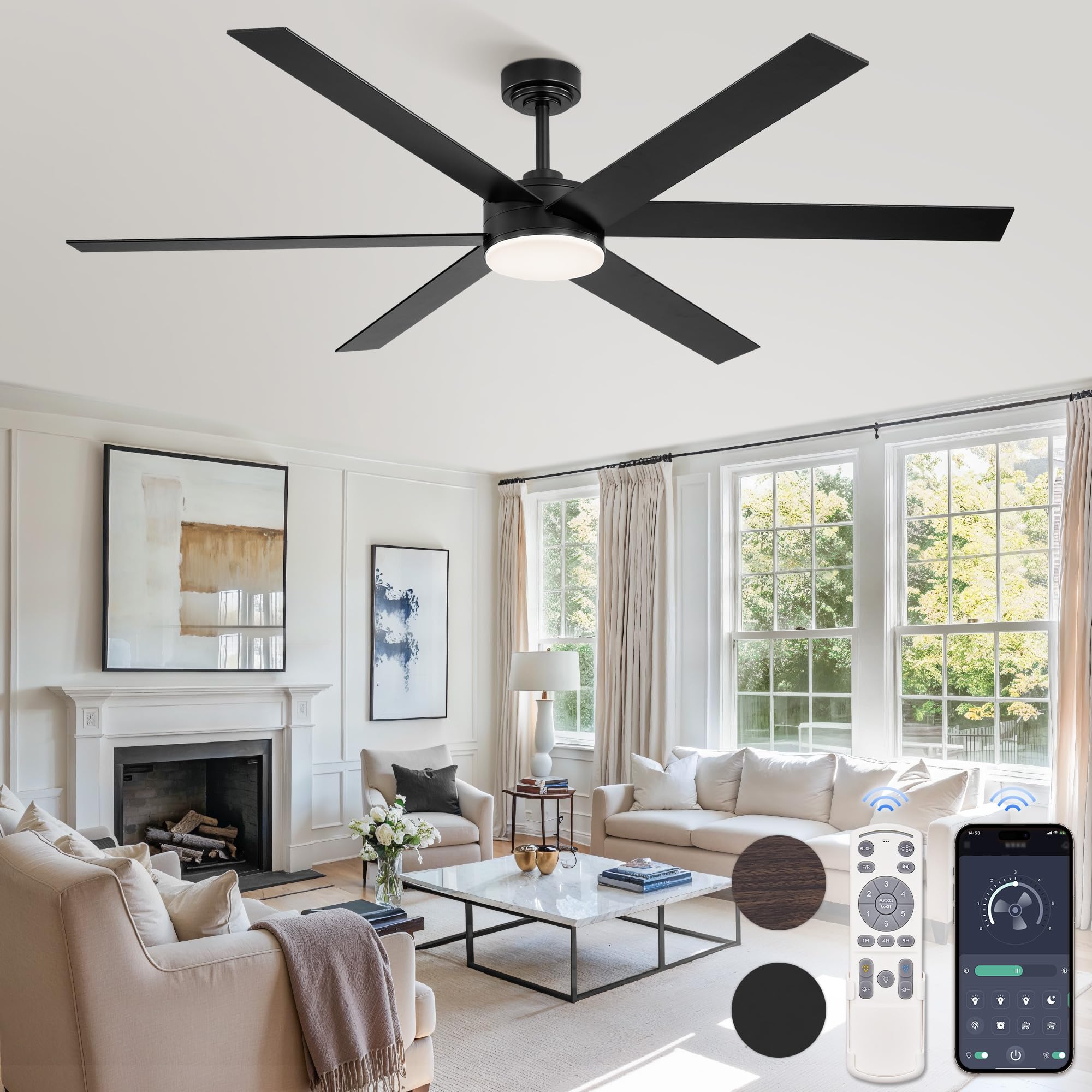
Image: A fully installed Fanbulous 66-inch ceiling fan, showcasing its modern design and integrated light.
6. Operating Instructions
Remote Control and App Operation:
Your Fanbulous ceiling fan can be controlled via the included remote control or a compatible smartphone app. The remote control allows for comprehensive management of fan speeds, light settings, and timer functions.
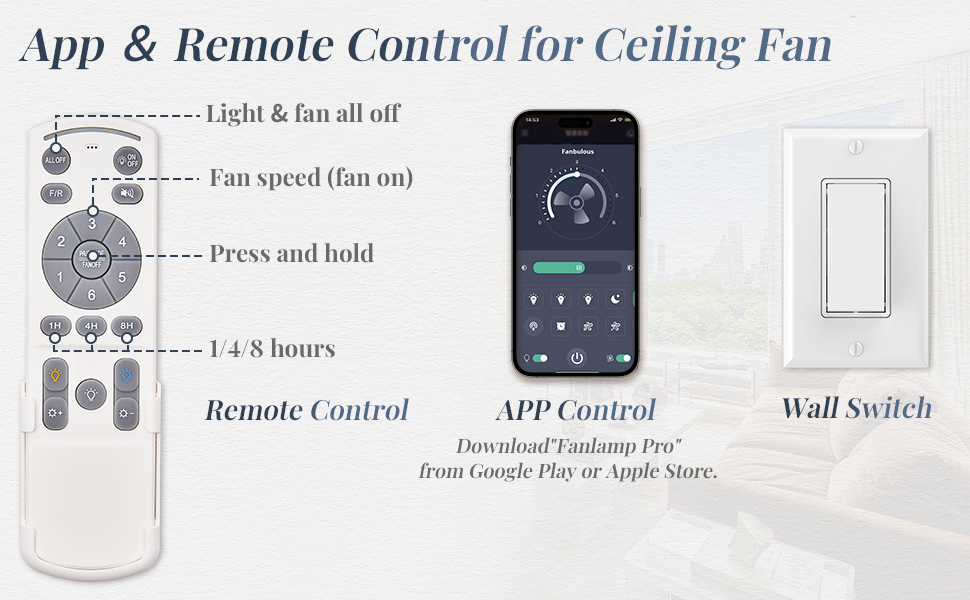
Image: The remote control and a smartphone screen displaying the fan's app control interface.
- Fan Speed: Select from 6 different fan speeds (1-6) to adjust airflow.
- Reversible Motor: The fan features a reversible DC motor for year-round comfort. In summer, the fan rotates counter-clockwise to create a cooling downdraft. In winter, it rotates clockwise to circulate warm air. Use the F/R button on the remote to switch direction.
- Light Control: Turn the light ON/OFF. Adjust the light temperature between 3000K (warm white), 4500K (natural white), and 6000K (cool white). The light is also stepless dimmable from 10% to 100%.
- Timer Function: Set the fan to automatically turn off after 1 hour, 4 hours, or 8 hours using the dedicated buttons on the remote.
- App Control: Download the "Tanlamp Pro" app from your device's app store (Google Play or Apple Store) to control the fan from your smartphone. Follow the in-app instructions for pairing.

Image: Visual representation of the 6 fan speeds and timer settings, indicating suitable speeds for sleeping, working, and sport.
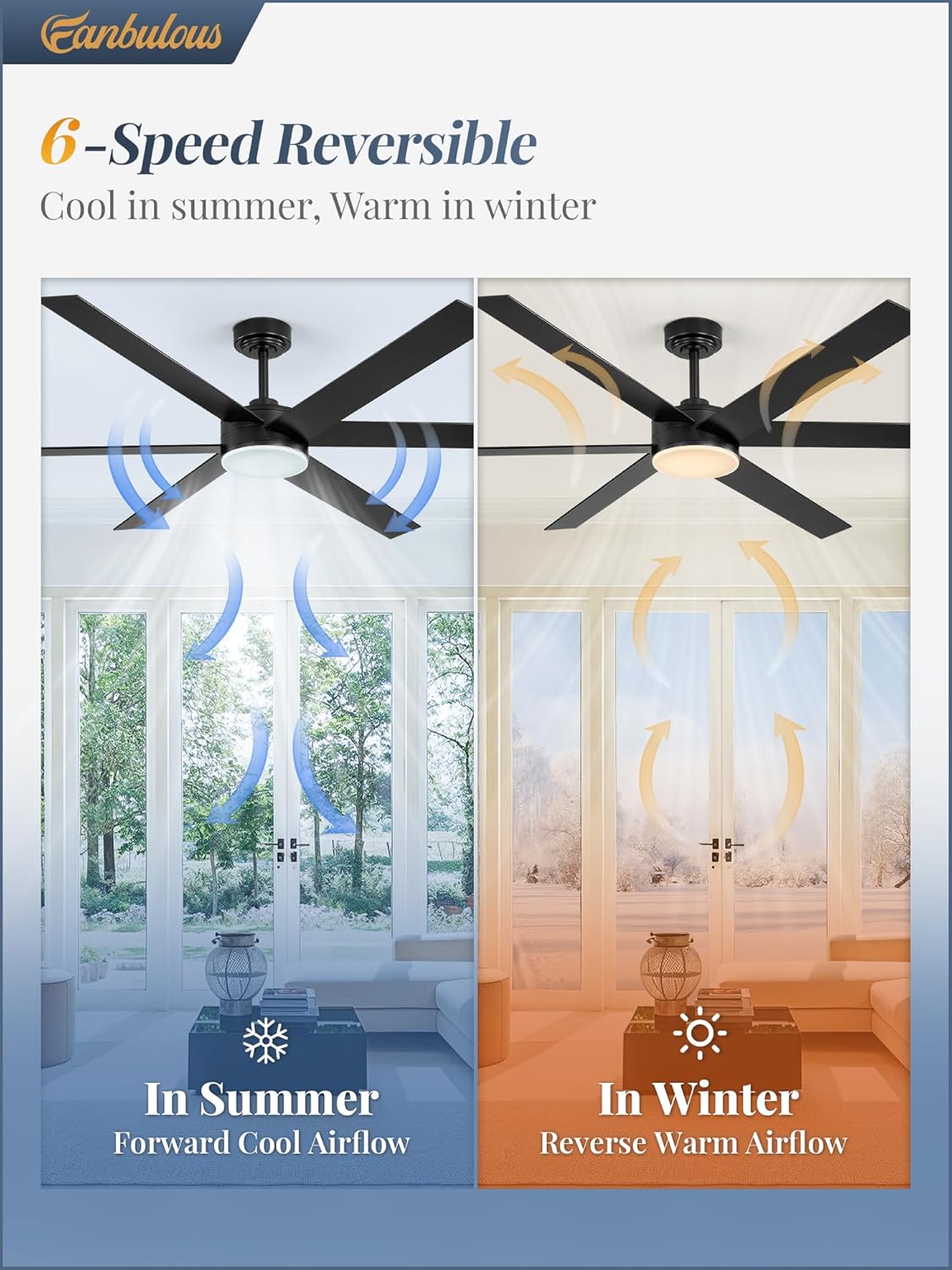
Image: Diagram illustrating the fan's reversible function, showing forward cool airflow for summer and reverse warm airflow for winter.

Image: The fan's integrated light demonstrating the three adjustable color temperatures (3000K, 4500K, 6000K) and its dimmable range from 10% to 100%.
7. Maintenance
- Cleaning: To clean the fan, wipe with a soft, damp cloth. Do not use abrasive cleaners or solvents.
- Blade Cleaning: Periodically clean the fan blades to prevent dust buildup, which can affect performance and balance.
- Tighten Screws: Check all screws and connections periodically to ensure they are secure.
- No Lubrication Needed: The fan's motor is permanently lubricated and does not require oiling.
8. Troubleshooting
| Problem | Possible Cause | Solution |
|---|---|---|
| Fan does not start | No power to the fan; Loose wire connections; Remote control battery low or not paired. | Check circuit breaker; Verify all wire connections are secure; Replace remote battery or re-pair remote. |
| Light does not work | Loose wire connection to LED board; LED board failure; Remote control issue. | Check LED board connection; Contact customer support for replacement LED board; Check remote battery/pairing. |
| Fan wobbles | Loose blade screws; Unbalanced blades; Loose mounting bracket. | Tighten all blade screws; Use balancing kit (not included) if needed; Ensure mounting bracket is secure. |
| Noisy operation | Loose screws; Motor issue; Blades hitting an obstruction. | Check and tighten all screws; Ensure no obstructions are near blades; If noise persists, contact customer support. |
9. Warranty and Support
Fanbulous offers a 2-year after-sales support for this ceiling fan. If you encounter any problems during purchase, installation, or operation, please do not hesitate to contact our customer support team. We are committed to working with you to resolve any issues.
For assistance, please visit the Fanbulous store on Amazon or contact us through the Amazon messaging system. Please have your model number (F-CN66BK-1D01) and purchase date ready when contacting support.


