
Introduction
Thank you for purchasing the AODK L-Shaped Computer Desk. This desk is designed for versatility, offering ample workspace and storage for various uses, including gaming, remote work, and general office tasks. It features a durable construction, integrated power outlets, and flexible storage options to enhance your productivity and comfort. Please read this manual carefully before assembly and use to ensure proper setup and safe operation.
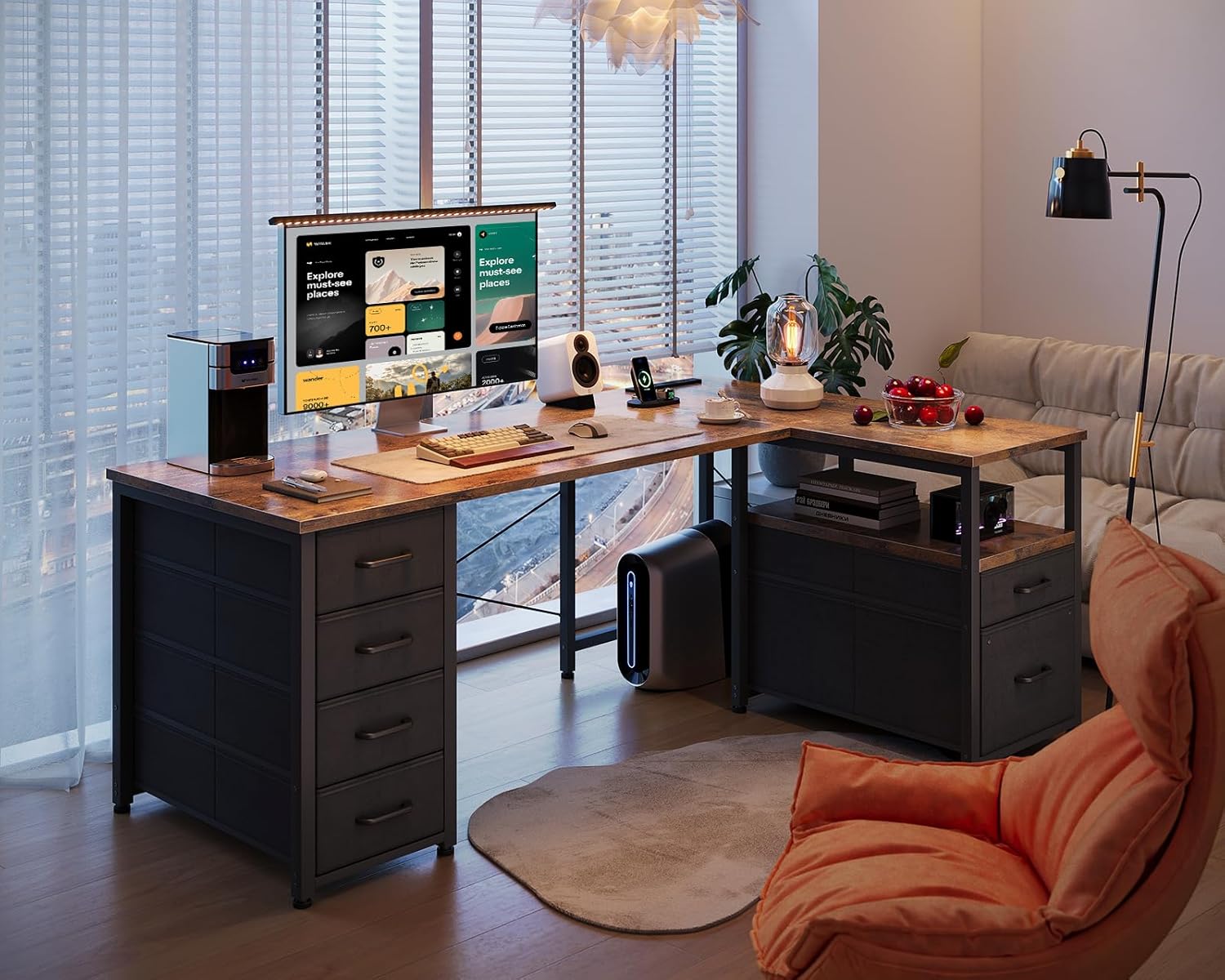
Image: The AODK L-shaped computer desk provides a spacious and organized workspace.
Safety Information
- Maximum Load Capacity: The tabletop has a maximum load capacity of 50 kg (110 lbs). Do not exceed this weight to prevent damage or injury.
- Assembly: Assemble the desk on a soft, clean surface to prevent scratches. Ensure all screws and fasteners are tightened securely before use.
- Stability: Use the adjustable feet to ensure the desk is level and stable on uneven floors.
- Electrical Safety: The integrated power outlet is designed for standard use. Do not overload the outlets. Keep liquids away from electrical components.
- Ventilation: Ensure adequate ventilation around any electronic devices placed on or within the desk's storage areas.
- Chemical Odor: During initial assembly, some materials may emit a slight odor. Ensure the assembly area is well-ventilated. The odor will dissipate over time.
Package Contents
Before beginning assembly, please verify that all parts are present and undamaged. If any parts are missing or damaged, please contact customer support.
- Desk Panels (Tabletop sections, side panels, shelves)
- Steel Frame Components
- 6 Fabric Drawers
- Integrated Power Outlet Unit (2 AC, 2 USB ports)
- Adjustable Feet
- Assembly Hardware (Screws, bolts, nuts, etc.)
- Assembly Tools (Wrench, screwdriver)
- Instruction Manual
Setup and Assembly
Assembly is required for this product. All necessary tools are included. It is recommended to have two people for assembly, though it can be completed by one person following the clear instructions.
Assembly Steps:
- Prepare the Area: Clear a spacious area and lay down a soft cloth or cardboard to protect the desk components and your floor during assembly.
- Identify Components: Unpack all components and identify them using the provided parts list in the separate assembly guide. Each part is typically labeled.
- Assemble the Frame: Begin by assembling the steel frame according to the detailed diagrams in the assembly guide. Ensure all connections are secure but do not fully tighten screws until the frame is complete.
- Attach Desk Panels: Carefully place and secure the tabletop sections onto the assembled frame. Tighten all screws once the panels are correctly aligned.
- Install Storage Units: Assemble the integrated drawer units and shelves. Note that the drawer units can be installed on either the left or right side of the desk to suit your preference and room layout.
- Insert Fabric Drawers: Fold and insert the fabric drawers into their respective compartments.
- Install Power Outlet: Secure the integrated power outlet unit into its designated slot on the tabletop.
- Adjust Leveling Feet: Once the desk is fully assembled and in its desired location, adjust the leveling feet at the bottom of the frame to ensure the desk is stable and does not wobble.
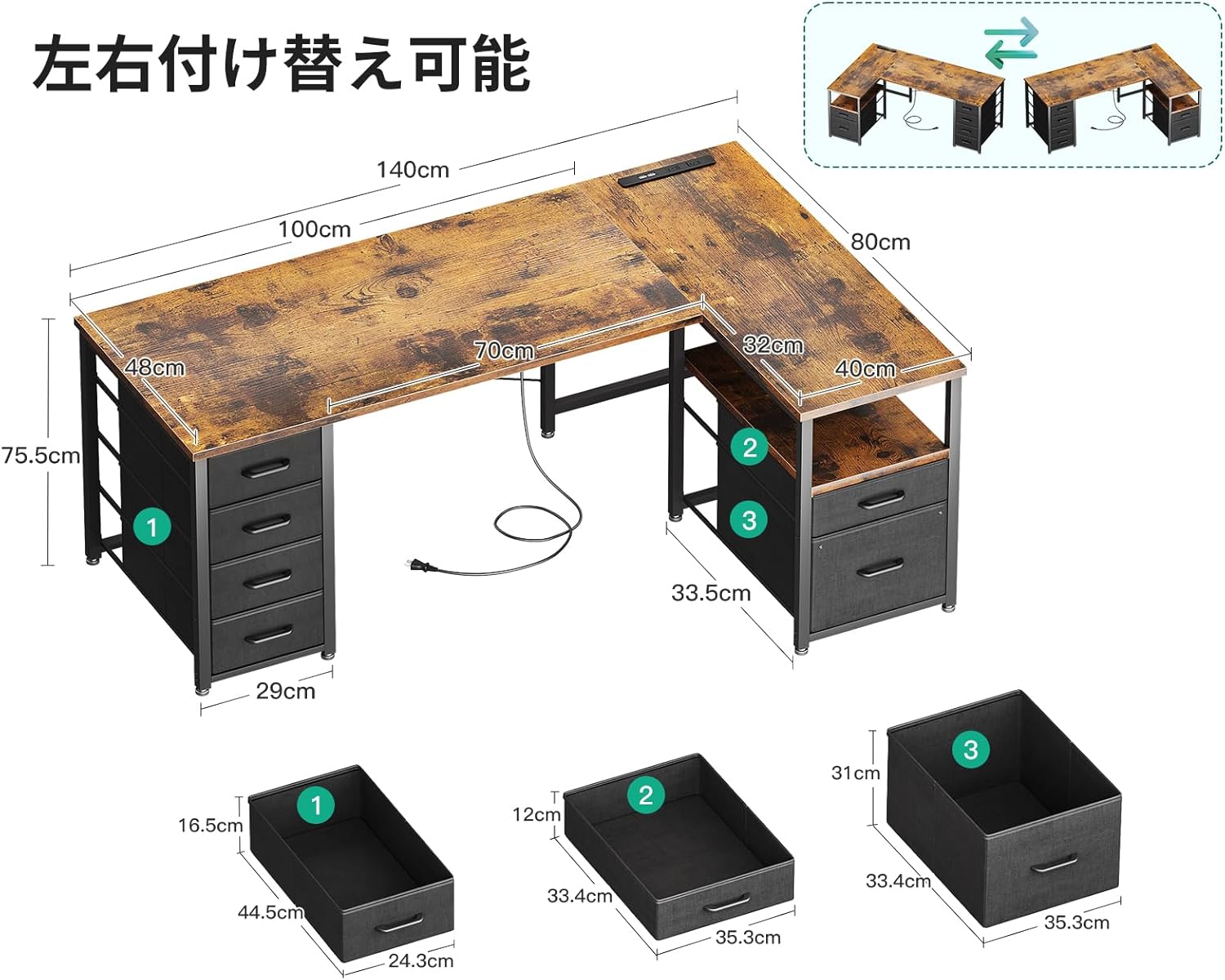
Image: Desk dimensions and reversible drawer/rack placement options.

Image: Simple three-step assembly for the fabric drawers.
Operating Instructions
Integrated Power Outlet:
The desk is equipped with a convenient power outlet unit featuring two AC outlets (120V/12A) and two USB ports (5V/2A). This allows for easy charging of your computer, smartphone, and other electronic devices directly from your workspace. Simply plug the desk's power cord into a wall outlet, then connect your devices to the integrated outlets.
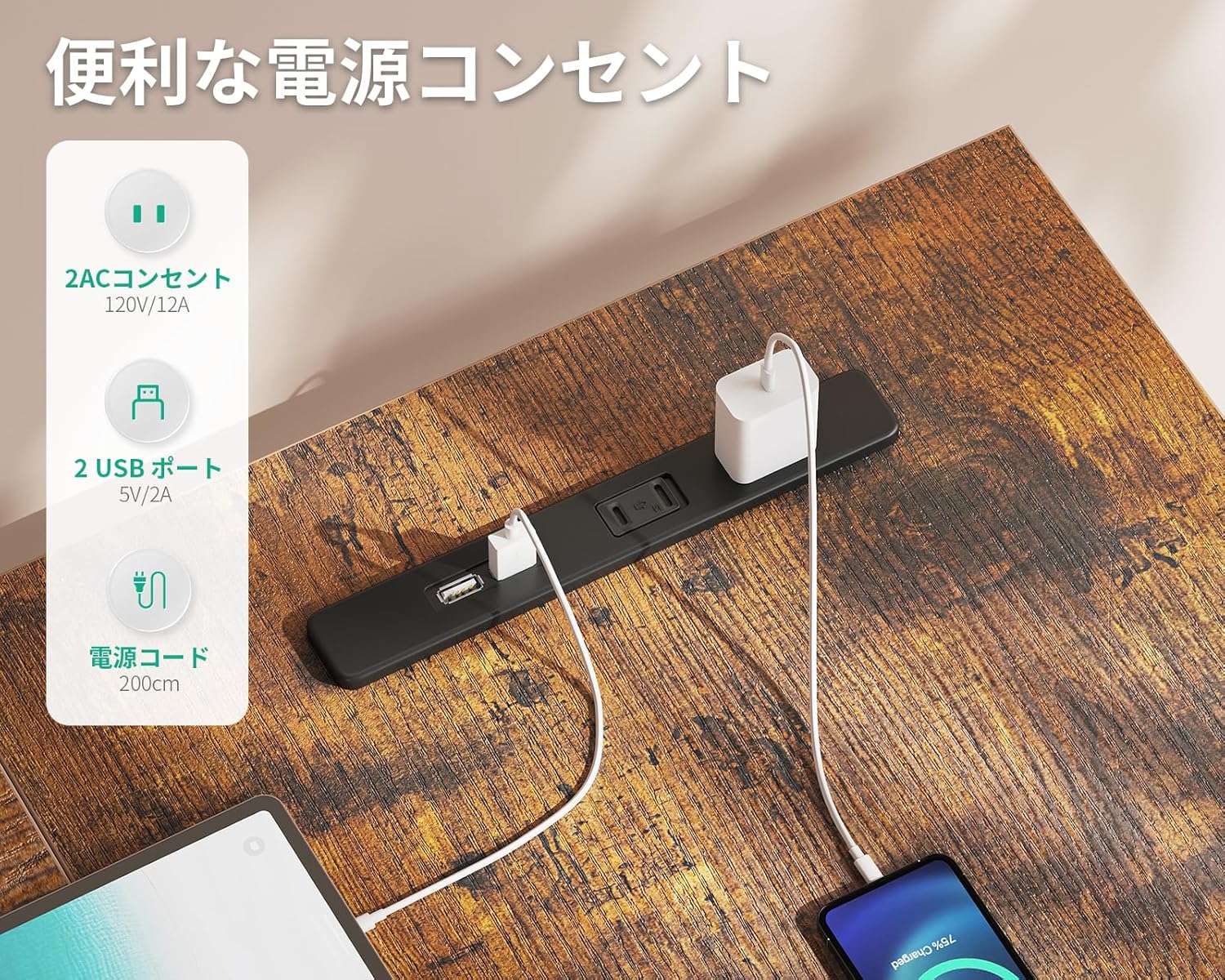
Image: The integrated power outlet provides convenient charging for multiple devices.
Storage and Organization:
The desk features six integrated fabric drawers and open shelves, providing ample storage for books, documents, office supplies, and even a PC tower. The L-shaped design maximizes corner space, offering a large surface area for multiple monitors and accessories without feeling cramped. The drawers can be configured on either the left or right side during assembly to best suit your needs.

Image: The desk offers versatile storage solutions with drawers and open racks.

Image: Detailed view of the storage capacity, including A4 file compatibility.
Maintenance
- Cleaning: Wipe the desk surfaces with a soft, damp cloth. Avoid using harsh chemicals or abrasive cleaners, as they may damage the melamine finish.
- Spills: Clean up spills immediately to prevent staining or water damage to the tabletop.
- Heat Protection: While the melamine surface is heat-resistant, it is recommended to use coasters or heat pads for hot items to prolong the desk's lifespan.
- Drawer Care: The fabric drawers can be spot cleaned with a mild detergent and water. Allow them to air dry completely before reinserting.
- Hardware Check: Periodically check all screws and fasteners to ensure they remain tight. Retighten if necessary to maintain stability.
Troubleshooting
- Desk Wobbles: Ensure all assembly screws are tightened. Adjust the leveling feet at the bottom of the desk frame to compensate for uneven floor surfaces.
- Difficulty Assembling: Review the assembly guide carefully, paying close attention to diagrams and part labels. Ensure you are using the correct hardware for each step. If issues persist, contact customer support.
- Power Outlet Not Working: Check if the desk's main power cord is securely plugged into a functional wall outlet. Ensure devices are properly connected to the desk's outlets. Avoid overloading the power strip.
- Drawers Not Sliding Smoothly: Ensure the fabric drawers are correctly assembled and inserted. Check for any obstructions within the drawer compartments.
Specifications
| Brand | AODK |
| Model Number | OKTB03010701007JP-3 |
| Shape | L-shaped |
| Desk Type | Computer Desk |
| Product Dimensions (W x D x H) | 140 cm x 80 cm x 75.2 cm (55.1 x 31.5 x 29.6 inches) |
| Item Weight | 18.6 kg (41 lbs) |
| Color | Vintage |
| Base Material | Metal (Steel Frame) |
| Finish Type | Powder Coated |
| Special Features | Integrated USB and AC Power Outlets |
| Number of Drawers | 6 |
| Maximum Recommended Weight | 50 kg (110 lbs) |
| Assembly Required | Yes |
| Assembly Tools Included | Yes |
Warranty and Support
AODK is committed to providing high-quality products. While specific warranty details are not provided in this manual, if you encounter any issues or defects with your desk, please do not hesitate to contact our customer support team. We are dedicated to assisting you with any concerns or questions you may have.
Please refer to your purchase documentation or the retailer's website for specific warranty terms and contact information.
