
CCHKFEI M22
CCHKFEI M22 2.8'' MP3 Player with Bluetooth 5.3 User Manual
Model: M22
1. Introduction
This manual provides detailed instructions for the operation and maintenance of your CCHKFEI M22 MP3 Player. Please read this manual thoroughly before using the device to ensure proper function and to maximize your user experience. The CCHKFEI M22 is a portable digital audio player featuring a 2.8-inch touch screen, Bluetooth 5.3 connectivity, HiFi audio playback, FM radio, voice recording, and e-book functionality.
1.1 What's in the Box
- CCHKFEI M22 MP3 Player
- Wired Headphones
- USB Charge Cable
- 64GB Micro SD Card (pre-installed or included separately)
2. Device Overview
Familiarize yourself with the physical components and interface of your M22 MP3 player.

Figure 2.1: Front view of the CCHKFEI M22 MP3 Player, showing the 2.8-inch touch screen interface with icons for Set Time, My Favorite, Bluetooth, EQ, Music, Play Setup, Recorder, E-Book, and Setup. The device has a sleek, dark gray metallic finish with a volume knob on the top right.
2.1 Physical Layout and Dimensions
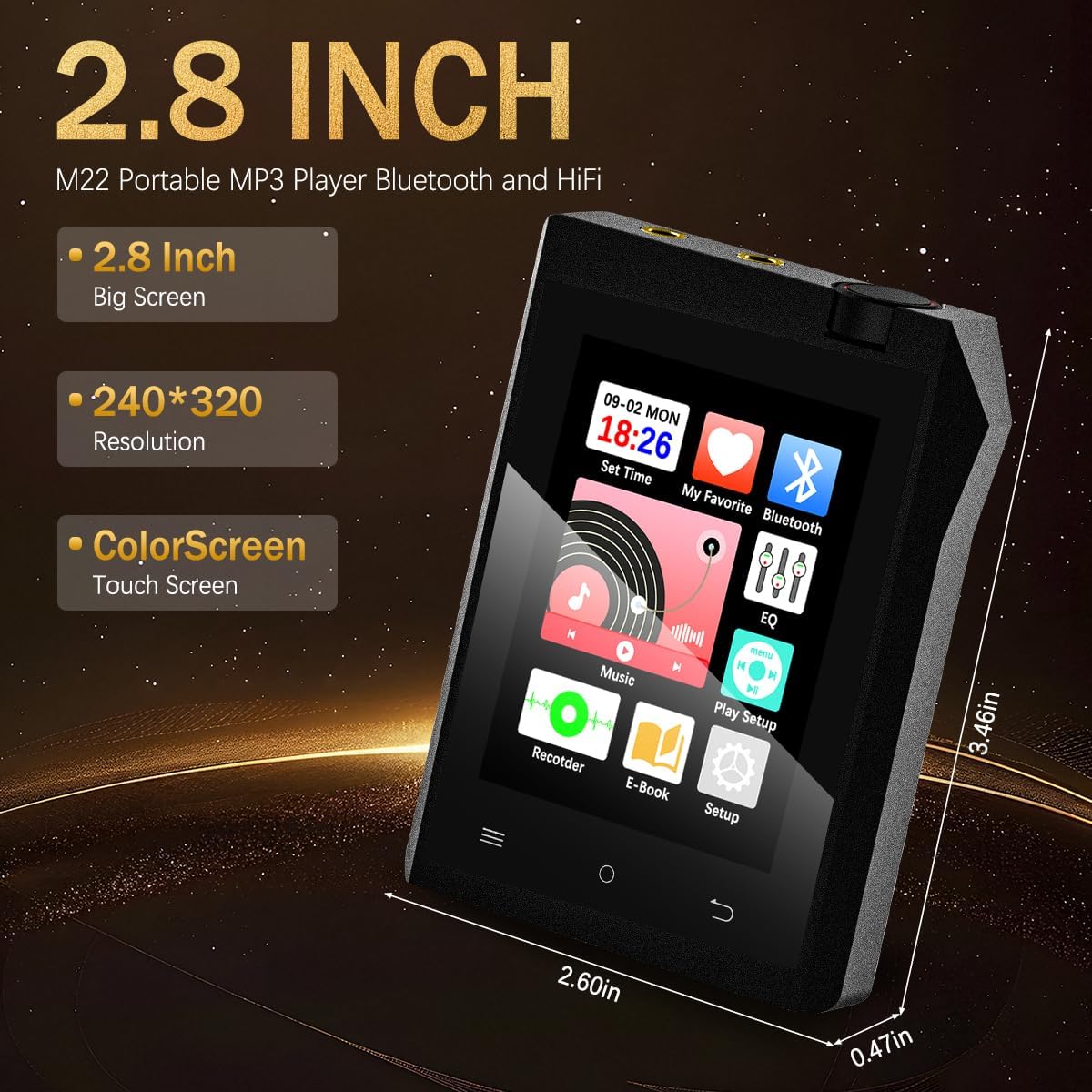
Figure 2.2: The CCHKFEI M22 MP3 Player with its key dimensions: 2.60 inches (width), 3.46 inches (height), and 0.47 inches (thickness). It features a 2.8-inch color touch screen with 240x320 resolution.
- Screen: 2.8-inch Color Touch Screen (240x320 resolution)
- Dimensions: Approximately 0.47 x 2.56 x 3.46 inches
- Weight: Approximately 4 ounces (112g)
- Volume Wheel: Located on the top right side.
- Side Buttons: For track navigation and volume adjustment.
- Ports: Dual 3.5mm audio jacks, USB-C port (for charging and data transfer), Micro SD card slot.
2.2 Audio Output Ports
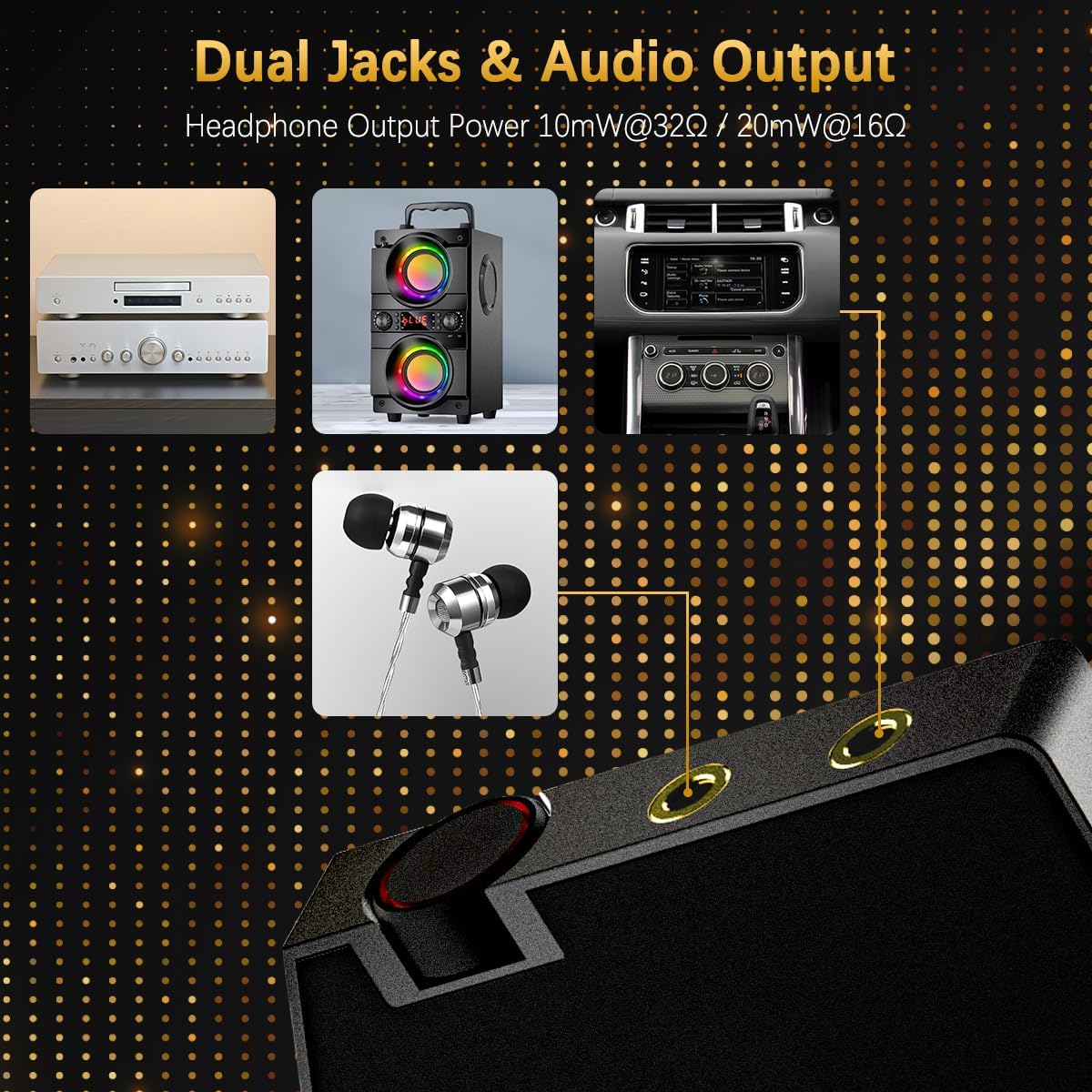
Figure 2.3: The top of the M22 MP3 Player features dual 3.5mm audio jacks, allowing for connection to various audio devices such as wired headphones, external speakers, or car audio systems. The headphone output power is 10mW@32Ω / 20mW@16Ω.
The device is equipped with two 3.5mm audio jacks, providing versatile connectivity for headphones and other audio output devices. This allows for shared listening or connection to different audio setups simultaneously.
3. Setup
3.1 Charging the Device
Before initial use, fully charge your MP3 player. Use the provided USB charge cable to connect the device to a computer's USB port or a compatible USB wall adapter (not included).
- Connect the small end of the USB cable to the USB-C port on the MP3 player.
- Connect the standard USB end to a power source.
- The battery indicator on the screen will show charging status.
- A full charge typically takes a few hours.

Figure 3.1: The USB-C port on the CCHKFEI M22 MP3 Player, used for charging the device and transferring data.
3.2 Inserting the Micro SD Card
The CCHKFEI M22 MP3 Player does not have internal memory but comes with a 64GB Micro SD card. It supports up to 128GB Micro SD cards.
- Locate the Micro SD card slot on the side of the device.
- Gently insert the Micro SD card into the slot until it clicks into place. Ensure the card is oriented correctly.
- To remove, gently push the card in again until it springs out.

Figure 3.2: The CCHKFEI M22 MP3 Player showing the Micro SD card slot. A 64GB Micro SD card is included, and the device supports cards up to 128GB for expanded storage.
3.3 Transferring Music and Files
To transfer files to your MP3 player:
- Connect the MP3 player to your computer using the USB charge cable.
- The device should appear as a removable disk drive on your computer.
- Drag and drop your desired music files, e-books, photos, or videos into the appropriate folders on the Micro SD card.
- Safely eject the device from your computer before disconnecting the cable.
Note: The device supports MP3, WMA, APE, FLAC, WAV, AAC audio formats. For e-books, only TXT format is supported.
4. Operating Instructions
4.1 Power On/Off
- To Power On: Press and hold the power button (usually on the side) until the screen illuminates.
- To Power Off: Press and hold the power button. A menu will appear with options to "Power Off" or "Reboot". Select "Power Off".
4.2 Basic Navigation
The M22 features a touch screen for primary navigation. You can also use the physical buttons and volume wheel.
- Touch Screen: Tap icons to open applications, swipe to scroll through lists.
- Volume Wheel: Rotate the wheel on the top right to adjust the volume. Note: Some users report the volume wheel can be sensitive; fine adjustments may require careful rotation or using the side buttons.
- Side Buttons: These buttons typically control track navigation (next/previous) and can also adjust volume.
- Back Button: Usually a dedicated button or on-screen icon to return to the previous screen.
4.3 Music Playback
From the main menu, tap the "Music" icon to access your audio files.
- Browsing: You can browse music by artist, album, genre, or all songs. Note: Some users have reported limitations in folder-based navigation. Music may be sorted alphabetically by song title across all files.
- Supported Formats: MP3, WMA, APE, FLAC, WAV, AAC.
- Equalizer: Tap the "EQ" icon from the main menu or access it within the music playback interface to adjust sound profiles. The device offers 6 equalizer presets.
- Playback Modes: The player supports various playback modes, including repeat all, repeat one, shuffle.

Figure 4.1: The music playback screen on the M22, illustrating the interface for playing audio files and accessing equalizer settings.
4.4 Bluetooth Connectivity
The M22 features Bluetooth 5.3 for wireless audio playback.
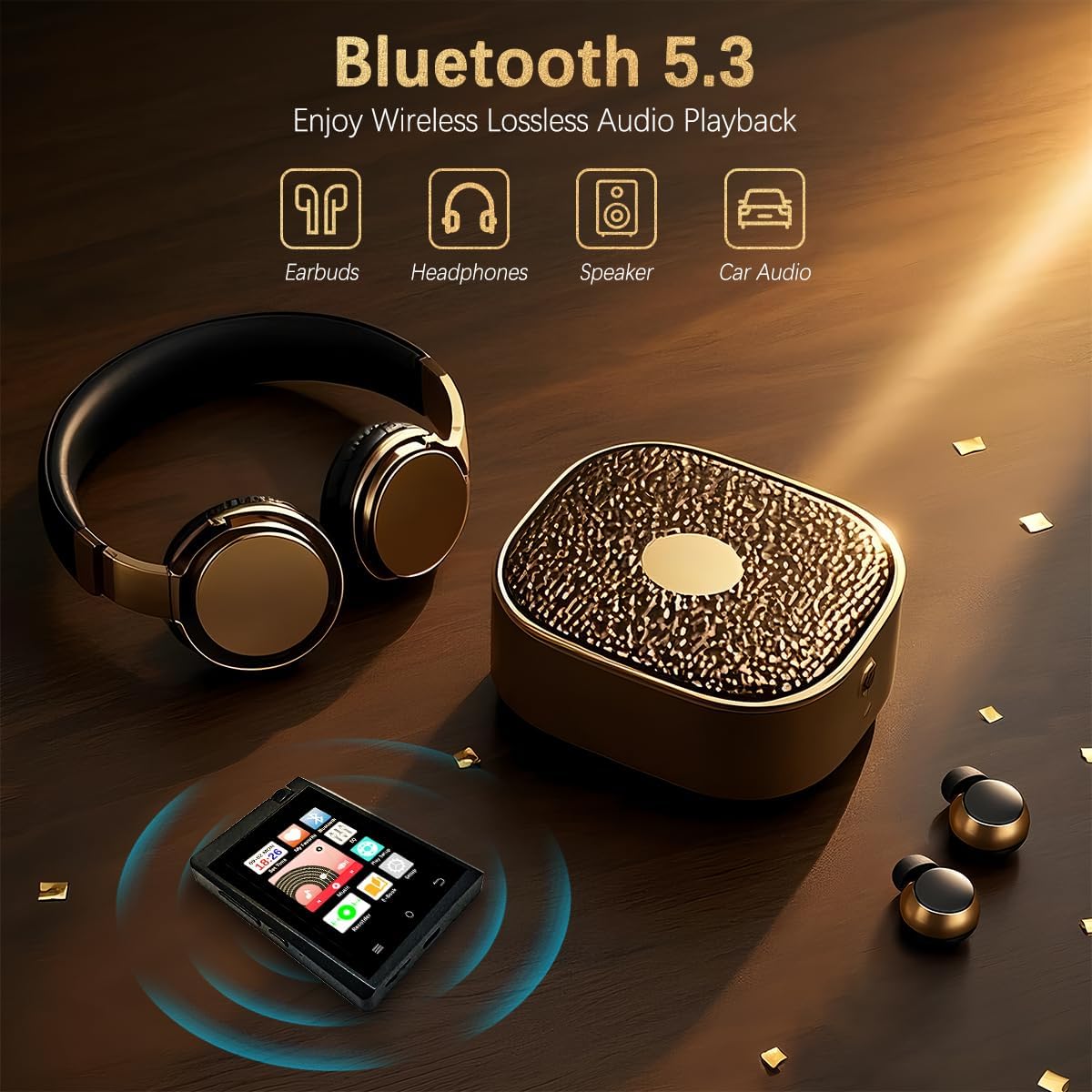
Figure 4.2: The CCHKFEI M22 MP3 Player utilizes Bluetooth 5.3 technology for stable wireless connections to compatible audio devices such as earbuds, headphones, external speakers, and car audio systems.
- From the main menu, tap the "Bluetooth" icon.
- Ensure Bluetooth is enabled on your M22 player and the target device (headphones, speaker).
- The player will scan for available Bluetooth devices. Select your device from the list to pair.
- Once paired, audio will stream wirelessly to your connected device.
Important Note: The CCHKFEI M22 MP3 Player cannot be connected to mobile phones or computers via Bluetooth. It is designed for connecting to Bluetooth audio output devices only.
4.5 FM Radio
To use the FM radio function:
- Connect wired headphones to one of the 3.5mm audio jacks. The wired headphones act as the antenna.
- From the main menu, tap the "FM Radio" icon (if available, or navigate through "Setup" if not directly on main screen).
- Use the on-screen controls to scan for stations or manually tune to a frequency.
4.6 Voice Recorder
The device includes a voice recorder function.
- Tap the "Recorder" icon from the main menu.
- Use the on-screen controls to start, pause, and stop recordings.
- Recordings are saved to the Micro SD card.

Figure 4.3: The voice recorder interface on the M22 MP3 Player, allowing users to capture audio recordings.
4.7 E-Book Reader
The M22 can display text files.
- Tap the "E-Book" icon from the main menu.
- Select a .TXT file from your Micro SD card to read.
- Note: Only .TXT format is supported. The small screen size may limit readability for extensive e-book use.
- The device remembers the last played track/position for audiobooks, but does not have a dedicated bookmarking feature for e-books.

Figure 4.4: The e-book reader function on the M22 MP3 Player, displaying text content. This feature supports .TXT files.
4.8 Other Functions
- Video Playback: The device supports video playback. Refer to the device's settings for supported video formats and resolutions.
- Photo Viewer: View images stored on the Micro SD card.
- Settings: Access the "Setup" icon for system settings, including date/time, display brightness, language, and other device configurations.

Figure 4.5: An overview of the CCHKFEI M22 MP3 Player's multi-functional capabilities, including voice recording, support for various lossless audio formats, multiple playback modes, expandable memory up to 128GB, e-book reading, Bluetooth 5.3, and six equalizer settings.
5. Maintenance
- Cleaning: Use a soft, dry cloth to clean the device. Avoid liquid cleaners or abrasive materials.
- Battery Care: To prolong battery life, avoid fully discharging the battery frequently. Charge the device regularly, even if not in use for extended periods.
- Storage: Store the device in a cool, dry place away from direct sunlight and extreme temperatures.
- Software: The device runs on an older version of Android and may not receive regular software updates.
6. Troubleshooting
| Problem | Possible Cause | Solution |
|---|---|---|
| Device does not power on. | Low battery; device frozen. | Charge the device for at least 30 minutes. If still unresponsive, try a hard reset (refer to device manual for specific instructions, usually holding power button for 10+ seconds). |
| Cannot connect via Bluetooth. | Bluetooth off; device out of range; incompatible device. | Ensure Bluetooth is enabled on both devices. Move devices closer. Confirm the target device is an audio output device (not a phone/PC). Try re-pairing. |
| Volume wheel is too sensitive or unresponsive. | Physical sensitivity; software calibration. | Use the side buttons for more precise volume control. If the issue persists, check for any available firmware updates (though unlikely for this model) or contact support. |
| Music playback is not organized by folders. | Device's default music player sorting logic. | The device's native music player may primarily sort by ID3 tags or alphabetically by song title. Ensure your music files have correct ID3 tags for better organization within the player's interface. Folder-based navigation may not be fully supported. |
| FM Radio not working. | Headphones not connected; poor signal. | Ensure wired headphones are securely plugged in, as they serve as the antenna. Try moving to an area with better signal reception. |
7. Specifications
| Feature | Detail |
|---|---|
| Model Name | M22 |
| Brand | CCHKFEI |
| Screen Size | 2.8 Inches |
| Screen Type | Color Touch Screen (240x320 Resolution) |
| Connectivity Technology | Aux, Bluetooth 5.3 |
| Memory Storage Capacity | 64 GB (Micro SD card included), expandable up to 128 GB |
| Supported Audio Formats | MP3, WMA, APE, FLAC, WAV, AAC |
| Supported E-Book Format | TXT |
| Special Features | FM Radio, Touch Screen, Voice Recorder, E-Book Reader, Video Playback, Photo Viewer |
| Battery | 1 Lithium Ion battery (included) |
| Battery Life | >50 hours (off-screen with headset), 20 hours (off-screen with Bluetooth) |
| Product Dimensions | 0.47 x 2.56 x 3.46 inches |
| Item Weight | 4 ounces |
8. Warranty and Support
The CCHKFEI M22 MP3 Player comes with a standard manufacturer's warranty. Please refer to the warranty card included with your product for specific terms and conditions. For technical support, troubleshooting assistance, or warranty claims, please contact CCHKFEI customer service through the retailer where the product was purchased.
For further assistance, you may visit the CCHKFEI Store on Amazon.
Ask a question about this manual
Ask about setup, troubleshooting, compatibility, parts, safety, or missing instructions. Manuals+ will review the question and use this page’s manual context to help answer it.