
Introduction
Thank you for choosing the Comfytemp 5000mAh Cordless Red Light Therapy Glove. This device is designed to provide targeted red light and near-infrared light therapy for your hands, wrists, and finger joints. Its dual-sided LED design ensures comprehensive 360° coverage, offering a convenient and effective therapy experience.
Important Safety Information
Please read all instructions carefully before using this product. Failure to do so may result in injury or device malfunction.
- Consult with a healthcare professional before using this device if you have any pre-existing medical conditions, are pregnant, or are taking medications that may increase light sensitivity.
- Do not use on open wounds, broken skin, or areas with active infections.
- Avoid direct eye exposure to the LED lights.
- Keep out of reach of children.
- Statements regarding dietary supplements have not been evaluated by the FDA and are not intended to diagnose, treat, cure, or prevent any disease or health condition.
What's Included
- Comfytemp Red Light Therapy Glove (Model K4020)
- USB Charging Cable
- User Manual
Product Overview
The Comfytemp Red Light Therapy Glove features a thoughtful design for effective and comfortable use.
- Dual-sided 100 LEDs: Equipped with 100 lamp beads on both the upper and lower sides, providing 360° coverage. It emits 660nm visible red light and 850nm invisible near-infrared light. The red light targets the surface, while near-infrared light penetrates deeper into muscles and joints.
- 5000mAh Cordless Design: Features a rechargeable 5000mAh battery, offering 80-250 minutes of use on a full charge (80 minutes on the highest setting). This allows for portable use at home or on the go.
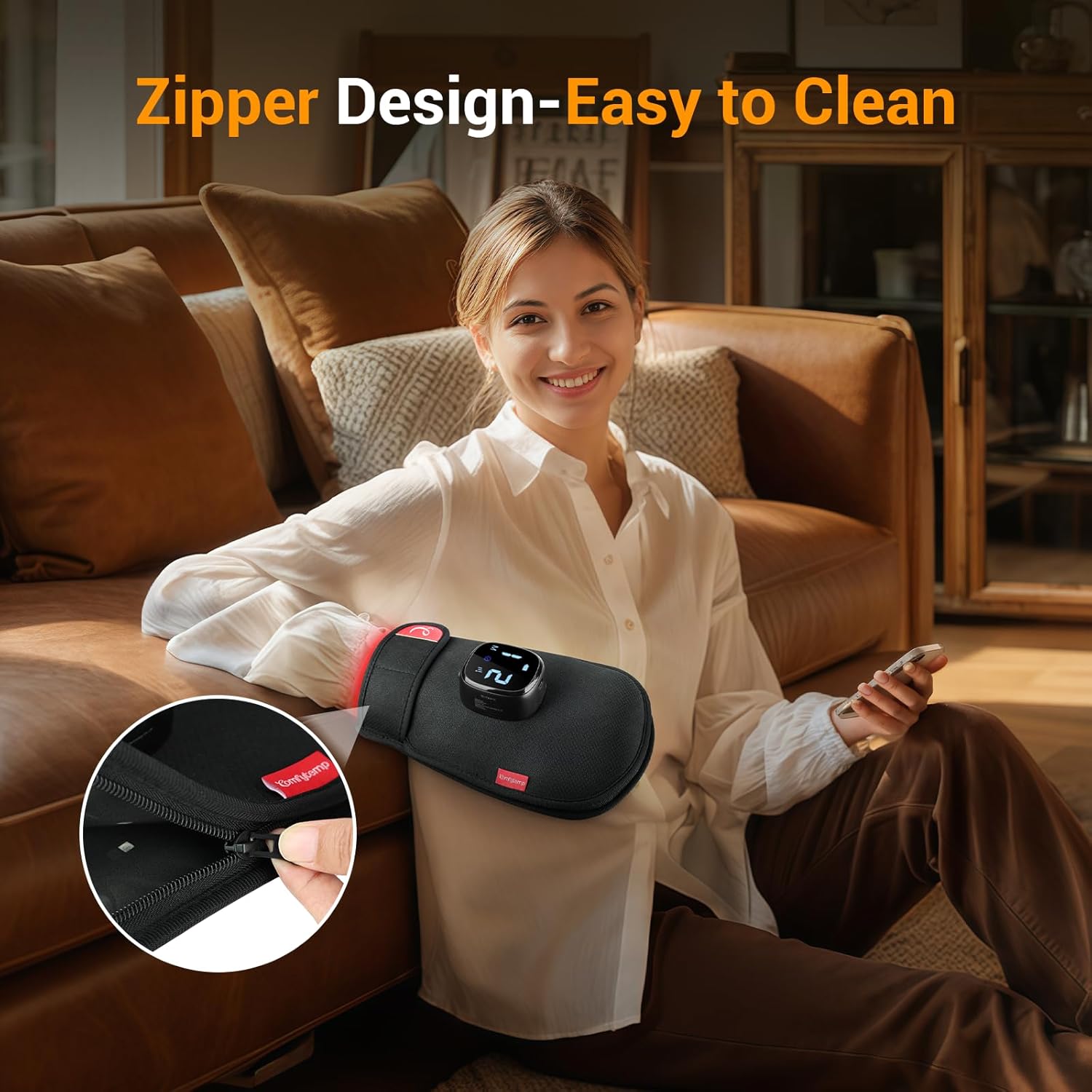
- Unique Zipper Design: The glove includes a zipper, making it easy to wear, adjust, and clean. It can also be unzipped and laid flat for use on other body areas.
- Intuitive Controls: Simple button icons on the control panel allow for easy operation, including mode selection and intensity adjustment.
- App Control: The device supports control via a dedicated mobile application, offering convenient features like a customizable auto-off timer.


Setup
1. Initial Charging
Before first use, fully charge the device. The charging port is located on the control module. Use the provided USB charging cable to connect the device to a compatible power source (e.g., USB wall adapter, computer USB port).

The battery indicator on the display will show charging progress. A full charge provides 80-250 minutes of operation, depending on the intensity level used.
Operating Instructions
1. Wearing the Glove
- Place your hand inside the glove.
- Secure the glove comfortably around your wrist using the adjustable strap to ensure a snug fit.

2. Power On/Off
- To power on, press and hold the power button on the control module.
- To power off, press and hold the power button again.
3. Mode Selection
The device offers 4 different therapy modes. Press the 'M' button to cycle through the modes:
- Mode 1: Red Light (660nm) + Near-Infrared Light (850nm) - Continuous
- Mode 2: Near-Infrared Light (850nm) Only - Continuous
- Mode 3: Red Light (660nm) Only - Continuous
- Mode 4: Pulsating Mode (alternating Red and Near-Infrared)
4. Intensity Adjustment
The device has 9 intensity levels. Use the intensity buttons (up/down arrows) to adjust the light output to your preference.

5. Session Duration
It is recommended to use the glove for 20 minutes per session. Consistent daily use over 3 weeks or more is suggested for optimal results.
App Control
For enhanced control and customization, download the Comfytemp App from your device's app store. The app allows you to:
- Connect to the device via Bluetooth.
- Adjust modes and intensity levels remotely.
- Set a customizable auto-off timer for your therapy sessions.

Maintenance and Cleaning
The unique zipper design of the Comfytemp Red Light Therapy Glove makes cleaning simple:
- Unzip the glove completely to lay it flat.
- Wipe down the interior and exterior surfaces with a damp cloth or paper towel.
- Ensure the device is completely dry before zipping it back up or storing it.
- Do not immerse the device in water or use harsh chemical cleaners.
Troubleshooting
- Device not turning on: Ensure the device is fully charged. Connect it to the charger and allow sufficient time for charging.
- Lights not visible: The 850nm near-infrared light is invisible to the naked eye. Only the 660nm red light is visible. If the red light is not visible, check the mode setting and intensity level.
- App connectivity issues: Ensure Bluetooth is enabled on your mobile device and the app is updated to the latest version. Try restarting both the device and the app.
- Localized discomfort: On first use, some localized comfort might be experienced. If discomfort persists, reduce intensity or discontinue use and consult a healthcare professional.
Specifications
| Feature | Detail |
|---|---|
| Model | K4020 |
| LED Count | 100 (Dual-sided) |
| Wavelengths | 660nm (Red Light), 850nm (Near-Infrared Light) |
| Battery Capacity | 5000mAh Lithium Polymer |
| Max Power Output | 13W |
| Usage Time (Full Charge) | 80-250 minutes |
| Glove Size | 11.8” x 7.5” |
| Weight | 1.23 Pounds |
| Manufacturer | Shenzhen Yicai Health Technology Co. , Ltd |
Warranty and Support
For warranty information or technical support, please contact Comfytemp customer service through their official website or the contact details provided with your purchase. Keep your purchase receipt for warranty claims.
Official Product Video
Video 1: Overview of the Comfytemp 5000mAh Cordless Red Light Therapy Glove for Hand by The Redhead Rundown.