
Introduction
Thank you for choosing the SWOFY D26 MP3 Player. This device combines a high-capacity music player with the versatility of an Android 13.0 system, featuring Bluetooth and Wi-Fi connectivity, a 4.7-inch HD touchscreen, and support for various streaming applications. This manual will guide you through the setup, operation, maintenance, and troubleshooting of your new device to ensure an optimal user experience.
What's in the Box
Please check the package contents carefully. If any items are missing or damaged, contact customer support.
- SWOFY D26 MP3 Player (x1)
- USB-C Charging Cable (x1)
- 64GB SD Card (x1)
- Wired Headphones (x1)
- Protective Case (x1)
- User Manual (x1)

Image: All components included in the SWOFY D26 MP3 Player package.
Device Overview
The SWOFY D26 features a sleek design with a responsive touchscreen and essential physical controls.

Image: Front view of the SWOFY D26 MP3 Player.
Key Features:
- 4.7-inch HD Touchscreen: For intuitive navigation and media viewing.
- Power Button: Located on the side for turning the device on/off and screen lock.
- Volume Buttons: Adjust audio output.
- USB-C Port: For charging and data transfer.
- 3.5mm Headphone Jack: For wired audio output.
- MicroSD Card Slot: For memory expansion.
- Integrated Speaker: For audio playback without headphones.
Setup
1. Charging the Device
Before first use, fully charge the MP3 player. Connect the provided USB-C cable to the device's USB-C port and the other end to a compatible USB power adapter (not included) or a computer's USB port. The charging indicator will show the charging status.
2. Power On/Off
- To Power On: Press and hold the Power button until the screen lights up.
- To Power Off: Press and hold the Power button, then select "Power Off" from the options on the screen.
- To Lock/Unlock Screen: Briefly press the Power button.
3. Initial Setup
Upon first power-on, follow the on-screen prompts to:
- Select your preferred language.
- Connect to a Wi-Fi network for internet access and app downloads.
- Set date and time.
4. Inserting the SD Card
The device comes with 32GB of internal ROM and includes a 64GB SD card, providing a total of 96GB storage. It supports expansion up to 1TB via a microSD card.
- Locate the microSD card slot on the side of the device.
- Gently insert the microSD card into the slot with the gold contacts facing down until it clicks into place.
- To remove, push the card in slightly until it springs out.
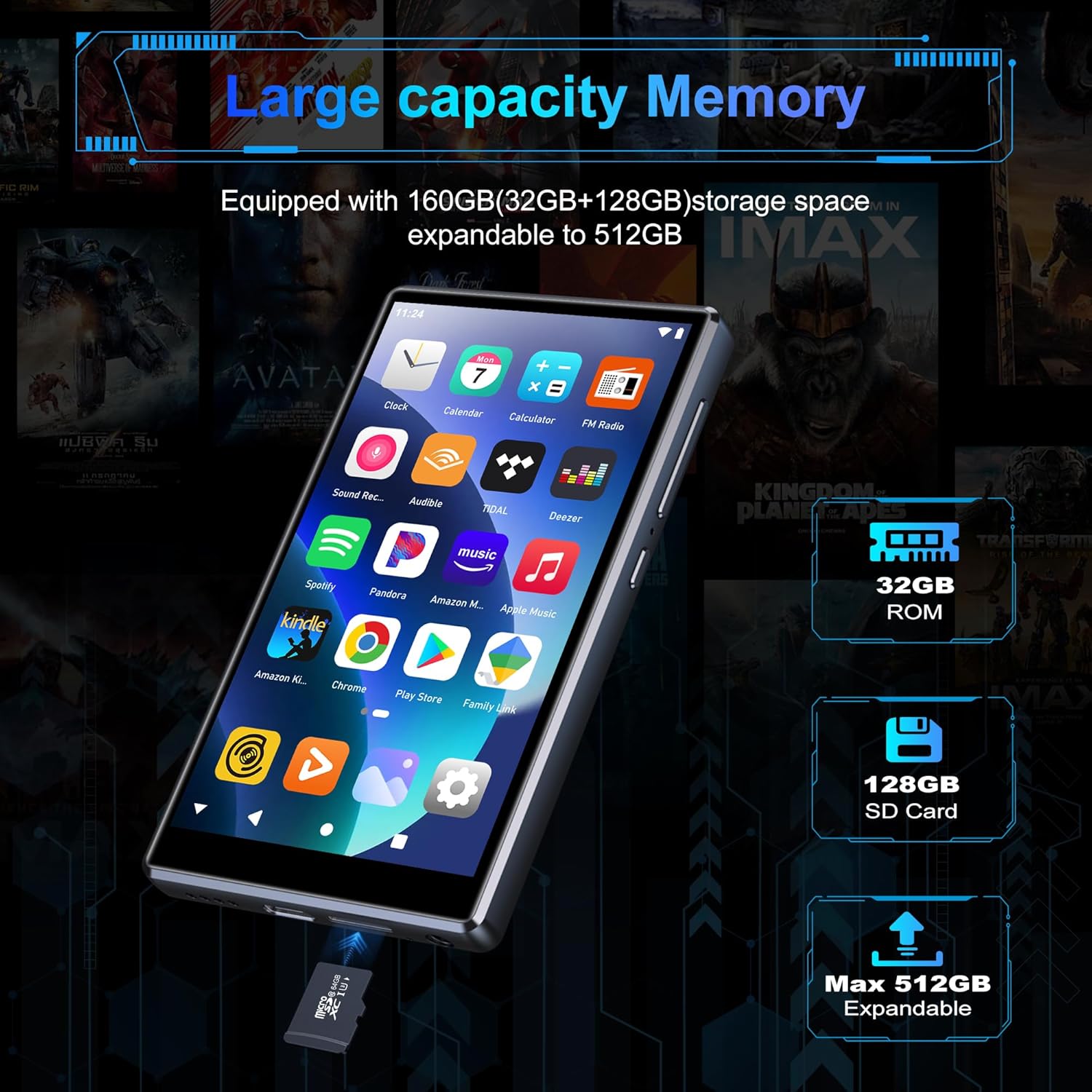
Image: Inserting an SD card for memory expansion.
Operating Instructions
1. Basic Navigation
The SWOFY D26 operates like a standard Android device. Use touch gestures (tap, swipe, pinch) to navigate menus, open apps, and control media playback.
2. Connecting to Wi-Fi
- Go to Settings > Network & internet > Wi-Fi.
- Toggle Wi-Fi On.
- Select your desired network from the list and enter the password if prompted.
- The device supports dual-band Wi-Fi (2.4GHz and 5GHz) for stable connections.
3. Bluetooth Pairing
Connect your SWOFY D26 to Bluetooth headphones, speakers, or car stereo systems.
- Go to Settings > Connected devices > Bluetooth.
- Toggle Bluetooth On.
- Ensure your Bluetooth accessory is in pairing mode.
- Select the accessory from the list of available devices to pair.

Image: Bluetooth connectivity for audio playback.
4. Music Playback
The device supports various audio formats including MP3, OGG, FLAC, AAC, WAV, WMA, and APE. You can play music stored locally or stream from pre-installed apps.
- Local Files: Use the pre-installed music player app to browse and play audio files stored on the device or SD card.
- Streaming Apps: Access Spotify, Amazon Music, Deezer, Pandora, HIBY, and other streaming services via their respective apps.

Image: Enjoying music with the SWOFY D26 MP3 Player.
5. Video Playback
The 4.7-inch HD screen supports 720p and 1280p video playback. Supported formats include AVI, MKV, RMVB, MP4, MPG, MOV, DAT, and TS.
- Use the pre-installed video player app to watch videos stored on the device or SD card.
- Download video streaming apps from the Play Store for online content.
6. App Management
The device comes with several popular apps pre-installed. You can download more apps via Wi-Fi from the Google Play Store or uninstall unnecessary ones.

Image: Pre-installed applications on the SWOFY D26.
- Install Apps: Open the Google Play Store app, search for your desired app, and tap "Install."
- Uninstall Apps: Go to Settings > Apps, select the app, and tap "Uninstall."
7. Parental Controls
Utilize the parental control features to manage app access and screen time for children.
- Access parental control settings through the device's Settings menu.
- You can restrict app installations, remove pre-installed apps, set a reset lock, and control internet and music player usage duration.
8. FM Radio
The device includes a built-in FM radio. Connect wired headphones (acting as an antenna) to use this feature.
- Plug in the wired headphones.
- Open the FM Radio app.
- Scan for available stations.
Maintenance
1. Cleaning
To clean the device, use a soft, dry, lint-free cloth. Avoid using harsh chemicals, cleaning solvents, or abrasive materials, as these can damage the screen or finish.
2. Battery Care
The SWOFY D26 is equipped with a 2500mAh lithium battery. To maximize battery life:
- Avoid fully discharging the battery frequently.
- Do not expose the device to extreme temperatures (hot or cold).
- Unplug the charger once the device is fully charged.
- Expected battery life: Up to 60 hours music playback, 10 hours video playback, 240 hours standby.

Image: Battery capacity and estimated usage times.
3. Software Updates
Periodically check for software updates to ensure optimal performance and access to new features. Connect to Wi-Fi and go to Settings > System > System update.
Troubleshooting
If you encounter issues with your SWOFY D26 MP3 Player, refer to the following common solutions:
| Problem | Solution |
|---|---|
| Device does not power on. | Ensure the device is charged. Connect to a charger for at least 30 minutes. If unresponsive, perform a hard reset by holding the power button for 10-15 seconds. |
| Wi-Fi connection issues. | Check if Wi-Fi is enabled in settings. Ensure the password is correct. Restart the device and your Wi-Fi router. Try connecting to a different Wi-Fi network. |
| Bluetooth pairing failure. | Ensure Bluetooth is enabled on both devices and the accessory is in pairing mode. Move devices closer. Restart both devices. |
| Apps crashing or freezing. | Clear the app's cache and data in Settings > Apps. Uninstall and reinstall the app. Ensure sufficient storage space is available. |
| Poor audio quality. | Check headphone connection or Bluetooth connection. Test with different headphones or speakers. Ensure audio files are not corrupted. Adjust equalizer settings if available. |
Specifications
| Feature | Detail |
|---|---|
| Model Name | D26 |
| Operating System | Android 13.0 |
| Processor | 8-core processor |
| RAM | 4 GB |
| Internal Storage (ROM) | 32 GB |
| Included SD Card | 64 GB |
| Max. Expandable Storage | Up to 1 TB (via microSD card) |
| Screen Size | 4.7 inches |
| Screen Resolution | 720 * 1280 (HD Touchscreen) |
| Connectivity | Dual-band Wi-Fi (2.4GHz & 5GHz), Bluetooth |
| Battery Capacity | 2500 mAh |
| Battery Life (Music) | Up to 60 hours |
| Battery Life (Video) | Up to 10 hours |
| Supported Audio Formats | MP3, OGG, FLAC, AAC, WAV, WMA, APE |
| Supported Video Formats | AVI, MKV, RMVB, MP4, MPG, MOV, DAT, TS |
| Special Features | Built-in Speaker, FM Radio, Parental Controls |
| Color | Black |
| Dimensions (L x W x H) | 11.9 x 6.7 x 1 cm |
| Weight | 150 Grams |

Image: Internal processor and RAM details.
Warranty and Support
The SWOFY D26 MP3 Player comes with a standard manufacturer's warranty. For specific warranty terms and conditions, please refer to the warranty card included in your package or contact SWOFY customer support.
For technical support, troubleshooting assistance, or any product-related inquiries, please visit the official SWOFY website or contact their customer service department. Contact information can typically be found on the product packaging or the SWOFY brand store page.
SWOFY Brand Store: Visit SWOFY Store on Amazon