
Awei T86
AWEI T86 Wireless Earbuds User Manual
Model: T86
1. Introduction
Thank you for choosing the AWEI T86 Wireless Earbuds. This manual provides detailed instructions on how to set up, operate, and maintain your earbuds to ensure optimal performance and longevity. Please read this manual carefully before using the product.

Image: AWEI T86 Wireless Earbuds in their charging case, showcasing the sleek design.
2. Package Contents
Ensure all items are present in the package:
- AWEI T86 Wireless Bluetooth Headset (Left and Right Earbuds)
- Charging Case
- USB-C Charging Cable
- User Instructions (This manual)
3. Product Overview
The AWEI T86 earbuds feature a compact design with advanced audio technology. Each earbud is equipped with a touch control area and a microphone. The charging case protects the earbuds and provides extended battery life.

Image: AWEI T86 Wireless Earbuds displayed individually, highlighting their ergonomic shape.
3.1 Key Features
- High-Resolution Audio: 13mm speakers for immersive sound and ENC calling noise cancellation for clear calls.
- Bluetooth 5.3 Technology: Ensures fast, stable, and low-latency wireless connection up to 10 meters.
- Extended Battery Life: Up to 7 hours of playback per charge, with the charging case providing up to 35 hours (dual-ear mode) or 70 hours (single-ear mode).
- IPX6 Waterproof Design: Resistant to dust and rain, suitable for various environments.
- Smart Touch Control: Manage music playback, volume, and calls directly from the earbuds.

Image: Detailed view of an AWEI T86 earbud, highlighting its ergonomic design and touch control area.
4. Setup
4.1 Charging the Earbuds and Case
Before first use, fully charge both the earbuds and the charging case.
- Place the earbuds into the charging case. Ensure they are correctly seated; the indicator lights on the earbuds will illuminate to show charging status.
- Connect the USB-C charging cable to the charging port on the case and the other end to a USB power adapter (not included) or a computer's USB port.
- The charging case will display its charging status. A full charge for the case takes approximately 1.5 hours.

Image: AWEI T86 charging case with earbuds inserted, illustrating the charging process.
4.2 Pairing with a Device
The earbuds use Bluetooth 5.3 for a stable connection.
- First-time Pairing:
- Open the charging case. The earbuds will automatically power on and enter pairing mode.
- On your device (smartphone, tablet, etc.), enable Bluetooth.
- Search for available Bluetooth devices and select "AWEI T86" from the list.
- Once connected, you will hear a confirmation sound, and the earbuds' indicator lights will change.
- Automatic Reconnection: After the initial pairing, the earbuds will automatically connect to the last paired device when taken out of the case, provided Bluetooth is enabled on the device.
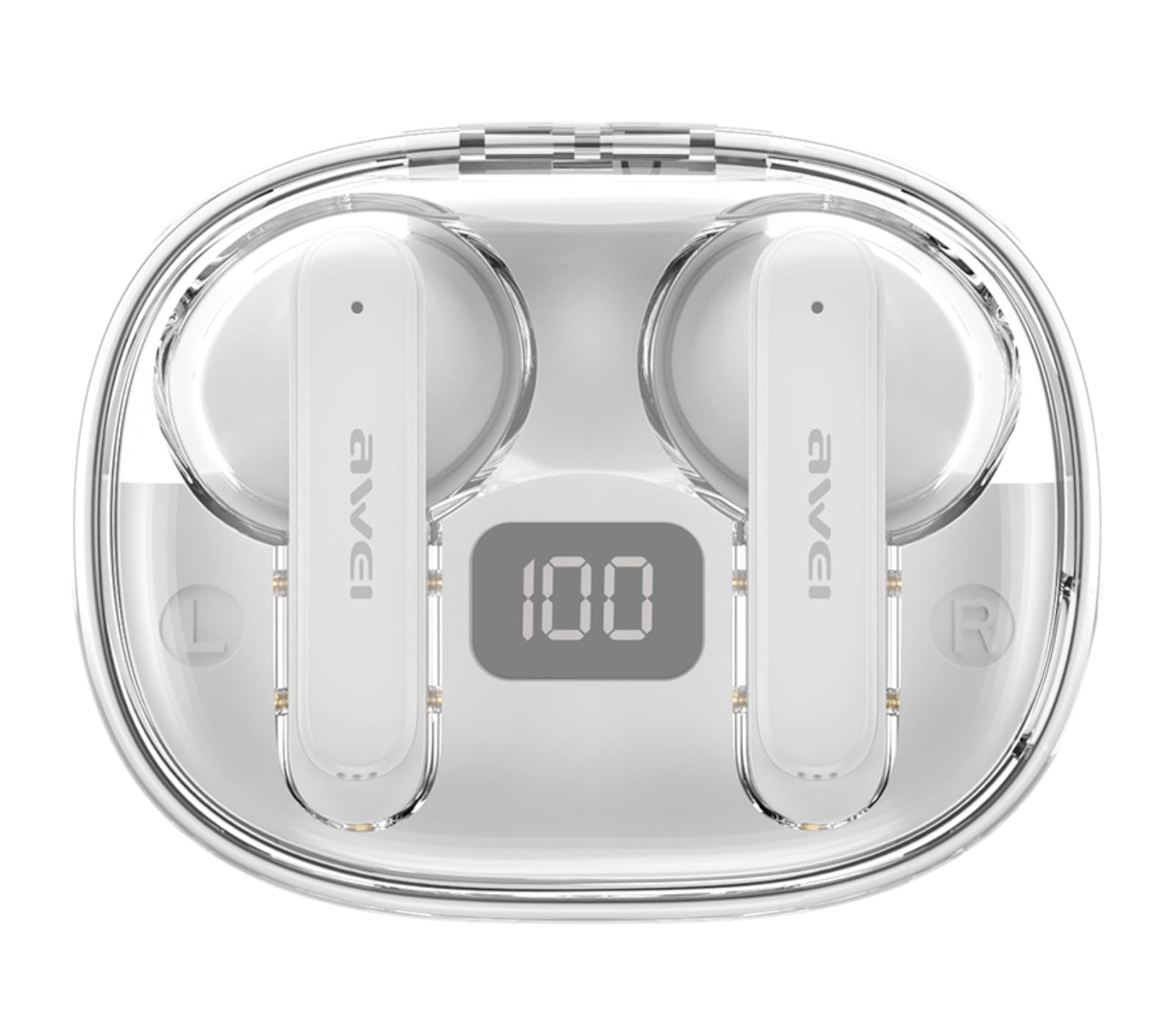
Image: AWEI T86 earbud with an overlay indicating Bluetooth 5.3 technology, representing the pairing process.
5. Operating the Earbuds
5.1 Wearing the Earbuds
For optimal sound quality and comfort, ensure the earbuds are worn correctly.
- Identify the Left (L) and Right (R) earbuds.
- Gently insert each earbud into your ear canal and rotate slightly until it fits snugly and comfortably.

Image: A person wearing the AWEI T86 earbuds, demonstrating proper fit and usage.
5.2 Touch Controls
The AWEI T86 earbuds feature smart touch controls on each earbud. The functions may vary slightly depending on your device and application.
| Action | Function |
|---|---|
| Single Tap (Left/Right) | Play/Pause Music, Answer/End Call |
| Double Tap (Right Earbud) | Next Song |
| Double Tap (Left Earbud) | Previous Song |
| Triple Tap (Right Earbud) | Volume Up |
| Triple Tap (Left Earbud) | Volume Down |
| Long Press (2 seconds) | Reject Call, Activate Voice Assistant |
Note: The ENC (Environmental Noise Cancellation) feature for calls is automatically active during phone calls, enhancing voice clarity by reducing ambient noise.
Image: Close-up of an AWEI T86 earbud, indicating the touch-sensitive control area.
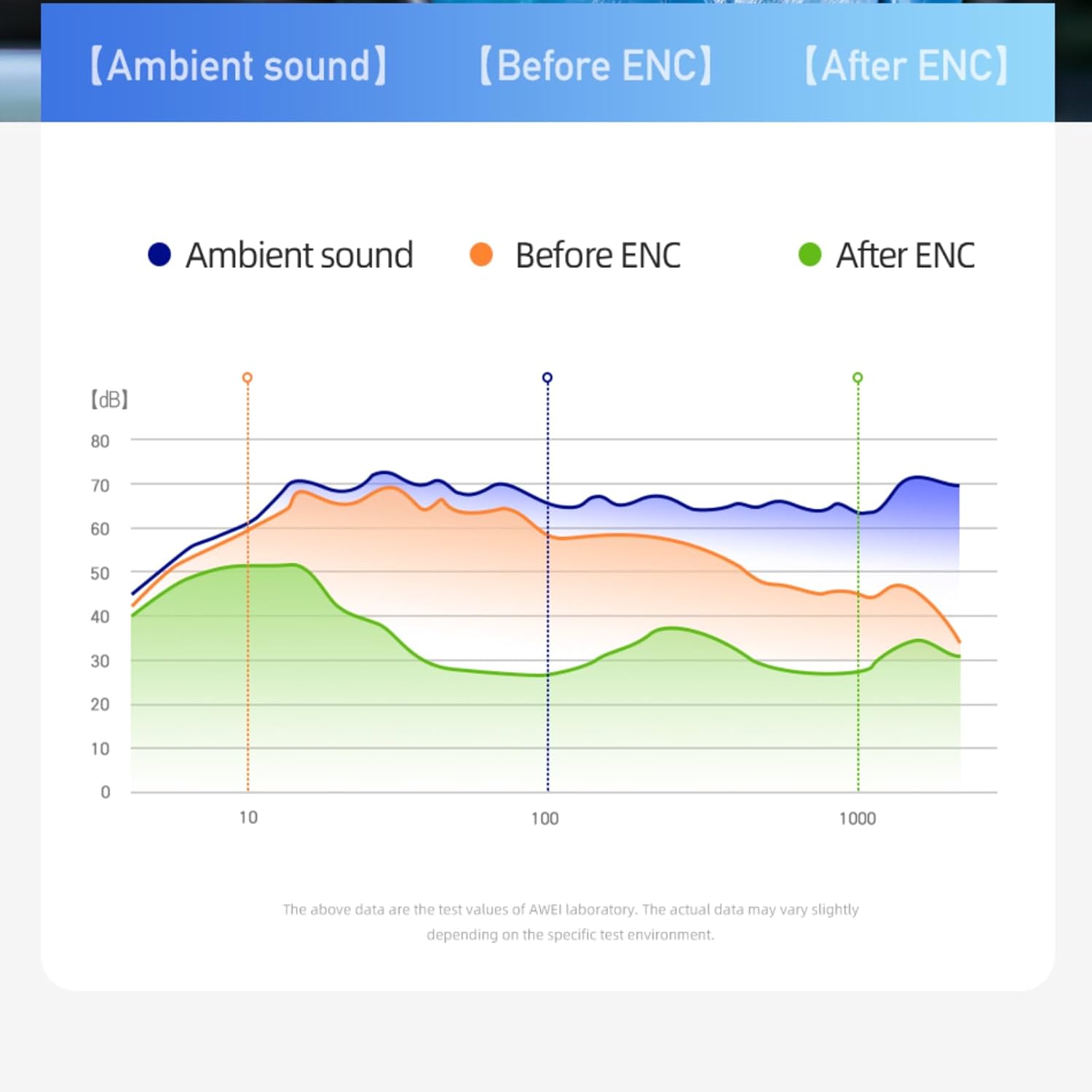
Image: A graph illustrating the effect of ENC (Environmental Noise Cancellation) on ambient sound, showing reduction of noise levels.
5.3 Power On/Off
- Power On: The earbuds automatically power on when removed from the charging case.
- Power Off: The earbuds automatically power off and begin charging when placed back into the charging case and the lid is closed.
- Manual Power Off: If not in the case, long-press the touch area on either earbud for approximately 5 seconds until you hear a power-off prompt.
6. Maintenance
6.1 Cleaning
Regular cleaning helps maintain sound quality and hygiene.
- Use a soft, dry, lint-free cloth to wipe the earbuds and charging case.
- Do not use abrasive cleaners, solvents, or aerosol sprays.
- Gently clean the ear tips and speaker mesh with a cotton swab or a small, soft brush to remove earwax or debris.
6.2 Storage
When not in use, store the earbuds in their charging case to protect them and keep them charged.
- Store in a cool, dry place, away from extreme temperatures and direct sunlight.
- Avoid storing near magnetic fields.
6.3 Water Resistance (IPX6)
The AWEI T86 earbuds are rated IPX6, meaning they are protected against powerful water jets. This makes them suitable for use during workouts or in light rain.
- Do not submerge the earbuds in water.
- The charging case is not waterproof. Keep it dry.
- If the earbuds get wet, wipe them dry completely before placing them back in the charging case to prevent damage.
7. Troubleshooting
If you encounter issues with your AWEI T86 earbuds, try the following solutions:
| Problem | Possible Solution |
|---|---|
| Earbuds not pairing |
|
| Only one earbud working |
|
| Low volume or poor sound quality |
|
| Earbuds not charging |
|
8. Specifications
| Feature | Detail |
|---|---|
| Model | T86 |
| Bluetooth Version | 5.3 |
| Speaker Size | 13mm |
| Water Resistance | IPX6 (Earbuds only) |
| Earbud Playtime | Up to 7 hours |
| Total Playtime (with case) | Up to 35 hours (dual-ear), 70 hours (single-ear) |
| Charging Case Battery | 300mAh |
| Charging Time (Case) | Approx. 1.5 hours (via USB-C) |
| Wireless Range | Up to 10 meters (33 feet) |
| Weight | 0.15 Kilograms (total package weight) |
| Control Type | Touch Control |
| Included Components | Earbuds, Charging Case, USB-C Cable, User Manual |
Image: AWEI T86 Wireless Earbuds, representing the product's technical specifications.
9. Safety Information
- Do not disassemble or modify the product.
- Keep away from extreme temperatures, humidity, and corrosive substances.
- Avoid dropping or subjecting the earbuds to strong impacts.
- Do not expose the charging case to water or moisture.
- Prolonged exposure to loud sounds may cause hearing damage. Adjust volume to a moderate level.
- Use only the provided or certified charging cable.
10. Warranty and Support
For warranty information and technical support, please refer to the warranty card included with your purchase or visit the official AWEI website. Keep your proof of purchase for warranty claims.
Ask a question about this manual
Ask about setup, troubleshooting, compatibility, parts, safety, or missing instructions. Manuals+ will review the question and use this page’s manual context to help answer it.