
Introduction
This manual provides essential instructions for setting up, operating, and maintaining your LIGE DM2-G GPS Smartwatch. Please read this manual thoroughly before using the device to ensure proper function and longevity.
The LIGE DM2-G smartwatch features a 1.43-inch AMOLED display, integrated GPS with multi-system positioning, over 170 sports modes, 5ATM/IP68 water resistance, Bluetooth calling, and comprehensive health monitoring capabilities.
Package Contents
Ensure all items are present in the package:
- LIGE DM2-G Smartwatch
- Charging Cable
- User Manual
Setup
1. Charging the Smartwatch
Before initial use, fully charge the smartwatch. Connect the magnetic charging cable to the charging contacts on the back of the watch and plug the USB end into a power adapter (not included) or a computer USB port. A full charge typically takes 2.5 hours.

Image: The LIGE DM2-G smartwatch connected to its magnetic charging cable, illustrating the 600mAh battery capacity and charging process.
2. App Installation and Pairing
To unlock all features, download and install the companion app on your smartphone.
- Scan the QR code provided in the manual or search for "GloryFitPro Lite" in your smartphone's app store (App Store for iOS, Google Play Store for Android).
- Enable Bluetooth on your smartphone.
- Open the "GloryFitPro Lite" app and tap "Add a new device" or similar option.
- Select the "DM2-G" Bluetooth device from the list to complete the pairing process.

Image: A visual guide demonstrating the four steps to connect the smartwatch: scanning QR, enabling Bluetooth, adding device in app, and selecting the watch for pairing.
Note: For detailed app configuration, refer to the in-app instructions.
Operating Instructions
1. Basic Navigation
- Touchscreen: Swipe left, right, up, or down to navigate through menus and functions. Tap to select.
- Side Buttons: The watch features dedicated buttons for quick access to sports modes and other functions. Refer to the watch interface for specific button assignments.
2. Bluetooth Calls and Notifications
The smartwatch supports Bluetooth 5.3 for calls and message notifications. Ensure your watch is paired with your phone.
- Making/Receiving Calls: Use the watch's dial pad or contact list to make calls. Incoming calls can be answered or rejected directly from the watch. The watch has a built-in speaker and microphone for clear communication.
- Notifications: Receive real-time notifications from social media apps (e.g., Facebook, WhatsApp, Gmail) directly on your watch.

Image: The smartwatch screen showing an incoming call with options to answer or reject, and a separate display of message notifications from popular social media platforms.
3. GPS and Outdoor Features
The watch supports L1+L5 dual-frequency high-precision positioning and is compatible with GPS, GLONASS, Beidou, Galileo, NAVIC, and QZSS systems for accurate outdoor activity tracking.
- GPS Tracking: Track your route during outdoor activities. GPS route tracking requires activation in open areas.
- Compass: Use the integrated compass for navigation.
- Altitude & Barometric Pressure: Monitor current altitude and atmospheric pressure trends.
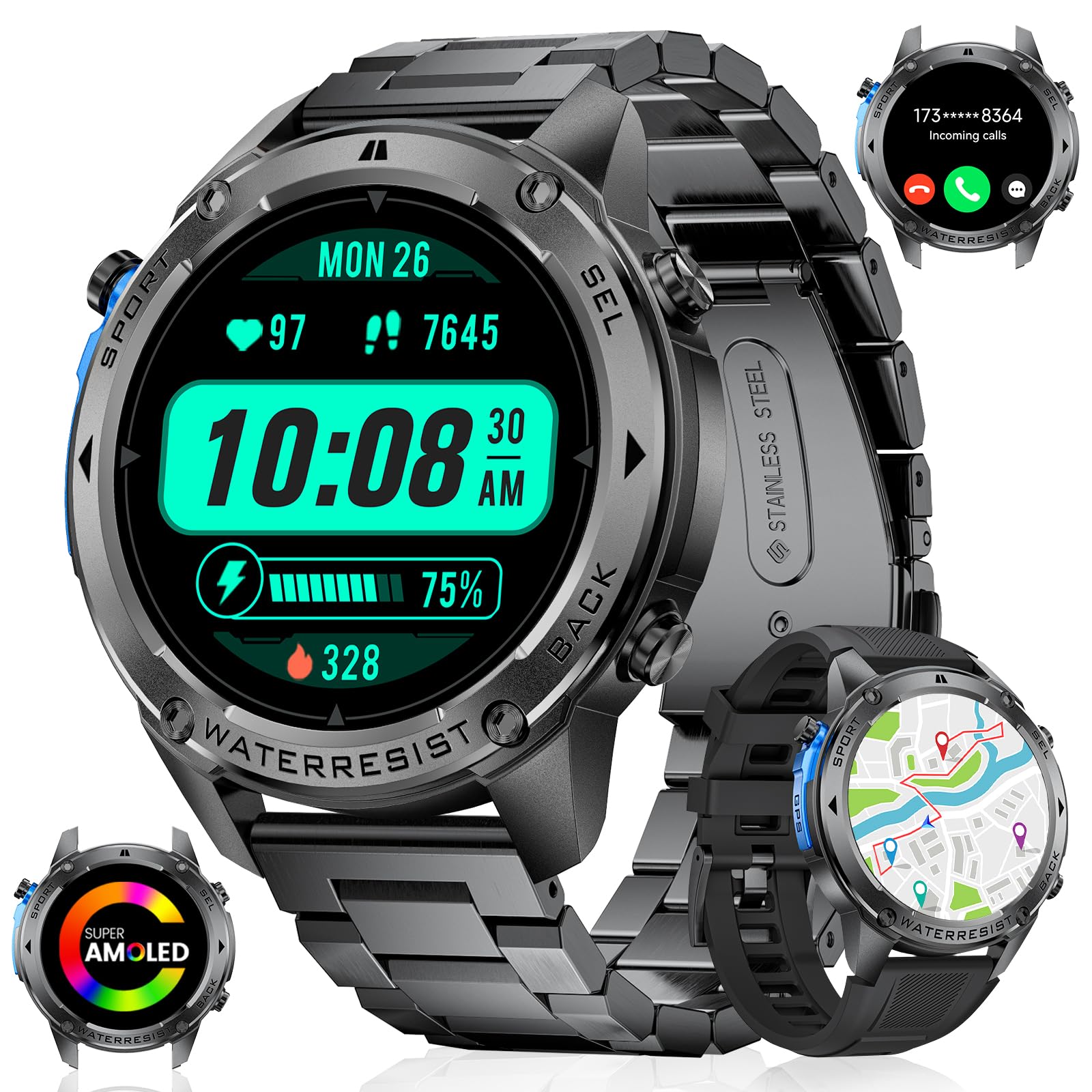
Image: The smartwatch face showing a map with a tracked route, a compass, and numerical values for altitude and atmospheric pressure, indicating its outdoor sports capabilities.
4. Sports Modes
The smartwatch offers over 170 sports modes to track your fitness activities. It records steps, distance, calories, and real-time heart rate.
- Activity Tracking: Select your desired sport mode from the watch menu to begin tracking.
- Swimming Mode: The watch automatically activates water resistance when swimming mode is active. It records movements, swimming style, and calories. Note: Not suitable for seawater or diving.

Image: The smartwatch interface showing a selection of over 170 sports modes, alongside a detailed view of activity data including steps, heart rate, and exercise duration.
5. Health Monitoring
The watch provides continuous 24-hour health monitoring.
- Heart Rate: Real-time heart rate tracking.
- Sleep Monitor: Intelligently detects different sleep phases (REM, light, deep sleep) to help you organize an effective rest plan.
- Activity Tracker: Monitors daily activity, including steps, distance, and calories burned.

Image: A split image illustrating 24-hour heart rate tracking during the day and detailed sleep tracking at night, with various health metrics displayed.
Note: Health data is for general health and fitness purposes only and not intended for professional medical diagnosis.
6. Customizable Watch Faces and Multifunctional Design
Choose from over 300 pre-defined watch faces or upload your own photos. The watch includes various useful functions:
- Weather forecasts
- Stopwatch and Timer
- Pedometer
- Music control
- Brightness adjustment
- Find phone function
- Alarm clock
- Camera control
- Calculator
- Water intake reminder
- Sedentary reminder

Image: The smartwatch screen showcasing multiple online watch faces and customizable options, including an always-on display feature.
Note: To extend battery life, the watch may disable the raise-to-wake function to reduce unnecessary power consumption when Always-On Display (AOD) is active.
Maintenance
1. Water Resistance
The LIGE DM2-G smartwatch is IP68 certified and 5ATM water-resistant, making it suitable for hand washing, swimming, and rain exposure.
Important: Do not use the watch in seawater or for diving. Avoid exposure to hot water or steam.
Image: A person swimming while wearing the smartwatch, highlighting its IP68 water resistance and dedicated swimming mode for tracking aquatic activities.
2. Cleaning
Wipe the watch and strap regularly with a soft, dry cloth. If necessary, use a slightly damp cloth and dry thoroughly. Avoid harsh chemicals or abrasive materials.
3. Battery Care
The 600mAh battery provides 5-7 days of normal use and up to 30 days in standby mode. To prolong battery life, avoid extreme temperatures and fully discharge/recharge periodically.
Troubleshooting
- Watch not turning on: Ensure the watch is fully charged. Connect it to the charger for at least 30 minutes.
- Cannot pair with phone:
- Ensure Bluetooth is enabled on your phone and the watch.
- Make sure the watch is within range of your phone.
- Restart both your phone and the watch.
- Try unpairing and re-pairing the device through the app.
- Inaccurate health data: Ensure the watch is worn snugly on your wrist, not too tight or too loose. Clean the sensor on the back of the watch. Remember, data is for general fitness, not medical diagnosis.
- GPS not tracking: Ensure you are in an open area with a clear view of the sky. Allow the watch sufficient time to acquire a GPS signal.
- Water resistance concerns: Always ensure the watch is properly sealed. Avoid using buttons underwater. Do not expose to hot water or steam.
Specifications
| Feature | Detail |
|---|---|
| Brand | LIGE |
| Model Number | DM2-G |
| Display | 1.43-inch AMOLED Touchscreen (466x466 resolution) |
| Operating System Compatibility | iOS 11.0+ (calls require iOS 13+), Android 5.0+ |
| Connectivity | Bluetooth 5.3 |
| GPS | Integrated GPS (L1+L5 dual-frequency), supports GPS, GLONASS, Beidou, Galileo, NAVIC, QZSS |
| Water Resistance | 5 ATM / IP68 |
| Battery Capacity | 600 mAh Lithium-polymer |
| Charging Time | Approx. 2.5 hours |
| Normal Use Battery Life | 5-7 days |
| Standby Battery Life | Up to 30 days |
| Special Features | GPS, Swimming Mode, Compass, AMOLED Touchscreen, Weather Forecasts, Stopwatch, Pedometer, Message Notifications, Voice Assistant, Multi-language, 170+ Sports Modes, Fitness Tracking, Stress Tracker, Sleep Monitor, Calorie Counter, Answer/Dial Calls, Calculator, Water Reminder, Sedentary Reminder, Do Not Disturb Mode, All-day Activity Tracking, Timer, Music Control, Brightness Adjustment, Find Phone, Alarm Clock, Camera Control. |
Warranty and Support
Your LIGE DM2-G Smartwatch comes with a 24-month warranty from the date of purchase. LIGE also provides 24-hour online support.
If you encounter any issues with accessories, quality, usage, or charging after receiving your smartwatch, please contact our customer service team directly. We are committed to providing a solution within 24 hours.

Image: A graphic outlining LIGE's customer support, including 24-hour customer service, 6-month return service, and a 2-year warranty.
Compatibility: This outdoor sports watch is compatible with iOS 11.0 and above (calls require iOS 13 or higher), Android 5.0 and above, and BT4.0, covering most smartphones on the market.


