
1. Introduction
The Teendow D20S Max+ is an advanced robot vacuum and mop designed for comprehensive home cleaning, especially in pet-friendly environments. It features powerful 6000Pa suction, PreciSense LiDAR navigation for precise mapping, and a self-empty dock for up to 10 weeks of hands-free operation. This manual provides essential information for setting up, operating, maintaining, and troubleshooting your device to ensure optimal performance and a cleaner home.

Figure 1.1: Teendow D20S Max+ Robot Vacuum, Self-Empty Dock, and Pet Grooming Accessories.
2. What's in the Box
Carefully unpack all components and ensure everything is present before beginning setup.
- Teendow D20S Max+ Robot Vacuum
- Self-Empty Dock
- Power Cable
- Water Tank
- Mop Pad
- Pet Grooming Tools (various attachments, including a hair razor and combs)
- Cleaning Brush/Blade for roller maintenance
- Dust Bags (at least one pre-installed in the dock)
- User Manual (this document)
- Battery (pre-installed in the robot)
3. Setup Guide
3.1 Dock Placement and Initial Charging
Place the self-empty dock against a wall in an open area, ensuring there are no obstacles within 1.5 meters (5 feet) in front and 0.5 meters (1.6 feet) to either side. Connect the power cable to the dock and plug it into a power outlet. Place the robot vacuum onto the charging contacts of the dock. The robot will begin charging automatically. Ensure the robot is fully charged before its first use.
3.2 App Installation and Connection
Download the official Teendow app from your smartphone's app store. Follow the in-app instructions to connect your robot vacuum to your home Wi-Fi network. This app allows for advanced control, scheduling, and mapping features.
3.3 Initial Mapping
For the first cleaning cycle, allow the robot to complete a full mapping run of your home. This will enable the PreciSense LiDAR navigation system to create an accurate map, which is crucial for efficient cleaning and advanced features like no-go zones and multi-floor mapping.

Figure 3.1: Robot vacuum mapping a room using LiDAR technology.
4. Operating Instructions
4.1 Cleaning Modes
The Teendow D20S Max+ offers versatile cleaning options:
- Vacuuming: Utilizes 6000Pa powerful suction to pick up dust, debris, and pet hair from various floor types, including carpets.
- Mopping: Equipped with a water tank and mop pad, the robot can mop hard floors. Ensure the water tank is filled and the mop pad is attached.
- Simultaneous Vacuuming and Mopping: The robot can perform both functions in a single pass for efficient cleaning.
- Pet Grooming: Connect the specialized pet grooming tools to the self-empty dock's hose for grooming pets while the vacuum collects the shed hair directly into the dustbin.

Figure 4.1: Robot vacuum performing simultaneous vacuuming and mopping.

Figure 4.2: Using the pet grooming attachment with the robot vacuum system.

Figure 4.3: Illustration of the powerful 6000Pa suction.
4.2 Smart Navigation and Mapping
The robot uses PreciSense LiDAR navigation to create and store precise maps of your home. This allows for efficient cleaning paths and intelligent obstacle avoidance. You can view and manage these maps within the Teendow app.
4.3 No-Go Zones and Customizable Cleaning Areas
Using the app, you can define specific areas where the robot should not go (no-go zones) or areas you want it to clean specifically. This provides flexible control over the cleaning process.
4.4 Multi-Floor Mapping
For multi-level homes, the robot can store up to 5 different floor maps. It automatically recognizes the current floor and adjusts its cleaning path accordingly, simplifying cleaning across multiple levels.
4.5 Voice Control
The Teendow D20S Max+ is compatible with Amazon Alexa and Google Home. You can control the robot using voice commands for starting/stopping cleaning, sending it back to the dock, and more.

Figure 4.4: Voice control integration with smart home devices.
4.6 Smart Auto-Recharge
When the battery is low or a cleaning task is complete, the robot will automatically return to its self-empty dock to recharge. Once fully charged, it will resume cleaning from where it left off, ensuring complete coverage.
5. Maintenance
Regular maintenance ensures the longevity and optimal performance of your Teendow D20S Max+.
5.1 Self-Empty Dock and Dust Bag
The 3.0L dust bag in the self-empty dock can hold debris for up to 70 days, significantly reducing the frequency of manual emptying. The robot automatically empties its internal dustbin into the dock's dust bag after each cleaning cycle.
- Dust Bag Replacement: When the app indicates the dust bag is full, carefully remove the old bag and dispose of it. Install a new dust bag, ensuring it is properly seated in the dock.

Figure 5.1: Self-empty dock with internal dust bag.
5.2 Filter Cleaning
The robot uses a washable HEPA filter. Periodically remove the filter from the robot's dustbin and tap it to remove loose debris. For thorough cleaning, rinse the filter under running water. Allow it to air dry completely before reinserting it into the robot.
5.3 Mop Pad Cleaning
After each mopping session, detach the mop pad from the water tank. Hand wash or machine wash the mop pad with mild detergent. Allow it to air dry completely before reattaching.
5.4 Roller Brush Cleaning
Hair and debris can accumulate around the main roller brush. Regularly remove the roller brush and use the included cleaning blade to cut and remove tangled hair. Ensure the brush spins freely after cleaning.
5.5 Pet Grooming Tool Cleaning
After each grooming session, detach the grooming tool from the hose. Remove any collected hair from the tool and clean it with a damp cloth. Ensure all hair is removed to maintain suction efficiency.
6. Troubleshooting
This section addresses common issues you might encounter with your Teendow D20S Max+.
- Robot not returning to base/getting lost:
Ensure the self-empty dock is placed in an open area with no obstructions. Check if the charging contacts on both the robot and the dock are clean. Verify that the robot has successfully mapped the area. If issues persist, try deleting the map in the app and allowing the robot to remap your home. - Robot falling down stairs:
The robot is equipped with anti-drop sensors. Ensure these sensors are clean and free from dust or debris. For multi-level homes, consider setting up virtual no-go zones near staircases in the app as an additional precaution. - Difficulty finding replacement parts (e.g., dust bags, rollers):
Contact Teendow customer support directly for official replacement parts. Ensure you specify your model number (D20SMAX) to receive compatible components. Avoid purchasing third-party parts that may not fit or function correctly. - Reduced suction power:
Check if the dust bag in the self-empty dock is full and needs replacement. Clean the HEPA filter and ensure it is completely dry before reinstallation. Inspect the main roller brush and side brushes for tangled hair or debris and clean them thoroughly. - Robot stuck frequently:
Identify and remove obstacles in the robot's cleaning path. Use the app to set up no-go zones around areas where the robot commonly gets stuck (e.g., loose cables, high-pile rugs it cannot traverse).
7. Specifications
Detailed technical specifications for the Teendow D20S Max+.
| Feature | Specification |
|---|---|
| Brand | Teendow |
| Model Name | D20SMAX+ |
| Item Model Number | D20SMAX |
| Suction Power | 6000Pa Max |
| Battery Capacity | 5000mAh |
| Battery Life (Run Time) | Up to 240 minutes |
| Cleaning Range | Up to 3229 sqft |
| Dust Bag Capacity (Dock) | 3 Liters |
| Navigation Type | PreciSense LiDAR |
| Filter Type | Washable HEPA |
| Control Method | App, Voice (Amazon Alexa, Google Home) |
| Product Dimensions | 1.3"L x 1.3"W x 0.4"H (Robot) |
| Item Weight | 16.5 pounds |
| Color | White |
| UPC | 850063185394 |
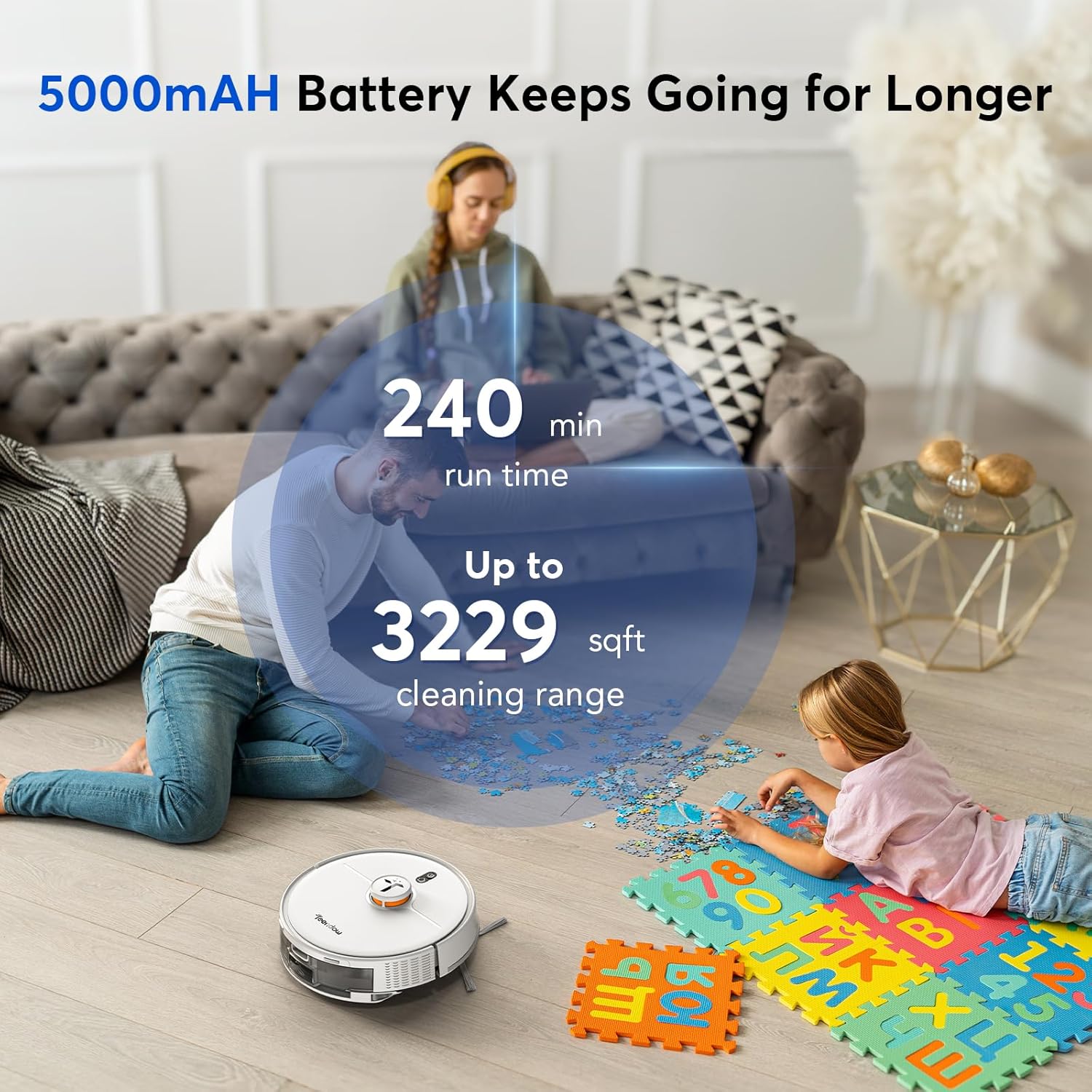
Figure 7.1: Battery life and cleaning coverage.
8. Warranty and Support
For warranty information, product support, or to inquire about replacement parts, please contact Teendow customer service. Refer to the contact information provided on the product packaging or the official Teendow website. When contacting support, please have your product model number (D20SMAX) and purchase details ready.