
Introduction
Thank you for choosing the AWEI T28 Wireless Earbuds. This manual provides detailed instructions for setting up, operating, and maintaining your earbuds to ensure optimal performance and longevity. Please read this manual thoroughly before using the product.
Package Contents
Verify that all items are present in your package:
- Wireless Bluetooth Headset (Left and Right Earbuds)
- Wireless Bluetooth Headset Charging Case
- USB-C Charging Cable
- User Instructions (This Manual)
Product Overview
The AWEI T28 Wireless Earbuds are designed for a comfortable in-ear fit, offering high-fidelity audio and clear call performance. They feature Bluetooth 5.3 technology for stable connectivity and touch controls for easy operation.

Figure 1: AWEI T28 Wireless Earbuds and Charging Case. This image displays the white earbuds resting inside their open charging case, highlighting their compact and sleek design.

Figure 2: Earbuds and Charging Case. The image shows the earbuds removed from the charging case, which is open, illustrating the product's design and indicating its readiness for use or charging.
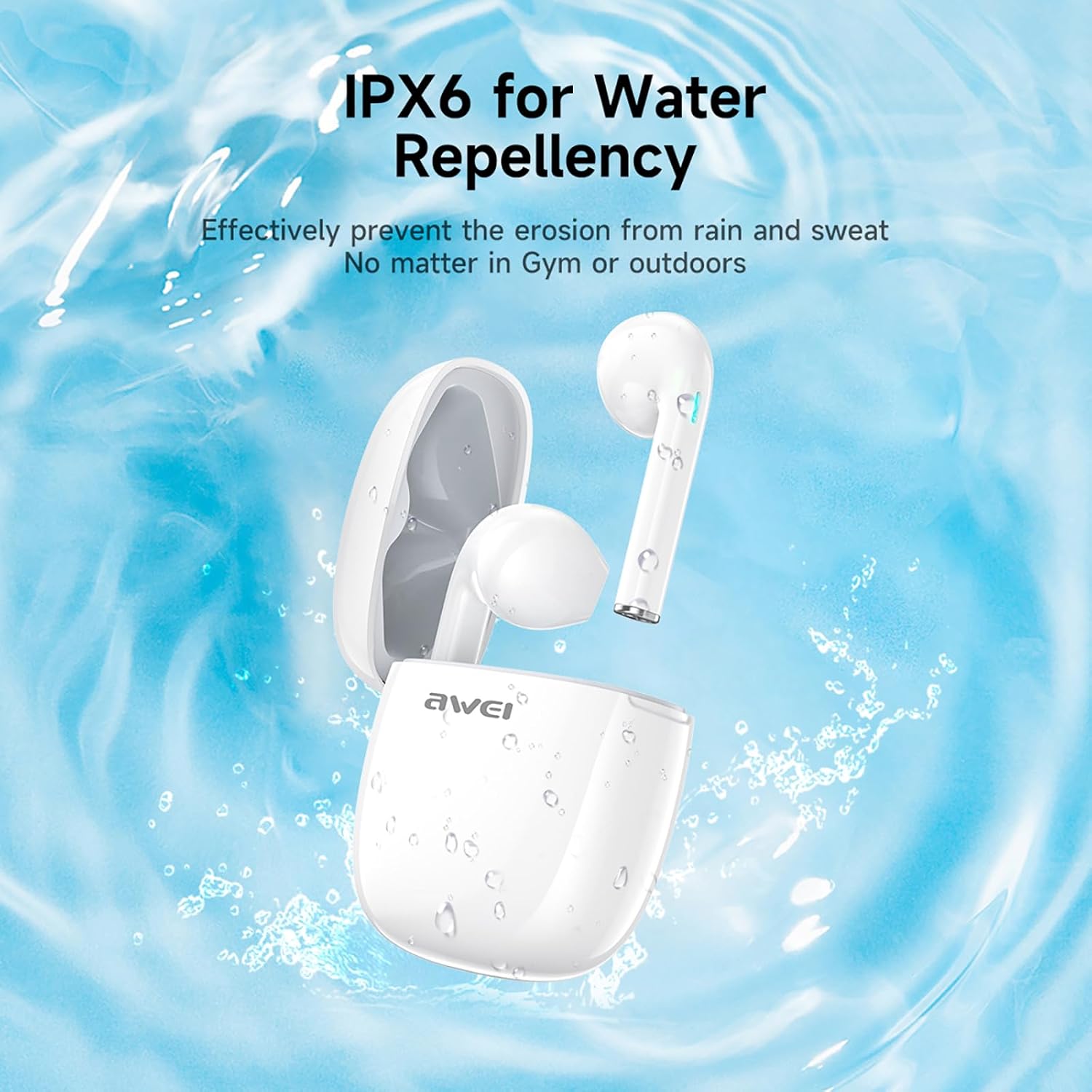
Figure 3: IPX6 Water Repellency. This image depicts the earbuds and charging case with water splashes, visually representing their IPX6 waterproof rating, suitable for use during exercise or in light rain.
Setup
1. Charging the Earbuds and Case
- Initial Charge: Before first use, fully charge the earbuds and the charging case.
- Charging the Case: Connect the provided USB-C charging cable to the charging port on the case and to a USB power source. The charging time for the case is approximately 1.5 hours.
- Charging the Earbuds: Place the earbuds into the charging case. They will automatically begin charging. The earbuds provide approximately 7 hours of continuous use per charge. The charging case extends total playback time to 35 hours in dual-ear mode, or up to 70 hours in single-ear mode by alternating earbuds.
- Battery Indicators: Refer to the LED indicators on the case and earbuds for charging status.
2. Pairing with a Device
- Power On: Open the charging case. The earbuds will automatically power on and enter pairing mode.
- Activate Bluetooth: On your smartphone, tablet, or other Bluetooth-enabled device, go to the Bluetooth settings and turn on Bluetooth.
- Select Device: Look for "AWEI T28" in the list of available devices and select it to connect.
- Confirmation: Once connected, you will hear an audio prompt from the earbuds, and the device's Bluetooth settings will show "AWEI T28" as connected.
- Automatic Reconnection: After the initial pairing, the earbuds will automatically connect to the last paired device when removed from the charging case, provided Bluetooth is enabled on the device.
Operating Instructions
Touch Controls
The AWEI T28 earbuds feature smart touch controls on each earbud for convenient management of audio playback and calls.
- Play/Pause: Single tap on either earbud.
- Next Song: Double tap the right earbud.
- Previous Song: Double tap the left earbud.
- Volume Up: Triple tap the right earbud.
- Volume Down: Triple tap the left earbud.
- Answer/End Call: Single tap on either earbud during an incoming call.
- Reject Call: Press and hold either earbud for 2 seconds during an incoming call.
- Activate Voice Assistant: Press and hold either earbud for 3 seconds (functionality may vary by device).
Monaural and Binaural Mode
The earbuds support both monaural (single earbud) and binaural (both earbuds) modes. You can seamlessly switch between modes:
- Binaural Mode: Remove both earbuds from the charging case. They will automatically connect to each other and then to your device.
- Monaural Mode: Remove only one earbud from the charging case. It will connect to your device independently. You can place the other earbud back in the case or keep it off.
- Switching: If using one earbud, simply remove the other from the case to automatically switch to binaural mode. If using both, place one back in the case to switch to monaural mode.
Maintenance
Proper maintenance ensures the longevity and performance of your AWEI T28 Wireless Earbuds.
- Cleaning: Regularly clean the earbuds and charging case with a soft, dry, lint-free cloth. Do not use abrasive cleaners or solvents.
- Ear Tips: If applicable, gently remove ear tips and clean them with mild soap and water, then dry thoroughly before reattaching.
- Charging Contacts: Ensure the charging contacts on both the earbuds and inside the case are clean and free of debris to maintain proper charging.
- Water Resistance: The earbuds are IPX6 waterproof, meaning they are resistant to strong jets of water. However, they are not designed for swimming or submersion. Ensure they are dry before placing them back in the charging case.
- Storage: When not in use, store the earbuds in their charging case to protect them from dust and damage. Store in a cool, dry place away from extreme temperatures.
Troubleshooting
If you encounter issues with your AWEI T28 Wireless Earbuds, refer to the following common solutions:
- Earbuds not pairing with device:
- Ensure both earbuds are fully charged.
- Turn off Bluetooth on your device, then turn it back on.
- Forget "AWEI T28" from your device's Bluetooth list and attempt to pair again.
- Ensure the earbuds are in pairing mode (usually indicated by flashing LED lights).
- Try pairing with a different device to rule out device-specific issues.
- Only one earbud working:
- Place both earbuds back into the charging case, close the lid, wait a few seconds, then open the lid and remove both earbuds simultaneously.
- Ensure both earbuds are charged.
- Check if the earbuds are connected in monaural mode. If so, try re-pairing both earbuds.
- Earbuds not charging:
- Ensure the charging case is charged.
- Check that the charging contacts on the earbuds and inside the case are clean and free of obstructions.
- Ensure the earbuds are correctly seated in the charging case.
- Try using a different USB-C cable or power adapter.
- Low volume or poor sound quality:
- Adjust the volume on both your device and the earbuds.
- Ensure the earbuds are properly seated in your ears for a good seal.
- Clean any earwax or debris from the earbud nozzles.
- Try playing different audio sources to determine if the issue is with the earbuds or the audio file.
- Connection drops frequently:
- Ensure there are no significant obstacles (walls, large electronic devices) between the earbuds and your connected device.
- Keep the earbuds within the 10-meter Bluetooth range of your device.
- Avoid environments with high Wi-Fi or other wireless interference.
Specifications
| Model | T28 |
| Brand | Awei |
| Connectivity Technology | Wireless (Bluetooth 5.3) |
| Ear Placement | In Ear |
| Control Type | Touch Control |
| Water Resistance Level | IPX6 Waterproof |
| Battery Average Life (Earbuds) | 7 Hours |
| Total Playtime with Charging Case | Up to 35 Hours (Dual-ear), 70 Hours (Single-ear) |
| Charging Time (Case) | 1.5 Hours |
| Material | Silicone |
| Item Weight | 150 g |
| Compatible Devices | Smartphones, Computers, TVs |
Warranty and Support
For warranty information and customer support, please refer to the documentation provided with your purchase or contact the retailer where you purchased the AWEI T28 Wireless Earbuds. Keep your proof of purchase for any warranty claims.
For further assistance, you may also visit the official Awei website or contact their customer service directly.


