
AUNMAS AUNMASiv46h25kde
AUNMAS Capybara Alarm Clock User Manual
Model: AUNMASiv46h25kde
1. Introduction
Thank you for choosing the AUNMAS Capybara Alarm Clock. This device combines a charming capybara design with practical features including a digital LED display, 4000K warm night light, temperature detection, and customizable alarm functions. This manual provides detailed instructions for setup, operation, and maintenance to ensure optimal performance and longevity of your alarm clock.

Image 1.1: Front view of the AUNMAS Capybara Alarm Clock.
2. Package Contents
Please check the package for the following items:
- 1 x Capybara Alarm Clock
- 1 x Connecting Cable (USB)
- 1 x Instruction Manual (this document)
3. Safety Information
- Do not expose the device to extreme temperatures, direct sunlight, or high humidity.
- Keep the device away from water or other liquids.
- Do not attempt to disassemble or repair the device yourself. Contact customer support for assistance.
- Use only the provided connecting cable for charging.
- Keep out of reach of small children to prevent choking hazards from small parts.
4. Setup
4.1 Initial Charging
Before first use, fully charge the alarm clock. The device has a built-in 1200mAh Li-Ion battery.
- Locate the charging port on the back of the alarm clock.
- Connect the provided USB connecting cable to the charging port.
- Plug the other end of the USB cable into a standard USB power adapter (DC5V, not included) or a computer USB port.
- The display will indicate charging status. Allow several hours for a full charge.
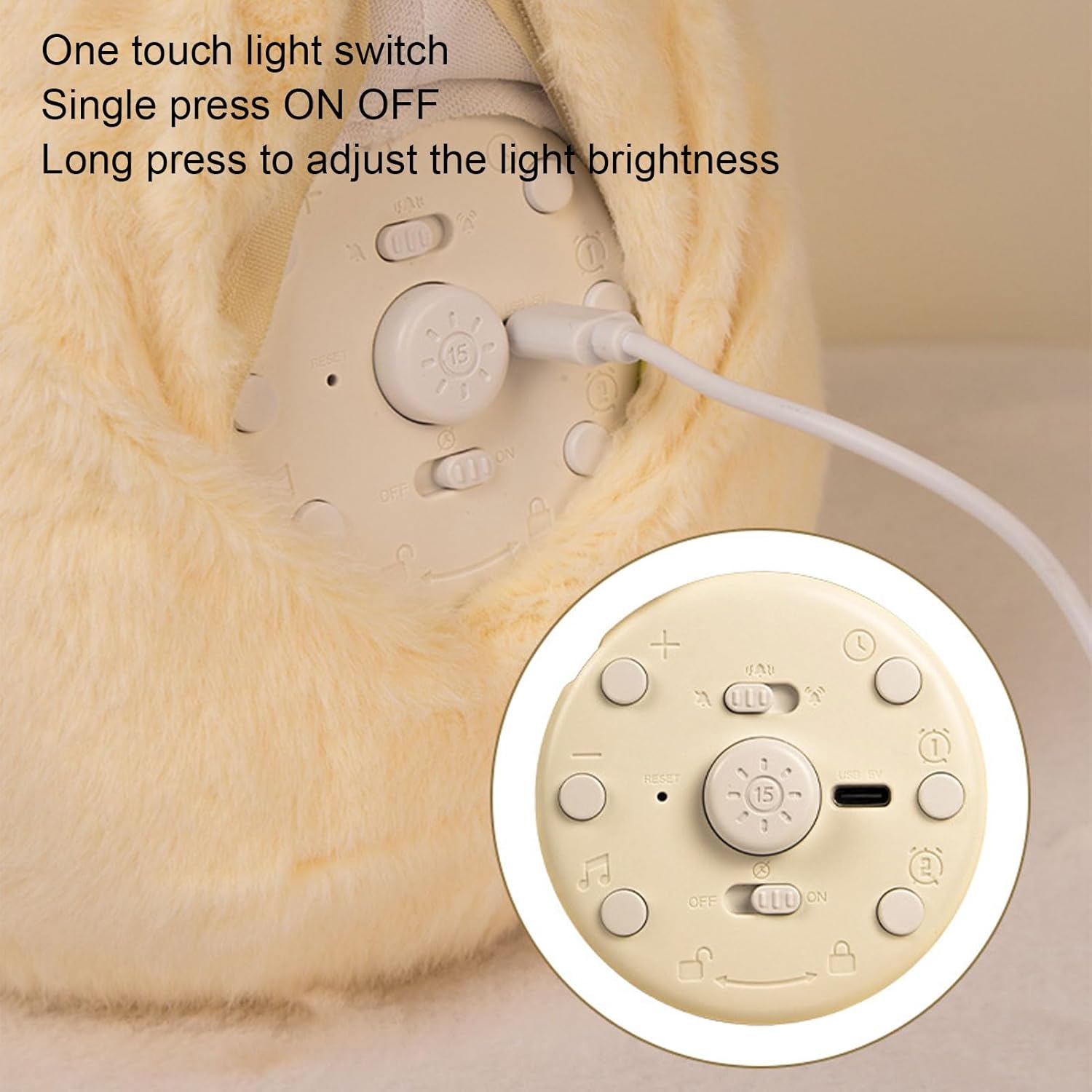
Image 4.1: Rear view of the alarm clock with control buttons and charging port.
4.2 Power On/Off
Locate the ON/OFF switch on the back panel. Slide it to the 'ON' position to power on the device. Slide it to 'OFF' to power off.
4.3 Setting Time and Date
Specific buttons for time and date setting are located on the back panel. Refer to the labels on the buttons (e.g., 'SET', '+', '-') to adjust the time and date. Press the 'SET' button to enter setting mode, use '+' and '-' to adjust values, and 'SET' again to confirm and move to the next setting.
5. Operating Instructions
5.1 Setting Alarms
The alarm clock supports two independent alarm settings. You can set them to switch freely between working days and rest days.
- Press the 'ALARM 1' or 'ALARM 2' button on the back to select an alarm.
- Use the '+' and '-' buttons to set the desired alarm time.
- Press the 'ALARM' button again to confirm the time and proceed to set the alarm mode (e.g., daily, weekdays, weekends).
- The alarm will sound at the set time.

Image 5.1: Display showing alarm settings and time.
5.2 Snooze Function
When an alarm sounds, you can activate the snooze function for an additional five minutes of sleep.
- To enter snooze mode, press the light button located on the back of the clock.
- The alarm will sound again after five minutes.
- To turn off the alarm for the day, press any other button on the back panel.
5.3 Night Light Function
The Capybara Alarm Clock features a 4000K warm light night light.
- Single Press: Press the light button on the back panel to turn the night light ON or OFF.
- Long Press: Press and hold the light button to adjust the brightness of the night light. Release when the desired brightness is reached.

Image 5.2: Alarm clock with night light active.
5.4 Temperature Display
The alarm clock automatically detects and displays the ambient temperature on its LED screen.
6. Maintenance
6.1 Cleaning
The plush material of the Capybara Alarm Clock can be disassembled for cleaning.
- Carefully remove the plush outer cover from the internal clock mechanism.
- Hand wash the plush cover with mild soap and cold water. Do not machine wash or tumble dry.
- Allow the plush cover to air dry completely before reassembling.
- Wipe the internal clock mechanism with a soft, dry cloth. Do not use liquid cleaners directly on the electronic components.
7. Troubleshooting
- Clock not turning on: Ensure the ON/OFF switch is in the 'ON' position. Check if the battery is charged; connect to power using the USB cable.
- Display is dim or not working: Ensure the battery is charged. Adjust the brightness of the night light by long-pressing the light button.
- Alarm not sounding: Verify that the alarm is set correctly and enabled. Check the volume settings if applicable (though this model description does not specify volume control, ensure no mute function is accidentally activated).
- Incorrect time/date: Re-enter the time and date settings as described in Section 4.3.
8. Specifications
| Item Type | Alarm Clock |
| Brand | AUNMAS |
| Model Number | AUNMASiv46h25kde |
| Material | ABS, PE, Polyester Fiber |
| Light Color | 4000K Warm Light |
| Display Type | Digital LED |
| Battery Capacity | Li-Ion Battery 1200mAh (Built-In) |
| Rated Voltage | DC5V |
| Product Dimensions | Approx. 15cm x 13.5cm x 21cm (5.9in x 5.3in x 8.3in) |
| Item Weight | 1.17 pounds |
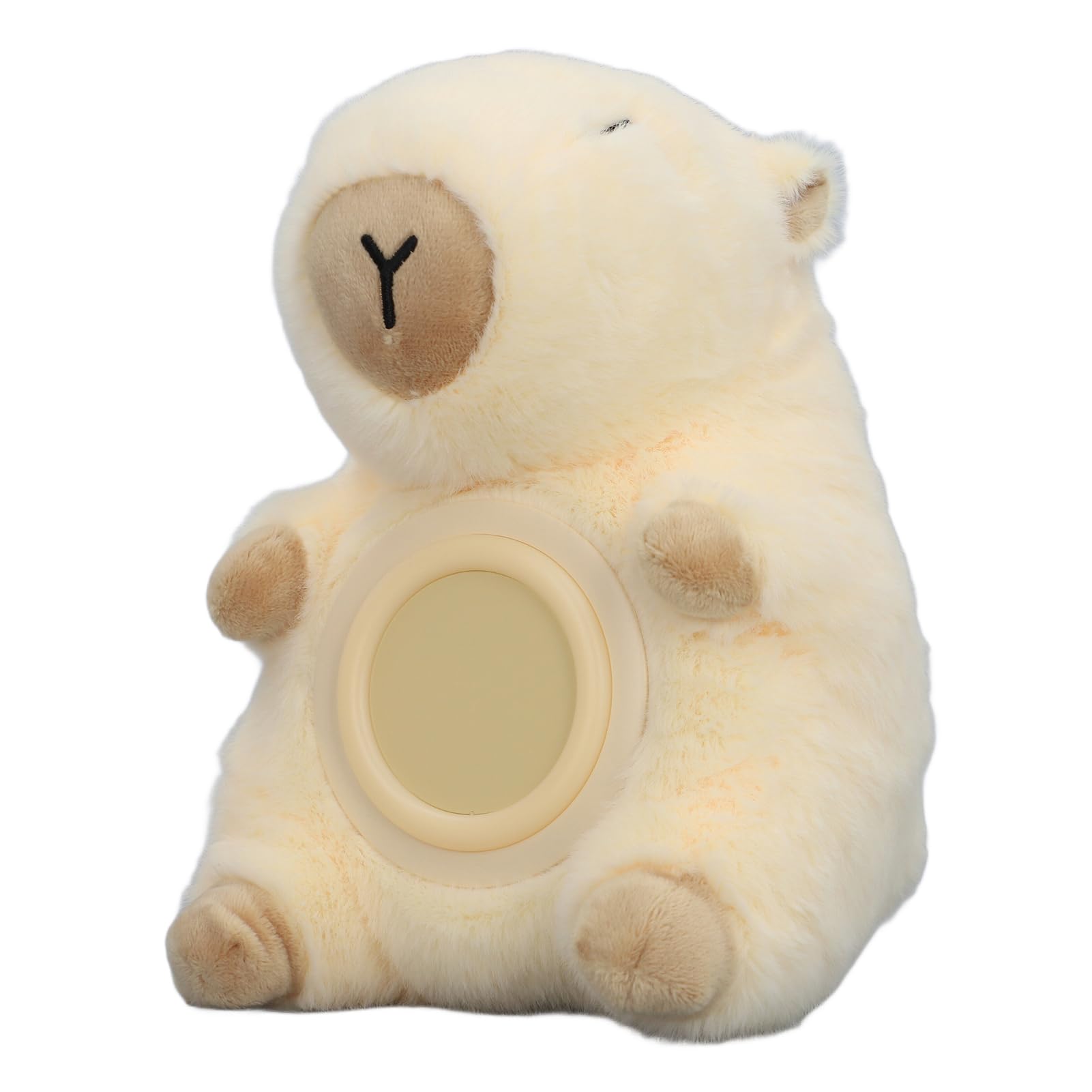
Image 8.1: Product dimensions.
9. Warranty and Support
For warranty information or technical support, please refer to the retailer's policy or contact AUNMAS customer service directly. Keep your purchase receipt for any warranty claims.
Ask a question about this manual
Ask about setup, troubleshooting, compatibility, parts, safety, or missing instructions. Manuals+ will review the question and use this page’s manual context to help answer it.