
1. Introduction
This manual provides comprehensive instructions for the safe and effective use of your VGR V-694 Professional Rechargeable Combo Kit. This kit includes a hair clipper, hair trimmer, and foil shaver, designed for versatile grooming. Please read this manual thoroughly before first use and retain it for future reference.
2. Safety Information
- Keep out of reach of children. Do not allow children to use or clean the appliance without supervision.
- Never immerse the device in water or other liquids.
- Ensure the device is turned off before changing guide combs or cleaning.
- Always check for any damage to the device or blades before use to avoid injury.
- Do not use the appliance if it is damaged or malfunctioning.
- Use only the provided charging cable and accessories.
3. Package Contents
The VGR V-694 Professional Rechargeable Combo Kit includes the following items:
- 1x Hair Clipper
- 1x Hair Trimmer
- 11x Guide Combs (various lengths for clipper and trimmer)
- 3x Protection Caps
- 1x Cleaning Brush
- 1x Lubricating Oil
- 1x USB Charging Cable

Image 1: All components of the VGR V-694 Professional Rechargeable Combo Kit.
4. Product Overview
The VGR V-694 kit features three distinct grooming tools, each designed for specific tasks:
4.1 Hair Clipper
- Equipped with ceramic and carbon steel blades for precise cutting.
- Features an adjustable taper lever for fine-tuning cutting lengths.
- LED display indicates battery status.
4.2 Hair Trimmer
- Designed for detailed trimming and edging.
- Features sharp blades for clean lines.
- LED display indicates battery status.
4.3 Foil Shaver
- Provides a close, smooth shave with dual foil heads.
- Compact design for easy handling.
- LED display indicates battery status.
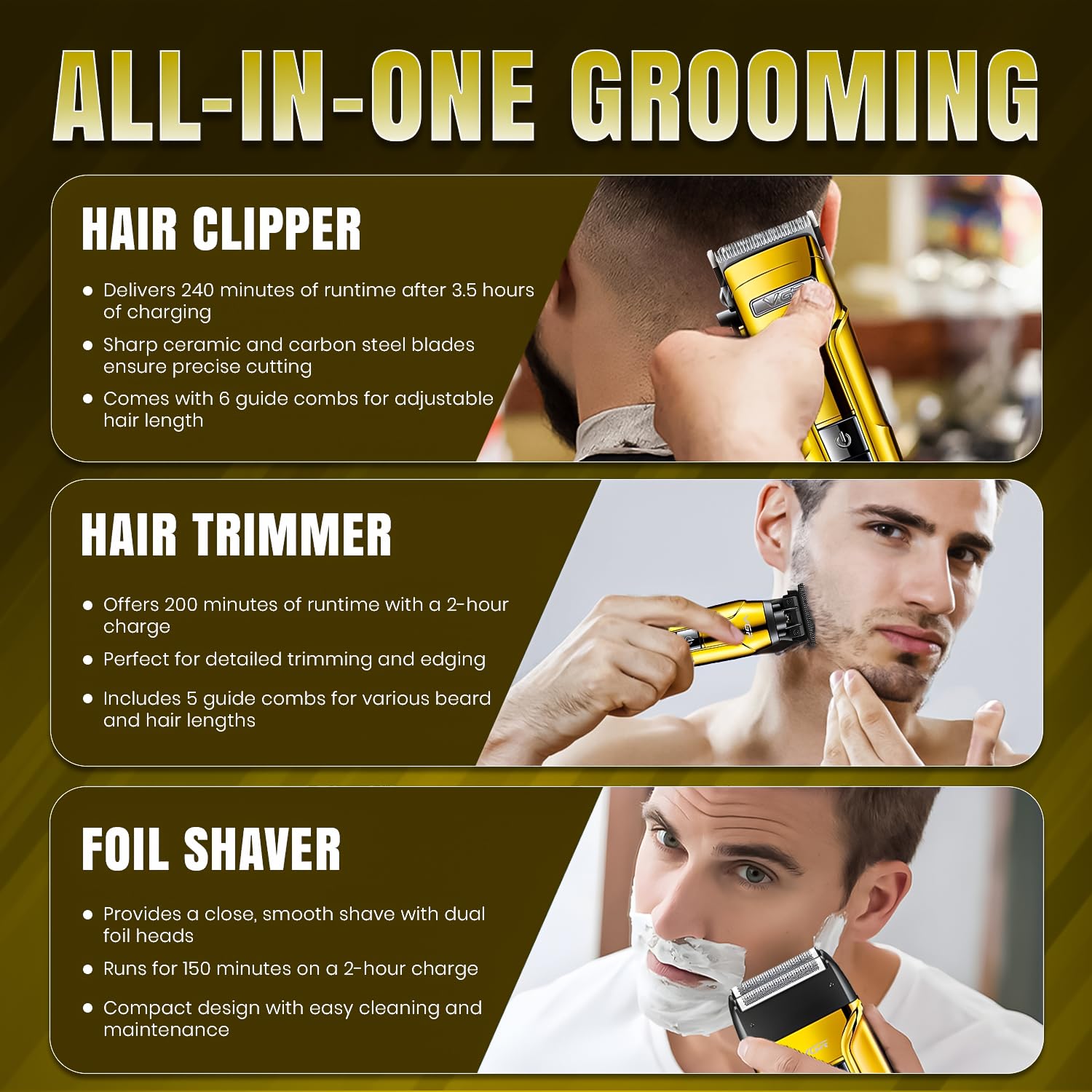
Image 2: Overview of the Hair Clipper, Trimmer, and Foil Shaver.

Image 3: Ceramic and Carbon Steel Blades with adjustable length feature.
5. Setup and Charging
5.1 Initial Charge
Before first use, fully charge each device. Connect the USB charging cable to the device and a compatible USB power source (e.g., power bank, laptop, adapter). The LED display will indicate the charging status.
- Hair Clipper: Approximately 3.5 hours for a full charge, providing up to 240 minutes of runtime.
- Hair Trimmer: Approximately 2 hours for a full charge, providing up to 200 minutes of runtime.
- Foil Shaver: Approximately 2 hours for a full charge, providing up to 150 minutes of runtime.
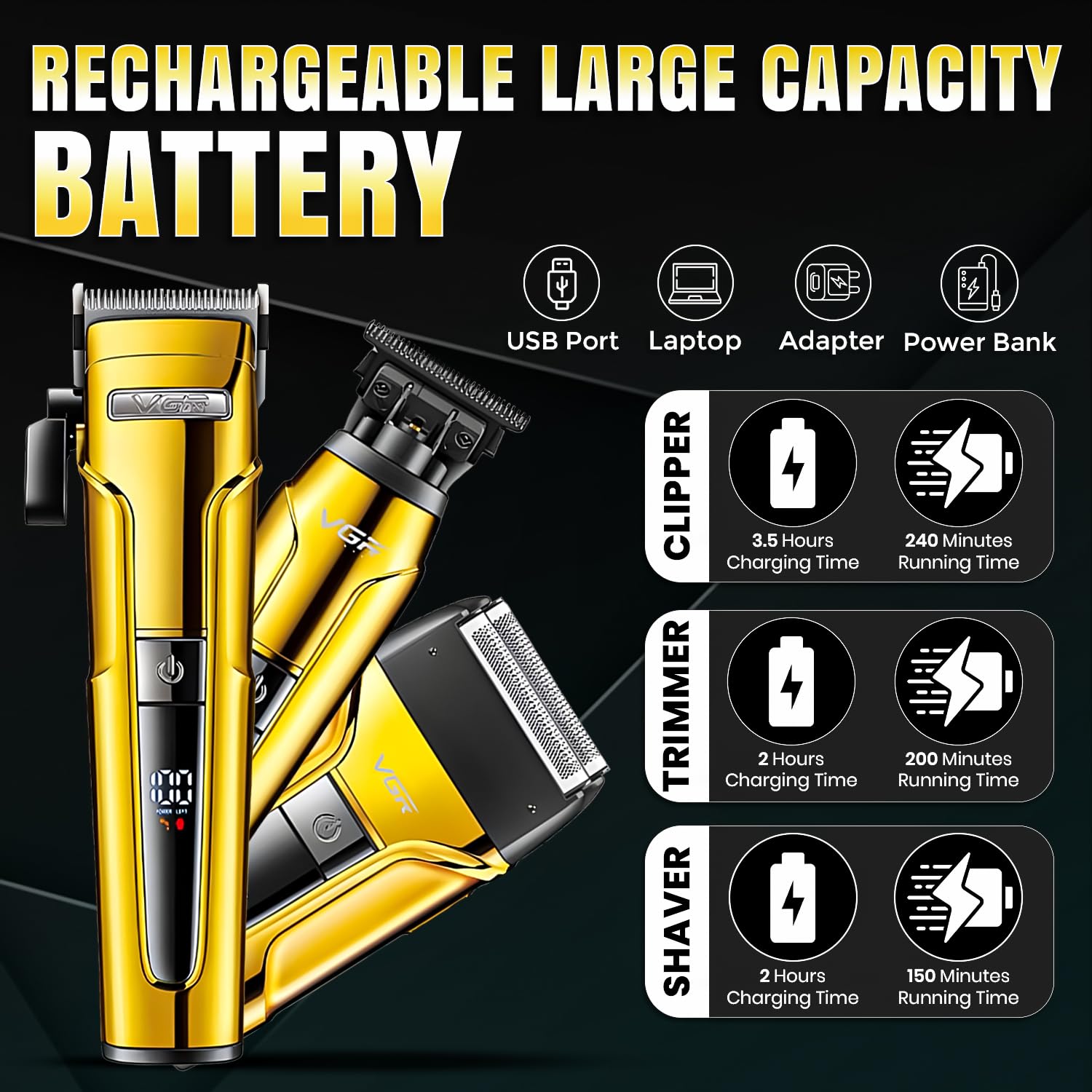
Image 4: Charging and Runtime Information.
5.2 Attaching Guide Combs
Ensure the device is turned off. Select the desired guide comb and align it with the blade. Push firmly until it clicks into place. To remove, gently pull the comb away from the blade.

Image 5: Available Guide Combs for the Clipper and Trimmer.
6. Operation
6.1 General Use
Press the power button to turn the device on or off. The LED display will show the current battery level.
6.2 Using the Hair Clipper
- Attach the desired guide comb for your preferred hair length.
- Adjust the taper lever for precise cutting lengths (e.g., for fading).
- Turn on the clipper.
- Move the clipper against the direction of hair growth, using smooth, even strokes.
6.3 Using the Hair Trimmer
- For detailed trimming, you may use the trimmer without a guide comb. For beard or hair length, attach a suitable guide comb.
- Turn on the trimmer.
- Use short, controlled movements for edging, outlining, or trimming facial hair.
6.4 Using the Foil Shaver
- Ensure your skin is clean and dry for best results.
- Turn on the shaver.
- Hold the shaver at a right angle to your skin and move it in short, circular motions or straight strokes against the direction of hair growth.

Image 6: Demonstrating the use of the VGR V-694 kit for professional grooming.
7. Maintenance
7.1 Cleaning the Blades
- Turn off and unplug the device.
- Use the provided cleaning brush to remove loose hairs from the blades and inside the cutting head.
- For the foil shaver, carefully remove the foil head and brush out any trapped hairs.
7.2 Oiling the Blades
After every few uses, or if the blades feel sluggish, apply a small drop of the provided lubricating oil to the blades. Turn on the device for a few seconds to distribute the oil evenly. This helps maintain blade sharpness and prolongs the life of the device.
7.3 Storage
Store the kit and its accessories in a dry, cool place, away from direct sunlight and moisture. Use the protection caps to cover the blades when not in use.
8. Troubleshooting
- Device not turning on: Ensure the device is fully charged. Check the USB cable and power source.
- Poor cutting performance: Clean the blades thoroughly. Apply lubricating oil. Ensure guide combs are correctly attached. Blades may need replacement if dull after extended use.
- Excessive noise or vibration: Clean and oil the blades. If the issue persists, contact customer support.
9. Specifications
| Feature | Detail |
|---|---|
| Model Number | V-694 |
| Blade Material | Ceramic & Carbon Steel |
| Power Source | Battery Powered (Lithium Ion) |
| Charging Time (Clipper) | 3.5 hours |
| Runtime (Clipper) | 240 minutes |
| Charging Time (Trimmer) | 2 hours |
| Runtime (Trimmer) | 200 minutes |
| Charging Time (Shaver) | 2 hours |
| Runtime (Shaver) | 150 minutes |
| Product Dimensions | 17.8 x 6.3 x 4.4 cm |
| Item Weight | 599 g |
| Special Features | Fast Charging, Long Battery Life, Portable, LED Display |
10. Warranty and Support
This product comes with a 1 Year Warranty. For any support, queries, or warranty claims, please contact VGR customer service:
- Email: customercare@vgrofficial.in
- Phone: 18002578939
- Website: www.vgrofficial.in
Customer service hours are from 10:00 AM to 6:00 PM, Monday to Saturday.

