
1. Product Overview
The BOBLOV KJ23Pro is a high-performance 2K body camera designed for various applications, including law enforcement, security, and outdoor activities. It features a 2K video resolution, 38MP photo clarity, and a robust 4000mAh battery providing up to 15 hours of continuous recording. Equipped with five IR lights, it offers superior night vision capabilities. The camera is also IP66 waterproof, ensuring durability in diverse environments. This manual provides detailed instructions for setting up, operating, and maintaining your KJ23Pro body camera.
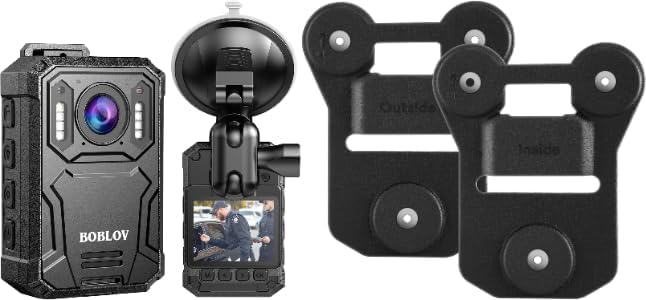
The BOBLOV KJ23Pro 2K Body Camera shown alongside its magnetic mount accessories, including the camera unit, a suction cup mount, and the two-piece magnetic clip system.
2. What's in the Box
Verify that all components are present in the package:
- Camera Body
- Battery
- USB Cable
- User Manual
- Curved Adhesive Mount
- Magnets (for magnetic mount)
3. Setup
3.1 Charging the Battery
Before first use, fully charge the camera's 4000mAh battery. Connect the camera to a power source using the provided USB cable. The charging indicator light will show the charging status. A full charge provides up to 15 hours of continuous recording at 1080P resolution.
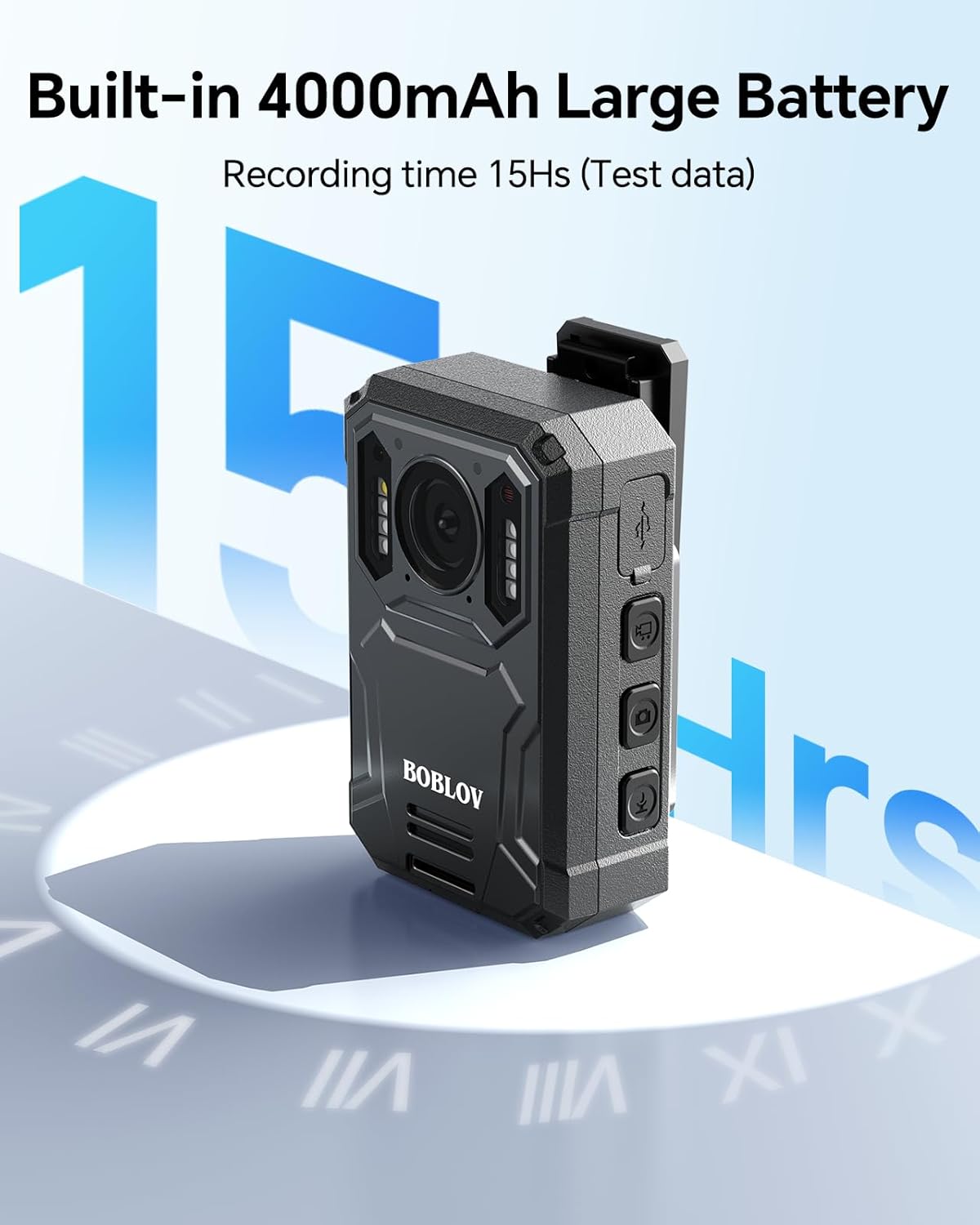
A close-up view of the BOBLOV KJ23Pro body camera, illustrating its built-in 4000mAh battery capacity, which provides up to 15 hours of continuous recording.
3.2 Installing the Magnetic Mount
The BOBLOV KJ23Pro comes with a universal magnetic suction back clip for secure attachment to clothing. This mount consists of two pieces: an "Inside" clip and an "Outside" clip.
- Separate the Clips: Gently pull apart the two magnetic clips.
- Attach Camera to Outside Clip: Slide the body camera's clip into the designated slot on the "Outside" clip.
- Position Inside Clip: Place the "Inside" clip underneath your clothing (e.g., shirt, jacket, vest) at the desired mounting location.
- Align and Magnetize: Align the "Outside" clip (with the camera attached) over the "Inside" clip on the exterior of your clothing. The strong magnets will attract, securing the camera in place. Ensure correct orientation for maximum magnetic force.

An illustration detailing the two distinct parts of the magnetic mount: the 'Inside' piece that goes under clothing and the 'Outside' piece that attaches to the camera.

A step-by-step visual guide demonstrating how to install the BOBLOV magnetic body camera mount, from separating the clips to attaching the camera to clothing.

A visual representation highlighting the strong magnetic attraction between the BOBLOV body camera and its magnetic mount, powered by six internal magnets.
4. Operating the Camera
4.1 Power On/Off
- Power On: Press and hold the Power button for a few seconds until the camera powers on.
- Power Off: Press and hold the Power button until the camera shuts down.
4.2 Video Recording
To start recording video, press the Video Record button. Press it again to stop recording. The camera supports 2K video resolution for clear and detailed footage.

An image depicting a police officer wearing the BOBLOV KJ23Pro body camera, emphasizing its capability to capture video in 2K resolution for high-definition viewing.
4.3 Taking Photos
To capture a still image, press the Photo button. The camera captures photos at 38MP resolution.
4.4 Night Vision
The KJ23Pro is equipped with five high-intensity IR lights for enhanced night vision. The camera automatically activates night vision in low-light conditions or can be manually toggled. This feature ensures clear recordings even in complete darkness.

The BOBLOV KJ23Pro body camera with its five IR lights activated, showcasing its night vision capability for clear footage in low-light conditions.
4.5 Loop Recording
The camera supports loop recording, which allows continuous recording by overwriting the oldest files when the storage is full. You can set the video fragment length to 5, 10, 15, or 30 minutes (maximum). The default setting is 10 minutes.

A visual representation of the loop recording feature on the BOBLOV KJ23Pro, showing selectable video segment lengths of 5, 10, 15, and 30 minutes.
4.6 Playback and File Transfer
To view recorded files directly on the camera, navigate through the menu using the control buttons. To transfer files to a computer, connect the camera via the provided USB cable. The camera will appear as a removable disk, allowing you to access and copy your video and photo files.
5. Maintenance
- Cleaning: Use a soft, dry cloth to clean the camera body and lens. Avoid abrasive materials or harsh chemicals.
- Storage: Store the camera in a cool, dry place away from direct sunlight and extreme temperatures.
- Battery Care: For optimal battery life, avoid fully discharging the battery frequently. Charge the camera regularly, even if not in use, to maintain battery health.
- Water Resistance: The camera has an IP66 waterproof rating, meaning it is protected against powerful water jets. While durable, avoid submerging the camera in water.
6. Troubleshooting
| Problem | Possible Cause | Solution |
|---|---|---|
| Camera does not power on. | Low battery; camera frozen. | Charge the battery fully. If frozen, perform a soft reset (refer to specific button combination in full manual if available, otherwise, hold power button for extended period). |
| Recording stops unexpectedly. | Storage full; low battery. | Transfer files to a computer to free up space. Recharge the battery. |
| Poor video/photo quality. | Dirty lens; low light conditions (without night vision). | Clean the camera lens. Ensure night vision is active in dark environments. |
| Magnetic mount feels weak. | Incorrect orientation of magnetic clips. | Ensure the "Inside" and "Outside" clips are oriented correctly as shown in the setup section. The magnetic force is strongest when aligned properly. |
7. Specifications
| Feature | Detail |
|---|---|
| Brand | BOBLOV |
| Model Name | KJ23Pro |
| Video Capture Resolution | 2K |
| Photo Sensor Technology | BSI CMOS |
| Battery Capacity | 4000mAh |
| Continuous Recording Time | Up to 15 hours (at 1080P) |
| Special Feature | Night Vision (Five IR Lights) |
| Connectivity Technology | USB |
| Video Capture Format | MP4 |
| Waterproof Rating | IP66 |
| Camcorder Type | Action Camera |
| Lens Type | Wide Angle |
8. Warranty and Support
For warranty information, technical support, or any inquiries regarding your BOBLOV KJ23Pro body camera, please refer to the official BOBLOV website or contact their customer service directly. You can visit the BOBLOV Store on Amazon for more information and contact details.


