
BESIGN LT08
Besign LT08 Laptop Stand Instruction Manual
1. Introduction
Welcome to the instruction manual for your new Besign LT08 Laptop Stand. This portable lap desk is designed to enhance your comfort and productivity while using your laptop or tablet in various settings, including your bed, sofa, or desk. Please read this manual thoroughly to understand the features, proper usage, and maintenance of your device.
2. Product Overview
The Besign LT08 is a versatile lap desk featuring a comfortable pillow cushion and an anti-slip strip to secure your device. It is suitable for laptops and tablets ranging from 10 to 14 inches. Its lightweight and portable design makes it an ideal companion for work, study, or leisure.
- Multifunctional Design: Use it as a laptop stand, tablet holder, or a comfortable surface for reading and writing.
- Comfortable and Stable: Equipped with dual cushions for lap comfort and an anti-slip strip to prevent devices from sliding.
- Wide Compatibility: Accommodates laptops and tablets from 10 to 14 inches.
- Portable and Lightweight: Features a built-in handle for easy transport.
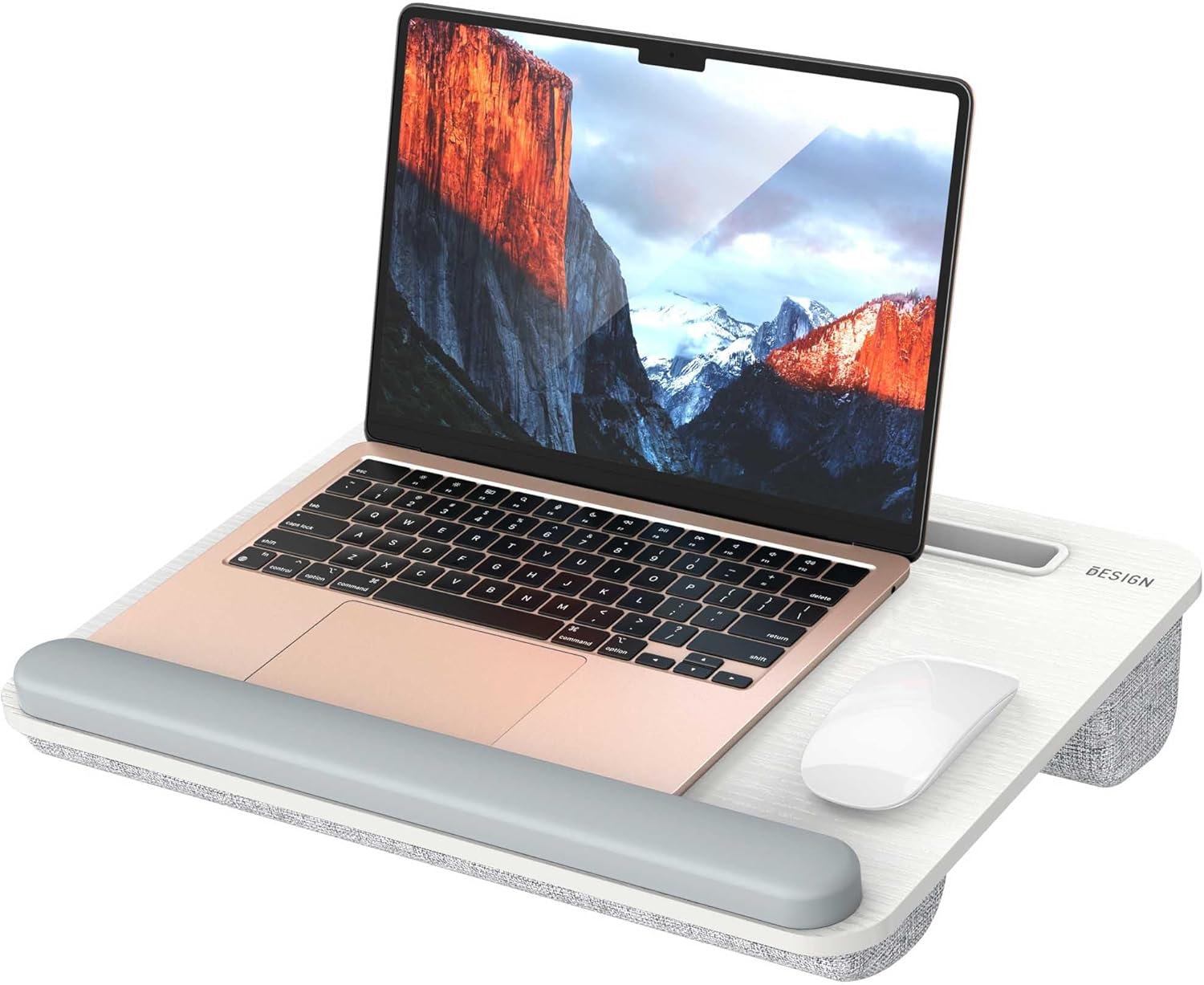
Image 2.1: The Besign LT08 Laptop Stand in use with a laptop, showing its integrated wrist rest and mouse area.
3. Key Features
3.1. Design Elements
The LT08 incorporates several thoughtful design elements for enhanced usability:
- Carrying Handle: An integrated handle allows for easy portability.
- Tablet Groove: A dedicated groove holds your tablet or smartphone upright.
- Laptop Stopper / Anti-Slip Strip: A raised strip at the bottom edge prevents your laptop from sliding off.
- Dual Bolster Cushions: Two fabric-covered cushions on the underside provide comfort and stability on your lap.

Image 3.1: Detailed view highlighting the carrying handle, tablet groove, laptop stopper, and dual bolster cushions.
3.2. Portability
Weighing approximately 2.5 pounds, the LT08 is designed for easy transport. The built-in handle allows you to carry it effortlessly between rooms, to the office, or even in your car.

Image 3.2: A person demonstrating the portability of the lap desk by carrying it with its handle.
3.3. Compatibility
The desktop surface measures 16.7 inches wide by 12.6 inches deep, providing ample space for most devices. It is compatible with laptops and tablets ranging from 10 to 14 inches. For laptops larger than 14 inches, mouse space may be limited or unavailable.

Image 3.3: Visual guide to the dimensions and laptop compatibility of the LT08 lap desk.
4. Setup
The Besign LT08 Laptop Stand requires no assembly. It is ready for immediate use.
- Unpack the lap desk from its packaging.
- Place the lap desk on your lap, ensuring the dual cushions are comfortably positioned.
- Place your laptop or tablet on the desktop surface, aligning it with the anti-slip strip.
- If using a tablet or smartphone, insert it into the dedicated groove for an upright viewing angle.
5. Operating Instructions
The Besign LT08 is designed for flexible use across various environments:
5.1. On a Sofa or Bed
Position the lap desk on your thighs while seated or reclined. The dual cushions will conform to your lap, providing a stable and comfortable base for your laptop. The anti-slip strip will keep your device securely in place.

Image 5.1: Using the lap desk on a sofa for relaxed computing.
5.2. On a Desk
While primarily a lap desk, the LT08 can also be placed on a flat desk surface to elevate your laptop, providing a more ergonomic typing and viewing angle. Ensure the cushions are facing down for stability.

Image 5.2: The lap desk positioned on a desk surface to elevate a laptop.
5.3. In a Vehicle
For travel, the compact size and stable design make it suitable for use in a car, providing a convenient surface for your laptop or tablet.

Image 5.3: The lap desk being used in a car for on-the-go productivity.
6. Maintenance
To ensure the longevity and cleanliness of your Besign LT08 Laptop Stand, follow these simple maintenance guidelines:
- Cleaning the Surface: Wipe the plastic desktop surface with a soft, damp cloth. For stubborn marks, a mild soap solution can be used, followed by wiping with a clean, damp cloth and drying thoroughly.
- Cleaning the Cushions: The fabric cushions can be spot cleaned with a mild fabric cleaner or a damp cloth. Avoid saturating the fabric. Allow to air dry completely before use.
- Avoid Harsh Chemicals: Do not use abrasive cleaners, solvents, or harsh chemicals, as these can damage the materials.
- Storage: Store the lap desk in a dry place away from direct sunlight and extreme temperatures.
7. Troubleshooting
Here are solutions to common issues you might encounter:
| Issue | Possible Cause | Solution |
|---|---|---|
| Laptop slides off the desk. | Laptop not positioned correctly against the anti-slip strip. | Ensure the bottom edge of your laptop rests firmly against the anti-slip strip. |
| Discomfort on lap. | Incorrect positioning of the lap desk. | Adjust the lap desk to ensure the dual cushions are evenly distributed and comfortably support your thighs. |
| Tablet or phone does not fit in the groove. | Device is too thick or has a bulky case. | Remove thick cases from your device. The groove is designed for standard tablet/phone thickness. |
8. Specifications
| Feature | Detail |
|---|---|
| Brand | BESIGN |
| Model Number | LT08 |
| Color | White and Gray |
| Material | Foam, Plastic, Silicone |
| Product Dimensions (D x W x H) | 12.6" x 16.7" x 2.85" (32cm x 42.5cm x 7.2cm) |
| Item Weight | 2.5 Pounds (1.13 kg) |
| Compatibility | Laptops and tablets 10-14 inches |
| Special Features | Lap Support, Lightweight, Portable, Anti-Slip Strip, Tablet Groove |
| Assembly Required | No |
9. Warranty and Support
For warranty information or technical support regarding your Besign LT08 Laptop Stand, please refer to the product packaging or contact BESIGN customer service directly. Contact details are typically available on the manufacturer's official website or through the retailer where the product was purchased.
Please retain your proof of purchase for any warranty claims.
Ask a question about this manual
Ask about setup, troubleshooting, compatibility, parts, safety, or missing instructions. Manuals+ will review the question and use this page’s manual context to help answer it.