
1. Introduction
This manual provides detailed instructions for the safe and efficient use of your Agatige EN EL15 Camera Battery Charger. This charger is designed to provide stable and long-lasting power support for cameras using EN-EL15 batteries, including Nikon D800, D750, D7000, D600, D610, D7100, D7200, and 1 V1 models. Please read this manual thoroughly before operation and retain it for future reference.

Image 1.1: Agatige EN EL15 Camera Battery Charger
2. Safety Information
To ensure safe operation and prevent damage to the device or injury, please observe the following safety precautions:
- Keep the charger away from fire and moisture.
- To reduce the risk of electric shock, do not remove the cover or back plate. There are no user-serviceable parts inside. Refer all servicing to qualified service personnel.
- Do not disassemble the unit.
- Use the charger in a dry location only.
- The charger has built-in safety circuitry to protect against over-charge, over-discharge, and short circuits. However, always monitor the charging process.

Image 2.1: Charger with warning labels
3. Package Contents
Verify that all items are present in the package:
- 1 x Agatige EN EL15 Camera Battery Charger
- 1 x USB Charger Cable
- 1 x Instruction Manual (this document)

Image 3.1: Charger and USB cable
4. Product Overview
The Agatige EN EL15 Camera Battery Charger features a single slot for EN-EL15 batteries and an LCD display for real-time charging status. Its compact design and USB power input make it suitable for travel and outdoor use.
Key Features:
- LCD Charging Display: Provides real-time updates on the battery's charging progress.
- USB Port Design: Allows for flexible charging from various USB power sources.
- Safety Circuitry: Includes protection against over-charge, over-discharge, and short circuits.
- Wide Compatibility: Supports Nikon EN-EL15 batteries for models such as D800, D750, D7000, D600, D610, D7100, D7200, and 1 V1.

Image 4.1: Charger details (LCD and USB port)
5. Setup
Follow these steps to set up your battery charger:
- Connect Power: Insert the small end of the provided USB charger cable into the USB input port on the side of the charger. Connect the larger end of the USB cable to a suitable USB power source, such as a computer, power bank, or USB wall adapter (not included).
- Insert Battery: Carefully insert your Nikon EN-EL15 battery into the charging slot on the charger. Ensure the battery is oriented correctly, aligning the contacts on the battery with the pins in the charger slot.
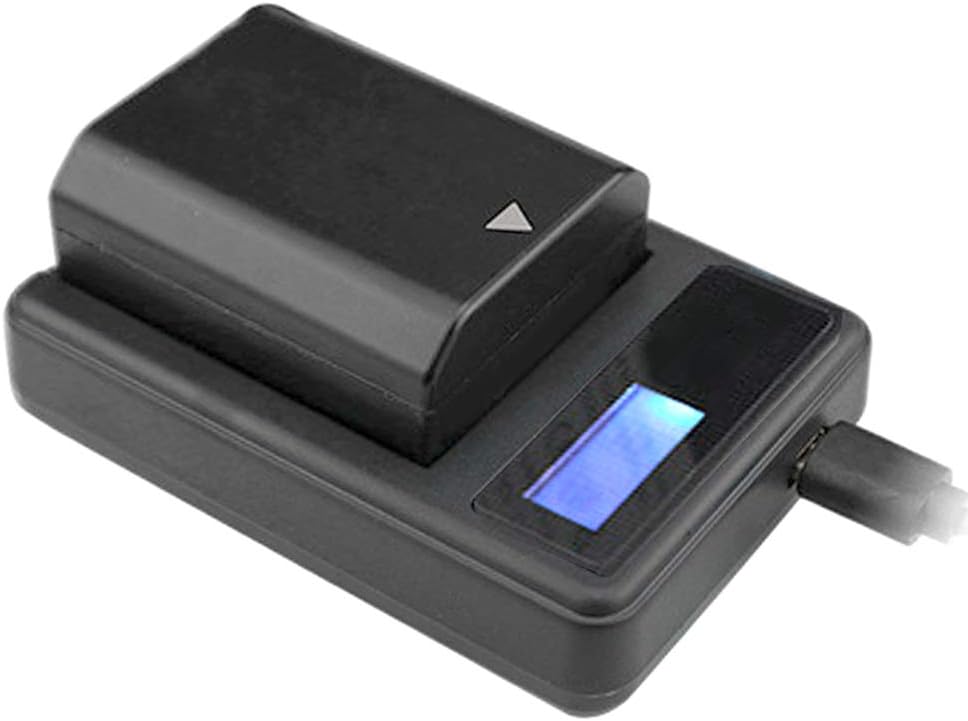
Image 5.1: Battery inserted into charger

Image 5.2: Charger connected to various USB power sources
6. Operating Instructions
Once the battery is correctly inserted and the charger is connected to a power source, the charging process will begin automatically.
- Charging Indicator: The LCD display will illuminate and show the current charging status. The charging grid on the display will gradually increase, indicating the battery's charge level.
- Full Charge: When the battery is fully charged, the LCD display will show a full battery icon. You can then remove the battery from the charger.

Image 6.1: LCD display showing full charge
7. Maintenance
Proper maintenance ensures the longevity and optimal performance of your charger:
- Cleaning: Use a soft, dry cloth to clean the charger's exterior. Do not use liquid cleaners or solvents.
- Storage: Store the charger in a cool, dry place away from direct sunlight and extreme temperatures.
- Handling: Avoid dropping the charger or subjecting it to strong impacts.
8. Troubleshooting
If you encounter issues with your charger, refer to the following common problems and solutions:
| Problem | Possible Cause | Solution |
|---|---|---|
| Charger not powering on / LCD not displaying. | No power supply or faulty USB connection. | Ensure the USB cable is securely connected to both the charger and a working USB power source. Try a different USB port or power adapter. |
| Battery not charging. | Battery not inserted correctly or battery is faulty. | Re-insert the battery, ensuring proper alignment with the charging pins. Test with a different, known-good battery if available. |
| Charging is slow. | Low power output from USB source. | Use a USB power source that provides sufficient current (e.g., 1A or 2A output). |
9. Specifications
Detailed technical specifications for the Agatige EN EL15 Camera Battery Charger:
- Material: Plastic
- Color: Black
- Weight: Approximately 2.01 ounces (57g)
- Applicable Battery: Nikon EN-EL15
- Compatible Camera Models: Nikon D600, D610, D750, D800, D800E, D810, D7000, D7100, D7200, Nikon 1 V1
- Input: 5V — 1-2A 10W
- Output: 4.2V/8.4V — 0.6A
- Charging Display: LCD Display
- Product Dimensions: 3.54 x 3.15 x 0.79 inches (90 x 80 x 20 mm)

Image 9.1: Charger dimensions
10. Warranty and Support
For warranty information or technical support, please refer to the contact details provided with your purchase or visit the official Agatige website. Keep your purchase receipt as proof of purchase for warranty claims.