
1. Introduction
Thank you for choosing the Monster Open Ear Headphones TH300. This manual provides essential information for setting up, operating, and maintaining your new headphones. Please read it thoroughly before use to ensure optimal performance and longevity of your device.
2. Package Contents
Please check the package for the following items:
- Monster Open Ear Headphones TH300 (Left and Right Earbuds)
- Charging Case with LED Full-Colour Touch Screen
- USB-C Charging Cable
- User Manual
3. Product Overview and Features
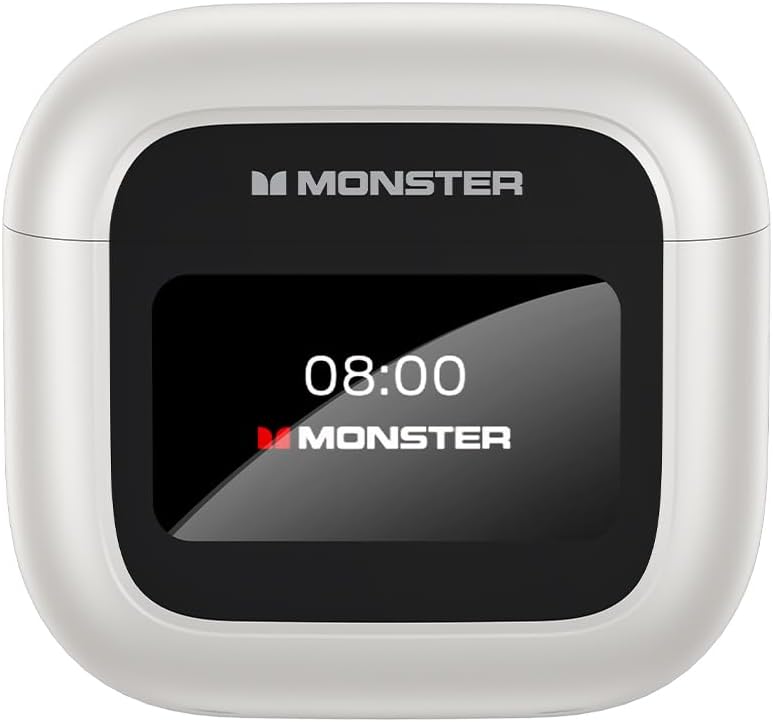
Image: The Monster Open Ear Headphones TH300 charging case, featuring a prominent LED display showing the time '08:00' and 'MONSTER' branding.
3.1. LED Full-Colour Touch Screen
The charging case features an intuitive LED full-colour touch screen, allowing for easy access to various functions without needing to use your phone. This screen enables you to answer incoming calls, use the shutter button for camera control, and access other useful features directly from the case.

Image: A visual representation of the LED full-colour touch screen on the charging case, surrounded by various function icons such as time display, equalizer settings, noise reduction, light level adjustment, language switch, and 'Find My Earphone' feature.
3.2. Ergonomic Design for Comfortable Wear
The TH300 headphones are designed with a 60-degree optimal wearing angle, ensuring a comfortable and secure fit. The material is soft to the skin and engineered to release pressure in the ear canal, making them suitable for extended wear.

Image: A close-up showing the ergonomic design of the Monster TH300 earbud, highlighting the 60-degree optimal wearing angle and how it fits comfortably in the ear, with text indicating it's soft to the skin and releases pressure.
3.3. Bluetooth 5.4 Technology
Equipped with Bluetooth 5.4, these headphones offer enhanced signal penetration and a stable connection, significantly reducing sound quality loss. This advanced technology provides a 90% increase in transmission rate compared to Bluetooth 5.0.

Image: An illustration demonstrating the Bluetooth 5.4 technology, showing a comparison bar indicating a 90% increase in transmission rate over Bluetooth 5.0, with a transparent view of the earbud's internal components.
3.4. ANC+ENC Dual Noise Cancellation
Experience effective noise cancellation in noisy environments and superior sound/noise separation during calls with ANC (Active Noise Cancellation) and ENC (Environmental Noise Cancellation) dual technology. This ensures crystal clear calls and an immersive listening experience.
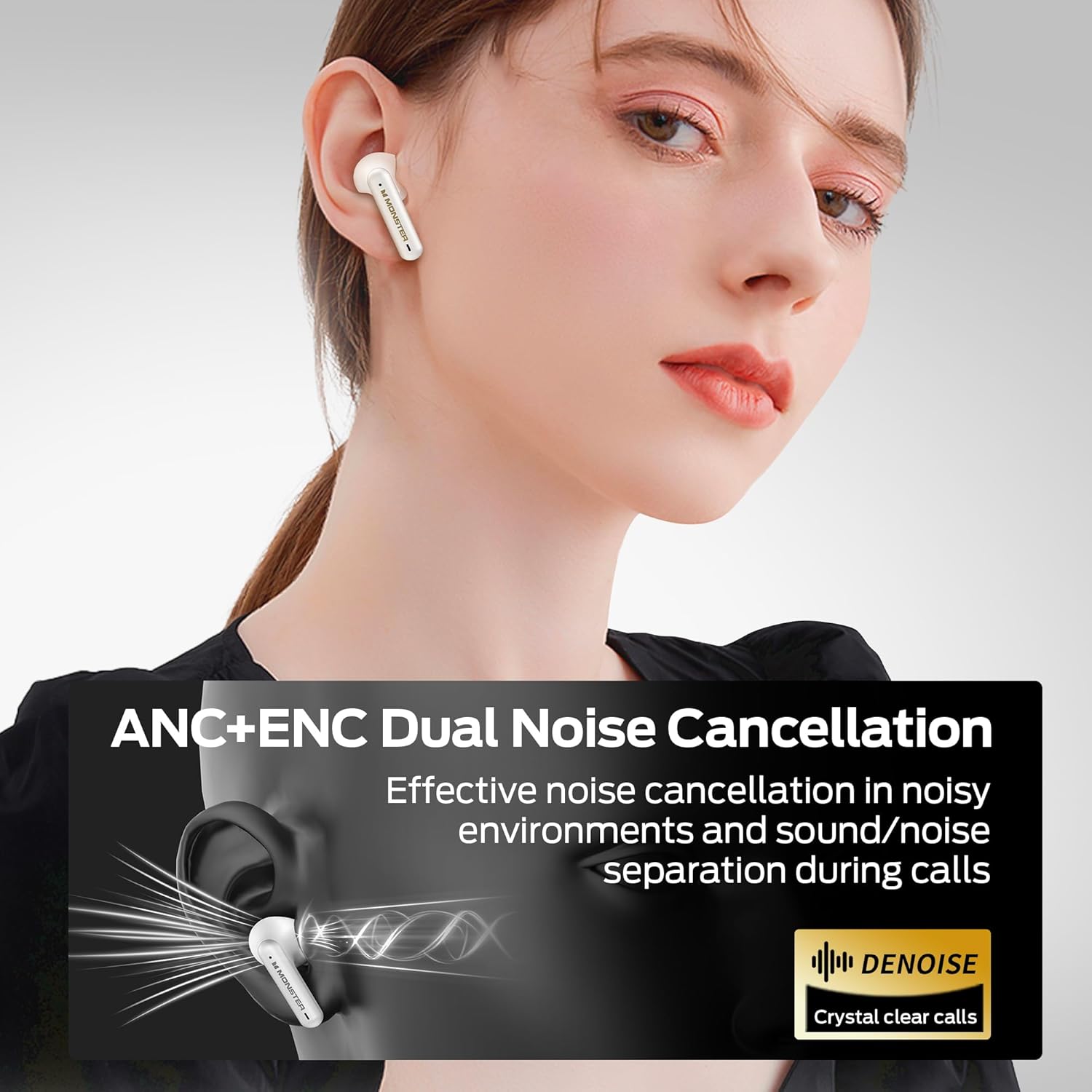
Image: A graphic illustrating the ANC+ENC Dual Noise Cancellation feature, showing sound waves being cancelled around the earbud, with text emphasizing effective noise cancellation and crystal clear calls.
3.5. Pure Monster Sound
Equipped with 10mm dynamic speakers, the TH300 headphones deliver penetrating and powerful sound. Vocals are reproduced clearly and faithfully, providing a rich audio experience.

Image: A cutaway diagram of the Monster TH300 earbud, highlighting the internal 10mm dynamic speaker components, illustrating the source of the 'Pure Monster Sound'.
3.6. Long Playtime
Enjoy extended listening with up to 5 hours of playtime on a single charge. With the charging case, the total playtime extends to an impressive 24 hours, ensuring your music lasts throughout the day.
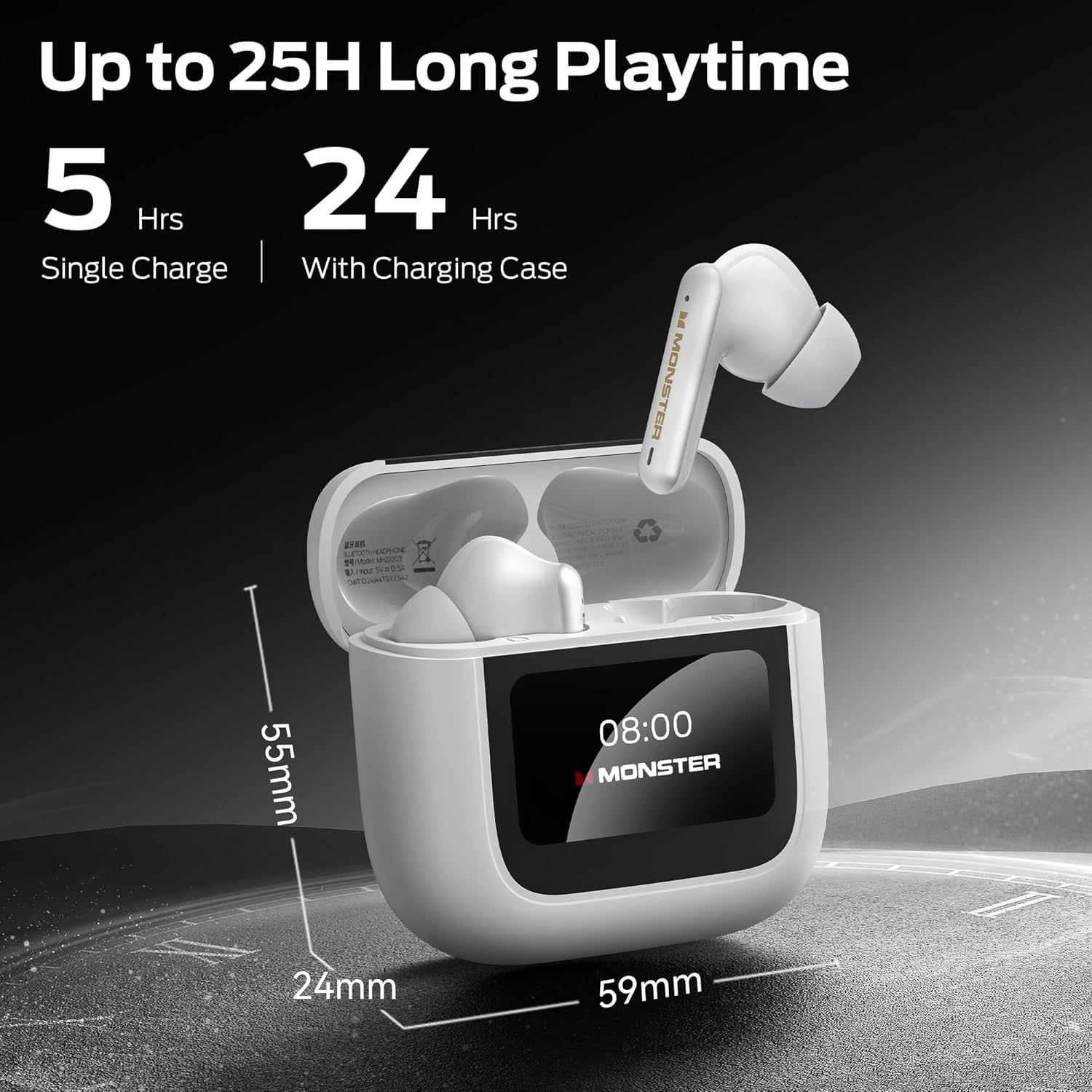
Image: The Monster TH300 charging case with an earbud inserted, displaying the '08:00' time on its screen. Text indicates '5 Hrs Single Charge' and '24 Hrs With Charging Case', along with dimensions of the case (59mm width, 24mm depth, 55mm height).
4. Setup
4.1. Charging the Headphones and Case
- Place the earbuds into the charging case. Ensure they are correctly seated.
- Connect the USB-C charging cable to the charging port on the case and the other end to a USB power adapter (not included) or a computer's USB port.
- The LED screen on the case will indicate the charging status. A full charge typically takes approximately 1.5 hours for the earbuds and 2 hours for the case.
4.2. Pairing with a Device
- Ensure the earbuds are in the charging case and the case is open.
- On your device (smartphone, tablet, etc.), enable Bluetooth.
- Select "Monster TH300" from the list of available Bluetooth devices.
- Once connected, the LED screen on the case may show a connected icon, and a voice prompt will confirm the connection.
- The headphones will automatically reconnect to the last paired device when taken out of the case, if Bluetooth is enabled on the device.
5. Operating Instructions
5.1. Touch Controls (Earbuds)
The earbuds feature touch-sensitive areas for controlling various functions:
- Play/Pause: Single tap on either earbud.
- Next Track: Double tap on the right earbud.
- Previous Track: Double tap on the left earbud.
- Answer/End Call: Single tap on either earbud.
- Reject Call: Press and hold either earbud for 2 seconds.
- Activate Voice Assistant: Triple tap on either earbud.
- ANC/Transparency Mode Switch: Press and hold the left earbud for 2 seconds.
5.2. Using the Touch Screen Interface (Charging Case)
The LED full-colour touch screen on the charging case provides additional controls and information:
- Time Display: Shows current time.
- Battery Level: Displays battery status of both earbuds and the case.
- Equalizer Settings: Adjust sound profiles (e.g., Normal, Bass Boost, Vocal).
- Noise Reduction: Toggle ANC/Transparency modes.
- Light Level: Adjust screen brightness.
- Language Switch: Change the language of the case interface.
- Find My Earphone: Helps locate misplaced earbuds by emitting a sound.
- Shutter Button: Remotely trigger your phone's camera shutter.
Navigate the screen by swiping left/right or tapping icons as indicated on the display.
6. Maintenance
6.1. Cleaning
- Use a soft, dry, lint-free cloth to clean the earbuds and charging case.
- Do not use abrasive cleaners, alcohol, or chemical solvents.
- Gently clean the charging contacts on both the earbuds and the case with a dry cotton swab if necessary.
6.2. Storage
- When not in use, always store the headphones in their charging case to protect them and keep them charged.
- Store in a cool, dry place, away from direct sunlight and extreme temperatures.
7. Troubleshooting
- No Sound:
- Ensure headphones are charged.
- Check Bluetooth connection on your device.
- Adjust volume on both headphones and device.
- Cannot Pair:
- Ensure headphones are in pairing mode (open case).
- Turn off and on Bluetooth on your device.
- Forget "Monster TH300" from your device's Bluetooth list and try pairing again.
- Ensure no other devices are connected to the headphones.
- One Earbud Not Working:
- Place both earbuds back into the charging case, close the lid, wait a few seconds, then open and try again.
- Ensure both earbuds are charged.
- Charging Case Screen Unresponsive:
- Ensure the case is charged.
- Try connecting the charging cable to reset the screen.
8. Specifications
| Feature | Detail |
|---|---|
| Model Name | W30 (Open TH300) |
| Connectivity Technology | Wireless (Bluetooth 5.4) |
| Form Factor | In Ear |
| Color | White |
| Item Weight | 0.15 Kilograms (5.3 ounces) |
| Battery Type | Lithium Ion (included) |
| Playtime (Single Charge) | Up to 5 hours |
| Total Playtime (with Case) | Up to 24 hours |
| Noise Cancellation | ANC+ENC Dual Noise Cancellation |
| Speaker Size | 10mm Dynamic Speakers |
| Charging Case Display | LED Full-Colour Touch Screen |
9. Safety Information
- Do not expose the headphones or charging case to extreme temperatures, humidity, or liquids.
- Avoid dropping or subjecting the device to strong impacts.
- Do not attempt to disassemble or modify the headphones or case. This will void the warranty and may cause damage.
- Use only the provided charging cable or a certified equivalent.
- Listen at moderate volume levels to prevent hearing damage.
- Be aware of your surroundings when using headphones, especially in traffic or dangerous situations.
10. Warranty and Support
Monster products are designed and manufactured to the highest quality standards. For detailed warranty information and customer support, please refer to the warranty card included in your package or visit the official Monster website. Keep your proof of purchase for warranty claims.