
Introduction
Thank you for choosing the AWEI T95 Wireless Earbuds. This manual provides essential information for setting up, operating, maintaining, and troubleshooting your new earbuds. Please read it carefully to ensure optimal performance and longevity of your device.
The AWEI T95 earbuds are designed for a secure fit and deliver high-fidelity audio with advanced Bluetooth 5.3 technology. They feature IPX6 waterproofing, making them suitable for various activities, including workouts.
Package Contents
Ensure all items are present in your package:
- AWEI T95 Wireless Bluetooth Headset (Left and Right Earbuds)
- Charging Case
- USB-C Charging Cable
- User Instructions (This Manual)
Setup
1. Charging the Earbuds and Case
Before first use, fully charge the earbuds and the charging case.
- Connect the provided USB-C charging cable to the charging port on the case and to a USB power source.
- The indicator lights on the charging case will show the charging status.
- Place the earbuds into the charging case. They will begin charging automatically.
A 5-minute quick charge provides approximately 1 hour of usage.
2. Initial Pairing
The AWEI T95 earbuds feature automatic pairing for convenience.
- Open the charging case. The earbuds will automatically power on and enter pairing mode.
- On your device (smartphone, tablet, laptop), enable Bluetooth.
- Search for available Bluetooth devices and select "AWEI T95" from the list.
- Once connected, you will hear a confirmation tone, and the earbuds will be ready for use.
3. Automatic Reconnection
After initial pairing, the earbuds will automatically connect to the last paired device when removed from the charging case, provided Bluetooth is enabled on the device and it is within range (up to 33 feet).
4. Wearing the Earbuds
The AWEI T95 earbuds are designed with ergonomic ear hooks for a secure and comfortable fit, especially during physical activities.
- Gently place the earbud into your ear canal.
- Adjust the ear hook over your ear until it feels snug and stable.
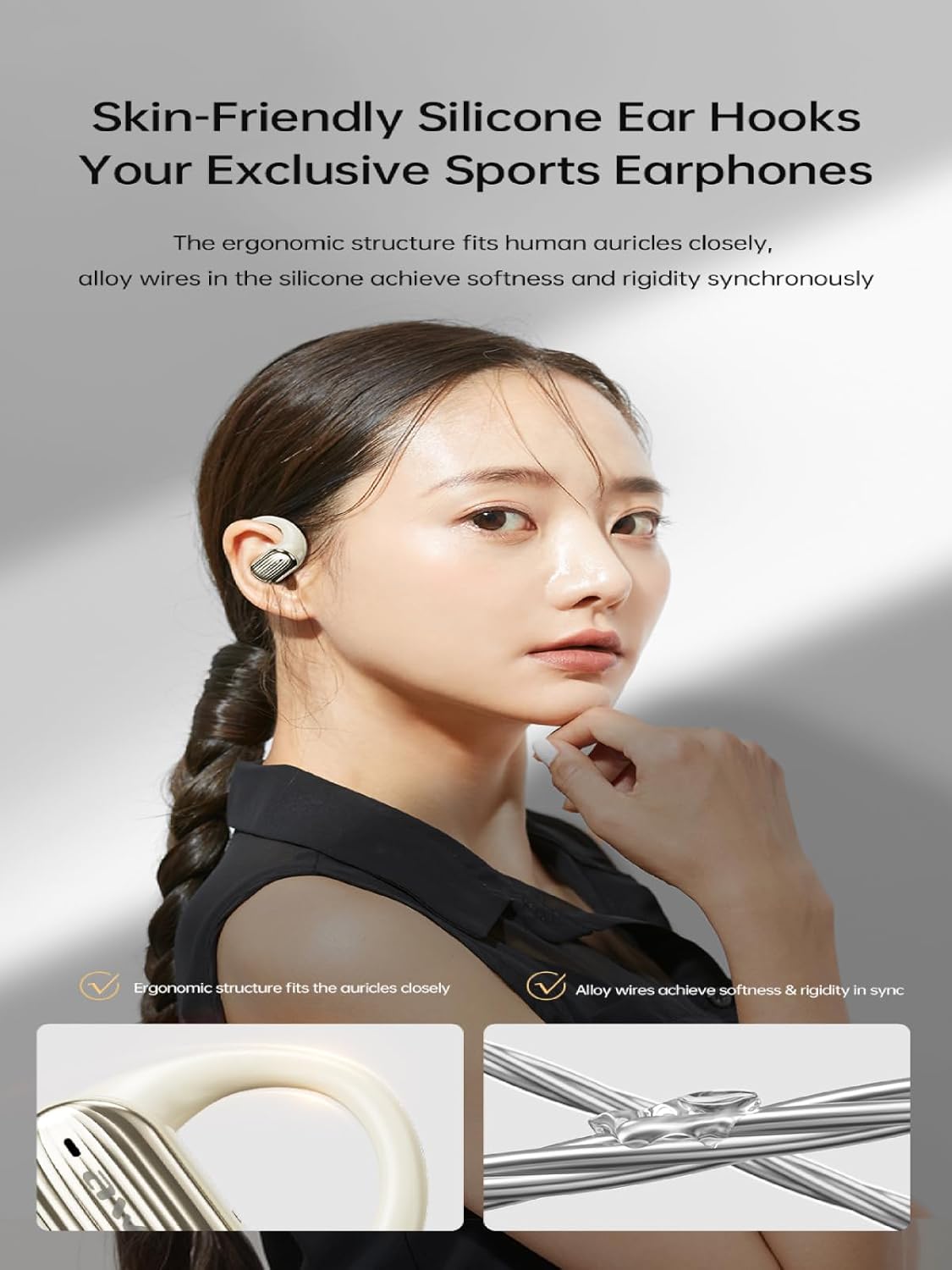
Image: The AWEI T95 earbud with its skin-friendly silicone ear hook, designed for a secure and comfortable fit. The image highlights the ergonomic structure and the alloy wires that provide both softness and rigidity.
Operating Instructions
1. Power On/Off
- Power On: Open the charging case, or press and hold the touch area on both earbuds for a few seconds.
- Power Off: Place the earbuds back into the charging case and close the lid, or press and hold the touch area on both earbuds for a few seconds until they power off.
2. Touch Controls
The AWEI T95 earbuds feature intuitive touch controls. Specific functions may vary slightly depending on your device and operating system.
- Play/Pause: Single tap on either earbud.
- Next Track: Double tap on the right earbud.
- Previous Track: Double tap on the left earbud.
- Answer/End Call: Single tap on either earbud during an incoming call.
- Reject Call: Press and hold on either earbud for 2 seconds during an incoming call.
- Activate Voice Assistant: Triple tap on either earbud.
3. Audio Features
The AWEI T95 earbuds are equipped with 14.2mm drivers and ULF Enhancement Algorithm for a rich audio experience.

Image: An illustration of the AWEI T95 earbud's internal structure, emphasizing the ULF Enhancement Algorithm designed to enhance low-frequency sounds for deep bass. A graph indicates an 83% increase in bass details.
Enjoy crisp trebles, full midranges, and deep bass across various music genres. The earbuds also offer dynamic spatial sound effects for an immersive listening experience.

Image: A visual representation of the AWEI T95 earbuds' dynamic spatial sound effects, showing sound waves creating an immersive 3D surround stereo experience around a listener.
4. Directional Propagation
The earbuds feature directional sound propagation, allowing you to stay aware of your surroundings while listening to audio, and maintaining privacy during calls in crowded environments.

Image: An AWEI T95 earbud in an ear, demonstrating directional sound propagation. This technology helps users remain aware of their environment and ensures privacy during calls by directing sound efficiently.
Maintenance
1. Cleaning
- Regularly clean the earbuds and charging case with a soft, dry, lint-free cloth.
- Do not use abrasive cleaners, alcohol, or chemical solvents.
- Gently remove any earwax or debris from the earbud tips and speaker mesh using a small, soft brush or cotton swab.
2. Water Resistance (IPX6)
The AWEI T95 earbuds are IPX6 waterproof, meaning they are protected against powerful water jets. This makes them resistant to sweat and rain.
- Do not submerge the earbuds in water.
- After exposure to sweat or rain, wipe the earbuds dry with a clean cloth before placing them back in the charging case to prevent damage to the charging contacts.
- The charging case is not waterproof. Keep it dry.
3. Storage
- Store the earbuds in their charging case when not in use to protect them and keep them charged.
- Avoid storing the earbuds in extreme temperatures or high humidity.
Troubleshooting
If you encounter issues with your AWEI T95 earbuds, try the following solutions:
1. Earbuds Not Pairing or Connecting
- Ensure the earbuds are charged.
- Make sure Bluetooth is enabled on your device.
- Place the earbuds back in the charging case, close the lid, wait a few seconds, then open it again to re-enter pairing mode.
- On your device, forget or delete "AWEI T95" from your Bluetooth device list, then attempt to pair again.
- Ensure the earbuds are within the 33-foot operating range of your device.
2. No Sound or Low Volume
- Check the volume levels on both your earbuds and your connected device.
- Ensure the earbuds are properly connected to your device.
- Clean any debris from the earbud speaker mesh that might be obstructing sound.
- Try playing audio from a different application or source.
3. Earbuds Not Charging
- Ensure the charging cable is securely connected to both the case and the power source.
- Verify that the power source is active.
- Clean the charging contacts on both the earbuds and inside the charging case.
- Try using a different USB-C charging cable or power adapter.
4. Intermittent Connection
- Reduce the distance between the earbuds and your device.
- Avoid obstacles between the earbuds and your device, such as walls or large electronic equipment.
- Minimize interference from other 2.4GHz wireless devices (e.g., Wi-Fi routers, microwaves).
Specifications

Image: The AWEI T95 TWS Sports Earphones, showcasing the earbuds and their charging case. This image highlights their open wearable stereo design, heavy bass capabilities, Bluetooth 5.3 connectivity, and snug fit.
| Feature | Detail |
|---|---|
| Model | T95 |
| Brand | Awei |
| Connectivity Technology | Wireless (Bluetooth 5.3) |
| Wireless Communication Technologies | Bluetooth |
| Ear Placement | Open Ear |
| Form Factor | True Wireless |
| Water Resistance Level | IPX6 (Waterproof) |
| Maximum Operating Distance | 33 Feet (10 meters) |
| Battery Life | Up to 28 hours (with charging case) |
| Driver Size | 14.2 mm |
| Included Components | USB-C Charging Cable, Wireless Bluetooth Headset, User Instructions, Wireless Bluetooth Headset Charging Case |

Image: An internal view of the AWEI T95 earbud, emphasizing the Bluetooth 5.3 technology. This image illustrates how Bluetooth 5.3 ensures stable audio and video synchronization, reduces interference, and offers high-speed transmission with lower power consumption.
Warranty and Support
1. Warranty Information
The AWEI T95 Wireless Earbuds come with a 1-year warranty from the date of purchase. This warranty covers manufacturing defects. It does not cover damage caused by misuse, accidents, unauthorized modifications, or normal wear and tear.
Please retain your proof of purchase for warranty claims.
2. Customer Support
For technical assistance, warranty claims, or any other inquiries, please contact Awei customer support through their official website or the retailer where you purchased the product.
When contacting support, please provide your product model (T95) and a detailed description of the issue.


