
1. Safety Information
Warning: Handle with care due to heavy weight and sharp edges. Ensure proper assembly and anchoring to prevent tipping.
Always follow the assembly instructions carefully. Do not overtighten screws during assembly to avoid stripping. Keep small parts away from children.
2. Package Contents
Before beginning assembly, verify that all components are present and undamaged. The package includes:
- Desk Top Panels (Engineered Wood)
- Metal Frame Components (Alloy Steel)
- Bottom Storage Shelf
- Assembly Hardware (screws, dowels, adjustable feet)
- Assembly Tools (Allen wrench)
- Instruction Manual

Image: All components laid out for assembly, including the desk top, metal frame pieces, and hardware. Dimensions are indicated.
3. Assembly Instructions
Follow these steps to assemble your Tribesigns 55-inch Computer Desk. All necessary tools are included in the package.
Step 1: Prepare Components
Unpack all components and lay them out on a clean, soft surface to prevent scratches. Each piece is clearly numbered for easy identification. Refer to the included parts list to ensure all items are present.

Image: A close-up view of a metal frame component, highlighting the numbered label for easy identification during assembly.
Step 2: Assemble the Frame
Connect the metal frame pieces according to the numbered labels and the diagrams in the manual. Use the provided Allen wrench to secure the screws. Ensure all connections are firm but do not overtighten.

Image: A partially assembled desk frame, illustrating the connection of metal legs and support beams. The structure is taking shape.
Step 3: Install the Bottom Storage Shelf
Attach the bottom storage shelf to the assembled metal frame. Align the pre-drilled holes and secure with the appropriate hardware. This shelf provides additional storage space.
Step 4: Attach the Desk Top Panels
Carefully place the desk top panels onto the assembled frame. Ensure the dowels and screw holes align correctly. Gently press down to secure the panels. Fasten the desk top to the frame using the provided screws.

Image: A front view of the fully assembled desk, showcasing the dark oak top and the sturdy metal frame with the integrated storage shelf.
Step 5: Install Adjustable Feet
Screw the adjustable feet into the bottom of the desk legs. These feet allow for minor height adjustments to ensure stability on uneven surfaces.
4. Setup
Place the assembled desk in your desired location. Ensure the area is clear and provides adequate space for use. Adjust the feet as needed to level the desk and prevent wobbling. The desk is suitable for various room types including bedroom, dormitory, and office.

Image: The Tribesigns computer desk positioned in a home office environment, complete with a computer monitor, keyboard, and office chair, demonstrating its functional use.
5. Operating Instructions
This desk is designed for office, working, and writing purposes. Its large 55" x 23" x 30" (L*W*H) desktop provides ample space for a laptop, multiple monitors, and other office essentials. The integrated bottom storage shelf offers convenient access to books or office supplies.

Image: A side view of the desk, highlighting the practical bottom storage shelf, which is shown holding books and various office items, demonstrating its utility.
6. Maintenance
To maintain the appearance and longevity of your desk, wipe it with a dry cloth regularly. Avoid using harsh chemicals or abrasive cleaners that may damage the finish. Periodically check all screws and connections to ensure they remain tight.
7. Troubleshooting
- Desk Wobbles: Ensure all screws are tightened. Adjust the leveling feet on the bottom of the desk legs to stabilize it on uneven floors.
- Missing Parts: If any parts are missing or damaged upon arrival, please contact customer service immediately.
- Difficulty Assembling: Double-check the numbered labels on each part and refer to the assembly diagrams. Do not force parts together.
8. Specifications
| Brand | Tribesigns |
| Model Number | F1745 |
| Product Dimensions | 23"D x 55"W x 30"H |
| Color | Dark Oak |
| Material Type | Engineered Wood, Metal |
| Item Weight | 80 Pounds |
| Number of Shelves | 1 |
| Required Assembly | Yes |
| Recommended People for Assembly | 1 |
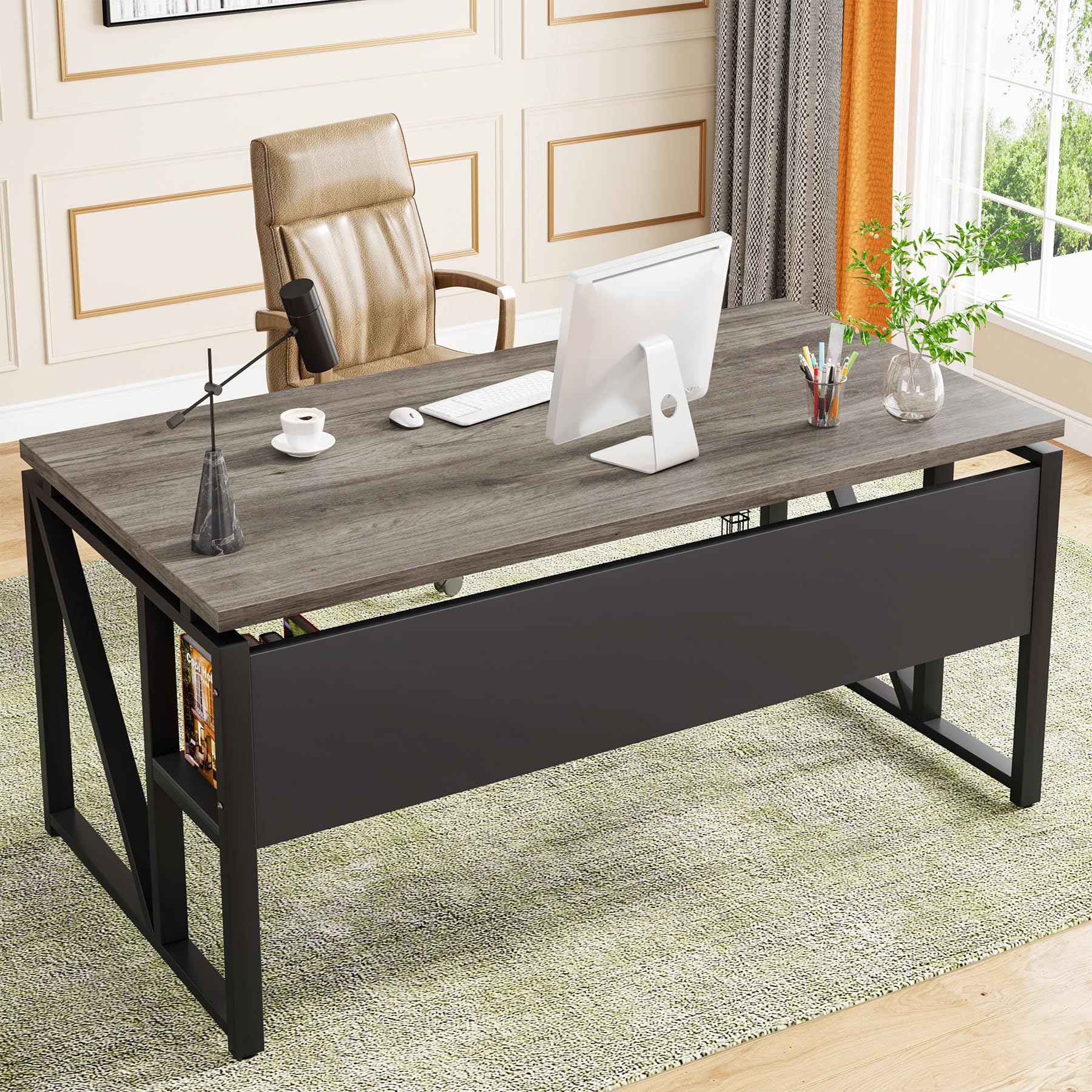
Image: A comprehensive view of the Tribesigns 55-inch computer desk, showcasing its design and dark oak finish.
9. Warranty and Support
This Tribesigns product comes with a limited warranty. For specific details regarding warranty coverage, please refer to the documentation included with your purchase or contact Tribesigns customer service.
For any issues, damaged items, defective parts, or missing accessories, please contact our customer service team. We are committed to providing friendly and helpful support.
Contact Information: Please refer to the contact details provided in your product packaging or on the official Tribesigns website.


