
1. Introduction
This manual provides detailed instructions for the setup, operation, maintenance, and troubleshooting of your lvifloae H80 Mobile Hotspot 4G LTE Router. Please read this manual carefully before using the device to ensure proper functionality and to maximize your user experience.
The H80 Mobile Hotspot is designed to provide high-speed 3G and 4G network access, supporting main frequency bands globally. It is portable, features an LED display, and allows up to 10 users to share the internet connection simultaneously.
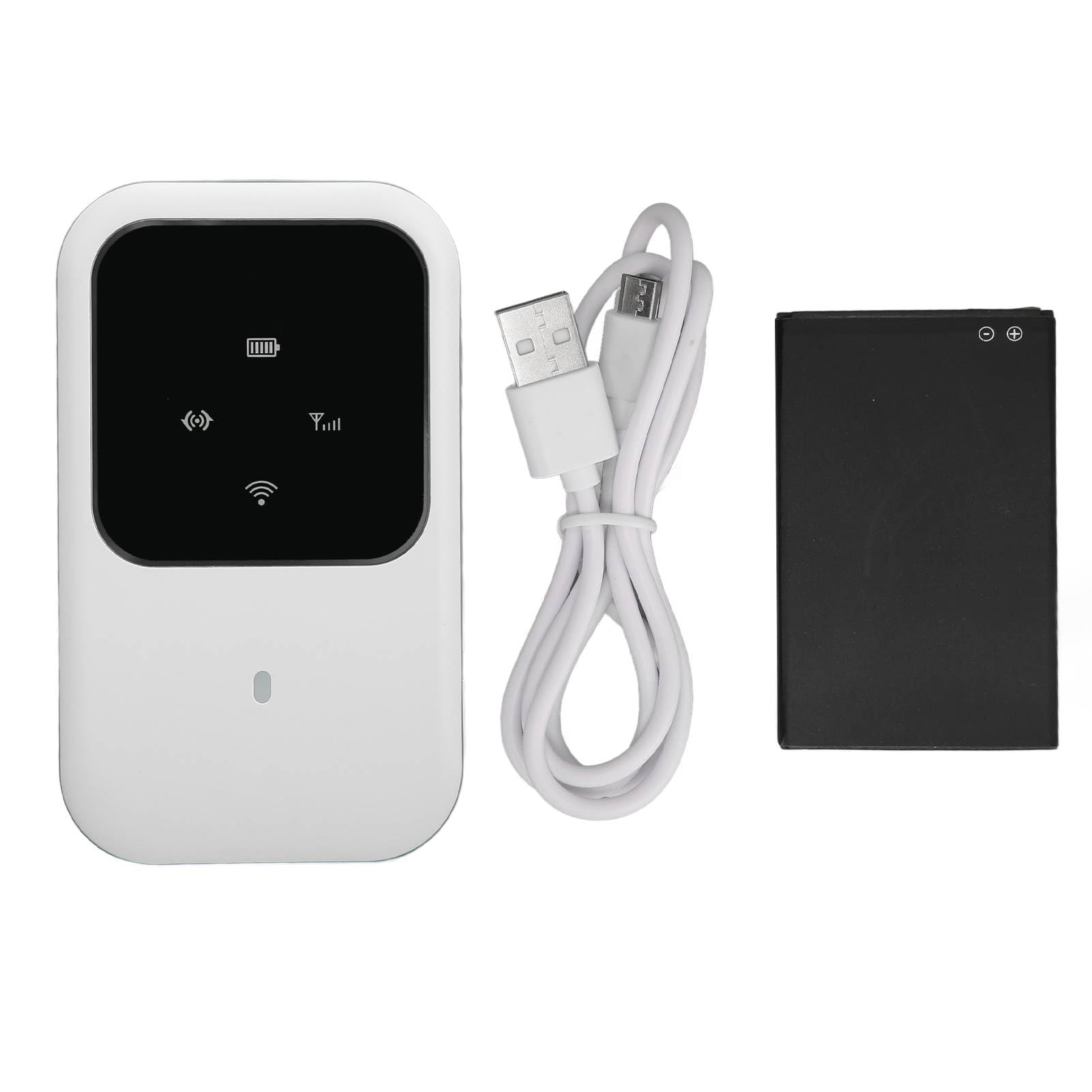
Figure 1: Front view of the lvifloae H80 Mobile Hotspot, showing the LED display and compact design.
2. Package Contents
Verify that all items listed below are included in your package:
- 1 x lvifloae H80 4G Router
- 1 x 2400mAh Lithium Battery
- 1 x Charging Cable
- 1 x User Manual (this document)
3. Product Overview
The lvifloae H80 Mobile Hotspot features a sleek design with an intuitive LED display to indicate device status. Familiarize yourself with the device components.

Figure 2: Close-up of the H80's LED smart display, showing indicators for WiFi, signal strength, and battery status.

Figure 3: Side view of the H80 Mobile Hotspot, illustrating its slim profile and button placement.
4. Setup
Follow these steps to set up your lvifloae H80 Mobile Hotspot for the first time.
- Install the Battery:
Carefully remove the back cover of the router. Insert the provided 2400mAh lithium battery into its compartment. Important: Before powering on, check for and remove any protective partition sticker or insulation tape from the battery's contacts. Failure to do so will prevent the device from powering on.

Figure 4: Visual guide for battery installation. Image 1 shows the battery with insulation tape, Image 2 shows the tape removed, and Image 3 shows the battery inserted into the device.
- Insert the SIM Card:
Locate the standard SIM card slot. Gently insert your standard SIM card into the slot until it clicks into place. Ensure the SIM card is correctly oriented.
- Replace the Back Cover:
Align the back cover and press it firmly until it snaps into place.
- Power On:
Press and hold the power button (usually located on the side) for a few seconds until the LED display illuminates.
5. Operating Instructions
Once the device is set up and powered on, you can connect your devices to the mobile hotspot.
- Check LED Indicators:
Observe the LED display. It will show the network signal strength, Wi-Fi status, and battery level. A stable signal indicator means the device is connected to the mobile network.
- Connect Devices via Wi-Fi:
On your mobile phone, laptop, tablet, or other Wi-Fi enabled device, search for available Wi-Fi networks. The network name (SSID) and password are typically found on a sticker inside the battery compartment or on the device itself. Select the hotspot's SSID and enter the password to connect.
- Internet Access:
Once connected, your device should have internet access. The H80 supports up to 10 simultaneous users.
- Power Off:
To turn off the device, press and hold the power button until the LED display turns off.

Figure 5: The H80 Mobile Hotspot in an outdoor setting, demonstrating its portability for travel and business use.
6. Maintenance
Proper maintenance ensures the longevity and optimal performance of your mobile hotspot.
- Charging: Use the provided charging cable and a compatible power adapter (not included) to charge the device. The 2400mAh battery provides up to 72 hours of standby time.
- Cleaning: Wipe the device with a soft, dry cloth. Avoid using liquid cleaners or abrasive materials.
- Storage: Store the device in a cool, dry place away from direct sunlight and extreme temperatures.
- Battery Care: Do not expose the battery to high temperatures or puncture it. If the device will not be used for an extended period, charge it periodically to maintain battery health.
7. Troubleshooting
If you encounter issues with your lvifloae H80 Mobile Hotspot, refer to the following common problems and solutions:
| Problem | Possible Cause / Solution |
|---|---|
| Device does not power on. |
|
| No network signal / Cannot access internet. |
|
| Cannot connect to Wi-Fi. |
|
| Slow internet speed. |
|
8. Specifications
Technical specifications for the lvifloae H80 Mobile Hotspot.
| Feature | Detail |
|---|---|
| Model | H80 |
| Brand | lvifloae |
| Item Type | 4G Router |
| Color | White |
| Material | ABS |
| Card Slot | Standard SIM Card |
| 4G LTE Band | B1, B3, B5, B40 |
| 3G UMTS WCDMA | B1 |
| Peak Download Rate | 150Mbps |
| Peak Upload Rate | 50Mbps |
| Wi-Fi Standard | 802.11 b/g/n (Wi-Fi 4) |
| Sharing Capacity | Up to 10 Users |
| Battery Type | Built-in 2400mAh Lithium Battery |
| Standby Time | Up to 72 hours |
| Connectivity Technology | 4G LTE, 3G, Wi-Fi |
| Security Protocol | WPA2, WPA3 |
| Operating System Compatibility | Windows 7, Windows 8, Windows 10, Linux |
9. Warranty and Support
For warranty information, please refer to the documentation included with your purchase or visit the official lvifloae website. For technical support or further assistance, please contact lvifloae customer service through their official channels.