
Introduction
Welcome to the Blackview Shark 9 user manual. This guide provides essential information to help you set up, operate, and maintain your new smartphone. Please read this manual carefully to ensure optimal performance and longevity of your device.
The Blackview Shark 9 is a 5G-enabled smartphone featuring a 6.67-inch 90Hz display, 24GB RAM, 256GB internal storage (expandable up to 2TB), a 5000mAh battery with 18W fast charging, and a powerful Octa-Core 2.7GHz processor. It runs on DokeOS 4.0 based on Android 14, offering advanced camera capabilities, NFC, GPS, and biometric security.

Image: Blackview Shark 9 smartphone in Starry Rock Black and Azure Wave Blue colors, showcasing its sleek design.
Setup
1. What's in the Box
Before you begin, ensure all items are present in the package:
- Blackview Shark 9 Smartphone
- USB Cable
- Tempered Glass Screen Protector
- SIM Ejector Pin
- Protective Case
- User Manual

Image: The Blackview Shark 9 retail box contents, showing the phone, USB cable, screen protector, SIM ejector pin, protective case, and user manual.
2. Inserting SIM Card and MicroSD Card
- Locate the SIM card tray on the side of your phone.
- Insert the SIM ejector pin into the small hole next to the tray and push gently until the tray pops out.
- Place your Nano-SIM card(s) and/or MicroSD card into the designated slots on the tray. Ensure the gold contacts face downwards.
- Carefully push the tray back into the phone until it clicks into place.

Image: The SIM card tray of the Blackview Shark 9, illustrating its three slots for two SIM cards and one MicroSD card.
3. Charging the Device
Before first use, fully charge your Blackview Shark 9. Use the provided USB cable and an 18W compatible charger.
- Connect the USB cable to the phone's charging port.
- Connect the other end of the USB cable to the power adapter, then plug the adapter into a wall outlet.
- The charging indicator will appear on the screen.

Image: The Blackview Shark 9 connected to an 18W fast charger, demonstrating its quick charging capability for the 5000mAh battery.
4. Powering On and Initial Setup
- Press and hold the Power button until the Blackview logo appears.
- Follow the on-screen prompts to select your language, connect to Wi-Fi, and set up your Google account.
Operating Your Device
1. Display and Interaction
The Blackview Shark 9 features a 6.67-inch HD+ IPS display with a 90Hz refresh rate, providing a smooth visual experience. It offers 700 nits brightness and an 85% screen-to-body ratio, protected by durable Panda Glass.
- Touchscreen Gestures: Tap, swipe, pinch-to-zoom for navigation and interaction.
- Power Button: Press to wake/sleep the screen, long-press to power off or restart.
- Volume Buttons: Adjust media volume, call volume, and notification volume.

Image: The Blackview Shark 9's 6.67-inch immersive display with a 90Hz refresh rate, illustrating its visual clarity and fluidity.
2. Camera Features
Capture moments with the Blackview Shark 9's advanced camera system:
- Rear Camera: 50MP main sensor (ISOCELL JN1), 2MP macro camera, and 2MP depth camera.
- Front Camera: 8MP ISOCELL 4H7 sensor for clear selfies.
- AI Algorithms: Automatic scene adaptation for optimal lighting, vibrant colors, and sharpness.
- Dual Super PD Autofocus: Rapid focus lock for dynamic and static scenes.
- AI Magic Eraser: Remove unwanted objects from photos.
- AI Portrait Light & Unblur: Enhance portraits with studio-like lighting and background blur.
- AI Sky Replacement: Change the sky in your photos to match your mood.
- Google Lens Integration: Discover the world around you by pointing your camera to get information, translate text, identify products, and explore nearby places.

Image: A user taking a photo with the Blackview Shark 9, highlighting the 50MP JN1 camera's ability to capture fresh and luminous images.

Image: A close-up of a person taking a selfie with the Blackview Shark 9, emphasizing the 8MP front camera's clarity and F/2.0 aperture.

Image: Visual demonstrations of the Blackview Shark 9's AI camera algorithms, including Magic Eraser, Photo AI Unblur, Sky Replacement, AI Portrait Light, and AI Portrait Unblur, showing before and after effects.

Image: An illustration of Google Lens functionality on the Blackview Shark 9, demonstrating its ability to identify objects, translate text, search for products, and explore locations using the camera.
3. Performance and Storage
The Blackview Shark 9 is powered by an Octa-core 5G Unisoc T820 processor, ensuring powerful and stable performance. It comes with 24GB of RAM (8GB physical + 16GB expandable) and 256GB of internal storage, expandable up to 2TB with a TF card.
- Atomized Memory 2.0: Optimizes RAM allocation, freeing up to 9% additional capacity for efficient multitasking.
- DokeOS 4.0 (based on Android 14): Offers a personalized user experience with features like Focus Mode, Smart Pre-loading, and enhanced privacy controls.

Image: A diagram illustrating the Octa-core 5G Unisoc T820 processor and the memory configuration of 24GB RAM (8GB + 16GB extension) and 256GB ROM, expandable up to 2TB.

Image: An overview of Doke OS 4.0 features based on Android 14, including personal themes, large folders, health app, various instant access options, focus mode, and screen attention.

Image: Detailed features of Doke OS 4.0, such as Focus Computing 2.0 for battery saving, EasyShare for file transfer, Smart Preload for faster app launch, and comprehensive privacy management tools.
4. Battery Management
The 5000mAh battery, combined with 18W fast charging and intelligent power-saving modes, provides extended usage. You can switch between performance and power-saving modes to optimize battery life.
- Up to 14.5 hours talk time.
- Up to 636 hours standby time.

Image: An infographic showing the estimated battery life of the Blackview Shark 9 for different activities like gaming, video playback, calls, and standby.
5. Connectivity and Advanced Features
- 5G Connectivity: Enjoy high-speed internet for streaming and downloads.
- NFC: For mobile payments and quick data transfers.
- GPS: Supports GPS, GLONASS, Galileo, and Beidou for precise navigation.
- Fingerprint Recognition: Secure and convenient access to your phone.
- Face Unlock: Unlock your device using facial recognition.
- Dual Smart-PA Box Speakers: Deliver immersive audio for media consumption.
- FM Radio: Listen to your favorite radio stations.

Image: Visual representation of the Blackview Shark 9's dual Smart-PA Box speakers, multifunctional NFC capabilities, and support for multiple satellite navigation systems (GPS, GLONASS, Galileo, Beidou).
6. AI Features with Gemini AI
The Blackview Shark 9 integrates Gemini AI for an intelligent and personalized user experience:
- AI Chat: Engage in intelligent conversations.
- Text-to-Image Generation: Transform ideas into visuals instantly.
- Voice-Activated Q&A: Ask questions and receive intelligent responses.
- Personalized Voice Options: Choose from 10 unique voice profiles.
- Intelligent Control: Control your device and apps using AI.
- Voice Unlock: Securely unlock and personalize your phone with voice commands.
- Real-time Responses & Insights: Get instant assistance and deeper insights with Gemini Advanced.

Image: An illustration of the Blackview Shark 9's AI capabilities, including AI Chat and Text-to-Image generation, showcasing how AI can transform ideas into visuals.

Image: A visual depicting the Blackview Shark 9's voice-activated AI features, such as intelligent Q&A, personalized voice options, and seamless real-time conversations.
Maintenance
1. Cleaning Your Device
To keep your Blackview Shark 9 clean, use a soft, lint-free cloth. Avoid harsh chemicals or abrasive materials that could damage the screen or finish.
2. Software Updates
Regularly check for and install software updates to ensure your device has the latest features, security patches, and performance improvements. Go to Settings > System > System updates.
3. Battery Care
To prolong battery life, avoid extreme temperatures and do not let the battery completely drain frequently. Use the provided charger for optimal charging.
4. Using the Protective Case
The included protective case helps guard your phone against drops and scratches. Ensure it is properly fitted for maximum protection.
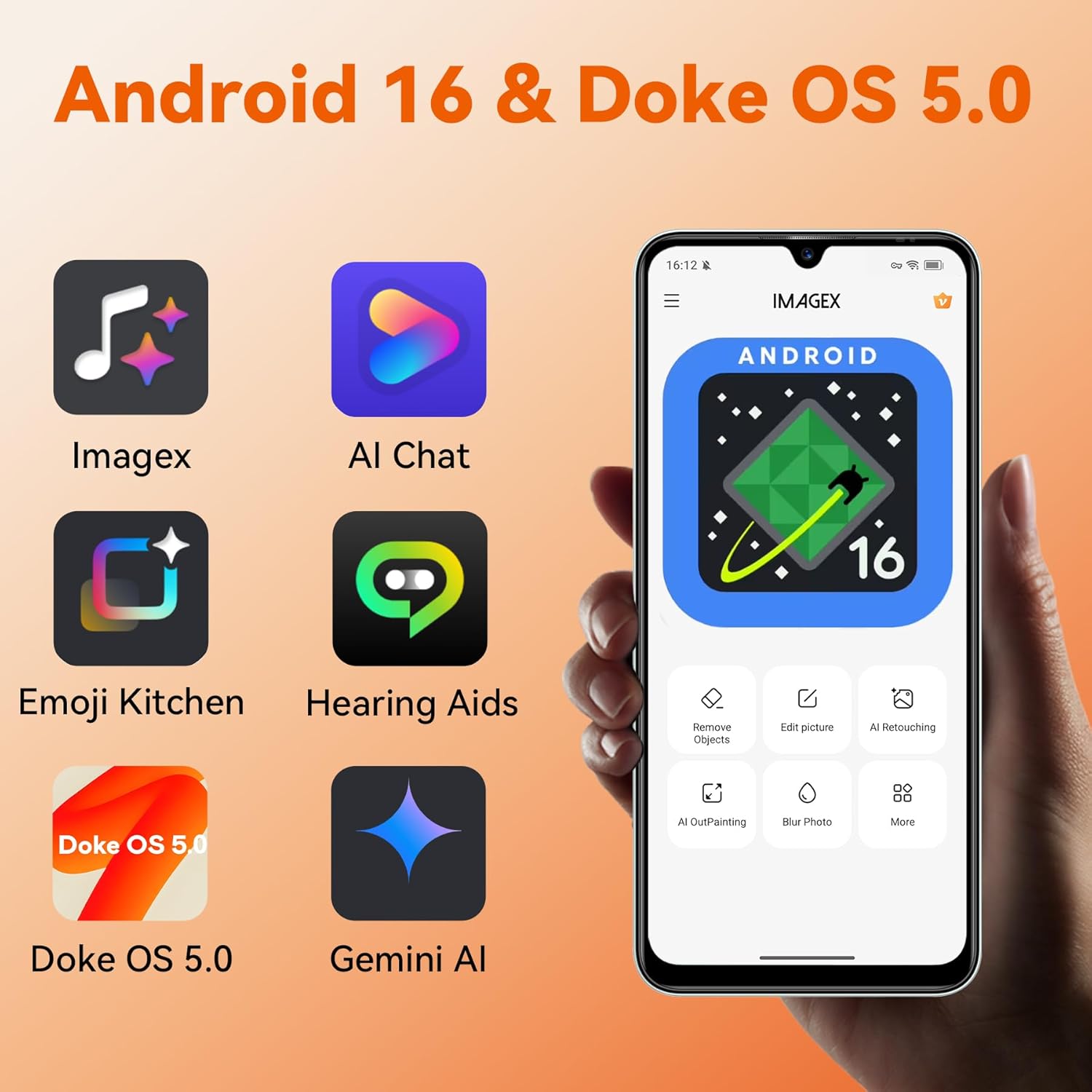
Image: The Blackview Shark 9 shown with its included protective TPU case, emphasizing device protection.
Troubleshooting
If you encounter issues with your Blackview Shark 9, try the following common solutions:
- Device not turning on: Ensure the battery is charged. Connect to a charger for at least 10 minutes before attempting to power on.
- Screen frozen: Press and hold the Power button for about 10-15 seconds to force a restart.
- Apps crashing: Clear the cache of the problematic app (Settings > Apps > [App Name] > Storage > Clear cache). If the issue persists, try reinstalling the app.
- Poor network signal: Check your SIM card insertion. Try restarting the phone or toggling Airplane Mode on and off.
- Battery draining quickly: Reduce screen brightness, close unused apps, or enable power-saving mode.
For more complex issues or if troubleshooting steps do not resolve the problem, please contact customer support.
Specifications
| Feature | Detail |
|---|---|
| Brand | Blackview |
| Model Name | Shark 9 |
| Installed RAM Size | 24 GB |
| CPU Model | A-Series Dual-Core A4-3420 |
| CPU Speed | 2.7 GHz |
| Memory Storage Capacity | 256 GB |
| Screen Size | 6.56 Inches |
| Resolution | 1080 x 1920 |
| Refresh Rate | 90 Hz |
| Wireless Carrier | All carriers |
| Color | Shark 9-Black |
| Number of SIM Card Slots | Dual SIM |
| Audio Jack Type | 3.5 mm Jack |
| Form Factor | Bar |
| Biometric Security Feature | Facial Recognition, Fingerprint Recognition |
| Input Method | Touchscreen |
| SIM Card Size | Nano |
| Water Resistance Level | Not waterproof |
| Headphone Jack | 3.5 mm |
| Spare Parts Availability | 3 Years |
| Product Features | AI Magic Eraser, AI Portrait Light, AI Portrait Unblur, AI Sky Replacement |
| Max Supported Flash Memory Size | 2 TB |
| Material Characteristics | Durable |
| Front Camera Sensor Resolution | 8 MP |
| Rear Camera Photo Sensor Resolution | 50 Megapixels |
| Camera/Video Camera Description | Rear, Front |
| Device Flash | No flash |
| Shooting Modes | Portrait |
| Optical Sensor Resolution | 50 Megapixels |
| Number of Rear Cameras | 2 |
| Digital Zoom | 10 x |
| Number of Front Cameras | 1 |
| Item Weight | 202 Grams |
| Item Dimensions | 15 x 7.5 x 15 centimeters |
| Effective Video Resolution | 32 MP |
| Screen Capture Resolution | 1080p |
| Frame Rate | 30 fps or 60 fps |
| Screen Size Unit of Measure | 6.56 Inches |
| Scanner Resolution | 1080 x 1920 |
| Display Type | LCD |
| Aspect Ratio | 16:9 |
| Max Display Resolution | 1080 x 1920 |
| Display Pixel Density | 264 Pixels per inch (PPI) |
| Wireless Network Provider | All carriers |
| Cellular Technology | 4G |
| Connectivity Technology | 5G |
| Wireless Technology | Wi-Fi |
| Model Year | 2026 |
| Box Contents | USB Cable |
| Model Series | Shark |
| Specific Product Uses | Entertainment |
| UPC | 810175523279 |
| ASIN | B0DLN82WFD |
| Battery Capacity | 5000 Milliampere-hour (mAh) |
| Battery Description | Lithium-polymer |
| Battery Power | 5000 |
| Talk Time | 14.5 hours |
| GPS Geopositioning Feature | True |
| Supported Satellite Navigation System | GPS |
| GTIN | 810175523279 |
Warranty and Support
The Blackview Shark 9 comes with a 3-year warranty service. Blackview provides professional technical support and customer service to address any questions or issues you may have.
- Warranty Period: 3 years.
- Support Channels: Contact Blackview customer service via Amazon email or their dedicated support channels.
- Repair Aid: 2 years of repair assistance.
- Online Assistance: 24-hour telephone assistance available.
- Service Center: EU Service Center for regional support.

Image: An illustration detailing Blackview's customer support services, including 24-hour telephone assistance, an EU service center, and 2 years of repair aid.
Official Product Videos
No relevant official product videos from the seller were found in the provided data to embed in this manual.


