
1. Introduction
Thank you for choosing the Cecotec Conga Windroid 1090 Robot Window Cleaner. This device is designed to simplify window cleaning with its advanced features, including double spray, 3-in-1 cleaning (spray, clean, dry), and smart control via app or remote. Please read this manual carefully before use to ensure proper operation and maintenance.
2. Safety Instructions
To prevent damage or injury, always follow these basic safety precautions:
- Ensure the safety rope is securely attached before operating the robot on high windows.
- Do not use the robot on broken or cracked glass.
- Keep the device away from children and pets.
- Use only the original power adapter provided with the device.
- Do not immerse the robot in water or other liquids.
- Always disconnect the power supply before cleaning or performing maintenance.
- The robot has a 30-minute battery backup to prevent falls in case of power loss. However, always monitor its operation.
3. Product Overview
The Conga Windroid 1090 is equipped with several components for efficient window cleaning.

Key Features:
- Double Spray System: Ensures thorough wetting of the surface for effective cleaning.
- 3-in-1 Function: Sprays, cleans, and dries windows in one pass.
- 8 Cleaning Modes: Adaptable cleaning paths for various window types and dirt levels.
- App & Remote Control: Convenient control options for starting, stopping, and directing the robot.
- Safety Rope: Provides an extra layer of security to prevent falls.
- 7.5m Operating Range: Suitable for large windows and hard-to-reach areas.
- 12 Reusable Mops: A generous supply of washable microfiber mops for extended use.

4. Setup
Follow these steps to prepare your Conga Windroid 1090 for its first use:
- Charge the Battery: Connect the robot to the power adapter and allow it to fully charge before initial use. The indicator light will show charging status.
- Attach Cleaning Mops: Securely attach the provided microfiber cleaning mops to the rotating pads on the underside of the robot. Ensure they are properly aligned and cover the pads completely.
- Fill Water Tank: Open the water tank cap and fill it with clean water or a suitable window cleaning solution. Do not overfill. Close the cap tightly.

Figure 4.1: A user filling the water tank of the robot window cleaner. - Attach Safety Rope: Always attach the safety rope to a sturdy anchor point indoors, such as a heavy piece of furniture or a window frame, before placing the robot on the window.
5. Operating Instructions
Operating your Conga Windroid 1090 is straightforward:
- Placement: Place the robot on the window surface, ensuring it adheres firmly. The suction will activate automatically.
- Power On: Press the power button on the robot or the remote control to turn it on.
- Select Cleaning Mode: Use the remote control or the Cecotec app to select one of the 8 available cleaning modes. These modes include various patterns like Z-shape, N-shape, or a combination for comprehensive coverage.

Figure 5.1: The robot illustrating different cleaning path options on a large window. - Start Cleaning: Press the 'Start' button on the remote or app. The robot will begin its cleaning cycle, utilizing its double spray function for optimal results.
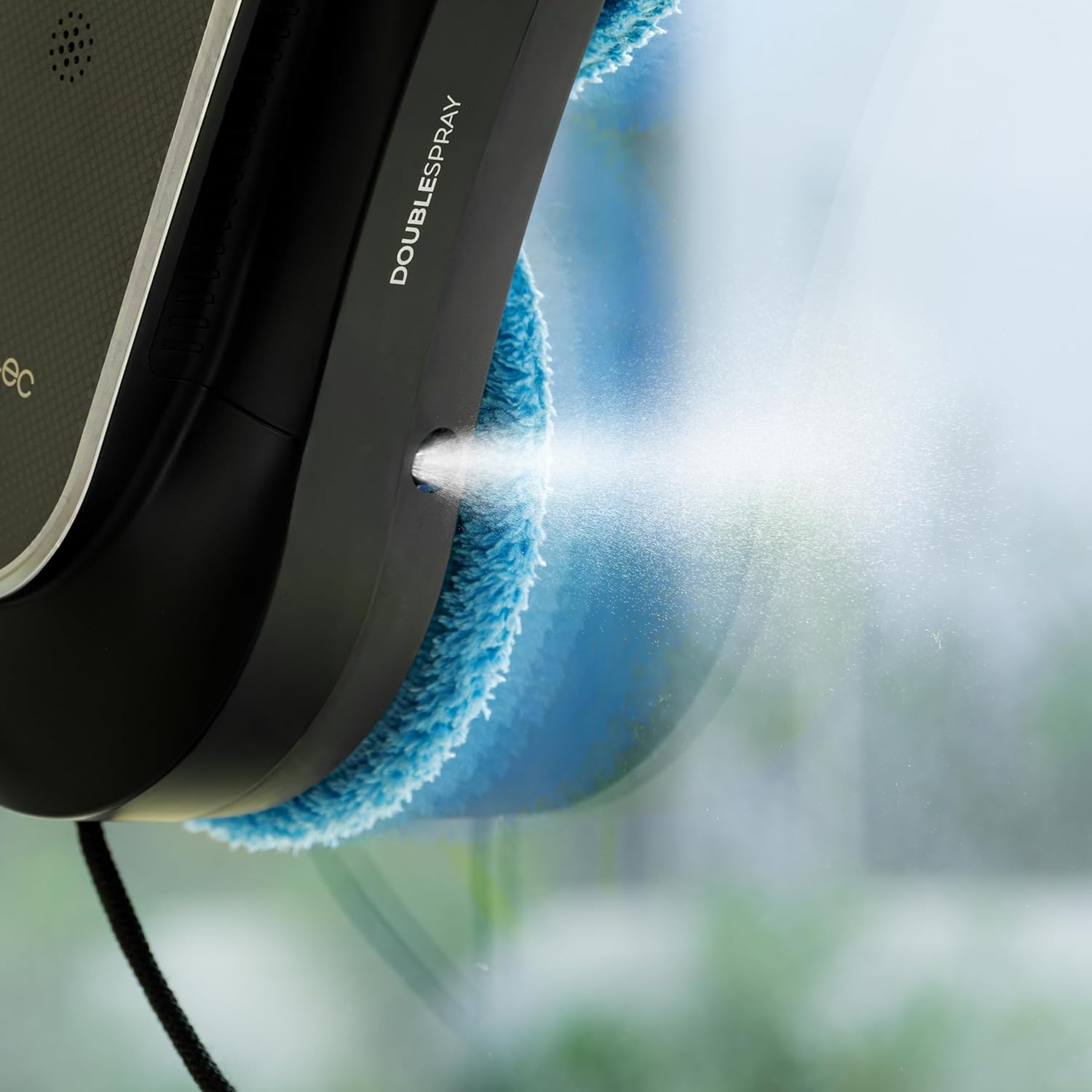
Figure 5.2: A close-up view of the robot's double spray system in operation. - Remote Control / App Usage: You can manually direct the robot's movement, change modes, or pause/resume cleaning using the remote control or the dedicated Cecotec app on your smartphone.

Figure 5.3: A user comfortably controlling the robot window cleaner with the remote control. - Completion: The robot will return to its starting position upon completion of the cleaning cycle. Carefully remove it from the window.
6. Maintenance
Regular maintenance ensures optimal performance and extends the lifespan of your robot window cleaner.
- Clean Mop Pads: After each use, remove the microfiber mop pads and wash them. They are reusable and can be hand-washed or machine-washed according to fabric care instructions.
- Empty Water Tank: Empty any remaining water or cleaning solution from the tank after each use to prevent residue buildup.
- Clean Spray Nozzles: Periodically check and clean the spray nozzles to ensure they are not clogged. Use a soft brush or cloth if necessary.
- Wipe Down Robot: Use a dry or slightly damp cloth to wipe the exterior of the robot, removing any dust or dirt. Do not use abrasive cleaners.
- Store Properly: When not in use, store the robot and its accessories in a cool, dry place, away from direct sunlight.
7. Troubleshooting
If you encounter issues with your Conga Windroid 1090, refer to the table below for common problems and solutions.
| Problem | Possible Cause | Solution |
|---|---|---|
| Robot does not adhere to window | Insufficient suction; dirty window/pads; low battery | Ensure window and pads are clean. Charge battery fully. Check for obstructions. |
| Robot stops during cleaning | Low battery; power disconnected; obstacle detected | Check power connection. Recharge battery. Remove any obstacles. |
| Spray function not working | Empty water tank; clogged nozzles | Refill water tank. Clean spray nozzles. |
| Poor cleaning results | Dirty mop pads; insufficient cleaning solution; incorrect mode | Replace/clean mop pads. Ensure adequate cleaning solution. Select appropriate cleaning mode. |
8. Specifications
| Feature | Detail |
|---|---|
| Model Name | Conga Windroid 1090 Double Spray Connected |
| Model Number | A01_EU01_100140 |
| Brand | Cecotec |
| Dimensions (L x W x H) | 10L x 10W x 10H millimeters (Product); 1 x 1 x 1 cm (Package) |
| Weight | 2.63 Kilograms |
| Power Source | Battery Powered (Lithium-ion) |
| Battery Life | 30 minutes (backup) |
| Voltage | 220 Volts |
| Control Method | Application, Remote Control |
| Number of Cleaning Modes | 8 |
| Recommended Surfaces | Glass, concrete, linoleum, laminate, engineered wood, marble, vinyl, tiles |
| Included Components | 12 mops, safety rope, remote control, app |
| Color | Black |
9. Warranty and Support
For warranty information, technical support, or service requests, please refer to the official Cecotec website or contact their customer service directly. Keep your purchase receipt as proof of purchase for warranty claims.


