
1. Introduction
Thank you for purchasing the Max Power MPD437 Ultra PRO M2 Portable Bluetooth Speaker. This speaker is designed to provide high-quality audio in various environments, featuring water resistance and dust-proof capabilities for outdoor use. Please read this manual carefully before using the product to ensure proper operation and to maximize its lifespan.
Safety Information
- Do not expose the speaker to extreme temperatures or direct sunlight for extended periods.
- Avoid dropping or subjecting the speaker to strong impacts.
- Do not attempt to disassemble or modify the speaker. This will void the warranty.
- Keep the speaker away from medical devices.
- Use only the provided charging cable.
2. Package Contents
Ensure all items are present in the package:
- Max Power MPD437 Ultra PRO M2 Portable Bluetooth Speaker
- Power Cable
- AUX Cable
- User Manual (this document)
3. Product Overview
Familiarize yourself with the components of your Max Power MPD437 Ultra PRO M2 speaker.
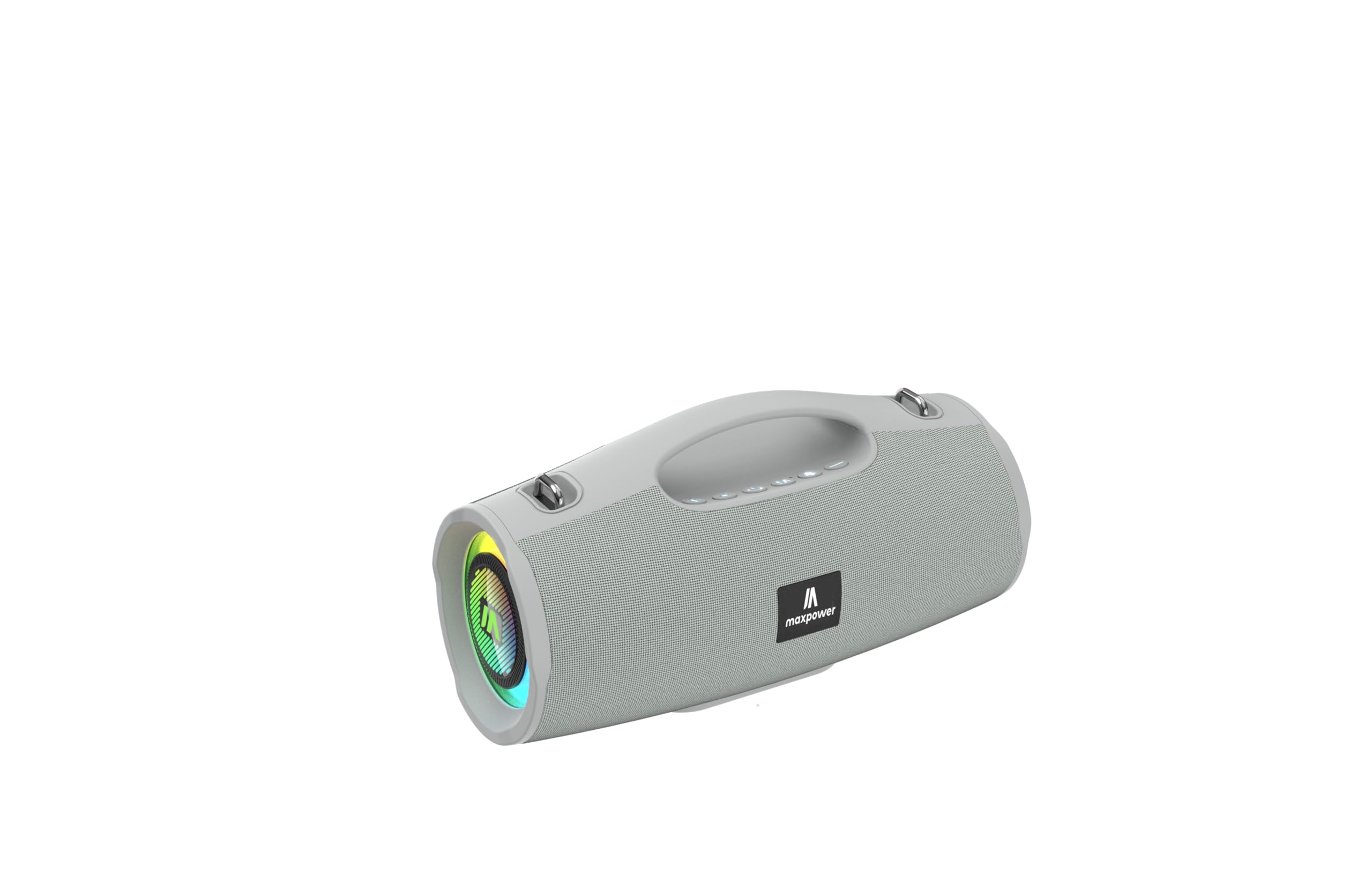
This image displays the Max Power MPD437 Ultra PRO M2 speaker. It features a robust grey casing, an integrated carrying handle at the top, and a series of control buttons. One end of the speaker is equipped with an LED light ring, indicating its operational status and adding visual effects.
Key Components:
- Integrated Carrying Handle: For easy portability.
- Control Buttons: For power, volume, playback, and mode selection.
- Speaker Grille: Protects the speaker drivers.
- LED Light Ring: Provides visual effects and indicates status.
- Charging Port: For connecting the power cable.
- AUX Input: For wired audio connection.
4. Setup
4.1 Charging the Speaker
- Connect the provided Power Cable to the charging port on the speaker.
- Plug the other end of the Power Cable into a suitable power source.
- The LED indicator will show charging status. A full charge takes approximately 3 hours.
- Disconnect the charging cable once fully charged.
4.2 Bluetooth Pairing
- Press and hold the Power button to turn on the speaker. The speaker will enter Bluetooth pairing mode, indicated by a flashing LED light.
- On your device (smartphone, tablet, laptop), enable Bluetooth and search for available devices.
- Select "MPD437 Ultra PRO M2" from the list of devices.
- Once paired, the speaker will emit an audible confirmation, and the LED light will stop flashing.
- The speaker will automatically attempt to reconnect to the last paired device when powered on.
4.3 AUX Connection
- Connect one end of the provided AUX Cable to the AUX input port on the speaker.
- Connect the other end of the AUX Cable to the audio output jack of your device.
- The speaker will automatically switch to AUX mode.
5. Operating Instructions
5.1 Power On/Off
- Power On: Press and hold the Power button for 2-3 seconds.
- Power Off: Press and hold the Power button for 2-3 seconds.
5.2 Volume Control
- Increase Volume: Press the '+' button.
- Decrease Volume: Press the '-' button.
5.3 Playback Control (Bluetooth/AUX Mode)
- Play/Pause: Press the Play/Pause button.
- Next Track: Press and hold the '+' button.
- Previous Track: Press and hold the '-' button.
5.4 Mode Selection
Press the 'M' (Mode) button to switch between Bluetooth, AUX, and FM Radio modes.
5.5 FM Radio Operation
- Switch to FM Radio mode using the 'M' button.
- Press the Play/Pause button to automatically scan and save available FM stations.
- Use the '+' and '-' buttons to navigate between saved stations.
5.6 LED Light Modes
The speaker features vibrant LED lights. Press the dedicated LED button (if available, or a long press on a specific button) to cycle through different light modes or turn them off.
6. Maintenance
6.1 Cleaning
- Wipe the speaker with a soft, damp cloth.
- Do not use abrasive cleaners, alcohol, or chemical solvents.
- Ensure all ports are dry before charging or connecting cables.
6.2 Storage
- Store the speaker in a cool, dry place away from direct sunlight.
- If storing for an extended period, charge the battery to approximately 50% every few months to maintain battery health.
7. Troubleshooting
| Problem | Possible Cause | Solution |
|---|---|---|
| Speaker does not power on. | Battery is depleted. | Charge the speaker using the provided power cable. |
| No sound from the speaker. | Volume is too low or muted. Device not paired correctly. AUX cable not fully inserted. | Increase volume on both speaker and connected device. Re-pair Bluetooth. Ensure AUX cable is securely connected. |
| Cannot pair via Bluetooth. | Speaker is not in pairing mode. Device Bluetooth is off. Speaker is too far from device. | Ensure speaker is in pairing mode (flashing LED). Turn on Bluetooth on your device. Move speaker closer to your device (within 35 feet). |
| Poor FM radio reception. | Weak signal in current location. | Move the speaker to a location with better signal reception. |
8. Specifications
| Model Name | Ultra Pro M2 |
| Item Model Number | MPD437 |
| Brand | Max Power |
| Speaker Type | Portable Speaker |
| Connectivity Technology | Bluetooth, Auxiliary |
| Wireless Communication Technology | Bluetooth |
| Bluetooth Range | 35 Feet |
| Special Features | Dustproof, FM Radio, LED Light, Water Resistant |
| Water Resistance Level | Water Resistant |
| Power Source | Battery Powered |
| Battery Capacity | 3000 Milliamp Hours |
| Charging Time | 3 Hours |
| Audio Output Mode | Stereo |
| Signal-to-Noise Ratio | 85 dB |
| Control Method | Touch |
| Product Dimensions | 4.5"D x 5"W x 9.9"H |
| Item Weight | 2.65 Pounds |
| Included Components | AUX Cable, Power Cable |
| UPC | 785571466584 |
| GTIN | 785571466584 |
9. Warranty and Support
9.1 Limited Warranty
The Max Power MPD437 Ultra PRO M2 Portable Bluetooth Speaker comes with a limited warranty. Please refer to the warranty card included in your package or contact Max Power customer support for detailed warranty terms and conditions.
9.2 Customer Support
For technical assistance, troubleshooting, or warranty inquiries, please contact Max Power customer support. Contact information can typically be found on the product packaging or the official Max Power website.