
Introduction
This manual provides detailed instructions for the operation and maintenance of your ZEBRONICS Sound Feast 40 Portable Bluetooth Speaker. Please read this manual carefully before using the product to ensure proper function and longevity.
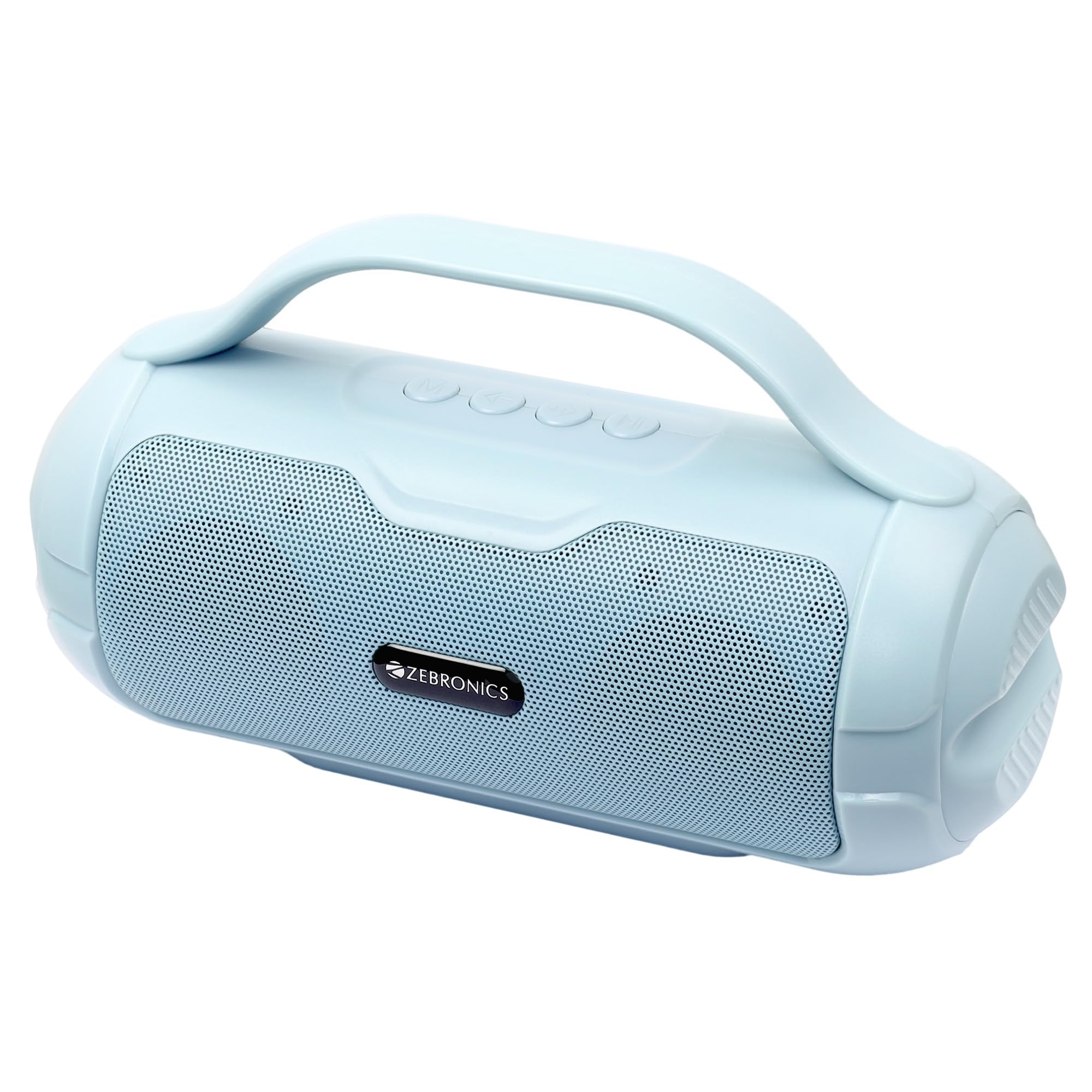
Image: ZEBRONICS Sound Feast 40 Portable Bluetooth Speaker in Sky Blue color, showcasing its compact design and handle.
Product Overview
Key Features
- Dynamic Audio: Dual 5.2cm drivers, 8W output, and passive radiator for deep bass.
- Multi-connectivity: Bluetooth v5.3, USB, mSD, AUX, and built-in FM radio.
- Longer Playtime: Up to 10 hours of playback on a single charge (at 50% volume).
- Portability: Equipped with a carry handle for easy transport.
- TWS Capability: Connect two Sound Feast 40 speakers for stereo sound.
- Call Function: Built-in microphone for hands-free calling.
Components and Controls

Image: Front view of the speaker highlighting its 8W RMS output and dual 5.2cm drivers for enhanced audio.

Image: Side view of the speaker illustrating the passive radiator for improved bass response.

Image: Close-up of the speaker's rear panel showing the USB port, Micro SD card slot, DC 5V charging port, and On/Off switch.

Image: Close-up of the top panel displaying the media and volume control buttons.
The speaker features intuitive controls for media playback, volume adjustment, and mode selection. Connectivity options include Bluetooth, USB, Micro SD, and AUX input. A built-in microphone supports call functions.
Setup
First Use & Charging
- Before first use, fully charge the speaker using the provided Type-C charging cable. Connect the cable to the DC 5V port on the speaker and a compatible USB power adapter (not included).
- The charging indicator light will illuminate during charging and turn off once fully charged.

Image: The speaker highlighting its built-in rechargeable battery and up to 10 hours of playback time.
Powering On/Off
- To power on, slide the ON/OFF switch located on the rear panel to the 'ON' position.
- To power off, slide the ON/OFF switch to the 'OFF' position.
Operating Instructions
Bluetooth Mode
- Turn on the speaker. It will automatically enter Bluetooth pairing mode, indicated by a flashing LED.
- Enable Bluetooth on your mobile device or computer and search for "ZEB-SOUND FEAST 40".
- Select the speaker from the list of available devices to pair. A confirmation tone will sound upon successful connection.
- You can now play audio from your device through the speaker.
USB / Micro SD Card Mode
- Insert a USB drive or Micro SD card (with MP3 audio files) into the respective port/slot.
- The speaker will automatically detect the storage device and begin playing music.
- Use the media control buttons (Play/Pause, Next/Previous Track) to manage playback.
FM Radio Mode
- Press the 'M' (Mode) button to switch to FM Radio mode.
- Press and hold the Play/Pause button to automatically scan and save available FM stations.
- Use the Next/Previous Track buttons to navigate between saved stations.
TWS (True Wireless Stereo) Function
The TWS function allows you to connect two ZEB-SOUND FEAST 40 speakers wirelessly for a stereo audio experience.
- Ensure both speakers are powered on and in Bluetooth mode, but not connected to any device.
- On one of the speakers (this will be the primary speaker), press and hold the 'M' (Mode) button until you hear a chime, indicating TWS pairing mode.
- The two speakers will automatically connect to each other. Once connected, a confirmation tone will sound.
- Now, connect your mobile device to the primary speaker via Bluetooth as described in the Bluetooth Mode section. Audio will play through both speakers in stereo.

Image: The speaker demonstrating its TWS function for stereo sound and its call function with a connected smartphone.
Call Function
- When connected to a smartphone via Bluetooth, the speaker's built-in microphone allows for hands-free calling.
- To answer an incoming call, press the Play/Pause button.
- To end a call, press the Play/Pause button again.
- To reject an incoming call, press and hold the Play/Pause button.
Maintenance
- Clean the speaker with a soft, dry cloth. Do not use harsh chemicals or abrasive cleaners.
- Avoid exposing the speaker to extreme temperatures, direct sunlight, or moisture.
- Store the speaker in a cool, dry place when not in use.
- Do not attempt to disassemble or repair the speaker yourself. Contact qualified service personnel for assistance.
Troubleshooting
| Problem | Possible Solution |
|---|---|
| Speaker does not power on. | Ensure the battery is charged. Connect the speaker to a power source using the Type-C cable. |
| Cannot pair via Bluetooth. |
|
| No sound or low volume. |
|
| FM radio reception is poor. |
|
| TWS pairing fails. |
|
Specifications
- Brand: ZEBRONICS
- Model Number: ZEB-SOUND FEAST 40
- Speaker Maximum Output Power: 8 Watts
- Audio Output Mode: Stereo
- Audio Driver Type: Dynamic Driver
- Audio Driver Size: Dual 5.2 cm
- Connectivity Technology: Bluetooth v5.3, USB, mSD, AUX, FM Radio
- Battery Average Life: Up to 10 Hours (at 50% volume)
- Battery Charge Time: 3.5 Hours
- Item Dimensions (D x W x H): 8.3D x 21.5W x 13H Centimeters
- Item Weight: 442 Grams
- Control Method: App
- Compatible Devices: Gaming Console, Laptop, MP3 Player, Smartphone, Tablet, Television
What's in the Box
- 1 x ZEBRONICS Sound Feast 40 Speaker Unit
- 1 x Type-C Charging Cable
- 1 x QR Code Guide (for additional information or support)
Warranty and Support
Your ZEBRONICS Sound Feast 40 speaker comes with a 1-year carry-in service center warranty from the date of purchase.
For warranty claims, technical support, or service inquiries, please contact the manufacturer:
AJZ Industries Pvt. Ltd.Survey No 508/2, Door No 50/2,
Inner Ring Road, Madhavaram,
Chennai - 600060, India
Please retain your purchase receipt for warranty validation.


