
Monster MH11903
Monster Champion Wireless Earbuds MH11903 User Manual
Model: MH11903
1. Introduction
Thank you for choosing the Monster Champion Wireless Earbuds. This manual provides essential information for setting up, operating, maintaining, and troubleshooting your new earbuds. Please read it carefully to ensure optimal performance and longevity of your device.
The Monster Champion Wireless Earbuds are designed for an immersive audio experience, featuring IPX8 waterproofing, extended battery life, and clear call quality with CVC 8.0 noise cancellation.

Image: Monster Champion Wireless Earbuds highlighting key features.
2. What's in the Box
Before you begin, please check the package contents to ensure all items are present:
- Monster Champion Wireless Earbuds × 1 Pair
- Charging Case × 1
- Eartips × 3 Pairs (Sizes: S, M, L)
- Type-C Charging Cable × 1
- User Manual × 1

Image: All components included in the product packaging.
3. Setup
3.1 Initial Charging
- Open the charging case and remove both earbuds.
- Important: Remove the small protective plastic film from the charging contacts on each earbud. Failure to do so will prevent charging.
- Place the earbuds back into the charging case. Ensure they are properly seated and the indicator lights on the earbuds illuminate, confirming they are charging.
- Connect the Type-C charging cable to the charging port on the case and plug the other end into a USB power adapter (not included).
- Charge the earbuds and case fully before first use. The indicator lights on the case will show charging status.
3.2 Fitting the Earbuds
For optimal sound quality and comfort, select the correct size of eartips and ensure a secure fit.
- Try the different sizes of eartips (S, M, L) provided to find the best fit for your ears. A good seal is crucial for bass response and noise isolation.
- Gently insert each earbud into your ear canal and twist slightly to secure it. The ear hooks should rest comfortably in your outer ear.
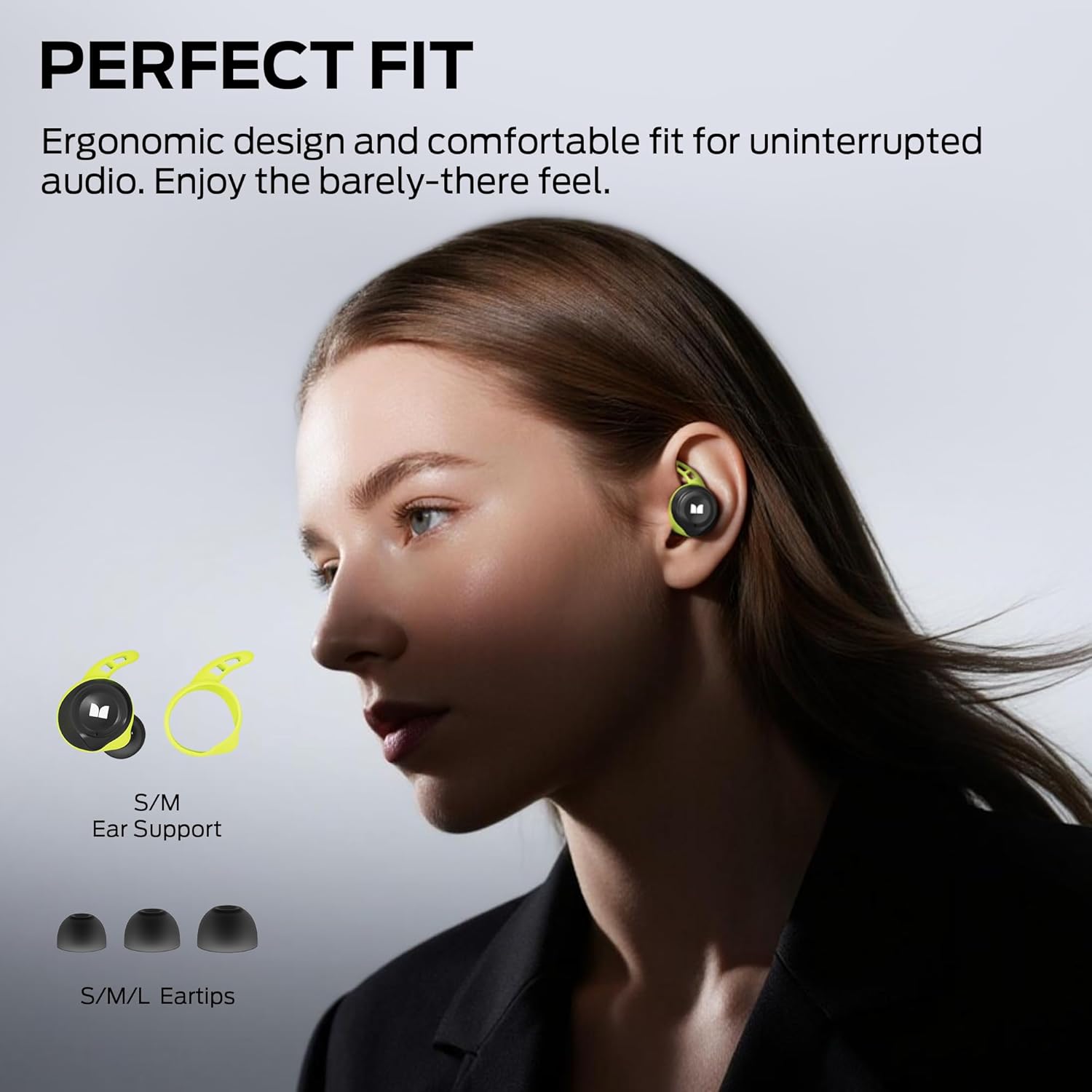
Image: Proper earbud fit and eartip selection.
4. Operating Instructions
4.1 Power On/Off
- Power On: The earbuds will automatically power on when removed from the charging case.
- Power Off: Place the earbuds back into the charging case to automatically power them off and begin charging.
4.2 Bluetooth Pairing
- Ensure the earbuds are charged and removed from the charging case. They will automatically enter pairing mode (indicator lights may flash).
- On your device (smartphone, tablet, etc.), enable Bluetooth.
- Search for available Bluetooth devices and select "Monster Champion" from the list.
- Once connected, you will hear an audible confirmation, and the earbud indicator lights will turn off or flash slowly.
- The earbuds will automatically reconnect to the last paired device when removed from the case, if Bluetooth is enabled on the device.
4.3 Touch Controls
The Monster Champion Wireless Earbuds feature intuitive touch controls on each earbud:

Image: Touch control functions.
- Play/Pause: Double-tap the Left (L) or Right (R) earbud.
- Volume Up: Single-tap the Right (R) earbud.
- Volume Down: Single-tap the Left (L) earbud.
- Next Song: Triple-tap the Right (R) earbud.
- Previous Song: Triple-tap the Left (L) earbud.
- Answer Call: Double-tap the Left (L) or Right (R) earbud.
- End Call: Hold the Left (L) or Right (R) earbud for 2 seconds.
- Activate Voice Assistant: Hold the Left (L) or Right (R) earbud for 2 seconds (when not on a call).
4.4 Dual Connection
The earbuds support dual connection technology, allowing you to use either earbud independently. You can listen to music or take calls with just one earbud while the other remains in the charging case.
4.5 Call Noise Cancellation (CVC 8.0)
Equipped with CVC 8.0 noise cancellation technology, these earbuds effectively reduce background noise during calls, ensuring your voice is picked up clearly even in noisy environments.

Image: Call Noise Cancellation in action.
4.6 Pure Monster Sound with aptX
Experience rich, 3D stereo sound with deep bass, powered by a Qualcomm chipset and aptX technology. This ensures smooth, distortion-free, and lossless audio reproduction.

Image: Internal components illustrating sound technology.
5. Charging
The Monster Champion Wireless Earbuds offer extended playtime with their charging case.
- Earbud Playtime: Up to 8 hours on a single charge.
- Total Playtime with Charging Case: Up to 100 hours. The 2600mAh charging case provides up to 12 full recharges for the earbuds.
- Fast Charging: A quick 5-minute charge can provide approximately 1 hour of playtime.

Image: Charging and battery life overview.
6. Maintenance
6.1 Cleaning
- Regularly clean the earbuds, especially the eartips and charging contacts, with a soft, dry, lint-free cloth.
- Do not use harsh chemicals or abrasive materials.
- Ensure the earbuds are completely dry before placing them back in the charging case.
6.2 IPX8 Waterproof Rating
The earbuds feature an IPX8 waterproof rating, meaning they are protected against continuous immersion in water up to 1 meter for 30 minutes. This makes them suitable for intense workouts, heavy sweat, and rain.
- While waterproof, it is recommended to dry the earbuds thoroughly after exposure to water before placing them back in the charging case to prevent damage to the charging contacts.
- The charging case is not waterproof.
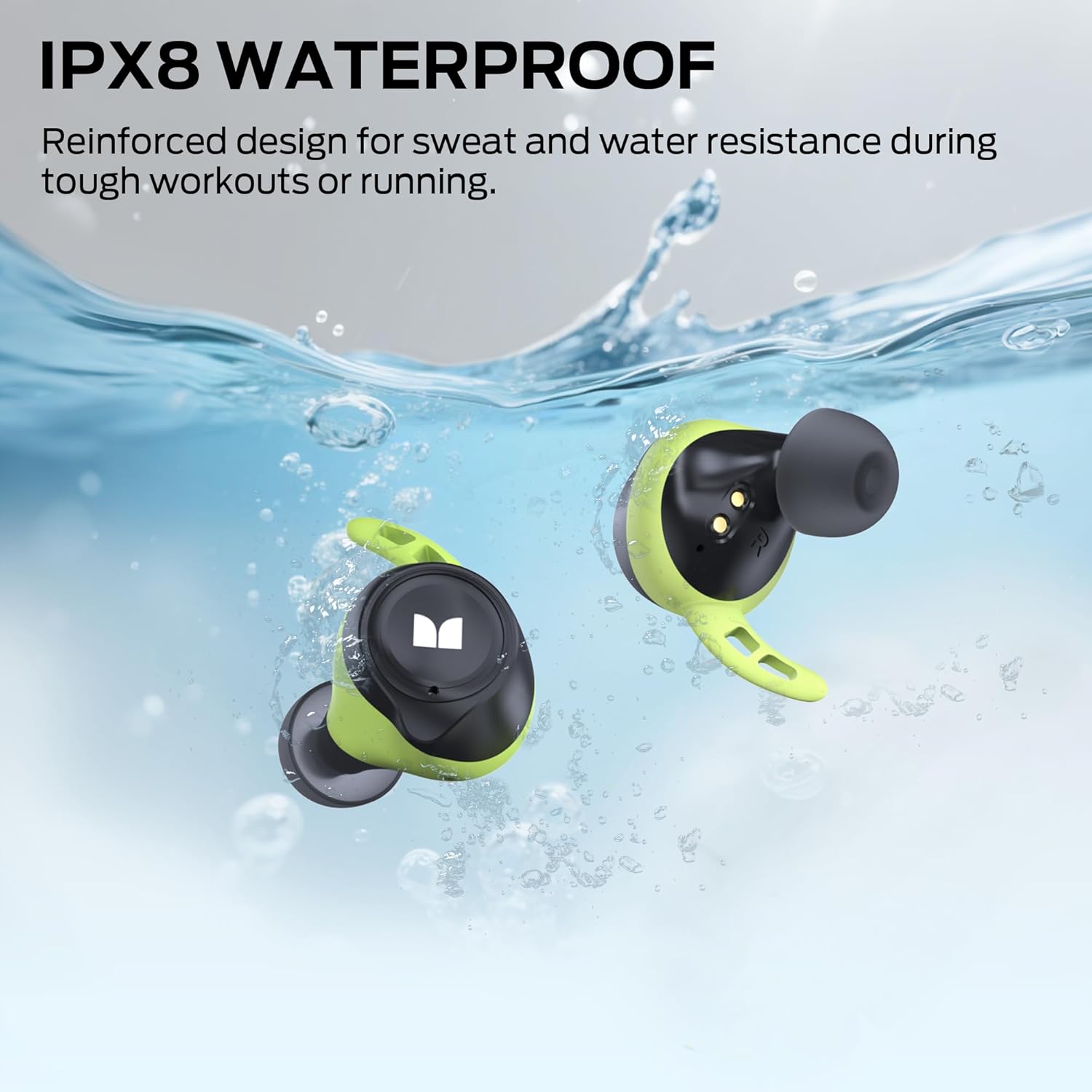
Image: Earbuds demonstrating IPX8 waterproof feature.
7. Troubleshooting
If you encounter any issues with your Monster Champion Wireless Earbuds, please refer to the following common solutions:
| Problem | Possible Cause | Solution |
|---|---|---|
| Earbuds not charging | Protective film on contacts; improper seating; dirty contacts; faulty cable/charger. | Ensure protective film is removed. Re-seat earbuds firmly in case. Clean charging contacts on earbuds and case. Try a different Type-C cable and power adapter. |
| Only one earbud working | Improper pairing; one earbud not charged. | Place both earbuds back in the case, then remove them together to re-establish connection. Ensure both earbuds are fully charged. Try resetting the earbuds (refer to manual for specific reset instructions if available, or forget device on phone and re-pair). |
| Cannot pair with device | Earbuds not in pairing mode; Bluetooth off on device; interference. | Ensure earbuds are out of the case and in pairing mode. Turn Bluetooth off and on again on your device. Move closer to your device and away from other wireless devices. |
| Audio cuts out frequently | Distance from device; interference; low battery. | Keep your device within the recommended Bluetooth range (typically 10 meters). Avoid environments with strong Wi-Fi or other Bluetooth signals. Ensure earbuds are sufficiently charged. |
| Poor call quality (microphone) | Background noise; microphone obstruction. | Ensure the microphone area on the earbuds is not obstructed. Try to make calls in quieter environments. CVC 8.0 helps, but extreme noise can still affect clarity. |
| Earbuds do not fit comfortably | Incorrect eartip size. | Experiment with all three sizes of eartips (S, M, L) to find the most comfortable and secure fit for your ears. |
8. Specifications
Detailed technical specifications for the Monster Champion Wireless Earbuds MH11903:
- Model Name: Monster Champion Wireless Earbuds
- Model Number: MH11903
- Connectivity Technology: Wireless
- Wireless Communication Technology: Bluetooth 5.0
- Audio Driver Type: Dynamic Driver
- Frequency Range: 20 Hz - 20,000 Hz
- Control Method: Touch
- Water Resistance Level: IPX8 Waterproof
- Earbud Battery Life: Up to 8 hours (single charge)
- Total Playtime (with Charging Case): Up to 100 hours
- Charging Time: Approximately 5 minutes for 1 hour playtime (fast charge)
- Charging Case Battery: 2600mAh (built-in)
- Charging Port: Type-C
- Noise Cancellation: CVC 8.0 (for calls)
- Audio Codec: aptX
- Compatible Devices: Smartphones, Tablets, Laptops, Desktops, Smart Speakers
- Item Weight: 9.1 ounces (earbuds + case)
- Package Dimensions: 4.69 x 3.94 x 1.81 inches
9. Warranty and Support
Monster products are designed and manufactured to the highest quality standards. For warranty information and customer support, please refer to the warranty card included in your product packaging or visit the official Monster website. If you require further assistance, please contact Monster customer service.
Online Support: Visit the Monster Store on Amazon
Related documentsMH11903


Ask a question about this manual
Ask about setup, troubleshooting, compatibility, parts, safety, or missing instructions. Manuals+ will review the question and use this page’s manual context to help answer it.