
1. Safety Information
Important: Mattress may contain materials that cause allergic reactions in some individuals. If you experience any adverse reactions, discontinue use and consult a medical professional.
Ensure all power cords are routed safely to prevent tripping hazards or damage. Keep children and pets away from moving parts of the adjustable base during operation.
2. Product Overview
The Nectar Premier Sleep System combines an adjustable base with a 13-inch hybrid mattress, designed for enhanced comfort and support. This system features breathable cooling fabric, contouring memory foam, and dynamic support coils.
Key Features:
- Adjustable Comfort: Independent head and foot elevation for personalized positioning.
- Advanced Cooling: Enhanced cooling fibers for a refreshing sleep experience.
- Pressure Relief: Extra contouring memory foam for reduced pressure on back and hips.
- Motion Isolation: Individually-wrapped innerspring coils minimize motion transfer.
- Massage Settings: Customizable vibration with 3 intensity levels.
- Smart Technology: Control via Bluetooth app or wireless remote, with 4 built-in USB ports.
- Zero Clearance Frame: Durable steel frame designed for use on existing platforms or directly on the floor.
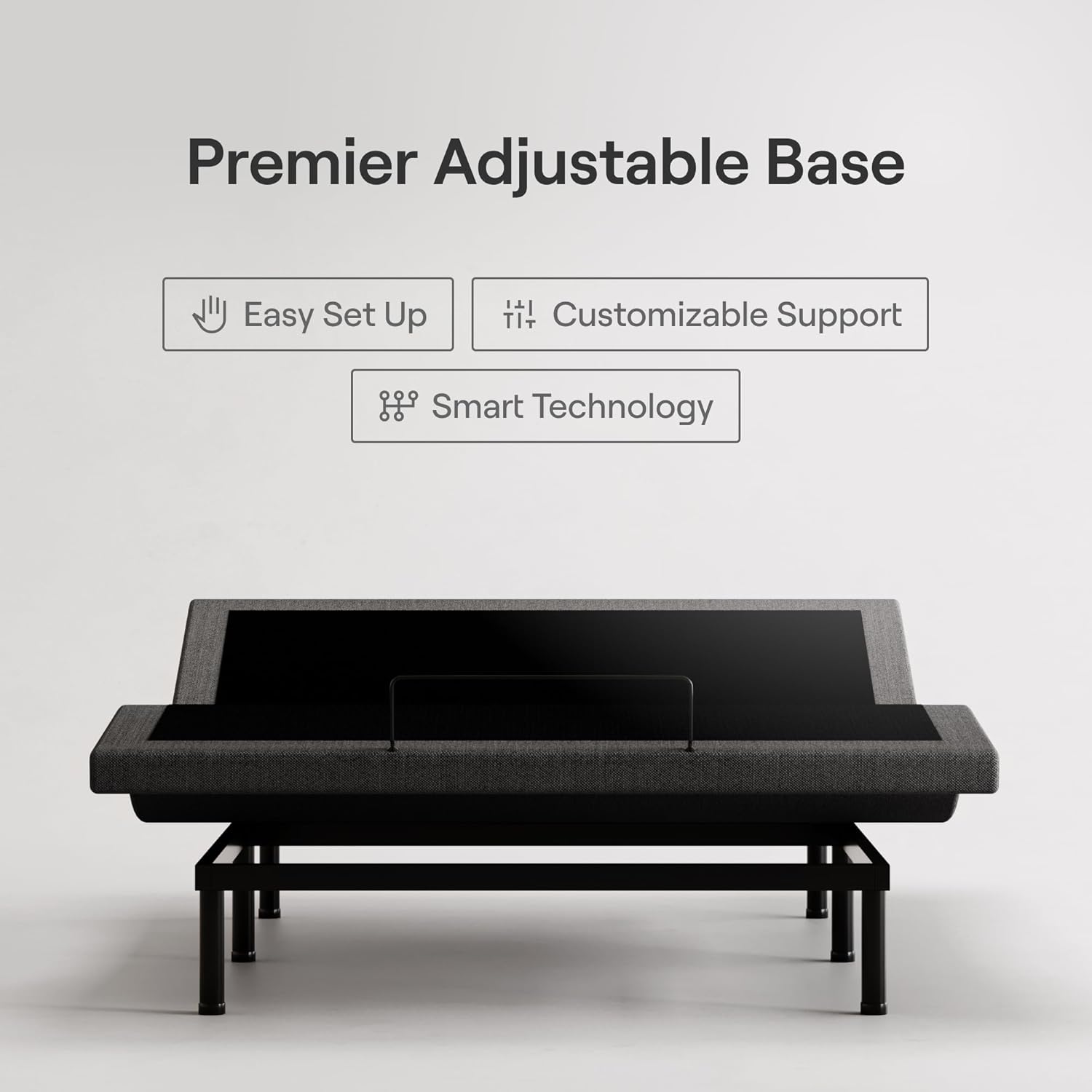
Image: The Nectar Premier Adjustable Base with a mattress, highlighting its easy setup, customizable support, and smart technology.
3. Components Included
Your Nectar Premier Sleep System package typically includes:
- Nectar Premier 13-inch Hybrid Mattress (ships separately)
- Nectar Premier Adjustable Base (ships separately)
- Wireless Remote Control (with batteries)
- Power Cords and Adapters
- Legs for Adjustable Base
- User Manual (this document)
4. Setup Instructions
The Nectar Premier Adjustable Base and Hybrid Mattress are designed for simple assembly without the need for additional tools. Please note that the mattress and adjustable base ship separately.
4.1. Adjustable Base Setup
- Unpack Components: Carefully remove all components of the adjustable base from its packaging.
- Position the Base: Place the folded adjustable base frame in the desired location. Ensure there is enough space around it for assembly and operation.
- Attach Legs: Screw the provided legs into the designated threaded holes on the base frame. Hand-tighten until secure.
- Unfold the Base: Gently unfold the adjustable base. Ensure all locking mechanisms (if present) are engaged.
- Connect Power: Plug the power cord into the control box on the base, then plug the adapter into a wall outlet.
- Pair Remote: Follow the instructions included with the remote control to pair it with the adjustable base. Batteries are typically included.

Image: An adjustable base being set up, showing the frame and legs.
4.2. Mattress Setup
- Unroll Mattress: Place the rolled mattress on top of the adjustable base.
- Remove Packaging: Carefully cut and remove the outer plastic wrapping. The mattress will begin to expand.
- Allow Expansion: Allow the mattress to expand for up to 24 hours to reach its full size and firmness.
- Position Mattress: Once fully expanded, ensure the mattress is centered and properly aligned on the adjustable base.
Note: If you have a Split King size, you will receive two Twin XL mattresses and two Twin XL adjustable bases. Follow the instructions to combine them as needed.
5. Operating Instructions
The Nectar Premier Adjustable Base offers various functions for personalized comfort, controlled via the wireless remote or Bluetooth app.
5.1. Adjustable Base Functions
- Head Elevation: Use the remote or app to raise or lower the head section of the bed.
- Foot Elevation: Use the remote or app to raise or lower the foot section of the bed.
- Zero Gravity Position: Activate the pre-set Zero Gravity position for a feeling of weightlessness, which can relieve pressure on the back.
- Anti-Snore Setting: Utilize the dedicated anti-snore setting to slightly elevate the head, which may help reduce snoring.
- Custom Positions: Save your preferred head and foot positions for quick access.

Image: An adjustable base demonstrating customizable comfort and support with head and foot elevation.
5.2. Massage Settings
The adjustable base includes a soothing massage function with three intensity levels. Use the remote or app to activate and adjust the massage settings.

Image: A person relaxing on the mattress with the soothing massage function active, indicated by wavy lines on the mattress surface.
5.3. Smart Technology & USB Ports
Control your adjustable base using the provided wireless remote or by downloading the dedicated Bluetooth app on your smartphone. The base also features 4 built-in USB ports for conveniently charging your devices.
Video: Demonstrates the convenient and easy control of the Nectar Premier Adjustable Base using a wireless smart remote, including the whisper-quiet massage function.
6. Maintenance
6.1. Mattress Care
- Spot Cleaning: For spills, gently blot with a clean cloth and mild detergent. Avoid saturating the mattress.
- Protection: Use a mattress protector to guard against spills, stains, and allergens.
- Rotation: Rotate the mattress 180 degrees every 3-6 months to promote even wear. Do not flip the mattress.
- Ventilation: Ensure adequate airflow around the mattress to prevent moisture buildup.
6.2. Adjustable Base Care
- Cleaning: Wipe down the frame with a damp cloth. Avoid harsh chemicals.
- Inspection: Periodically check all connections and fasteners to ensure they are secure.
- Power Cord: Inspect the power cord for any signs of damage. If damaged, contact customer support.
7. Troubleshooting
If you encounter issues with your Nectar Premier Sleep System, refer to the following common solutions:
- Base Not Responding:
- Check if the power cord is securely plugged into both the base and the wall outlet.
- Ensure the remote control batteries are not depleted and are inserted correctly.
- Try re-pairing the remote control with the base according to the remote's instructions.
- Unusual Noises:
- Verify that the base is placed on a flat, stable surface.
- Check for any obstructions under or around the base that might interfere with its movement.
- Ensure all legs and fasteners are tightened.
- Mattress Not Fully Expanded:
- Allow up to 24-72 hours for the mattress to fully decompress after unboxing. Cooler temperatures can slow this process.
- Ensure the mattress was unrolled on a flat surface.
For persistent issues, please contact Nectar customer support.
8. Specifications
| Brand | Nectar |
| Model Name | Premier Hybrid |
| Model Number | 43761bb2-4b27-4b32-9dbf-b244f1950d18 |
| Size | Full |
| Item Thickness | 13 Inches |
| Item Firmness Description | Medium Firm |
| Fill Material | Memory Foam & Innerspring Coils |
| Construction Type | Memory Foam, Innerspring |
| Weight Limit (Adjustable Base) | 750 Pounds |
| Cover Material | Polyester Blend |
| Special Features | 365-Night Trial, Adjustable Base, Cooling Upgrade, Massage Settings, Hybrid Motion Isolation, Simple Setup |

Image: A cross-section view of the Nectar Premier Hybrid Mattress, illustrating its multiple layers for cooling, pressure relief, and motion isolation.
9. Warranty and Support
9.1. Trial Period
365-Night Home Mattress Trial: The mattress includes an industry-leading year-long trial period, beginning on the day of delivery. This trial applies to the mattress only.
9.2. Warranty Information
- Mattress Warranty: Nectar provides a Forever Warranty for the mattress, guaranteeing it for as long as you own it.
- Adjustable Base Warranty: The adjustable base comes with a 2-year warranty.
For warranty claims or technical support, please refer to the contact information provided with your product packaging or visit the official Nectar website.

Image: A Nectar mattress in a bedroom setting, emphasizing the 365-night trial, Forever Warranty, and simple setup.


