
EIGIIS K22
EIGIIS K22 Smartwatch User Manual
Model: K22
1. Introduction
Welcome to the EIGIIS K22 Smartwatch user manual. This guide provides essential information for setting up, operating, and maintaining your new smartwatch. The EIGIIS K22 is a robust military-grade smartwatch designed for active lifestyles, featuring an AMOLED HD Always On Display, Bluetooth calling, comprehensive health monitoring, and over 100 sports modes.

Image: EIGIIS K22 Smartwatch, showcasing its rugged design and vibrant display.
2. What's in the Box
Please check the package contents upon unboxing:
- EIGIIS K22 Smartwatch (with 1 Watch Band)
- Charging Cable
- User Manual (this document)
3. Initial Setup
3.1 Charging the Smartwatch
Before first use, fully charge your EIGIIS K22 Smartwatch. The device features a 400mAh battery that typically charges in approximately 2 hours.
- Connect the magnetic charging cable to the charging contacts on the back of the smartwatch.
- Plug the USB end of the cable into a standard USB power adapter (5V/1A recommended) or a computer's USB port.
- The watch display will indicate charging status.

Image: The smartwatch displaying its charging status, indicating a 400mAh battery capacity and charging time.
3.2 App Installation
To unlock the full functionality of your smartwatch, download and install the FitCloudPro app on your smartphone.
- Scan the QR code provided in the quick start guide or search for "FitCloudPro" in your smartphone's app store (Google Play Store for Android, Apple App Store for iOS).
- Install the app and grant necessary permissions for optimal performance.
3.3 Pairing with Your Smartphone
After installing the app, pair your smartwatch with your phone via Bluetooth.
- Ensure Bluetooth is enabled on your smartphone.
- Open the FitCloudPro app and follow the on-screen instructions to add a new device.
- Select the EIGIIS K22 from the list of available devices.
- Confirm the pairing request on both your phone and the smartwatch.
4. Operating the Smartwatch
4.1 Display and Navigation
The EIGIIS K22 features a 1.43-inch AMOLED HD Always On Display. You can navigate the watch interface using touch gestures and the physical buttons.
- Swipe Up/Down: Access quick settings or notifications.
- Swipe Left/Right: Cycle through widgets like activity data, heart rate, weather, etc.
- Press Side Button: Return to the home screen or access the app menu.

Image: Close-up of the 1.43-inch AMOLED display, showing a detailed watch face with time and activity data.
4.2 Bluetooth Calling and Smart Notifications
The smartwatch allows you to make and receive calls directly from your wrist and receive notifications from your paired smartphone.
- Making Calls: Use the built-in dialer or access your contacts through the watch interface.
- Receiving Calls: Answer or reject incoming calls directly on the watch.
- Notifications: Receive alerts for messages, social media, and other app notifications. Ensure notification permissions are enabled in the FitCloudPro app.

Image: The smartwatch displaying an incoming call and various app notification icons, illustrating its Bluetooth call and smart notification capabilities.
4.3 Sports Modes
The EIGIIS K22 supports over 100 sports modes to track your physical activities. Data such as calories burned, steps taken, and distance covered are recorded and synced to the FitCloudPro app.
- Access the Sports menu on your watch.
- Select your desired activity (e.g., Running, Cycling, Basketball).
- The watch will begin tracking your workout data.

Image: A user hiking while the smartwatch displays workout metrics like calories, distance, and steps, alongside icons for various sports modes.
4.4 Health Monitoring
The smartwatch continuously monitors key health metrics.
- Heart Rate: Real-time heart rate tracking.
- Blood Pressure: Estimates blood pressure levels.
- Blood Oxygen (SpO2): Measures blood oxygen saturation.
- Sleep Monitoring: Analyzes sleep patterns (Awake, Light Sleep, Deep Sleep) to provide insights into sleep quality.
All health data is synced to the FitCloudPro app for detailed analysis and historical trends.
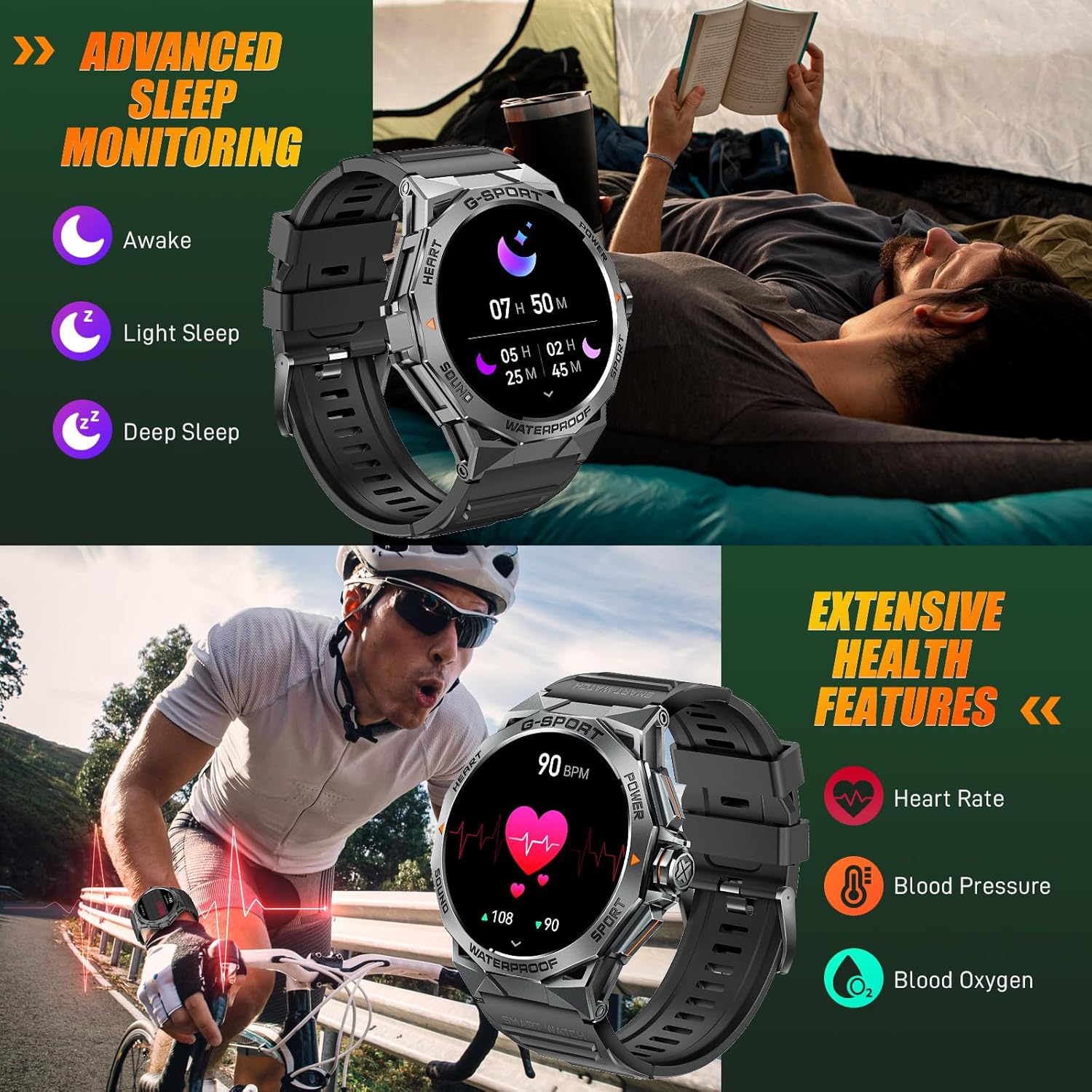
Image: The smartwatch displaying sleep data and heart rate monitoring, with icons for heart rate, blood pressure, and blood oxygen.
4.5 Other Smart Features
The EIGIIS K22 offers several additional features to enhance daily convenience:
- Music Control: Control music playback on your smartphone.
- Remote Camera Control: Use your watch as a remote shutter for your phone's camera.
- Weather Updates: Get real-time weather forecasts.
- Alarm Clock: Set alarms directly from your wrist.
- Find Phone: Locate your misplaced smartphone.
- Sedentary Reminders: Receive alerts to move after periods of inactivity.
- Voice Assistant: Access your phone's voice assistant.

Image: A collage showing the smartwatch controlling music, acting as a camera remote, displaying weather, and featuring stopwatch, alarm, and 'find phone' functions.
5. Maintenance and Care
5.1 Water Resistance (IP68)
The EIGIIS K22 Smartwatch is IP68 waterproof, meaning it is resistant to dust and can withstand immersion in water up to 1.5 meters for 30 minutes. It is suitable for daily use, including washing hands and swimming.
- Avoid prolonged exposure to hot water, steam, or high-pressure water jets.
- Do not operate buttons underwater.
- Dry the watch thoroughly after exposure to water.

Image: A person swimming while wearing the EIGIIS K22 Smartwatch, highlighting its IP68 waterproof rating.
5.2 Battery Life Optimization
The 400mAh battery provides 4-7 days of typical usage and up to 25 days on standby. To maximize battery life:
- Adjust screen brightness to a lower setting.
- Limit the use of the Always On Display feature if extended battery life is critical.
- Disable unnecessary notifications.
- Close background apps on the watch when not in use.
5.3 Cleaning
Regularly clean your smartwatch and watch band to prevent skin irritation and maintain performance.
- Wipe the watch and band with a soft, damp cloth.
- Avoid using harsh chemicals or abrasive materials.
6. Troubleshooting
If you encounter issues with your EIGIIS K22 Smartwatch, refer to the following common solutions:
| Problem | Possible Solution |
|---|---|
| Watch not turning on | Ensure the watch is fully charged. Connect it to the charger for at least 30 minutes. |
| Cannot pair with smartphone | Ensure Bluetooth is enabled on your phone. Restart both the watch and phone. Make sure the FitCloudPro app has Bluetooth permissions. |
| Notifications not received | Check notification settings in the FitCloudPro app and your phone's system settings. Ensure the app is running in the background. |
| Short battery life | Disable the Always On Display feature. Reduce screen brightness. Limit frequent heart rate monitoring. See Section 5.2 for more tips. |
| Bluetooth audio defaults to watch speaker | This is a common behavior for smartwatches with built-in speakers. In your phone's Bluetooth settings, you may be able to disconnect the watch's audio profile while keeping the data connection. Alternatively, some apps allow you to select the audio output device. |
| Inaccurate health data | Ensure the watch is worn snugly on your wrist, about one finger's width above the wrist bone. Avoid excessive movement during measurements. Note that smartwatches are not medical devices and readings are for reference only. |
7. Specifications
| Feature | Detail |
|---|---|
| Model Number | K22 |
| Display | 1.43 Inches AMOLED HD Always On Display |
| Battery Capacity | 400 mAh |
| Battery Life | 4-7 days (typical use), up to 25 days (standby) |
| Charging Time | Approximately 2 hours |
| Water Resistance | IP68 |
| Connectivity | Bluetooth |
| Operating System | Wear OS |
| Compatibility | Android 4.4 and above, iOS 8.0 and above |
| Item Weight | 50 Grams (1.76 ounces) |
| Product Dimensions | 6.69 x 4.33 x 1.18 inches |
8. Warranty and Support
8.1 Product Warranty
The EIGIIS K22 Smartwatch comes with a 12-month quality guarantee from the date of purchase. This warranty covers manufacturing defects and issues arising from normal use. It does not cover damage caused by misuse, accidents, unauthorized modifications, or failure to follow instructions.
8.2 Customer Support
For any questions, technical assistance, or warranty claims, please contact EIGIIS customer support through the following channels:
- Refer to the contact information provided with your product packaging.
- Visit the official EIGIIS website for support resources.
- Contact the seller directly through the platform where you purchased the product.
Please have your purchase receipt and product model number (K22) ready when contacting support.
Related documentsK22


Ask a question about this manual
Ask about setup, troubleshooting, compatibility, parts, safety, or missing instructions. Manuals+ will review the question and use this page’s manual context to help answer it.