

Introduction
Thank you for choosing the ODK L-Shaped Reversible Computer Desk. This manual provides essential information for the safe assembly, operation, and maintenance of your new desk. Designed for versatility and functionality, this desk features ample storage, an integrated power outlet, and a reversible configuration to suit various home and office layouts.
Safety Information
- Read all instructions carefully before assembly and use.
- Keep all small parts and packaging materials away from children and pets to prevent choking hazards.
- Assemble the desk on a soft, clean surface to prevent scratches.
- Ensure all screws and fasteners are securely tightened before use. Periodically check and re-tighten as needed.
- Do not overload the desk or drawers. Refer to specifications for weight limits.
- For electrical components (power outlet), ensure proper grounding and do not exceed the rated electrical load. Avoid contact with water.
- If any parts are missing or damaged, do not proceed with assembly. Contact customer support.
Package Contents
Before beginning assembly, verify that all components are present. The package typically includes:
- Desk panels (main desktop, side panels, drawer panels)
- Metal frame components (legs, support bars)
- 4 Fabric drawers
- Integrated power outlet unit with power cord
- Host stand
- 2 Iron hooks
- Assembly hardware (screws, bolts, nuts, adjustable feet)
- Assembly tools (e.g., Allen wrench, screwdriver)
- Instruction manual
Note: An extra set of fittings is usually provided.
Setup and Assembly Instructions
Assembly typically takes approximately 1.5 hours for one person. Follow the numbered steps in the included diagrammatic instructions. Ensure you identify the correct orientation for reversible components.
- Unpack and Organize: Carefully unpack all components and lay them out on a clean, soft surface. Group similar parts and hardware.
- Identify Reversible Design: The desk is designed to be reversible, allowing the drawer unit and shorter desk section to be placed on either the left or right side. Decide your preferred orientation before starting.
- Assemble the Main Frame: Attach the metal legs and support bars according to the diagrams. Ensure all connections are finger-tight initially.
- Install Desk Panels: Secure the main desktop and side panels to the assembled frame. Pay close attention to alignment for the L-shape configuration.
- Assemble Drawer Unit: Construct the frame for the drawer unit. Insert the fabric drawers into their respective slots.
- Integrate Power Outlet: Carefully place the integrated power outlet into its designated slot on the desktop and secure it.
- Attach Host Stand and Hooks: Position the host stand under the desk as desired. Attach the iron hooks to the side of the desk for headphones or other accessories.
- Final Tightening: Once all components are in place and aligned, fully tighten all screws and fasteners using the provided tools. Do not overtighten.
- Adjust Leveling Feet: Adjust the leveling feet at the bottom of the desk legs to ensure stability on uneven floors.

Image: Desk dimensions and reversible configuration options.
Operating Instructions
Integrated Power Outlet

Image: Integrated power outlet with AC and USB ports.
The desk features a built-in power strip for convenient device charging and power supply. It includes:
- 2 AC Outlets: 110V-240V/6A. Use for standard electronic devices.
- 2 USB Ports: 5V/2A. Ideal for charging smartphones, tablets, and other USB-powered devices.
Caution: Do not exceed the maximum power rating of the outlet. Ensure the power cord is properly connected to a wall socket.
Drawers and Storage
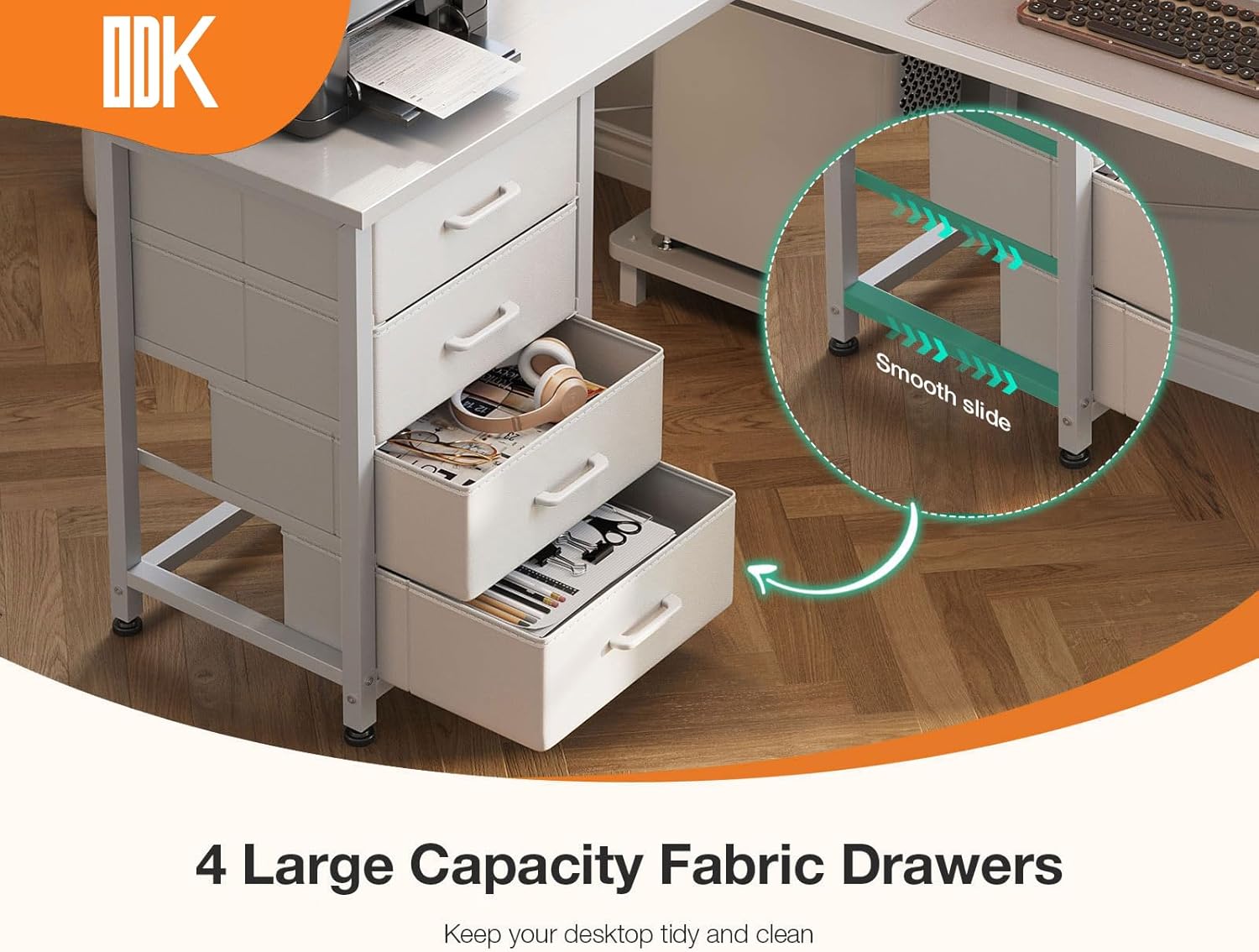
Image: Four large capacity fabric drawers.
The desk includes four large capacity fabric drawers for organized storage of documents, stationery, and personal items. These drawers are designed for smooth operation and help maintain a tidy workspace.
- To open, gently pull the handle.
- To close, push the drawer back until it is fully seated.
- Avoid placing excessively heavy items in the drawers to ensure longevity.
Host Stand and Legroom

Image: Ample legroom and dedicated host stand.
A dedicated host stand is provided to keep your computer tower off the floor, protecting it from dust and improving airflow. The desk also offers generous legroom (approximately 100 cm) for comfortable use.
- Place your computer host on the stand to free up desktop space.
- Utilize the ample legroom for comfortable seating and movement.
Maintenance
To ensure the longevity and appearance of your ODK desk, follow these maintenance guidelines:
- Cleaning: Wipe surfaces with a soft, damp cloth. Avoid harsh chemicals or abrasive cleaners that may damage the finish. For the fabric drawers, spot clean with a mild detergent if necessary.
- Spills: Immediately wipe up any spills to prevent staining or damage to the wood and electrical components.
- Fasteners: Periodically check all screws and bolts to ensure they remain tight. Re-tighten if any looseness is detected.
- Environment: Avoid exposing the desk to extreme temperatures, direct sunlight, or high humidity, which can cause warping or discoloration.
Troubleshooting
| Problem | Possible Cause | Solution |
|---|---|---|
| Desk is wobbly/unstable. | Uneven floor; loose fasteners. | Adjust the leveling feet at the bottom of the legs. Check and tighten all assembly screws. |
| Power outlet not working. | Power cord not plugged in; wall outlet issue; overloaded circuit. | Ensure the desk's power cord is securely plugged into a functional wall outlet. Check the wall outlet with another device. Reduce the number of devices plugged into the desk's outlet. |
| Drawers do not slide smoothly. | Overloaded drawer; obstruction; misaligned frame. | Remove some items from the drawer. Check for any objects blocking the slide mechanism. Verify the drawer unit frame is assembled correctly and not warped. |
| Parts missing or damaged. | Manufacturing error; shipping damage. | Do not proceed with assembly. Contact ODK customer support immediately for replacement parts. |
Specifications
- Brand: ODK
- Model: B02021501002
- Color: White
- Product Dimensions: 100P x 135L x 76H cm (Depth x Length x Height)
- Material: Engineered Wood, Iron
- Item Weight: 17.8 kg
- Number of Drawers: 4
- Special Features: Integrated Power Outlet (2 AC, 2 USB), Host Stand, Multiple Storage Options, Reversible Design
- AC Outlet Rating: 110V-240V/6A
- USB Port Rating: 5V/2A
Warranty and Support
ODK provides professional after-sales service. If you encounter any issues with your product, require replacement parts, or have questions regarding assembly or operation, please contact ODK customer support. Our team aims to respond to inquiries within 24 hours to ensure your satisfaction.
Please refer to your purchase documentation or the ODK official website for specific warranty terms and contact information.


