
Introduction
This manual provides instructions for the Allimity AKB73975615 replacement infrared remote control, designed for use with various LG AC Air Conditioner models. This remote functions as a direct replacement and does not require programming. Please read this manual carefully before use to ensure proper operation.
Setup
1. Battery Installation
The remote control requires two AAA alkaline batteries (not included). Follow these steps to install them:
- Locate the battery compartment cover on the back of the remote control.
- Slide the cover downwards to open the compartment.
- Insert two new AAA alkaline batteries, ensuring the positive (+) and negative (-) terminals match the diagrams inside the compartment.
- Slide the battery compartment cover back into place until it clicks securely.
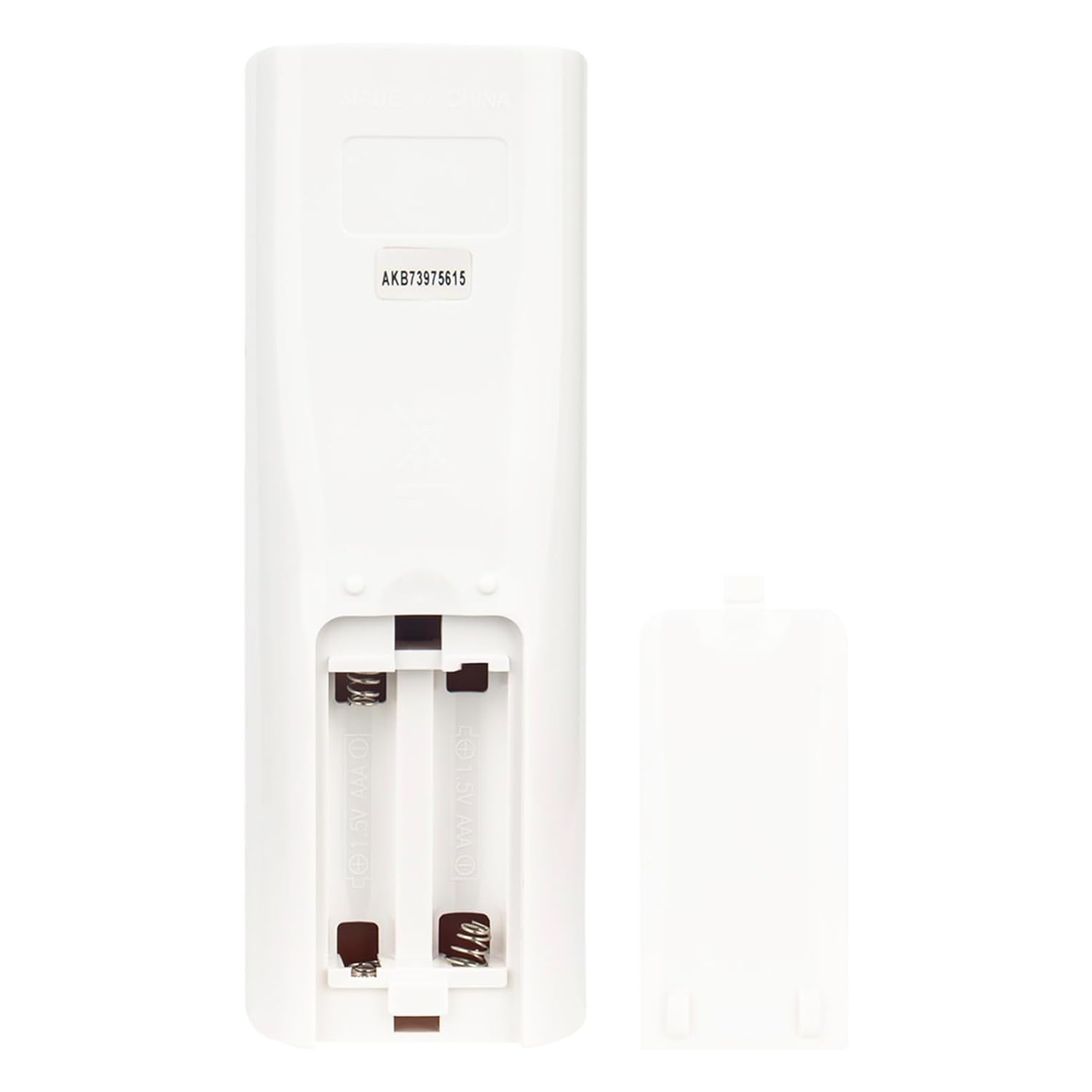
Image: Open battery compartment showing where to insert AAA batteries.
2. Initial Use
After installing the batteries, the remote is ready for use. No pairing or programming is required. Simply point the remote control directly towards the infrared sensor on your LG AC Air Conditioner unit.
Operating Instructions
Ensure there are no obstacles between the remote control and the air conditioner unit's sensor for optimal performance. The remote operates using infrared technology.

Image: Front view of the remote control, highlighting its buttons and general layout.
Button Functions:
- POWER (Red Button): Turns the air conditioner unit ON or OFF.
- ENERGY SAVING (Yellow Button): Activates or deactivates energy-saving mode.
- M'SOON: Likely activates a specific 'Monsoon' or dehumidification mode.
- MODE: Cycles through operating modes (e.g., Cool, Fan, Dry, Heat - depending on AC unit features).
- TEMP ▲ / ▼: Adjusts the temperature setting upwards or downwards.
- FAN SPEED: Adjusts the fan speed (e.g., Low, Medium, High, Auto).
- H'COOL: Activates a 'High Cool' or powerful cooling mode.
- SWING (Vertical): Controls the vertical louver swing.
- SWING (Horizontal): Controls the horizontal louver swing.
- ROOM TEMP: Displays the current room temperature.
- TIMER ON / OFF: Sets or cancels the timer for automatic power ON/OFF.
- SLEEP: Activates sleep mode for quiet operation and adjusted temperature curves.
- SET / CLEAR: Used for setting or clearing timer functions.
- LIGHT / TIME [3SEC] / A/C CLEAN:
- Press briefly for display light (if applicable).
- Press and hold for 3 seconds to set the time.
- Activates the A/C clean function (if supported by the unit).
- RESET: Resets the remote control settings.
Maintenance
Cleaning the Remote Control
To clean the remote control, wipe it gently with a soft, dry cloth. Do not use liquid cleaners, abrasive cleaners, or chemical solvents, as these may damage the remote's surface or internal components.
Battery Replacement
Replace batteries when the remote's range decreases or if the display becomes dim. Always replace both batteries at the same time with new AAA alkaline batteries. Remove batteries if the remote will not be used for an extended period to prevent leakage.
Troubleshooting
- Remote is not working:
- Ensure new AAA alkaline batteries are correctly installed with the correct polarity.
- Point the remote directly at the air conditioner's infrared receiver.
- Remove any obstacles between the remote and the AC unit.
- Verify that the remote control sensor on the AC unit is clean and unobstructed.
- Remote works intermittently:
- Replace batteries with new ones.
- Ensure you are within the effective operating range (approximately 10 meters).
- Some functions do not work:
- This remote is a replacement and may not support all advanced features of your specific LG AC model if those features were unique to the original remote.
- Ensure your AC unit supports the specific function you are trying to use (e.g., A/C Clean, specific swing modes).
- Remote is not compatible with my AC model:
- This remote is compatible with specific LG AC models listed in the product description. If your model is not listed, it may not be fully compatible.
- Refer to the "Compatible Models" section or contact support for assistance.
Specifications
| Brand | allimity |
| Model Name | AKB73975615 |
| Compatible Devices | LG AC Air Conditioners (Specific models: AKB73456104, AKB73315611, AKB74515420, A12AW1NF2, A4UW246FA4, AD0121, ASNW126F1G2, AMNH09GAF11, AMNH12GAF11, AMNW36GNJA0, AMNW24GECA0, APNH2433LAE, ASNH18G8RU3, APNH423TLAE, ASNH24G8RU3, USNW096H4A0, LC097HV4, LC127HV4, LCN097HV4, LCM427HV, LCN246HV, LCN127HV4, LCN187HV, LCN247HV, LCN367H, LMCN077HV, LMCN097HV, LCN426HV, LMCN125HV, LMCN185HV, MA12AH1, MU4M25, MA09AH1) |
| Connectivity Technology | Infrared |
| Color | Black |
| Special Feature | Ergonomic |
| Maximum Range | 10 meters |
| Item Weight | 75 Grams |
| Item Dimensions (L x W x H) | 15L x 5W x 1H Centimeters |
| Country of Origin | China |
Compatible Models:
This remote control is compatible with the following LG AC Air Conditioner models:
- AKB73456104
- AKB73315611
- AKB74515420
- A12AW1NF2
- A4UW246FA4
- AD0121
- ASNW126F1G2
- AMNH09GAF11
- AMNH12GAF11
- AMNW36GNJA0
- AMNW24GECA0
- APNH2433LAE
- ASNH18G8RU3
- APNH423TLAE
- ASNH24G8RU3
- USNW096H4A0
- LC097HV4
- LC127HV4
- LCN097HV4
- LCM427HV
- LCN246HV
- LCN127HV4
- LCN187HV
- LCN247HV
- LCN367H
- LMCN077HV
- LMCN097HV
- LCN426HV
- LMCN125HV
- LMCN185HV
- MA12AH1
- MU4M25
- MA09AH1
Note: If your specific model number is not listed, please contact customer support to verify compatibility before purchase.
Warranty Information
This Allimity remote control comes with a 30-day warranty from the date of purchase. This warranty covers manufacturing defects. It does not cover damage caused by misuse, accidents, unauthorized modifications, or normal wear and tear. Please retain your proof of purchase for warranty claims.
Customer Support
For any questions, troubleshooting assistance, or warranty claims, please contact Allimity customer support:
- Email: indcandy2023@126.com
- Manufacturer: allimity inc
- Manufacturer Address: RM B11-43, FL 11, Niulanqian, Minzhijiedao, Longhua, Shenzhen, Guangdong 518109, CN
When contacting support, please provide your product model number (AKB73975615) and a detailed description of the issue.