
Introduction
This MYHGRC replacement remote control is designed for Thomson Smart LED LCD TVs. It serves as a direct replacement for many original Thomson remote models, including RC3000E02 and 04TCLTEL0223. It is compatible with various Thomson TV models such as 40FT2253, 48FA3203, 55FT5643, 24FW4325, 32FU5253, 32HZ5233, 32HW3324, 40FS5246, 40FW3253, 55FU4243, 24FW4323, 32FS3246C, and 32HS4246C. This remote control offers durable construction with soft, clearly labeled buttons for comfortable and long-lasting operation.

Image: The MYHGRC replacement remote control, showcasing its design and compatibility with various Thomson Smart TVs.
Setup Instructions
This replacement remote control requires no programming. Simply insert the batteries, and it is ready for immediate use with your compatible Thomson TV.
- Open the Battery Compartment: Locate the battery compartment cover on the back of the remote control. Slide or lift the cover to open it.
- Insert Batteries: Insert two (2) AAA batteries (not included) into the compartment. Ensure the positive (+) and negative (-) terminals of the batteries match the markings inside the compartment.
- Close the Battery Compartment: Replace the battery compartment cover, ensuring it clicks securely into place.
- Test the Remote: Point the remote control towards your Thomson TV and press the Power button to test its functionality.

Image: The remote control with its battery compartment open, illustrating where to insert the two AAA batteries.
Operating Instructions
The MYHGRC replacement remote control features a standard layout for easy navigation and control of your Thomson Smart TV. Below are common functions:
- Power Button (⏻): Turns the TV on or off.
- Source Button: Selects input sources (HDMI, AV, etc.).
- Number Buttons (0-9): Direct channel selection.
- Navigation Pad (Up/Down/Left/Right/OK): Navigates menus and confirms selections.
- Volume Up/Down (+/-): Adjusts the TV volume.
- Channel Up/Down (P+/P-): Changes TV channels.
- Mute Button: Mutes or unmutes the TV sound.
- Menu Button: Accesses the TV's main menu.
- Exit Button: Exits current menu or function.
- Return Button: Goes back to the previous screen or menu.
- Colored Buttons (Red, Green, Yellow, Blue): Access specific functions depending on the TV model or current application.
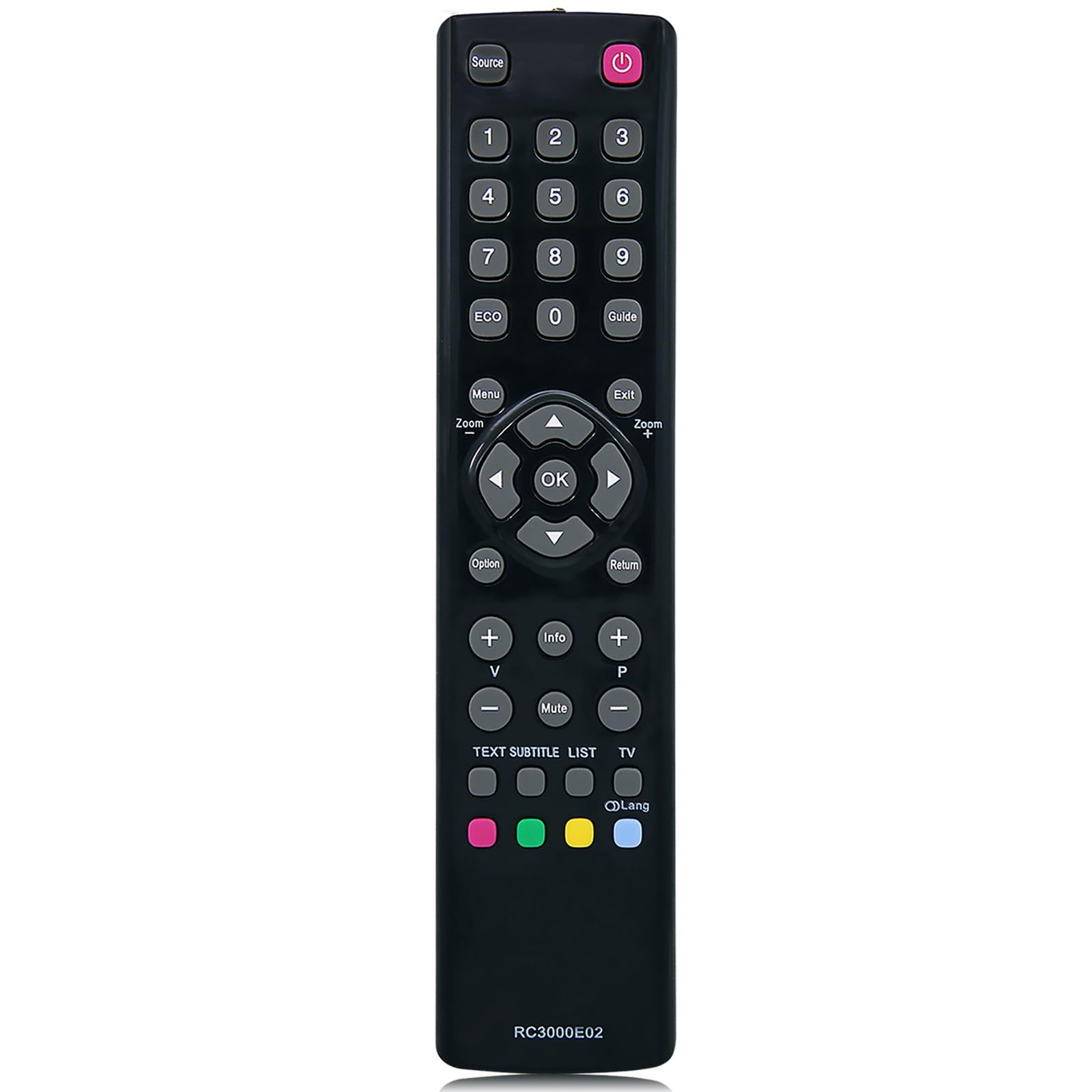
Image: A detailed view of the remote control's buttons, including power, number pad, navigation, volume, and channel controls.
Maintenance
Proper maintenance ensures the longevity and optimal performance of your remote control.
- Battery Replacement: Replace batteries when the remote's response becomes sluggish or stops working. Always replace both batteries at the same time with new AAA batteries.
- Cleaning: Wipe the remote control with a soft, dry cloth. For stubborn dirt, slightly dampen the cloth with water or a mild cleaning solution, then wipe dry immediately. Avoid using harsh chemicals or abrasive cleaners.
- Storage: If the remote will not be used for an extended period, remove the batteries to prevent leakage and potential damage. Store in a cool, dry place.
- Avoid Damage: Do not drop the remote, expose it to extreme temperatures, or immerse it in liquids.
Troubleshooting
| Problem | Solution |
|---|---|
| Remote is not working. |
|
| Buttons are unresponsive or sticky. |
|
| Remote range is poor. |
|

Image: Illustration of the remote control's effective operating range and multi-angle signal transmission.
Specifications
| Brand | MYHGRC |
| Model Name | 17b0d316-b822-4b5a-9591-c9918e4899c9 |
| Compatible Devices | Television (Thomson Smart LED LCD TVs) |
| Special Feature | No Programming Required |
| Connectivity Technology | Infrared |
| Number of Batteries Required | 2 |
| Battery Type | AAA |
| Batteries Included | No |
| Color | Black |
| Product Dimensions | 20.8 x 4.9 x 2.2 cm (approx. 8.1 x 1.9 x 0.8 inches) |
| Item Weight | 70 grams (approx. 2.5 ounces) |

Image: The remote control shown with its approximate dimensions for reference.
Warranty and Support
For any quality issues encountered during use, please contact us. We are committed to providing support and assistance to ensure your satisfaction with the product.
Please refer to your purchase documentation for specific warranty details and contact information.