
1. Introduction
Thank you for purchasing the Dolphin SP-3112RBT Portable Bluetooth Speaker. This manual provides essential information for the safe and efficient operation of your new speaker. Please read it thoroughly before use and retain it for future reference.
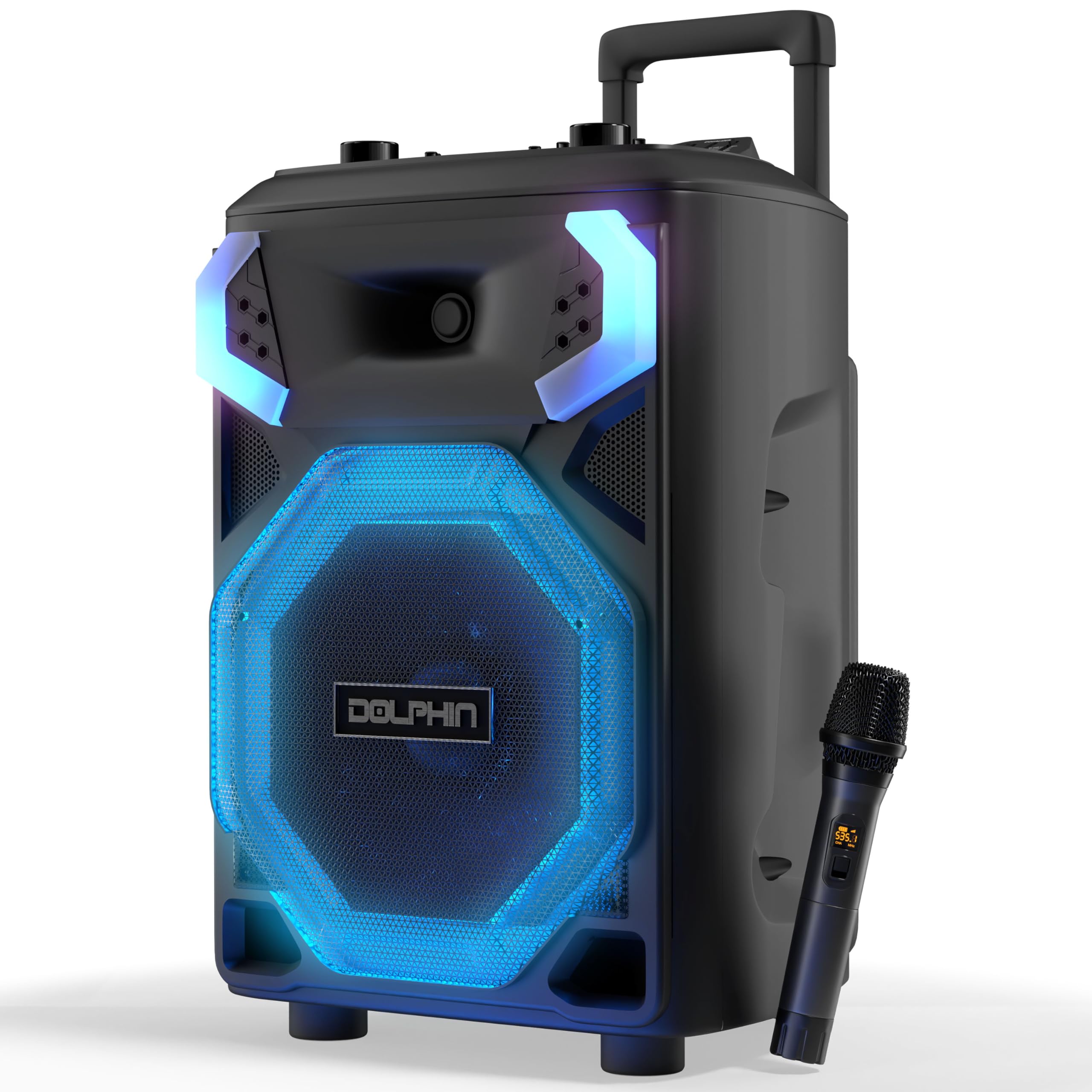
Figure 1.1: Dolphin SP-3112RBT Portable Bluetooth Speaker
2. What's in the Box
Carefully unpack your Dolphin SP-3112RBT speaker and ensure all items are present:
- SP-3112RBT Speaker Unit
- Wired Microphone
- UHF Microphone
- Power Cord
- Remote Control
- User Manual
3. Product Overview
3.1 Key Features
- High-Powered Performance: 12-inch woofer with 40W RMS output for clear, powerful sound.
- X-BASS Technology: Delivers deep, powerful bass.
- Seamless Streaming: Bluetooth 5.1 with a 30-meter range for wireless connectivity.
- TWS Technology: Link multiple speakers wirelessly for synchronized audio.
- Interactive LED Lights: Dynamic LEDs respond to music, creating a visual display.
- UHF Microphone: Included for vocal performances and announcements.
- Long-Lasting Battery: 12V/4.5A Lead-acid battery for extended use.
3.2 Control Panel
The control panel provides access to all speaker functions. Familiarize yourself with the layout:

Figure 3.1: Top Control Panel Overview
The control panel includes:
- Power Switch: Turns the speaker on/off.
- Mode Button: Switches between input sources (Bluetooth, AUX, USB, TF/SD).
- Volume Control: Adjusts the master volume.
- X-BASS Slider: Adjusts the bass level.
- Microphone Volume & Echo: Controls for the connected microphone.
- LED Mode Button: Cycles through different LED light patterns.
- Equalizer Sliders: Adjusts frequency bands for customized sound.
- Playback Controls: Play/Pause, Skip Track, Repeat.
- Input Ports: AUX, USB, TF/SD Card, Microphone (wired and UHF).

Figure 3.2: Available Playback Options (Bluetooth, AUX, USB, TF/SD)
4. Setup
4.1 Initial Charging
Before first use, fully charge the speaker for approximately 6-8 hours. Connect the provided power cord to the speaker's DC 12V input and then to a standard wall outlet. The charging indicator light will show the charging status.
4.2 Powering On/Off
To power on the speaker, locate the Power Switch on the control panel and toggle it to the 'ON' position. To power off, toggle it to the 'OFF' position.
5. Operating Instructions
5.1 Bluetooth Pairing
- Turn on the speaker. The display will show 'BLUE' or 'BT'. If not, press the 'MODE' button until 'BLUE' or 'BT' appears.
- Enable Bluetooth on your mobile device (smartphone, tablet, etc.).
- Search for available Bluetooth devices and select 'Dolphin SP-3112RBT' from the list.
- Once paired, the speaker will emit a confirmation sound, and you can begin playing audio wirelessly.
5.2 True Wireless Stereo (TWS) Pairing
TWS allows you to connect two SP-3112RBT speakers for a stereo sound experience.
- Ensure both SP-3112RBT speakers are powered on and in Bluetooth mode.
- On one of the speakers (this will be the primary speaker), press and hold the 'WaveSync' button. The speaker will emit a pairing sound.
- The two speakers will automatically connect. Once connected, a confirmation sound will be heard.
- Now, pair your mobile device to the primary speaker via Bluetooth as described in Section 5.1.

Figure 5.1: TWS Synchronized Sound Setup
5.3 UHF Microphone Usage
The speaker comes with a UHF wireless microphone for vocal input.
- Insert batteries into the UHF microphone (if not already installed).
- Turn on the UHF microphone. It should automatically connect to the speaker.
- Adjust the 'MIC.VOL' knob on the speaker's control panel to control the microphone's volume.
- Use the 'ECHO' knob to add an echo effect to your vocals.

Figure 5.2: UHF Wireless Microphone in use
5.4 LED Light Modes
The speaker features dynamic LED lights that can be customized.
- Press the 'LED MODE' button on the control panel to cycle through various light patterns and colors.
- Some modes react to the music, while others provide a continuous light show.
- To turn off the LED lights, continue pressing the 'LED MODE' button until the lights are off.
5.5 Other Playback Options
- USB/TF/SD Card: Insert a USB drive or TF/SD card into the respective port. The speaker will automatically switch to USB/Card mode and begin playing compatible audio files.
- AUX Input: Connect an external audio device (e.g., MP3 player, laptop) using a 3.5mm AUX cable to the 'AUDIO' input port. Press the 'MODE' button to select AUX input.
5.6 X-BASS Function
To enhance the bass output, use the 'X-BASS' slider on the control panel. Slide it up to increase the bass intensity.

Figure 5.3: X-BASS Technology for Enhanced Bass
6. Maintenance
6.1 Cleaning
Wipe the speaker with a soft, dry cloth. Do not use abrasive cleaners or solvents. Ensure no liquids enter the speaker's openings.
6.2 Battery Care
To prolong battery life, fully charge the speaker before long periods of inactivity. Avoid completely draining the battery frequently. Store the speaker in a cool, dry place.

Figure 6.1: Long-Lasting Battery for Extended Use
7. Troubleshooting
| Problem | Possible Cause | Solution |
|---|---|---|
| No power | Battery drained; Power cord not connected. | Charge the speaker; Ensure power cord is securely connected. |
| No sound | Volume too low; Incorrect input mode; Device not connected. | Increase volume; Select correct input mode (Bluetooth, AUX, USB); Reconnect device. |
| Bluetooth not connecting | Speaker not in pairing mode; Device too far; Interference. | Ensure speaker is in Bluetooth mode; Move device closer; Disconnect other Bluetooth devices. |
| Microphone not working | Microphone off; Low battery; Volume too low. | Turn on microphone; Replace batteries; Increase MIC.VOL. |
| TWS pairing failed | Speakers too far apart; Incorrect pairing procedure. | Ensure speakers are within range; Follow TWS pairing steps carefully. |
8. Specifications
| Feature | Detail |
|---|---|
| Model Number | SP-3112RBT |
| Woofer Size | 12-inch |
| Power Output | 40W RMS |
| Bluetooth Version | 5.1 |
| Bluetooth Range | Up to 30 meters |
| Battery Type | 12V/4.5A Lead-acid |
| Connectivity | Bluetooth, AUX, USB, TF/SD Card, Microphone (UHF & Wired) |
| Dimensions (L x W x H) | 14 x 14 x 25 inches |
| Item Weight | 28 pounds |
| Material | Engineered Wood, Plastic |
| Frequency Response | 50 Hz |
9. Product Videos
Video 9.1: Dolphin Portable Party Speakers with X-Bass! This video highlights the powerful sound, X-BASS technology, UHF wireless microphone, WaveSync (TWS) feature, and dynamic LED lighting of the Dolphin portable speakers, showcasing their use in various outdoor settings.
10. Warranty & Support
For warranty information or technical support, please refer to the documentation included with your product or contact Dolphin customer service directly. Keep your purchase receipt as proof of purchase.


