
1. Introduction
This manual provides essential information and instructions for the proper installation and maintenance of your Smart Air Sqair H13 HEPA Replacement Filter. Adhering to these guidelines will ensure optimal performance and longevity of your air purification system.
2. Product Overview
Key Features
- H13 Medical Grade HEPA Material: Features 16 square feet of high-quality filter media.
- Filtration Efficiency: Designed to capture 99.97% of airborne particles 0.3 microns and larger.
- Materials: Constructed from durable polypropylene (PP) and polyester (PET).
This replacement filter is specifically designed for use with Smart Air Sqair air purifiers, also known as Smart Air S models, including ASIN: B08ZJTRQDM and B0DKX733RM.
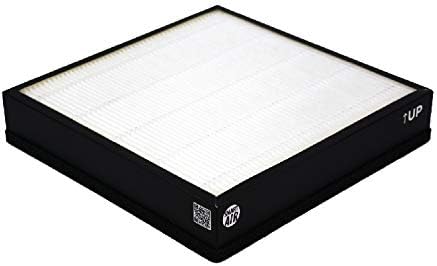
Description: A rectangular air filter with a white pleated HEPA media visible from the top, encased in a black frame. The frame includes "↑UP" and "SMART AIR" branding, indicating proper orientation and manufacturer.

Description: An illustration depicting the filter's capability to capture various airborne particles such as PM2.5, pollen, mold, bacteria, viruses, and lint, contributing to improved indoor air quality.

Description: A graphic illustrating the filter's ability to capture 99.97% of particles, including common indoor pollutants like smoke, paint odor, VOCs, viruses, allergens, dust, mold, pollen, formaldehyde, and PM2.5.
3. Installation Instructions
Replacing Your HEPA Filter
- Power Off: Ensure your Smart Air Sqair air purifier is turned off and unplugged from the power outlet before proceeding.
- Access Filter Compartment: Locate and open the filter compartment cover on your air purifier. Refer to your air purifier's specific user manual for detailed instructions on accessing the filter compartment.
- Remove Old Filter: Carefully remove the used filter from the compartment. Dispose of the old filter responsibly according to local waste disposal guidelines.
- Insert New Filter: Unpack the new Smart Air Sqair H13 HEPA Replacement Filter. Observe the "↑UP" indicator on the filter frame and ensure it is facing upwards when inserting the filter into the air purifier. Ensure it fits snugly.
- Secure Compartment: Close the filter compartment cover securely. Ensure it is properly latched or fastened.
- Power On: Plug the air purifier back into the power outlet and turn it on. The air purifier should now operate with the new filter installed.
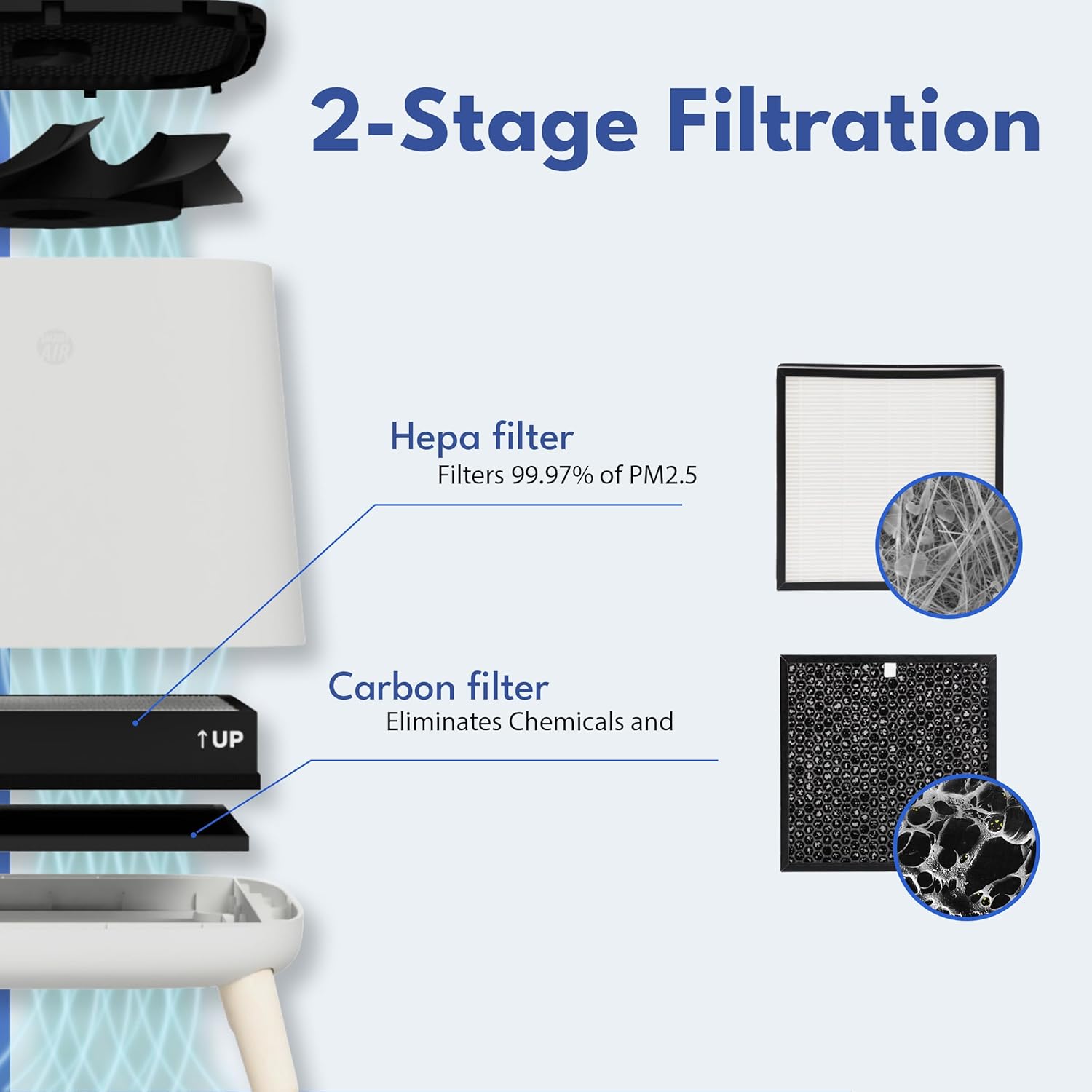
Description: A diagram illustrating the internal components of the Smart Air Sqair air purifier, showing the sequential placement of the HEPA filter and a carbon filter, and how air flows through them for effective two-stage filtration.
4. Filter Function and Performance
How Your Filter Works
The H13 HEPA filter is engineered to capture microscopic particles from the air, significantly contributing to a cleaner and healthier indoor environment. Its densely pleated structure provides an expansive surface area, maximizing the efficiency of particle capture as air passes through.

Description: A close-up image of the pleated white HEPA filter material, highlighting its dense, fibrous structure designed to effectively trap fine airborne particles.

Description: A visual representation comparing the filter's extensive surface area to multiple A4 sheets, illustrating its large filtration capacity for enhanced air purification.
5. Maintenance and Replacement
Filter Lifespan
For optimal air purification performance, it is recommended to replace the Smart Air Sqair H13 HEPA Replacement Filter every 9 to 12 months. The actual replacement frequency may vary depending on factors such as local air quality, duration of use, and the presence of pets or allergens.
Disposal
Used filters should be disposed of responsibly according to your local waste disposal guidelines and regulations.
6. Specifications
Product Details
- Product Dimensions: 10.4 x 10.4 x 2 inches
- Item Weight: 12.6 ounces
- Manufacturer: SMART AIR
- Item Model Number: SA121-4
- Filter Type: H13 Medical Grade True HEPA
- Filter Material: Polypropylene (PP) and Polyester (PET)
- Filter Surface Area: 16 square feet
7. Support
Contact Information
For further assistance, technical support, or inquiries regarding your Smart Air products, please refer to the contact information provided with your Smart Air Sqair air purifier or visit the official Smart Air website for the most up-to-date support resources.


