
1. Introduction
The LYCHL Y3 Camera Detector is a versatile device designed to help users detect various hidden surveillance equipment. It integrates multiple detection functions including wireless signal detection, hidden camera optical scanning, magnetic field detection for GPS trackers, and an anti-theft vibration alarm. This manual provides detailed instructions for the proper use and maintenance of your device.

Image 1.1: LYCHL Y3 Camera Detector. This image shows the main unit of the LYCHL Y3 Camera Detector, highlighting its compact and portable design.
2. Product Features
- 4-in-1 Detection: Detects wireless signals (Wi-Fi cameras, wiretaps), hidden pinhole cameras (optical lens), GPS trackers (magnetic detection), and functions as an anti-theft alarm.
- High Sensitivity: Equipped with an upgraded ultra-sensitive chip and 4-level adjustable sensitivity for precise signal source location.
- Optical Lens Detection: Special optical lenses allow for easy identification of hidden pinhole cameras, whether powered on or off.
- Magnetic Field Detection: Specifically designed to locate magnetic GPS trackers often hidden in vehicles or under furniture.
- Anti-Theft Vibration Mode: Activates a sound and light alarm upon detecting vibration, suitable for protecting personal belongings.
- Portable Design: Lightweight (25g) and compact for easy carrying during travel.
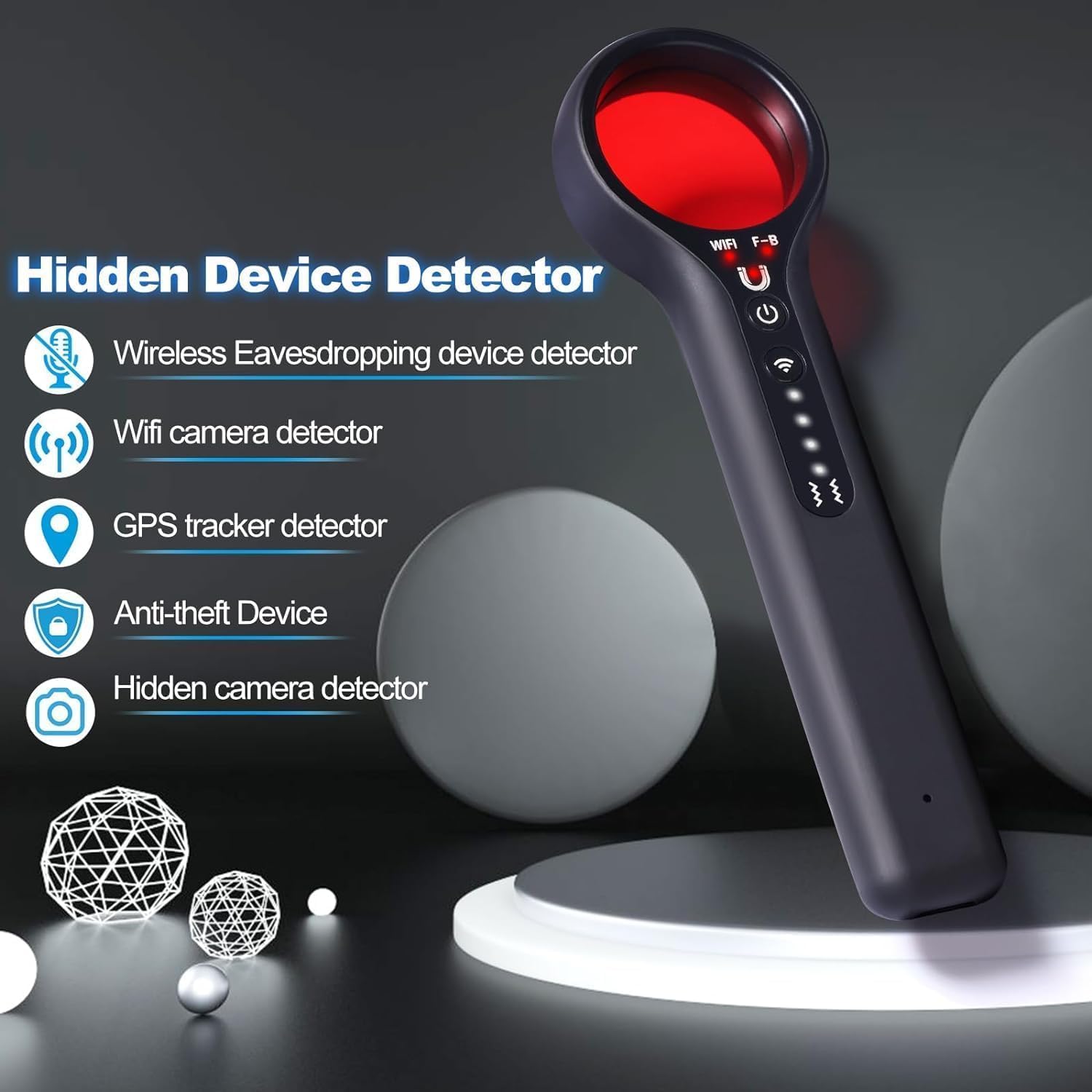
Image 2.1: Overview of LYCHL Y3 Detector Features. This image illustrates the five primary detection capabilities of the device: wireless eavesdropping, Wi-Fi camera, GPS tracker, anti-theft, and hidden camera detection.
3. Package Contents
Please check the package for the following items:
- LYCHL Y3 Camera Detector Unit
- Charging Cable (USB)
- User Manual
4. Setup
4.1 Initial Charging
Before first use, fully charge the device. Connect the provided charging cable to the device's charging port and a 5V USB power adapter. The charging indicator will show the charging status and turn off or change color when fully charged. Avoid using fast chargers as they may cause charging issues.
4.2 Power On/Off
To power on the device, press and hold the power button. To power off, press and hold the power button again.
5. Operating Instructions
5.1 Wireless Signal Detection (RF Detection)
This mode detects wireless signals emitted by Wi-Fi cameras, wiretaps, and other wireless transmitting devices. The detection range is up to 10 meters.
- Power on the device.
- Activate the wireless signal detection mode (refer to device buttons for specific mode activation).
- Adjust the sensitivity level as needed (see Section 5.5). Start with lower sensitivity in smaller areas to pinpoint sources.
- Slowly scan the area. The device will emit an audible alert and/or visual indicator (e.g., LED lights) when a wireless signal is detected. The intensity of the alert increases as you get closer to the source.
- For best results, turn off known Wi-Fi signals in the vicinity to minimize interference.

Image 5.1: WiFi Camera Detector Function. This image demonstrates the LYCHL Y3 detector's ability to detect Wi-Fi camera signals, showing its 4-level sensitivity and maximum detection distance of 32 feet (approximately 10 meters).
5.2 Hidden Camera Detection (Optical Lens)
This mode uses a red viewfinder and LED lights to visually identify the reflective lenses of hidden cameras.
- Power on the device.
- Activate the optical lens detection mode. The red LEDs on the device will illuminate.
- Look through the red viewfinder on the device.
- Slowly scan the area, paying close attention to objects like smoke detectors, wall outlets, mirrors, picture frames, and other common hiding spots.
- If a hidden camera lens is present, it will appear as a bright red spot when viewed through the viewfinder, regardless of whether the camera is powered on or off.
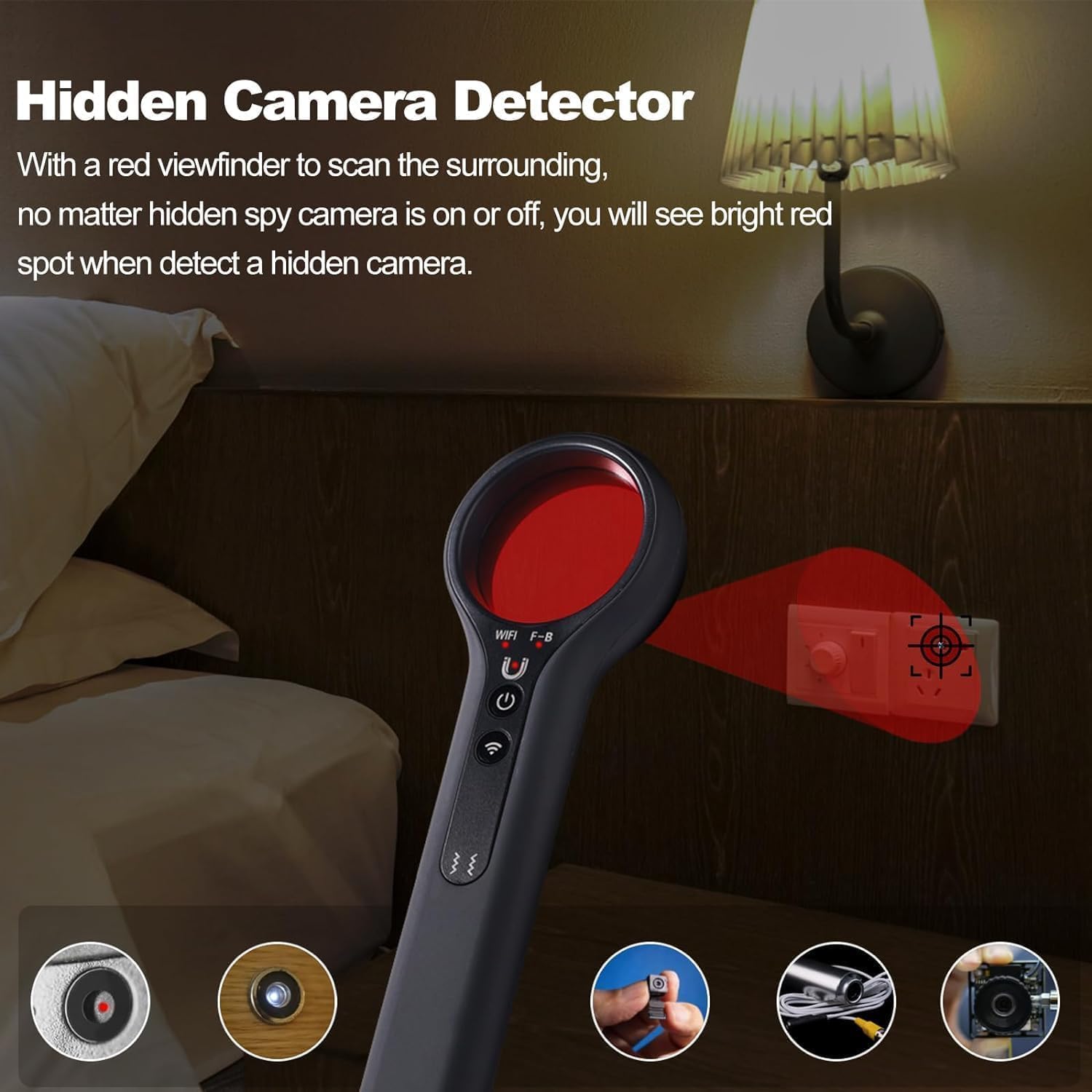
Image 5.2: Hidden Camera Detection. This image illustrates how to use the red viewfinder to scan for hidden camera lenses, which appear as bright red spots.
5.3 Magnetic Detection (GPS Tracker)
This mode is used to detect magnetic fields, commonly found in GPS trackers that are often attached to vehicles or metallic surfaces.
- Power on the device.
- Activate the magnetic detection mode.
- Move the device slowly over surfaces where a magnetic tracker might be hidden, such as under a car, under a desk, or inside luggage.
- The device will indicate the presence of a strong magnetic field with an alarm (sound and/or light).
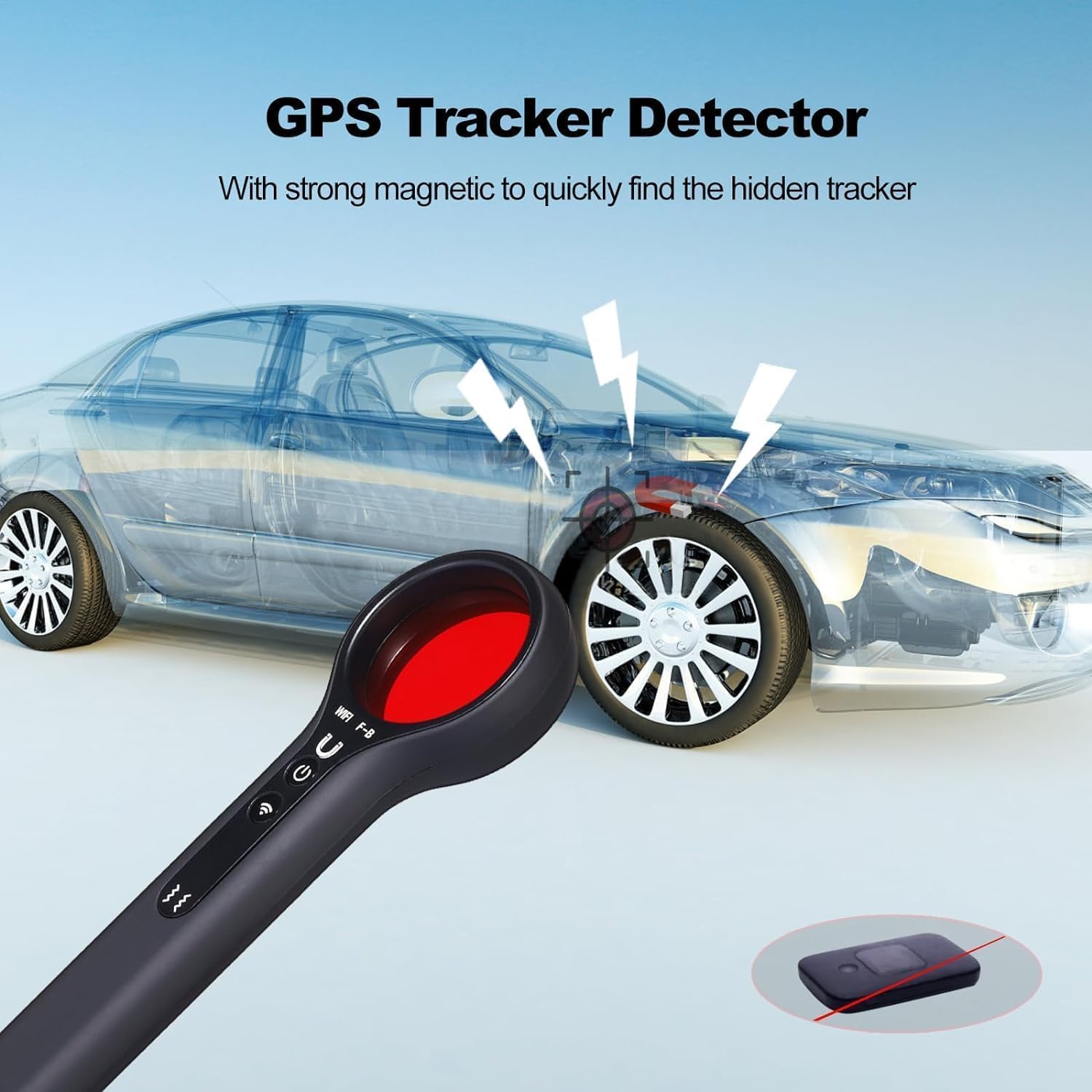
Image 5.3: GPS Tracker Detection. This image shows the LYCHL Y3 detector being used to find a hidden GPS tracker on a vehicle using its magnetic detection capability.
5.4 Anti-Theft Mode
This mode activates a vibration-sensitive alarm to protect your belongings.
- Power on the device.
- Press and hold the two designated buttons (usually the power button and another function button) for approximately 2 seconds to enter anti-theft alarm mode.
- Attach the device to your luggage, bag, or other items you wish to protect.
- If the item is moved or vibrates, the device will activate a red light and sound alarm.

Image 5.4: Anti-Theft Mode. This image illustrates how to activate the anti-theft mode by pressing two buttons for 2 seconds, and shows the device attached to luggage, ready to trigger a red light and sound alarm upon vibration.
5.5 Sensitivity Adjustment
The device features 4 levels of adjustable sensitivity for wireless signal detection. This allows you to narrow down the detection area and pinpoint the signal source more accurately.
- Increase sensitivity for a wider detection range or to detect weaker signals.
- Decrease sensitivity to reduce interference and pinpoint the exact location of a strong signal.
- Refer to the device's buttons for specific controls to adjust sensitivity levels. Typically, a dedicated button or a combination of buttons will cycle through the levels, indicated by LED lights.
6. Maintenance
- Keep the device clean and dry. Wipe with a soft, dry cloth.
- Avoid exposing the device to extreme temperatures, humidity, or direct sunlight.
- Do not attempt to disassemble or repair the device yourself. This will void the warranty.
- Store the device in a safe place when not in use.
7. Troubleshooting
| Problem | Possible Cause | Solution |
|---|---|---|
| Device not powering on | Low battery; device malfunction | Charge the device fully. If problem persists, contact support. |
| False alarms in wireless detection mode | Interference from known Wi-Fi networks, cell phones, or other electronic devices | Reduce sensitivity. Turn off known Wi-Fi routers and other transmitting devices in the area. |
| Cannot detect hidden cameras with optical lens | Incorrect scanning technique; camera too well hidden | Ensure you are scanning slowly and thoroughly. Check common hiding spots. Adjust ambient lighting. |
| Device not charging | Faulty cable/adapter; fast charger used | Use the original charging cable and a standard 5V USB adapter. Try a different cable/adapter. |
8. Specifications
- Model Name: Y3
- Brand: LYCHL
- Recommended Uses: Indoor Security
- Special Feature: Portable
- Indoor/Outdoor Usage: Indoor
- Compatible Devices: GPS tracker
- Connectivity Protocol: Wi-Fi (for detection)
- Power Source: Battery Powered (Rechargeable Lithium-ion)
- Water Resistance Level: Not Water Resistant
- Item Dimensions: 2.3 x 1.1 x 6 inches
9. Warranty and Support
The LYCHL Y3 Camera Detector comes with a 100% product warranty. If you encounter any questions or issues regarding this product, please contact our customer support team via email at any time for assistance.