
Wulcea RTAX-018A
Wulcea 12V 18400mAh Power Bank User Manual
Model: RTAX-018A
1. Introduction
Thank you for choosing the Wulcea 12V 18400mAh Power Bank. This high-capacity portable charger is designed to provide reliable power for your graphene heated jackets, vests, and other compatible devices. Its compact design and versatile connectivity make it an ideal companion for on-the-go power needs. Please read this manual carefully before using the product to ensure safe and optimal performance.
2. Product Overview
2.1 Package Contents
- Wulcea 12V 18400mAh Power Bank (Model: RTAX-018A)
- 1ft (0.3m) USB-A to USB-C Cable
- User Manual
2.2 Product Features
- High Capacity: 18400mAh battery for multiple charges of compatible devices.
- Compact and Portable: Pocket-sized design (3.6 x 2.6 x 1.1 inches, 10.5 ounces) for easy transport.
- Multi-functional Connectivity: Features USB Type-C (Input/Output) and DC (Output) ports.
- Fast Charging: Supports 18W max output for quick device charging.
- Digital Display: Integrated LED panel shows real-time battery level, current, and voltage.
- Reliable Power: Specifically designed to provide stable power for heated apparel.
2.3 Component Identification
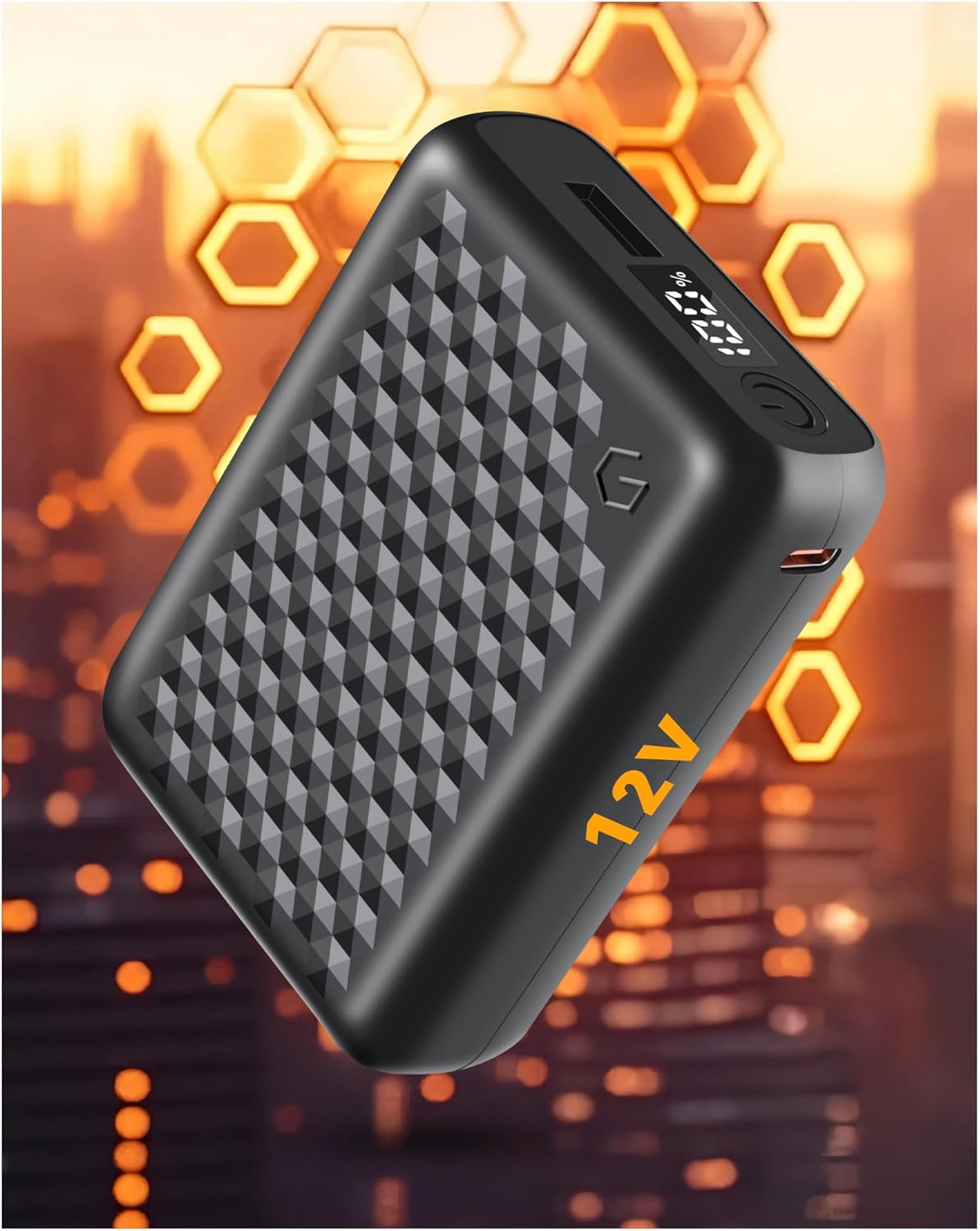
Figure 1: Front view of the Wulcea Power Bank showing the digital display and power button.
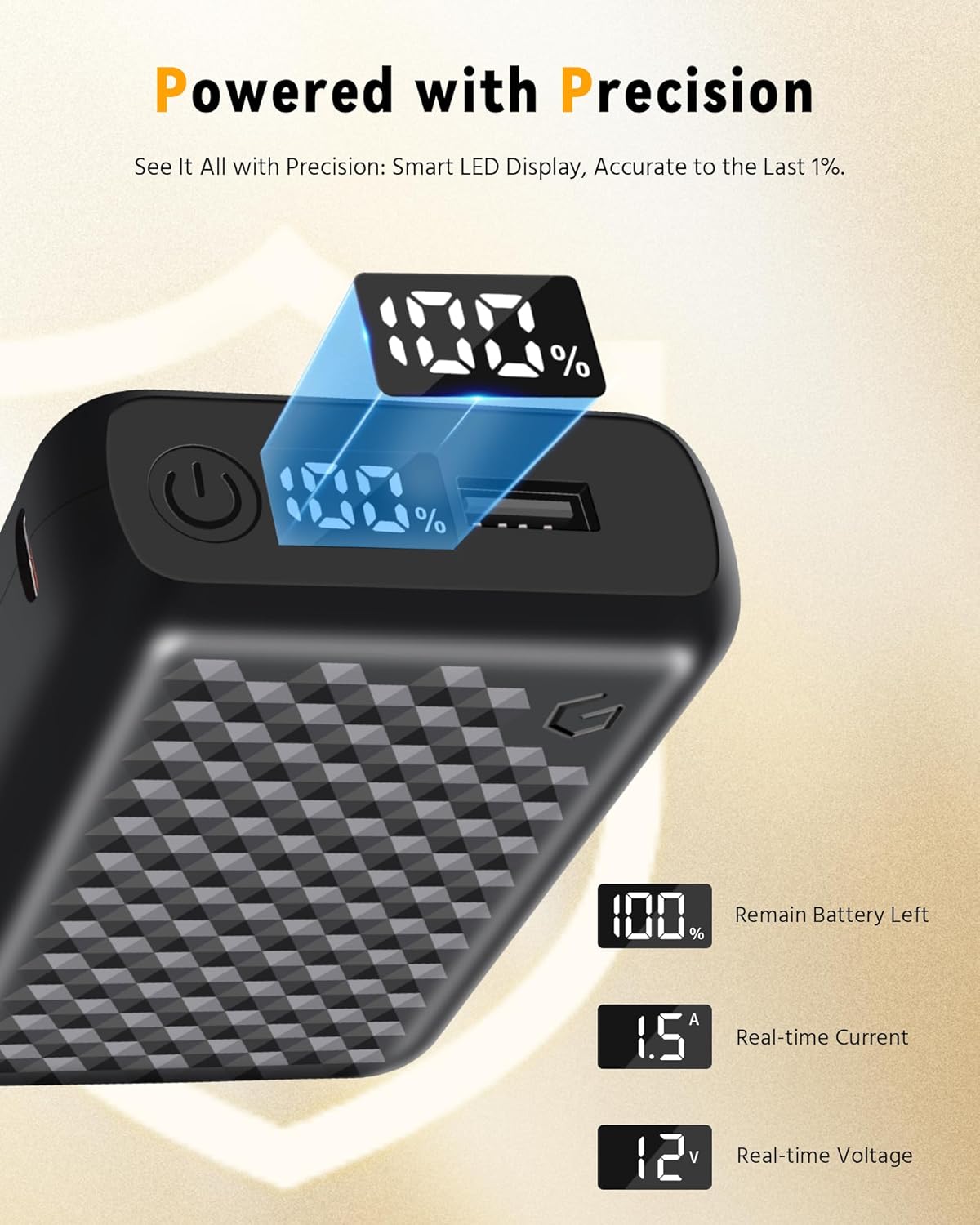
Figure 2: Detailed view of the LED digital display indicating battery percentage, real-time current, and real-time voltage.
The power bank features a textured surface for grip, a power button, and a clear digital display on the top surface. The various ports are located on the sides for easy access.
3. Setup
3.1 Initial Charge
Before first use, it is recommended to fully charge your Wulcea Power Bank. This ensures optimal battery performance and longevity.
- Connect the provided USB-A to USB-C cable to the Type-C port on the power bank.
- Connect the USB-A end of the cable to a compatible USB wall adapter (not included) or a computer USB port.
- The digital display will show the charging progress. The battery is fully charged when the display shows "100%".
Charging time may vary depending on the power source. For faster charging, use an 18W or higher power adapter.
4. Operation
4.1 Checking Battery Level
Press the power button once to activate the digital display. The screen will show the current battery percentage. The display will automatically turn off after a few seconds to conserve power.
4.2 Charging Devices
The Wulcea Power Bank offers multiple output options:
- USB Type-C Output: Use a USB-C to USB-C cable (not included) or the provided USB-A to USB-C cable with an adapter to connect your device to the power bank's Type-C port. This port supports both input and output.
- USB Type-A Output: Use a standard USB-A cable (not included) to connect your device to the power bank's USB-A port.
- DC Output: Use a compatible DC cable (not included, typically supplied with heated apparel) to connect your heated jacket or vest to the power bank's DC output port. This port is specifically designed for 12V devices like heated apparel.
Once connected, the power bank should automatically begin charging your device. If not, press the power button once to initiate charging. The digital display will show the real-time current and voltage during charging.
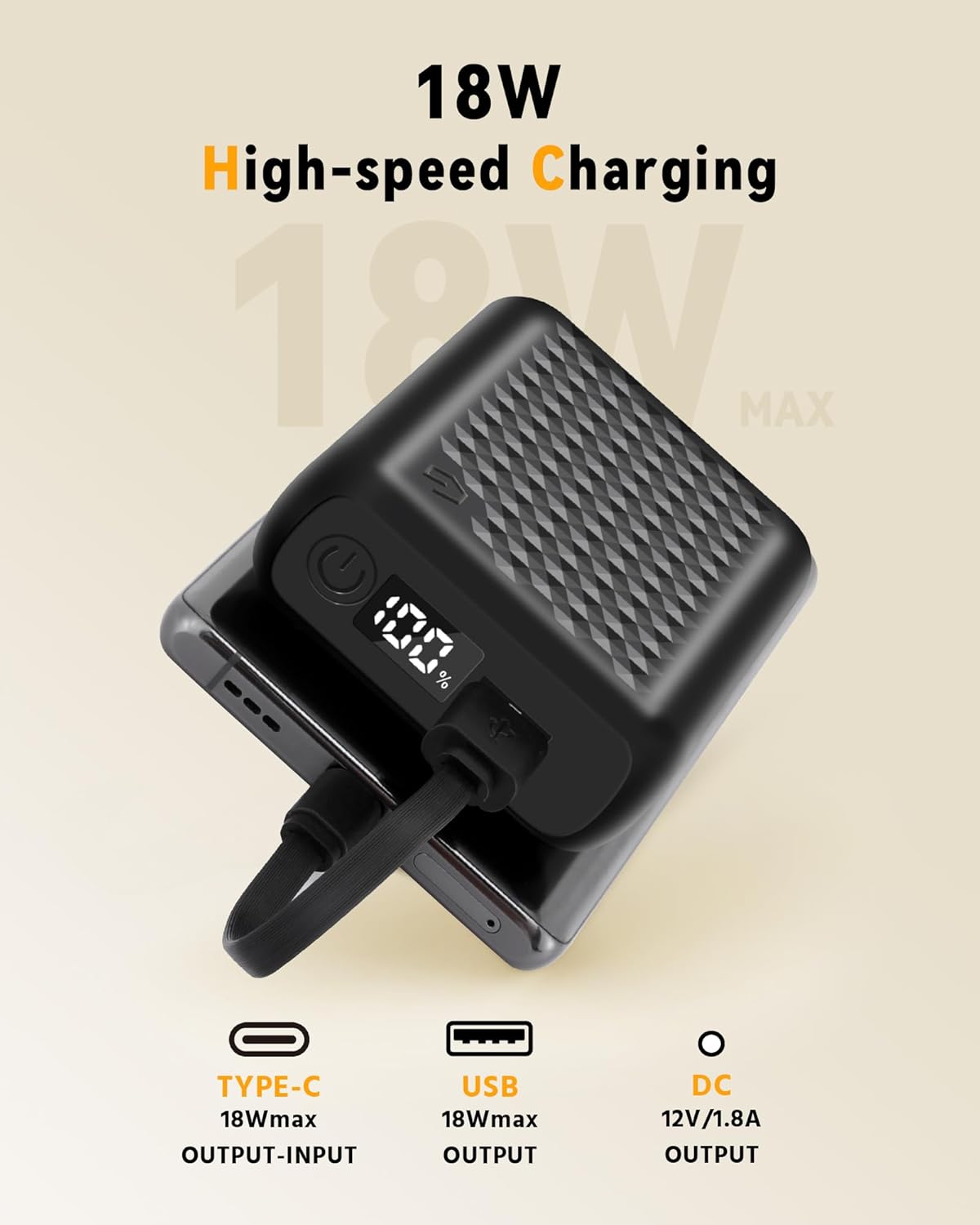
Figure 3: Power bank connected to a smartphone, illustrating 18W high-speed charging capability via Type-C.

Figure 4: Demonstrates the two-way USB-C functionality of the Wulcea power bank, allowing both input and output charging.
The Wulcea power bank's Type-C port supports both input and output, providing greater flexibility compared to power banks with input-only Type-C ports.
5. Maintenance and Care
- Keep the power bank away from extreme temperatures, direct sunlight, and humid environments.
- Do not expose the power bank to water or other liquids.
- Clean the power bank with a soft, dry cloth. Do not use abrasive cleaners or solvents.
- Store the power bank in a cool, dry place when not in use. For long-term storage, charge the power bank to approximately 50-70% every three months to preserve battery health.
- Avoid dropping or subjecting the power bank to strong impacts.
6. Troubleshooting
| Problem | Possible Cause | Solution |
|---|---|---|
| Power bank not charging | Cable not connected properly; Faulty cable; Power adapter issue; Power bank battery depleted. | Ensure all connections are secure. Try a different charging cable or power adapter. Allow the power bank to charge for a few minutes before checking the display. |
| Device not charging from power bank | Power bank battery depleted; Cable not connected properly; Device not compatible; Power bank in standby mode. | Check power bank battery level. Ensure cables are securely connected. Press the power button to activate output. Verify device compatibility with the power bank's output specifications. |
| Digital display not working | Power bank battery depleted; Malfunction. | Charge the power bank. If the issue persists after charging, contact customer support. |
If you encounter issues not listed here or if the problem persists, please contact Wulcea customer support for assistance.
7. Specifications
| Model Number | RTAX-018A |
| Battery Capacity | 18400 mAh |
| Input (Type-C) | 18W Max |
| Output (Type-C) | 18W Max |
| Output (USB-A) | 18W Max |
| Output (DC) | 12V / 1.8A |
| Dimensions (L x W x H) | 3.6 x 2.6 x 1.1 inches (9.1 x 6.6 x 2.8 cm) |
| Weight | 10.5 ounces (297.7 grams) |
| Color | Black |
8. Safety Information
Please observe the following safety precautions to prevent damage to the product or injury to yourself:
- Do not disassemble, open, or shred the battery pack.
- Do not short-circuit the battery pack.
- Do not expose the battery pack to heat or fire. Avoid storage in direct sunlight.
- Do not expose the battery pack to mechanical shock.
- In the event of a battery leak, do not allow the liquid to come into contact with skin or eyes. If contact has occurred, wash the affected area with copious amounts of water and seek medical advice.
- Keep the battery pack out of reach of children.
- Do not use the power bank if it has been damaged or modified.
- Dispose of the power bank responsibly according to local regulations.
9. Warranty and Support
Wulcea products come with an 18-month support period from the date of purchase. For warranty claims, technical support, or any inquiries regarding your Wulcea Power Bank, please contact our customer service team through the retailer's platform or visit the official Wulcea website.
Please retain your proof of purchase for warranty purposes.
Ask a question about this manual
Ask about setup, troubleshooting, compatibility, parts, safety, or missing instructions. Manuals+ will review the question and use this page’s manual context to help answer it.