
1. Introduction
This manual provides instructions for the safe and efficient use of your CCYLEZ Bone Conduction Speaker, Model CCYLEZivfe1mhwxk-12. This portable speaker utilizes bone conduction technology to deliver sound directly through vibrations on solid mediums, offering a unique and immersive audio experience. It is designed for versatile application in various environments, including wet conditions.
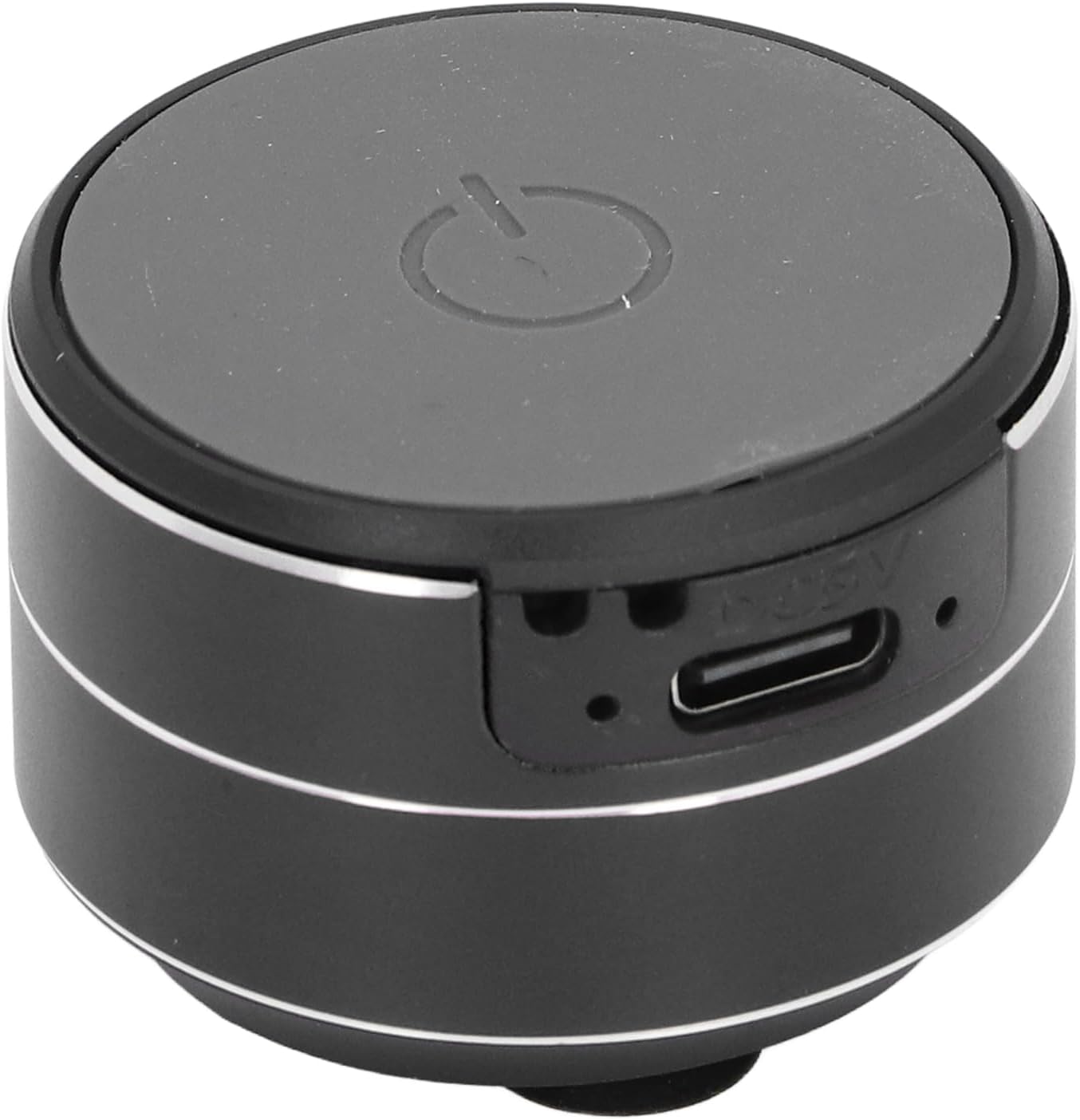
Image 1.1: Front view of the CCYLEZ Bone Conduction Speaker, highlighting the power button and charging port.
2. Package Contents
Please verify that all items listed below are included in your package:
- 1 x CCYLEZ Bone Conduction Speaker
- 1 x USB Data Cable
- 1 x Hanging Rope
- 1 x Double-Sided Tape
- 1 x User Manual (this document)

Image 2.1: The CCYLEZ Bone Conduction Speaker shown with its accompanying accessories.
3. Safety Information
To ensure safe operation and prevent damage, please observe the following safety guidelines:
- Read all instructions thoroughly before using the speaker.
- Do not expose the device to extreme temperatures (hot or cold) or direct sunlight for prolonged periods.
- Keep the speaker away from children and pets.
- Use only the specified charging voltage of 5V. Using higher voltage may damage the device.
- Do not attempt to disassemble, repair, or modify the speaker yourself. Contact qualified service personnel if needed.
- Avoid dropping or subjecting the speaker to strong impacts.
4. Setup
4.1 Initial Charging
Before first use, fully charge the speaker. Connect the provided USB data cable to the speaker's charging port and a standard 5V USB power adapter (not included) or a computer USB port. The charging port is located on the side of the speaker.

Image 4.1: Close-up of the speaker's side, indicating the USB charging port.
4.2 Powering On/Off
To power on the speaker, press and hold the power button located on the top surface until you hear an audible prompt or see an indicator light. To power off, press and hold the same button again.
4.3 Bluetooth Connection
Once powered on, the speaker will automatically enter Bluetooth pairing mode. On your smartphone, tablet, or other Bluetooth-enabled device, navigate to the Bluetooth settings and search for available devices. Select 'CCYLEZ Speaker' (or a similar name) from the list to connect.
4.4 Dual Speaker Pairing (True Stereo)
For an immersive stereo experience, you can pair two CCYLEZ Bone Conduction Speakers together:
- Ensure both speakers are powered off.
- Power on both speakers simultaneously. They will automatically attempt to find and pair with each other.
- Once successfully paired, one speaker will act as the master and the other as the slave.
- Connect your device via Bluetooth to the master speaker as described in Section 4.3. Audio will now play through both speakers in stereo.
4.5 Mounting Options
The speaker offers versatile mounting options to optimize sound transmission through different surfaces:
- Suction Cup Base: The speaker is equipped with a suction cup base for stable attachment to smooth, non-porous surfaces like glass, tiles, or metal. Ensure the surface is clean and dry for optimal adhesion.
- Double-Sided Tape: For more permanent or textured surfaces, use the provided double-sided tape. Attach one side to the speaker's base and the other to your desired surface.
- Hanging Rope: Utilize the included hanging rope to suspend the speaker, allowing it to vibrate against various objects or simply hang freely.

Image 4.2: Detail of the speaker's suction cup base for secure mounting.
5. Operating Instructions
Once connected via Bluetooth, you can control audio playback directly from your paired device. The speaker itself typically does not have volume or track control buttons, relying on the connected source device for these functions.
- Volume Control: Adjust the volume using the controls on your connected smartphone, tablet, or computer.
- Playback Control: Play, pause, skip tracks, or repeat using the media controls on your connected device.
- Optimal Sound: Experiment with placing the speaker on different surfaces. Hard, resonant surfaces like wooden tables, glass, or metal panels will produce distinct sound characteristics.
6. Maintenance
Proper care will extend the life of your speaker:
- Cleaning: Wipe the speaker with a soft, dry, or slightly damp cloth. Do not use harsh chemicals, abrasive cleaners, or solvents.
- Suction Cup Care: For optimal adhesion, periodically clean the suction cup base with water and allow it to air dry. Ensure the mounting surface is also clean and free of dust or grease.
- Storage: When not in use for extended periods, store the speaker in a cool, dry place, away from direct sunlight and extreme temperatures.
- Battery: To maintain battery health, avoid fully discharging the battery frequently and recharge it regularly, even if not in use.
7. Troubleshooting
If you encounter issues with your speaker, refer to the following common problems and solutions:
- No Sound:
- Ensure the speaker is powered on and fully charged.
- Verify that the speaker is successfully connected to your device via Bluetooth.
- Check the volume levels on both the speaker (if applicable) and your connected device. Ensure neither is muted.
- Try reconnecting the Bluetooth connection.
- Cannot Pair via Bluetooth:
- Ensure the speaker is in pairing mode (usually indicated by a flashing light).
- Turn off and then turn on the speaker and your device's Bluetooth.
- Move your device closer to the speaker (within 10 meters).
- Clear previous Bluetooth connections on your device and try pairing again.
- Poor Sound Quality / Distortion:
- Bone conduction sound quality is highly dependent on the surface it's placed on. Experiment with different surfaces (e.g., wood, glass, metal) to find the best sound.
- Ensure the speaker is firmly attached to the surface. Loose contact can cause distortion.
- Reduce the volume on your connected device if distortion occurs at high levels.
- Check for any physical obstructions or damage to the speaker's vibrating surface.
- Speaker Not Charging:
- Ensure the USB cable is securely connected to both the speaker and the power source.
- Try a different USB cable or power adapter.
- Verify the power source is active and providing 5V output.
8. Specifications
| Model Number | CCYLEZivfe1mhwxk-12 |
| Material | Aluminum Alloy |
| Connection Type | Bluetooth 5.3 |
| Connection Distance | Approx. 10m / 32.81ft |
| Speaker Output | 3W, 4Ω |
| Speaker Size | Approx. 27mm / 1.06in |
| Frequency Response | 20Hz - 20kHz |
| Signal to Noise Ratio | ≥75db |
| Distortion | ≤0.1% |
| Charging Voltage | 5V |
| Battery Type | Built-in 3.7V 400mAh Lithium Ion Battery |
| Waterproof | Yes |
9. Warranty Information
This CCYLEZ Bone Conduction Speaker is covered by a limited warranty. The specific terms and duration of the warranty may vary by region and retailer. Please refer to the warranty card included in your product packaging for detailed information. Alternatively, you may contact CCYLEZ customer support or the retailer from whom you purchased the product for warranty inquiries.
10. Customer Support
For technical assistance, product support, or any questions regarding your CCYLEZ Bone Conduction Speaker, please contact our customer support team. You can typically find contact information through the retailer where you purchased the product or by visiting the official CCYLEZ brand website.
Please have your model number (CCYLEZivfe1mhwxk-12) and purchase details ready when contacting support to facilitate a quicker resolution.