Introduction
This manual provides detailed instructions for the setup, operation, and maintenance of your Inkbird ITH-13-B Bluetooth Hygrometer Thermometer and Inkbird ITC308 Temperature Controller. Please read this manual thoroughly before using the devices to ensure proper function and safety.
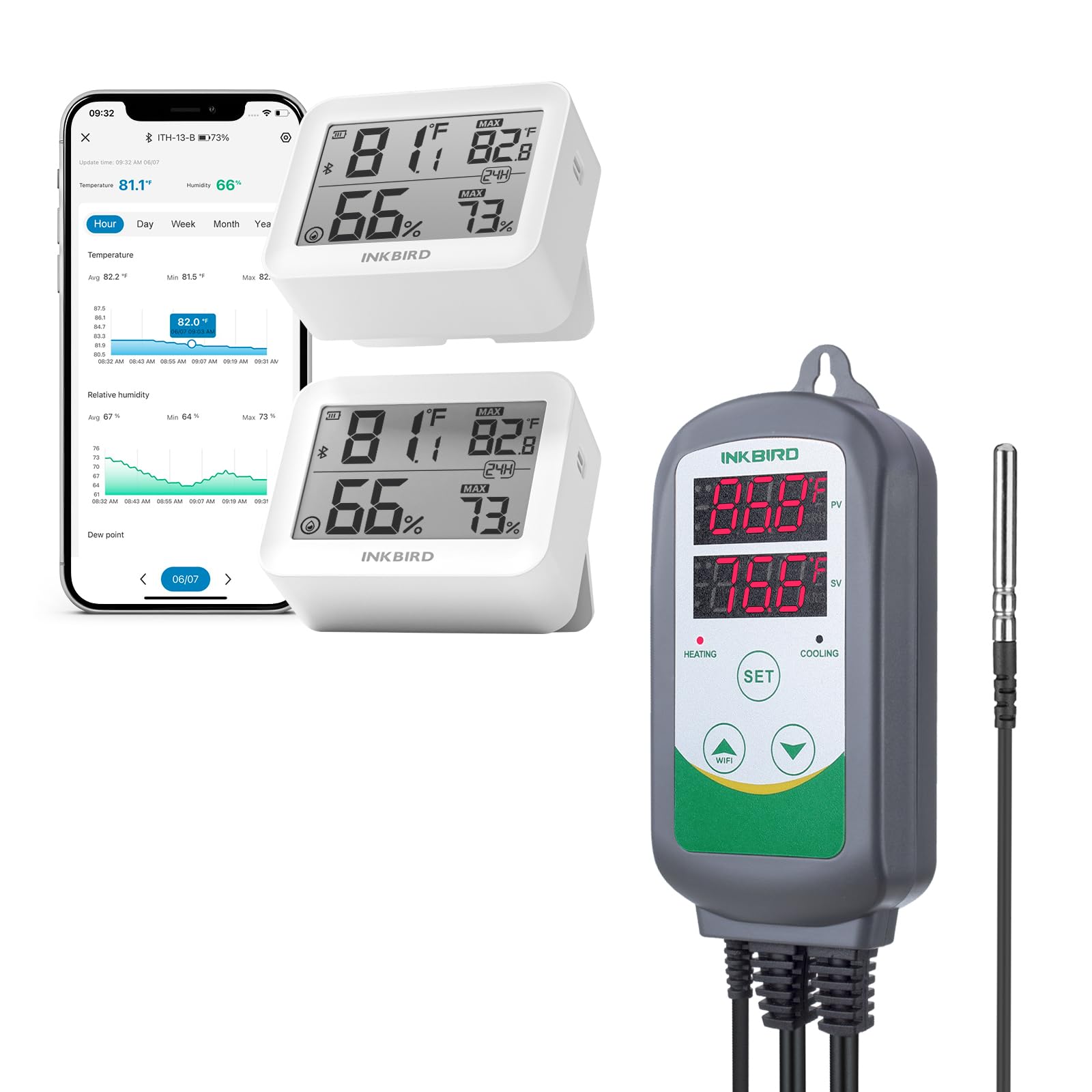
Image: The Inkbird ITH-13-B Bluetooth Hygrometer Thermometer and the Inkbird ITC308 Temperature Controller, shown together as a bundle.
Inkbird ITH-13-B Bluetooth Hygrometer Thermometer
Features
- High-Precision Sensor: Equipped with Swiss-made Sensirion sensors, providing temperature accuracy of ±0.2°C (±0.36°F) and humidity accuracy of ±2%. Samples data every 3 seconds for real-time environment monitoring.
- Bluetooth 5.0 Technology: Offers an extended connection distance of up to 230 ft (70m), ensuring a more stable connection and faster data transmission speed.
- Data Storage & Export: Stores up to 300 days of offline temperature and humidity data. Users can view and export 2 years of historical data via the companion application for analysis.
- Long Battery Life: Powered by 2 AAA batteries (included), providing up to 8 months of continuous, stable, and accurate recording.
- Air Comfort Level Indicator: Displays comfort levels (Dry, Comfort, Wet) to help users assess indoor air quality. The range for comfort levels can be customized within the application.
- Compact Design: Small and portable, suitable for placement in various locations such as nursery rooms, bedrooms, wine cellars, and basements.

Image: The Inkbird ITH-13-B device displaying temperature and humidity, surrounded by icons representing its key features: Bluetooth App Control, Swiss Precision Sensor, Comfort Level Indicator, 8+ Months Battery Life, Offline Data Storage, and Diagram & Data Export.

Image: An exploded view of the Inkbird ITH-13-B, showing its internal components including the Swiss precision sensor, circuit board, and battery compartment. Text highlights temperature accuracy of ±0.2°C (±0.36°F) and humidity accuracy of ±2%.

Image: A graphic illustrating the benefits of Bluetooth 5.0 technology, showing an Inkbird ITH-13-B device monitoring an environment from a distance of 70m/230ft. A comparison table highlights faster transmission speed, more stable connection, lower power consumption, and better compatibility compared to Bluetooth 4.0.
Setup
- Battery Installation: Open the battery compartment on the back of the device. Insert two AAA batteries, ensuring correct polarity. Close the compartment securely.
- App Download: Scan the QR code provided in the packaging or search for the Inkbird app on your smartphone's app store (iOS or Android).
- Device Pairing: Enable Bluetooth on your smartphone. Open the Inkbird app and follow the on-screen instructions to add your ITH-13-B device. The app will guide you through the pairing process.
Operation
- Reading the Display: The device's LCD screen will show current temperature and humidity. It also displays minimum and maximum recorded values for the day.
- Using the App: Once connected, the app provides real-time temperature and humidity readings, historical data graphs, and allows customization of comfort level thresholds.
- Data Export: Within the app, navigate to the historical data section. You can select a date range and export the data for further analysis.

Image: The Inkbird ITH-13-B device displaying current readings, with a smartphone screen in the foreground showing the Inkbird app interface. The app displays historical temperature and humidity data in a graphical format, allowing users to view trends over time.

Image: The Inkbird ITH-13-B device displaying temperature, humidity, and a comfort level icon. A graphic above explains the comfort level indicator: 'Dry' (Humidity < 30%), 'Comfort' (30% < Humidity < 60% and 68°F < Temperature < 78.8°F), and 'Wet' (Humidity > 60%). It notes that comfort ranges are customizable in the app.
Specifications (ITH-13-B)
- Temperature Accuracy: ±0.2°C (±0.36°F)
- Humidity Accuracy: ±2%
- Temperature Range: -20°C to 60°C (-4°F to 140°F)
- Humidity Range: 0% RH - 99% RH
- Battery Type: 2 x AAA (included)
- Battery Life: Up to 8 months
- Connectivity: Bluetooth 5.0
- Mounting Type: Tabletop

Image: The Inkbird ITH-13-B device held in a hand, with overlaid measurements indicating its compact size: 60mm (2.36in) width, 47mm (1.85in) height, and 23mm (0.91in) depth.
Inkbird ITC308 Temperature Controller
Features
- Dual Outputs: Features separate outputs for heating and cooling equipment, allowing precise temperature control.
- On/Off Control: Simple and effective on/off control mechanism for maintaining desired temperatures.
- Wide Temperature Range: Operates within a broad range from -58°F to 210°F (-50°C to 99°C).
- Dual Display Windows: Two digital displays show both the current temperature (PV - Process Value) and the target temperature (SV - Set Value) simultaneously.
- Plug and Play Design: Easy to set up and use with standard power outlets.

Image: The Inkbird ITC308 Temperature Controller with its dimensions indicated: main unit is 2.7in/6.8cm wide and 5.5in/14cm high; the power strip is 1.7in/4.2cm wide and 3.3in/8.5cm high.
Setup
- Connect Temperature Probe: Insert the stainless steel temperature probe into the designated port on the ITC308 controller. Ensure it is fully seated.
- Plug in Heating/Cooling Devices: Connect your heating appliance (e.g., heat mat, heater) to the 'HEATING' outlet and your cooling appliance (e.g., fan, chiller) to the 'COOLING' outlet on the power strip.
- Power On: Plug the ITC308's main power cord into a standard electrical outlet. The displays will illuminate.
Operation
- Setting Target Temperature (SV): Press the 'SET' button once. The 'SV' display will flash. Use the 'UP' and 'DOWN' arrow buttons to adjust the desired target temperature. Press 'SET' again to confirm.
- Viewing Current Temperature (PV): The 'PV' display continuously shows the current temperature detected by the probe.
- Heating/Cooling Indicators: The 'HEATING' and 'COOLING' indicator lights will illuminate when the respective output is active, indicating that power is being supplied to the connected appliance to reach or maintain the set temperature.
- Calibration (Optional): Refer to the detailed user guide included with the ITC308 for advanced settings such as temperature calibration, differential settings, and alarm functions.

Image: The Inkbird ITC-308 Temperature Controller, its temperature probe, and the dual-outlet power strip. Also shown is the product packaging box labeled 'INKBIRD Smart home. Smart Life' and a 'User Guide' booklet.
Specifications (ITC308)
- Temperature Control Range: -50°C to 99°C (-58°F to 210°F)
- Temperature Resolution: 0.1°C / 0.1°F
- Temperature Accuracy: ±1°C (±2°F)
- Input Power: 100~240VAC, 50Hz/60Hz
- Output: Max 10A, 100V~240V AC
- Sensor Type: NTC sensor (included)
- Sensor Length: 2m (6.5ft)
Troubleshooting
- No Display on ITH-13-B: Check if the AAA batteries are installed correctly and are not depleted. Replace batteries if necessary.
- ITH-13-B Not Connecting to App: Ensure Bluetooth is enabled on your smartphone and the device is within the 230 ft range. Try restarting both the device (by removing/reinserting batteries) and the app.
- ITC308 Displaying 'HHH' or 'LLL': This indicates a sensor error. Check if the temperature probe is securely connected to the controller. If the issue persists, the probe may be faulty.
- ITC308 Not Activating Heating/Cooling: Verify that the heating/cooling appliances are correctly plugged into their respective outlets on the ITC308. Check the set temperature (SV) and ensure it is appropriately configured relative to the current temperature (PV) and differential settings.
- Inaccurate Readings: Ensure sensors are not exposed to direct sunlight, drafts, or extreme temperature fluctuations. For the ITH-13-B, allow a few minutes for readings to stabilize after placement.
Maintenance
- Cleaning: Wipe the devices with a soft, dry cloth. Do not use abrasive cleaners or immerse the devices in water.
- Storage: When not in use for extended periods, remove batteries from the ITH-13-B and store both devices in a cool, dry place away from direct sunlight.
- Sensor Care: Avoid bending or damaging the ITC308's temperature probe. Keep the ITH-13-B's sensor vents clear of dust and debris.
Warranty and Support
Inkbird products typically come with a manufacturer's warranty. For specific warranty details, technical support, or service inquiries, please refer to the warranty card included with your product or visit the official Inkbird website. You can also contact Inkbird customer service directly through their website for assistance.


